
Overview
This article explains how to create and upload a Source Classification Schema file.
A Source Classification Schema defines the classification system used to classify items that will be uploaded in catalogs. It represents the original classification structure provided by a supplier or external system.
Source Classification Schema Template
Download and use the following template to create your schema file:
source classification schema example.xlsx <--- Download
Excel Template Structure
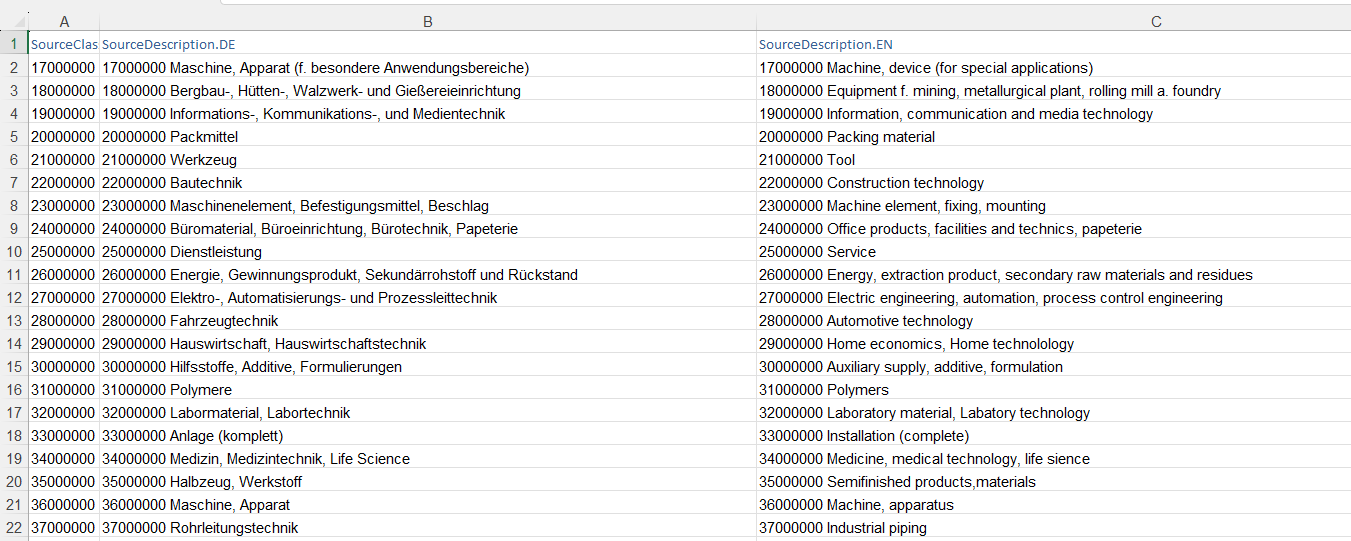
The following table describes the required columns in the Excel file:
|
Column |
Description |
|---|---|
|
SourceClassID |
The unique classification ID for the source schema. |
|
SourceDescription.DE |
The description or name of the classification ID. Additional language columns can be added using the format |
|
SourceDescription.EN |
Similar to the SourceDescription.DE this column will add the english description. |
An example for Eclass could look like this:
Uploading the Source Classification Schema
Follow the steps below to upload the source classification schema into the system.
Step-by-Step Process
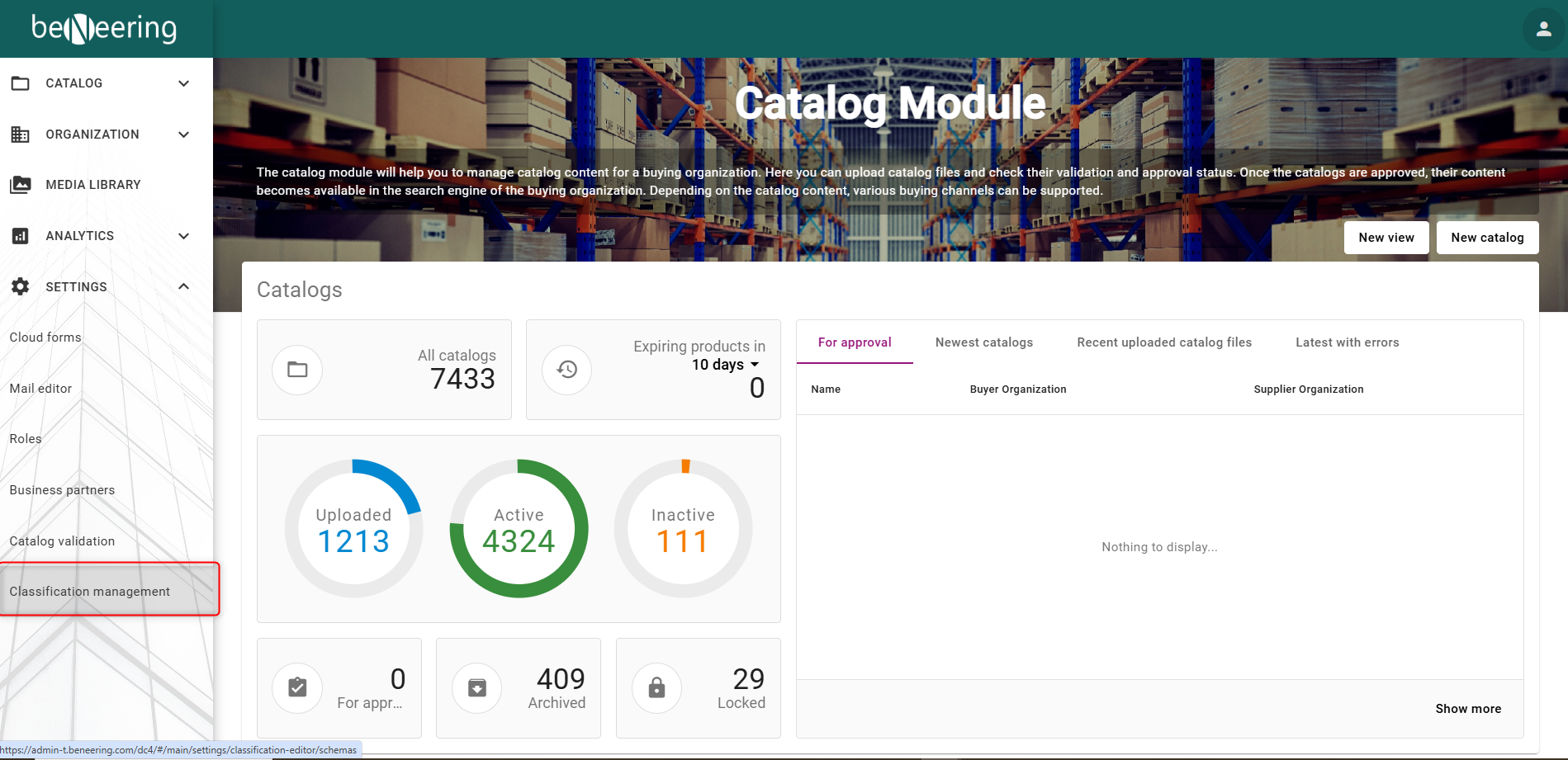
Login to the BeNeering System and choose the Tab “Classification management” in the “Settings” section
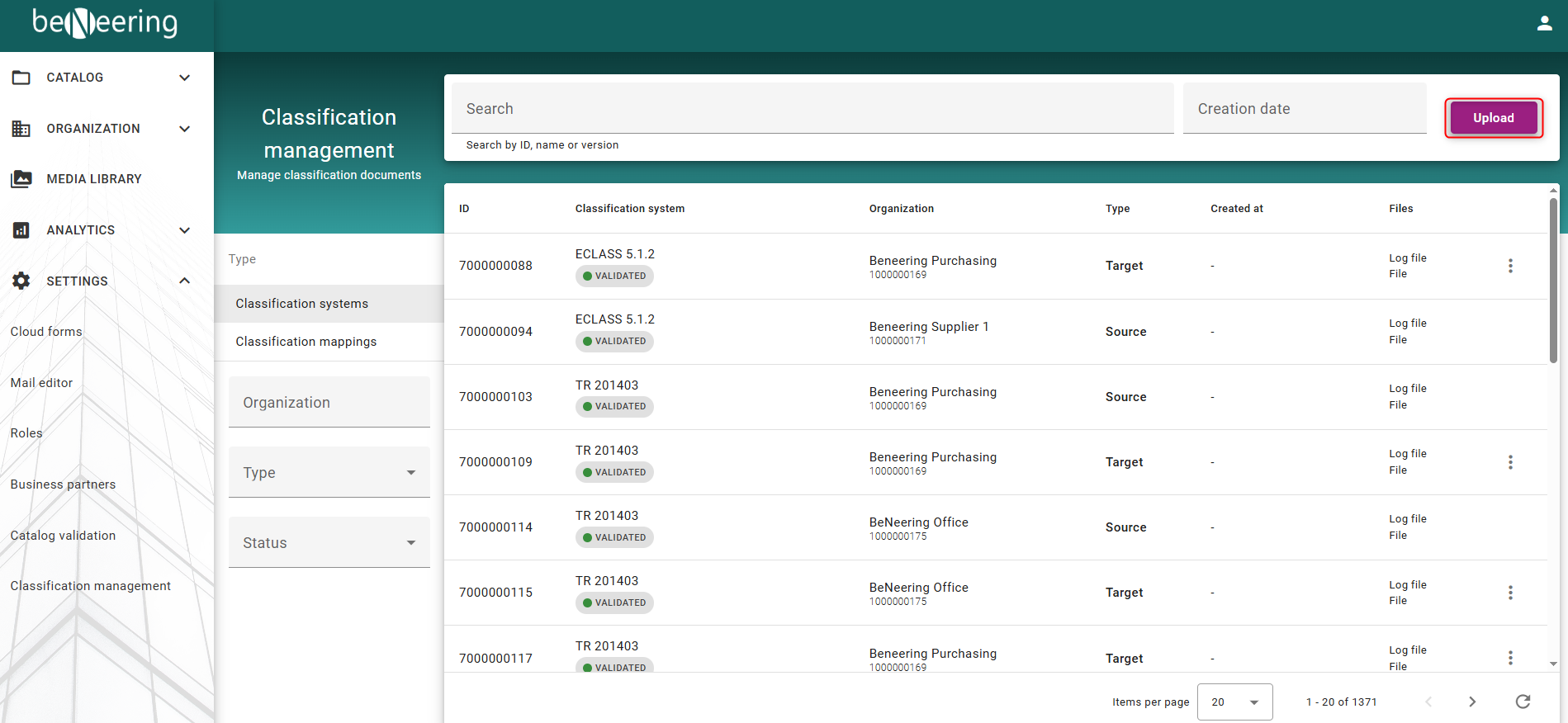
You will be prompt with the Classification management Screen. Click on “Upload” at the top right corner of the screen within the Classification systems Type Tab.
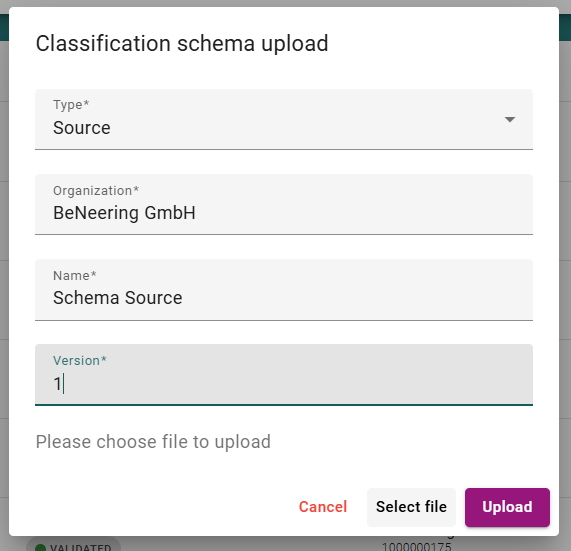
You will be prompt a screen where you can choose several options for your Classification schema upload
-
Type: → Source
-
Organization → Type in the organization name. In most cases this will be the ROOT organization from your company.
-
Name → Type in a name for the schema, for example Eclass or UNSPSC
-
Version → Type in the version, for example 14.0
Validation and Error Handling
-
If the upload is successful, the source classification schema becomes available for use
-
In case of a VALIDATION_ERROR, review the log file or refer to the section Dealing with Error Messages for further guidance