
Release 2025.1 was delivered on
Release Notes send out on
Preface
In general, several new functions on BeNeering Cloud are following customer requirements. By deploying a new release, we are not activating all new functions to all existing customers, as this might impact their operating environment. The activation of some functions requires consulting activities, so please contact your consulting team for BeNeering Cloud, or contact us at support@beneering.com
|
Icon |
Description |
|---|---|
|
💲 |
This feature requires a paid customizing |
|
✅ |
This feature is global standard means active for all customers |
|
⚙️ |
This feature is for free, can be activated or deactivated |
|
⚠️ |
This feature requires an update of the Beneering Cloud Adapter |
New domains ✅
✅
Admin Portal and Supplier Portal is migrated to beneering.com
✅ Supplier login is from now on only possible on the new portal https://cloud.beneering.com
Buyer shall use the same address like the supplier for login, unless SSO access has been activated for the buying organisation.
Buyer administrators can use the old system access, as some functions have not yet been migrated to the new portal.
Portal access will become available only on the release date mentioned above.
Migration of status page with system availability to status.beneering.com
The domain for productive environment http://status.mycatalogcloud.com changed to status.beneering.com
The domain for testing environment http://status-t.mycatalogcloud.com changed to status-t.beneering.com
✅
New support mail support@beneering.com
✅ New support mail support@beneering.com is implemented
Old support@mycatalogcloud.com is still valid at least until the next release.
AI Functions ⚙️ 💲
Chatbot AskBeN
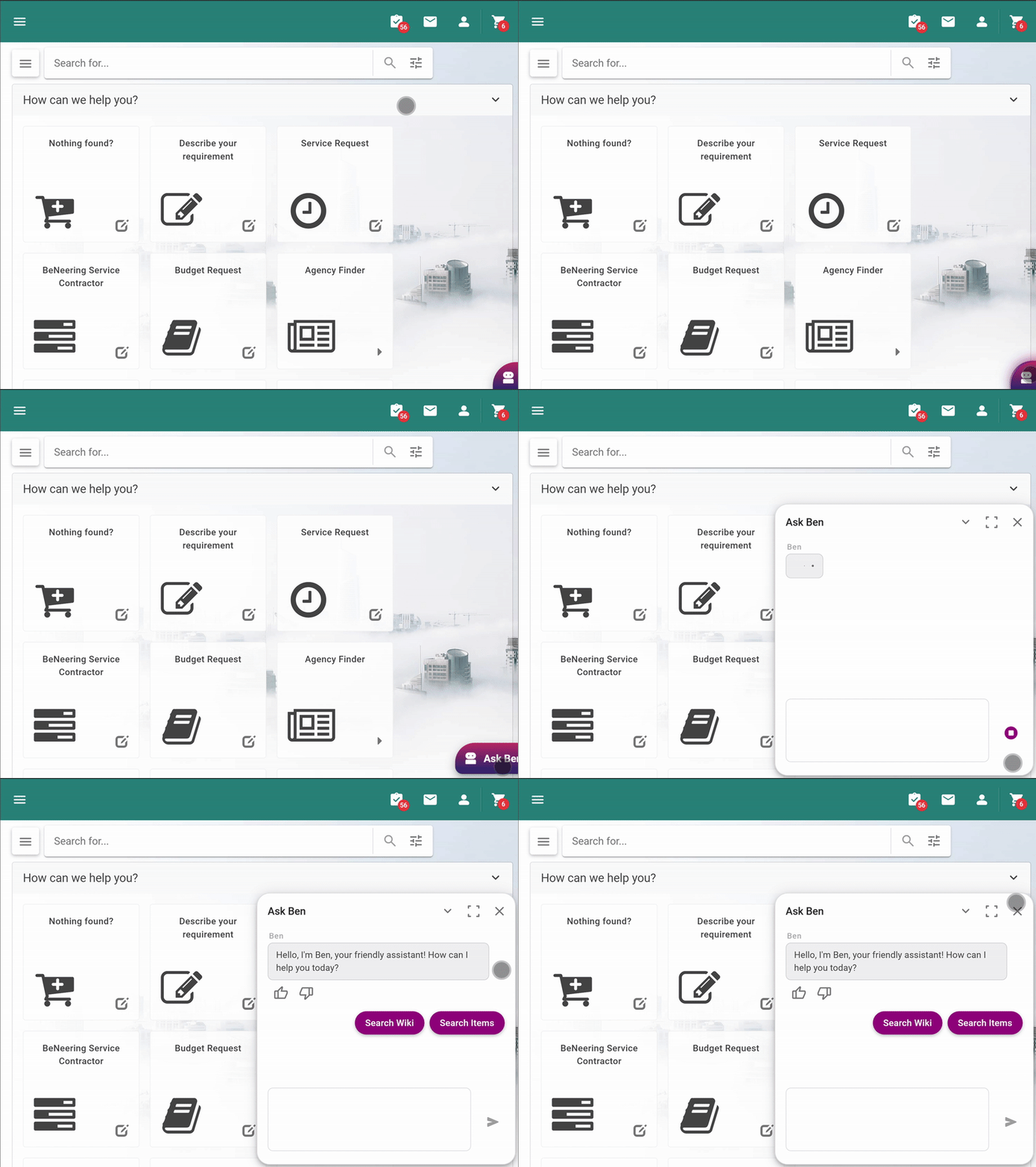
⚙️ The Beneering AI chatbot AskBeN is available in the frontend as a chat widget upon request:
-
Please contact our support team to enable the chatbot. It is possible to enable the chatbot for the whole organisation or only for a limited group of users.
By default, the chatbot has access to the Beneering documentation for the buying process at https://buyer-help.beneering.com and can answer questions about standard Beneering functionality.
-
The bot will provide references with the answers and suggest follow up questions.
💲 A premium tier subscription includes the following features
-
Customer specific content for the chatbot. BeNeering is offering a plugin for Atlassian Confluence to ingest customer content into the chatbot and, alternatively, a Atlassian Confluence space in the BeNeering cloud to host customer specific documentation. For other sources of documentation an interface to the BeNeering AI needs to be developed in a separate project.
-
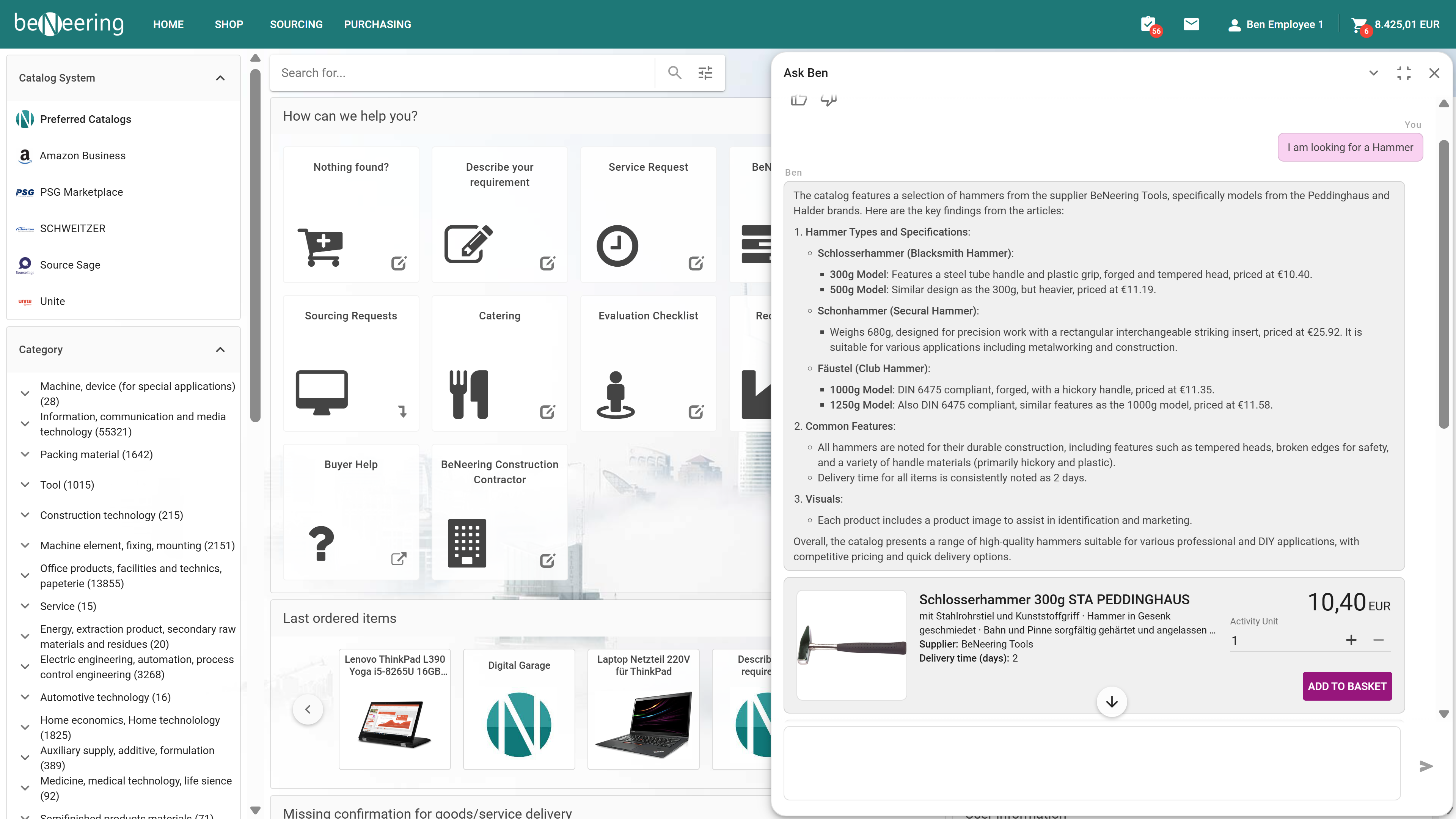
AI catalog search. The chatbot can search the catalog content, summarise findings and show interactionable search results supporting e.g. Add to Basket or navigate to the details page. Search results can be narrowed down through the chat e.g. diameter, color, price etc.
Buyer Functions ✅
SHOP
Filters remain persistent on search result list
✅ When user has selected filters on the search result list and he navigates to another route and then back, his filter settings remain persistent.
Internal Reference: CDEV-10538
Product relation in shop function with mandatory items
✅ When user is selecting a catalog item, obligatory related items are ordered together with the main items. The following relation types are supported:
-
mandatory:
are mandatory items that have to be bought with the main item. It's quantity is predetermined and increases its quantity together with the main item. -
mandatory_default_quantity:
are mandatory items that have to be bought with the main item. Its quantity is predetermined and cannot be changed.
This correction applies to customers connecting the PURCHASING module. At this moment, only these 2 item relations are supported. See https://supplier-help.beneering.com/en/dc4sup/a/setting-up-relations for details.
Internal Reference: CDEV-10017
SOURCING
Open new round on for an existing sourcing event
⚙️ A user can decide to create a new round in sourcing. The reference to the previous sourcing event will be shown in the document flow. By default, some parameters like suppliers and other will be copied from previous event, but they can be adjusted on the new event.
The activation for new round must be customised by BeNeering support team with reference to a sourcing template. Please contact BeNeering Support accordingly.
Internal Reference: CDEV-10291
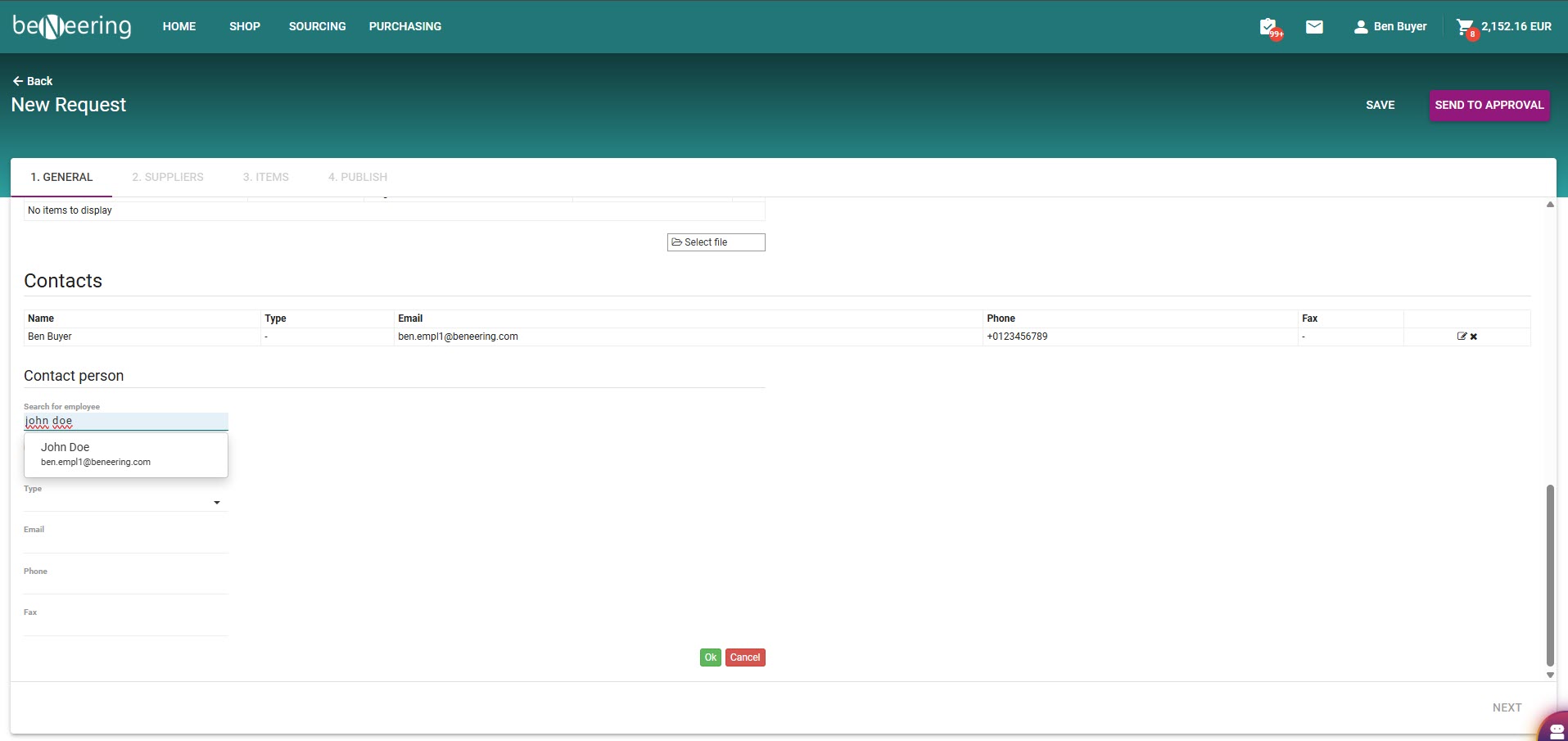
Additional contact in sourcing event can be added via employee search function
User can choose additional employees by searching in the employee database.
Internal Reference: CDEV-10289
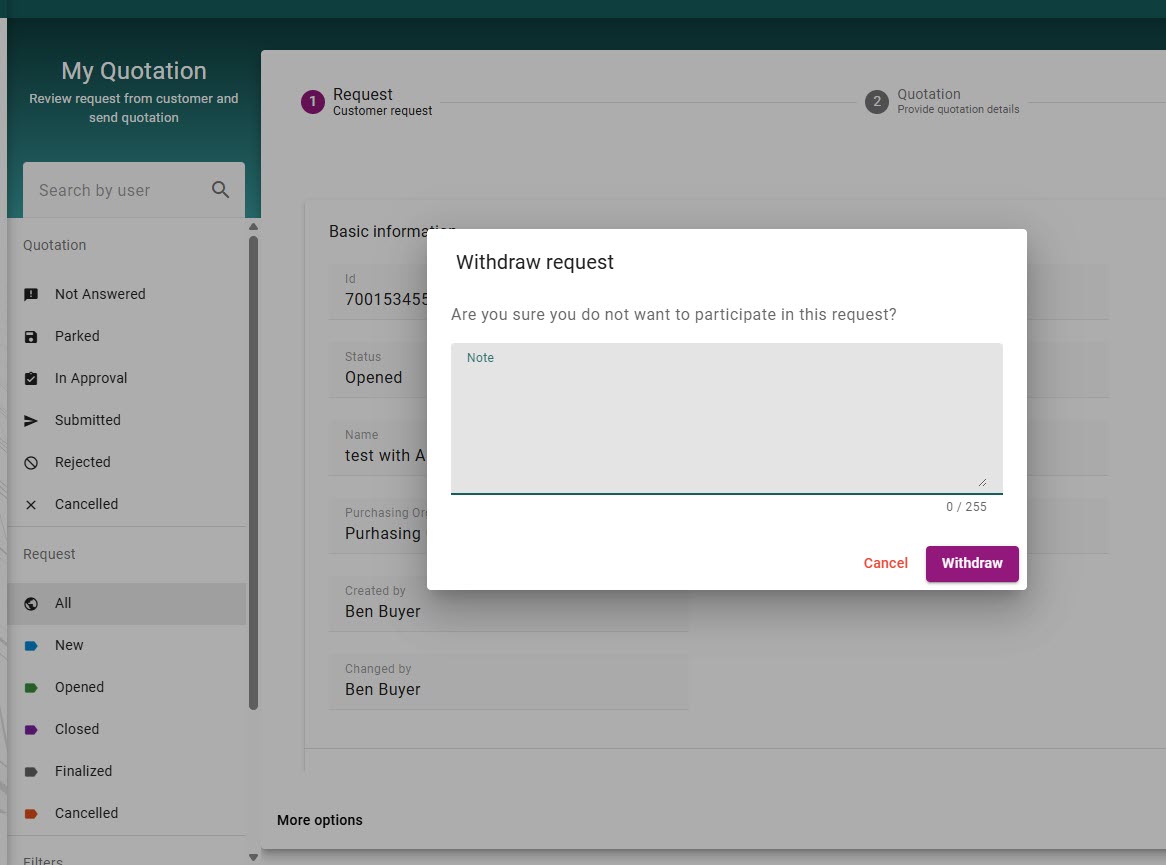
Supplier must enter a note to buyer if refusing to submit a proposal
When a supplier chooses to not offer anything for a sourcing request, he must add a note explaining why he is refusing to offer. This note is becoming visible to to the requester / buyer.
Internal Reference: CDEV-10286
Sourcing event allows searching for items dynamically
An employee can add catalog items on a sourcing event, asking suppliers to submit a proposal for these items. The search for catalog items can be connected dynamically following custom logic. The view can be controled by a selection or via custom code based on individual criteria like material group and other fields.
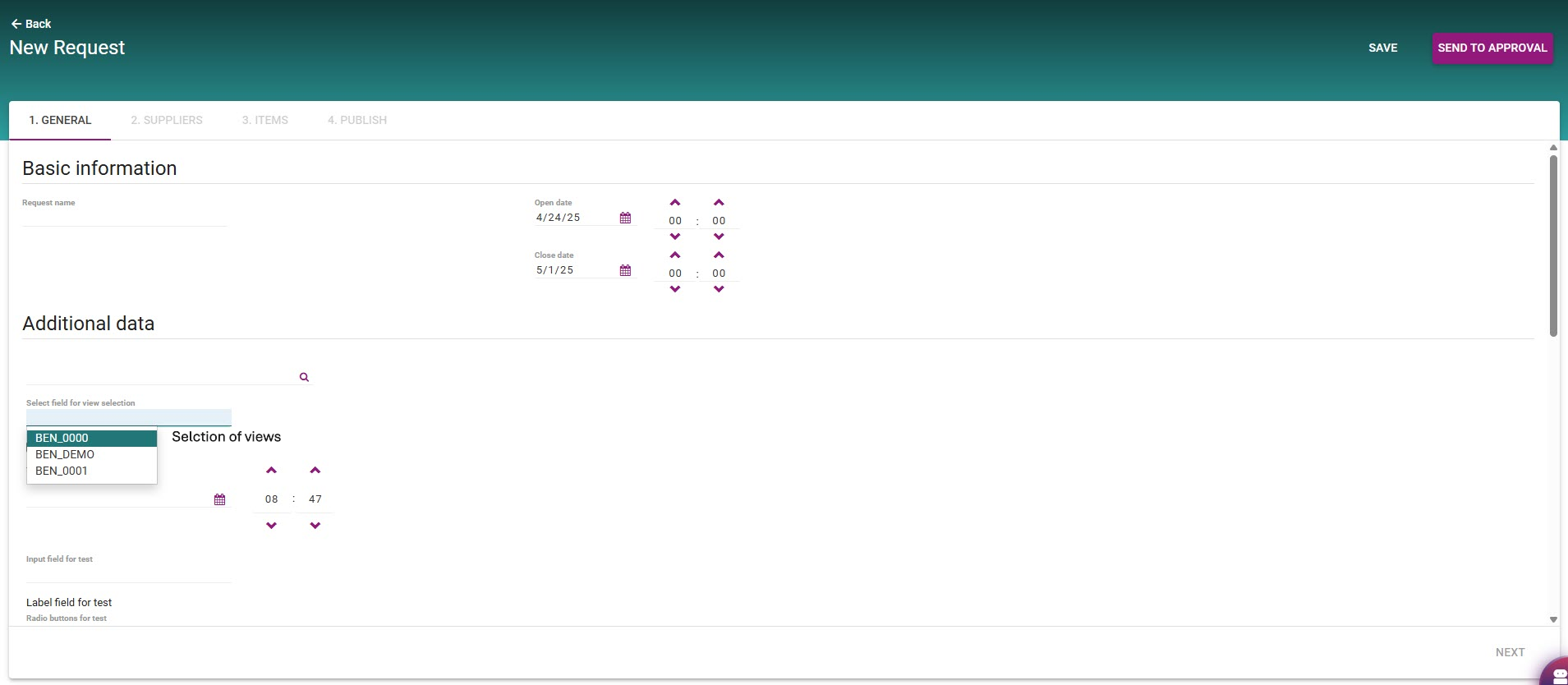
The activation for dynamic view must be customised/developed by BeNeering support team with reference to a sourcing template. Please contact BeNeering Support accordingly.
Internal Reference: CDEV-10285
Sourcing event supporting terms & conditions as attachment link
An employee creating a sourcing event will be offered a link to additional attachments, like terms & conditions. He can check this document for information if needed. Same document will be offered to the supplier who is responding to the sourcing event. Files are available based on UI language and reference to a public available URL.
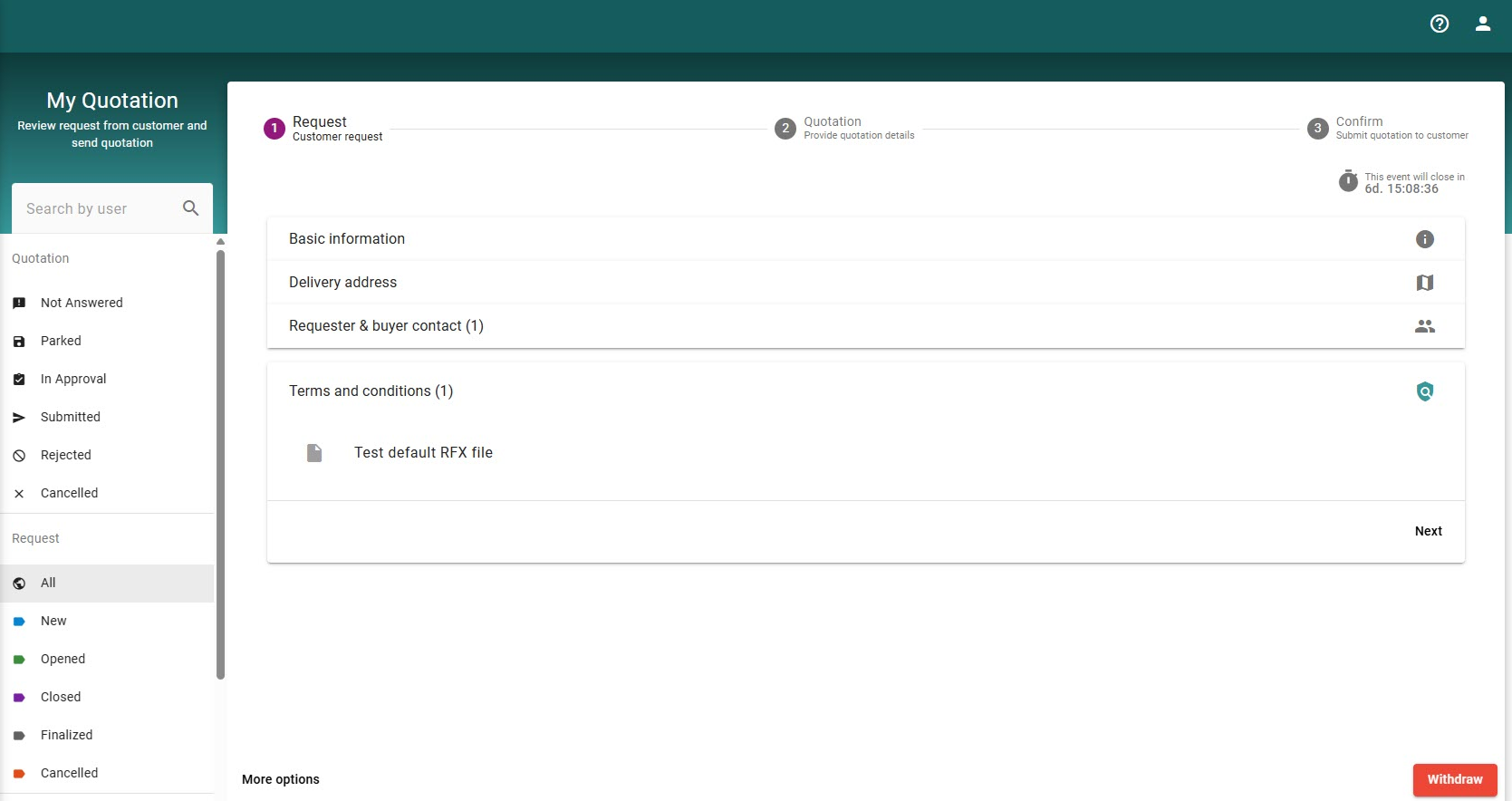
The files must be customised by BeNeering support team with reference to a sourcing template. Please contact BeNeering Support accordingly.
Internal Reference: CDEV-10283
PURCHASING
Buyers can save a draft version of a Purchase Requisition while editing it from the Approval Inbox
While PR draft is saved, it will also become available to other buyers and requesters having access to the same PR. If another user will try to take over this PR draft version, he will receive a warning message with the actual user processing this PR draft.
Internal Reference: CDEV-10937
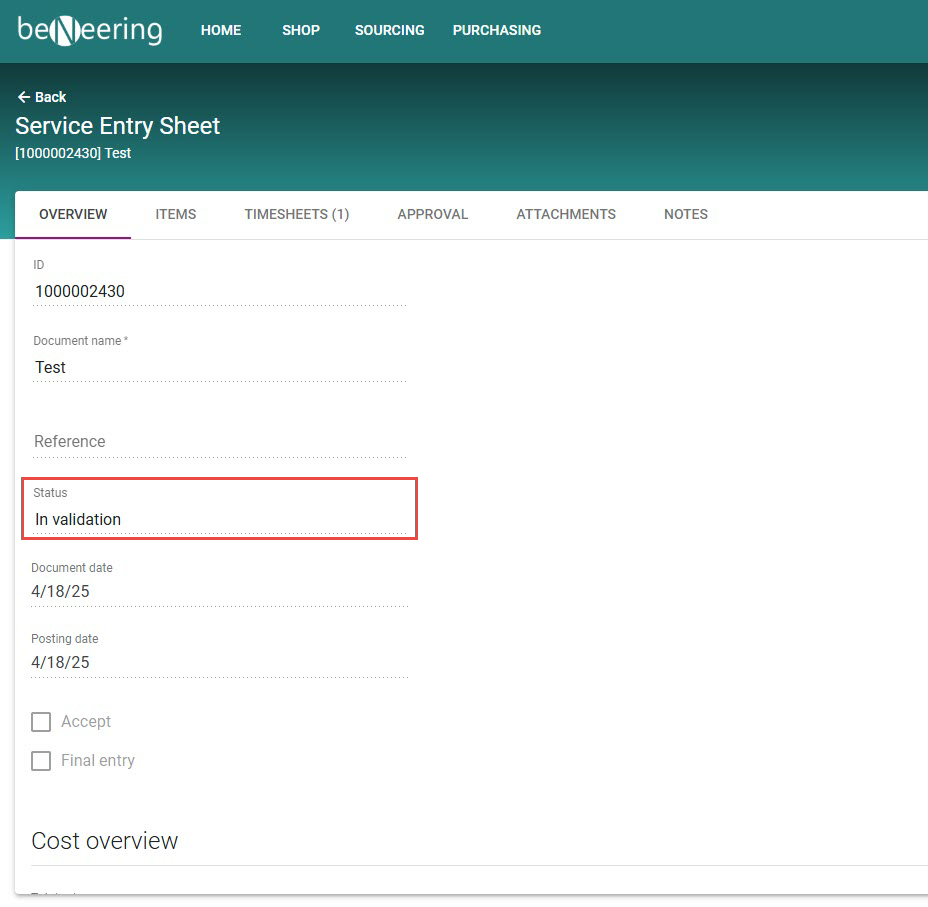
Service Entry Sheets posted in SAP can be now accepted via Cloud access
SES documents having the status in SAP (ML81) “in validation” can be accepted by employees accessing the Buyer application on BeNeering.
Internal Reference: CDEV-10826
If a purchasing document is rejected via approval Inbox, the input for a comment becomes obligatory
Users must give a comment with justification, why approval is rejected.
Internal Reference: CDEV-10776
Support attachment category on file uploader
When user is uploading a file, he can select an attachment category. The possible attachment categories must be compatible with the attachment category in SAP. They can be customised in Dynamic Cloud Forms editor.
Internal Reference: CDEV-10725
Additional features for the messaging function on Purchase Requisition
The messaging function allows sending messages to different recipients with reference to a particular Purchase Requisition. Additional functionality is added:
-
User can upload attachments to message (max 5 MB per file and 20 MB per message)
-
Attachments can be transferred to to the PR document
-
Display the count of unread messages
-
Simplified recipient selection - loading recipients from message history
-
Allow adding recipients who are responsible for a particular workflow step
-
Allow marking messages as unread
On QA soon
Internal Reference: CDEV-10316
Display change log for a purchase requisition document
When navigating into a Purchase Requisition, user can display the change log showing all historical changes, as activated in SAP standard logic.
Internal Reference: CDEV-10179
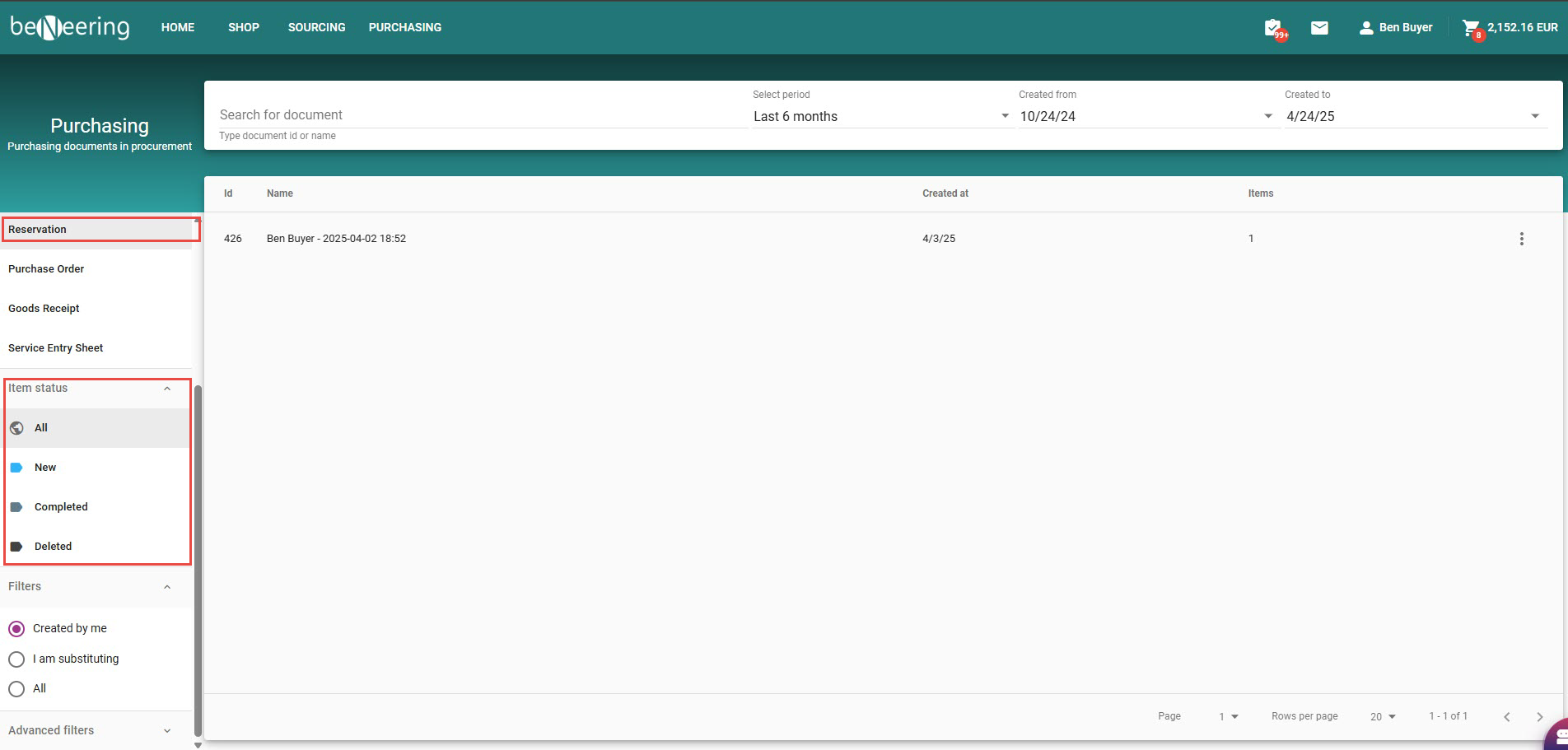
List of Reservations with new status field
On navigation to the reservation list, user can see the document status of a reservation and he can filter by this status. The following status fields are supported:
-
NEW - reservation in SAP is created
-
COMPLETED - goods have been delivered to the requester
-
DELETED - reservation has been revoked
Internal Reference: CDEV-10061
On user login, raise error message to user if mandatory data is missing in user context
With the login to the PURCHASING module, the user’s default context will be checked for mandatory data. For example, if in the User Settings the cost center is declared as a mandatory field, but the cost center is missing, then the user will receive an error message with a link to enter the user settings screen, where he can set his default cost center.
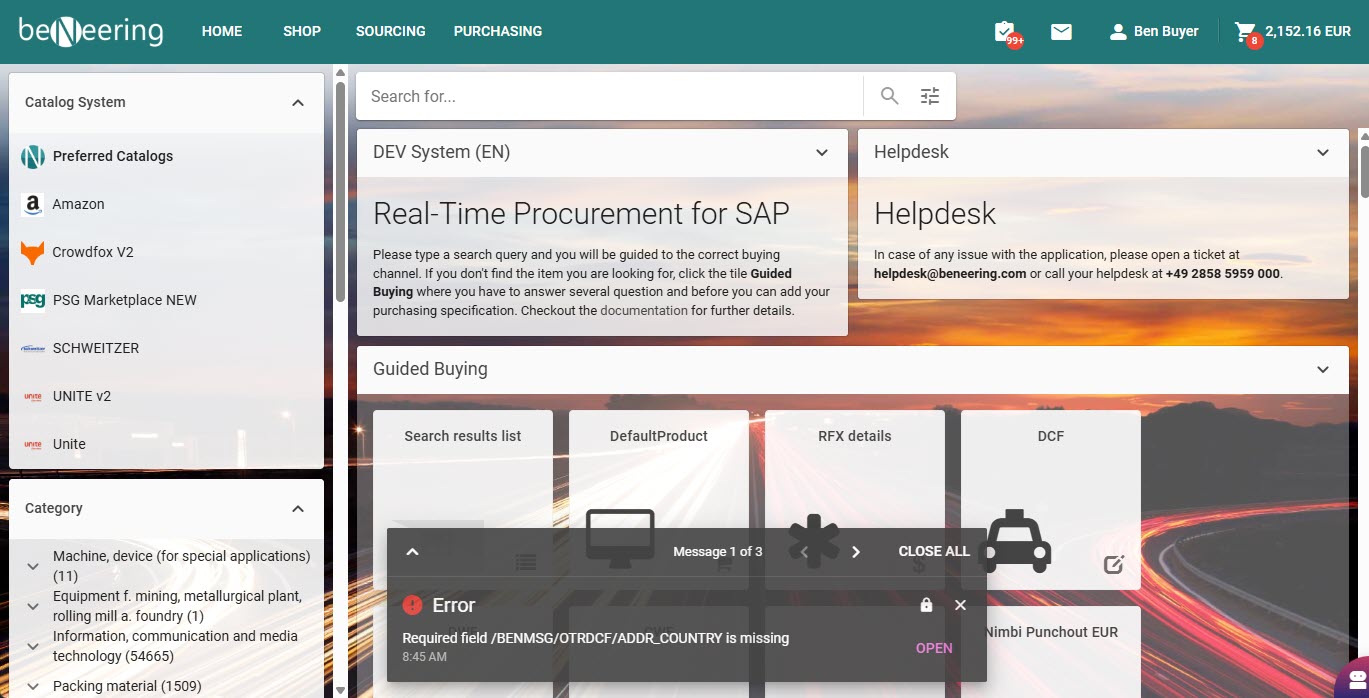
Internal Reference: CDEV-10015
Dynamic Cloud Form - Version 2
We are releasing new version of Dynamic Cloud Forms, While the usability from the front-end does not change for customers who are live, the impact is there for new customer implementation. Why are the benefits of the new Dynamic Cloud Forms (Version 2)?
-
logic has been refactored, thus a more lean implementation is supported
-
accounting DCF has been refactored on both, header and item level. Table display is only active, if user has decided to split accounting information
-
stability issues have been resolved
-
customer specific implementation in ABAP is becoming more simple, following clear patterns for data model and methods
New DCF V2 handler can be activated for the entire customer of on formID level. Please contact our support and consulting team for further information.
Internal Reference: CDEV-8943
Online verification for address data
Purchasing functions using the delivery address form can be customised by an address lookup service. In this case, user is forced to select the address from a verified address list.
Display original currency on the overview tab of a purchasing document
A purchasing document by default will display all values based on the user’s default currency. In addition, the original currency will be also displayed on the overview tab.
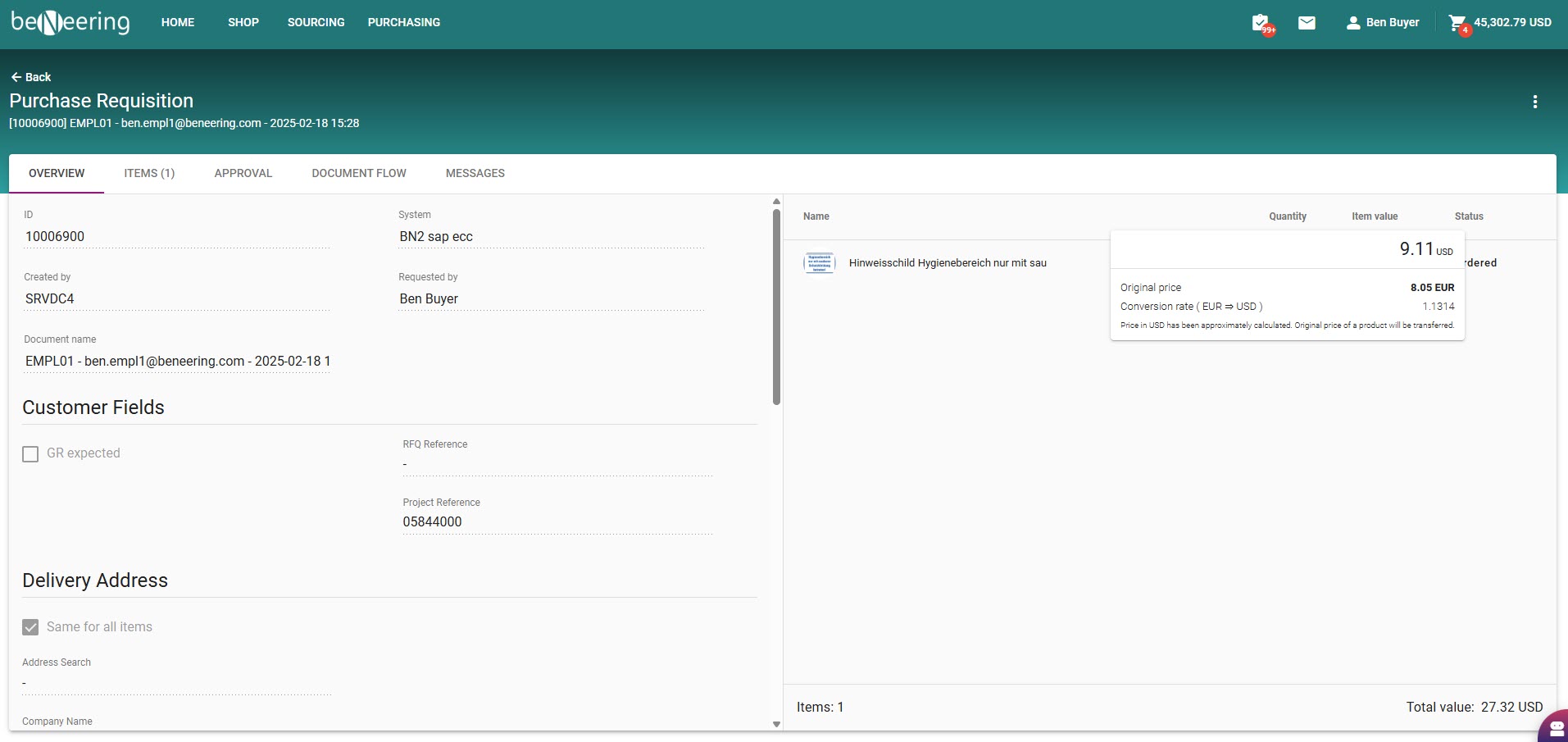
Internal Reference: CDEV-7526
Admin Functions ⚙️
TEAM function supporting employee connection in buying application (CSE)
⚙️ Build your teams with roles and content filters. Assign employees in the buying application to your team. Use teams in your workflow customising.
Internal Reference: CDEV-11069
Display your organisation hierarchy
⚙️ A typical customer and supplier setup is build by providing an organisation hierarchy. You can use the new Org viewer to navigate through your organisation tree.
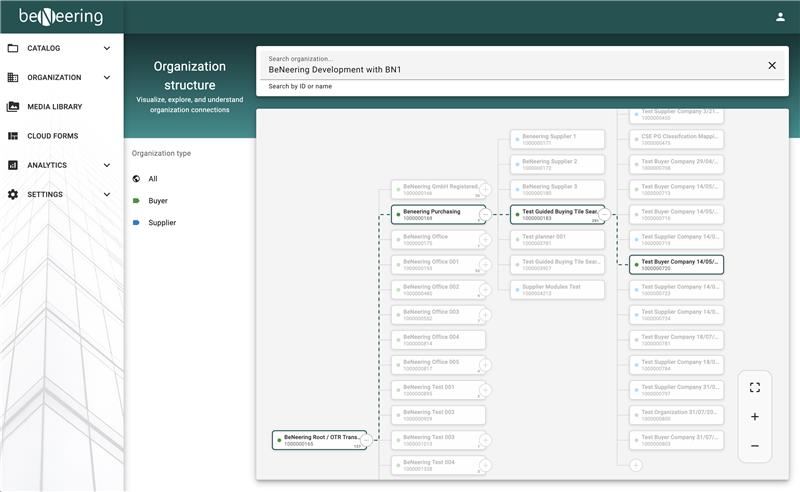
Internal Reference: CDEV-10638
Updates to the Role Editor
⚙️ In order to prepare for a wide extension of business functions, we have refactored the role and authorisation concept. Building roles and assigning authorisation objects to it is only granted to BeNeering support team. However, customer admins get access to the role editor for the following purpose:
-
build your own roles with content filters, e.g. to filter RFX documents referencing Purchasing Org 1000 only
-
assign existing roles to Organisations or Teams
-
assign existing roles to users in catalog management
Internal Reference: CDEV-8197
This function is not deployed with this release directly, but will be delivered by a patch versions a bit later. By this approach, we will also migrate old roles to new user roles, connecting employees, users, organisations and teams respectively.
User roles in old catalog management system running on mycatalogcloud.com will not sync with the roles on the new portal cloud.beneering.com - We expect that only a minority of admin users will have to login to the old catalog management system, as most important catalog management functions have been delivered on the new portal.
Supplier Functions ✅
New portal becomes obligatory for suppliers
✅ The old portal access has been deactivated for supplier access. New portal is available on https://cloud.beneering.com
Internal Reference: CDEV-10874
Portal access will become available only on the release date mentioned above.