
Catalog Container Overview
A Catalog Container serves as a parent entity that groups multiple catalog versions from a single supplier or an internal source.
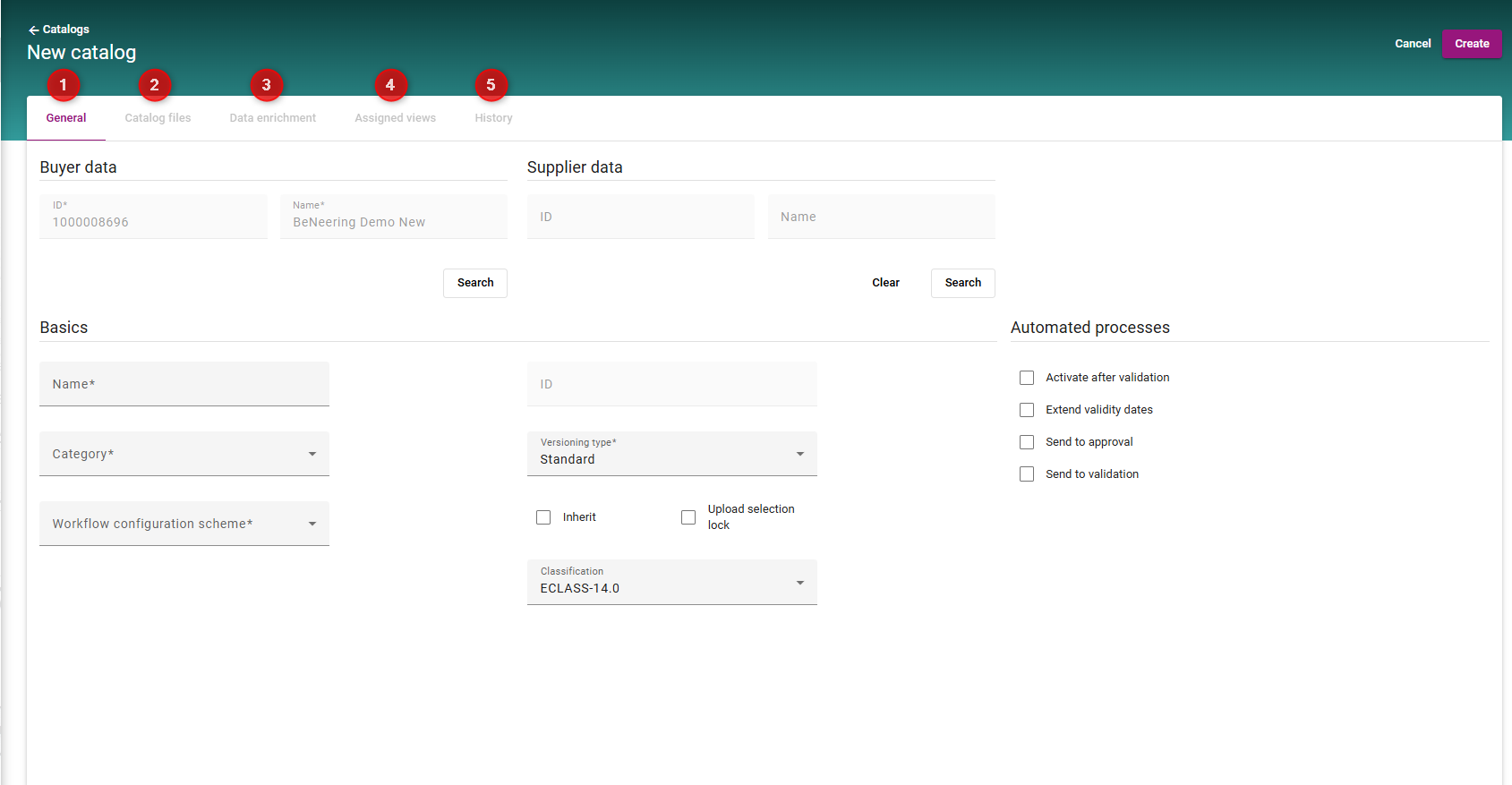
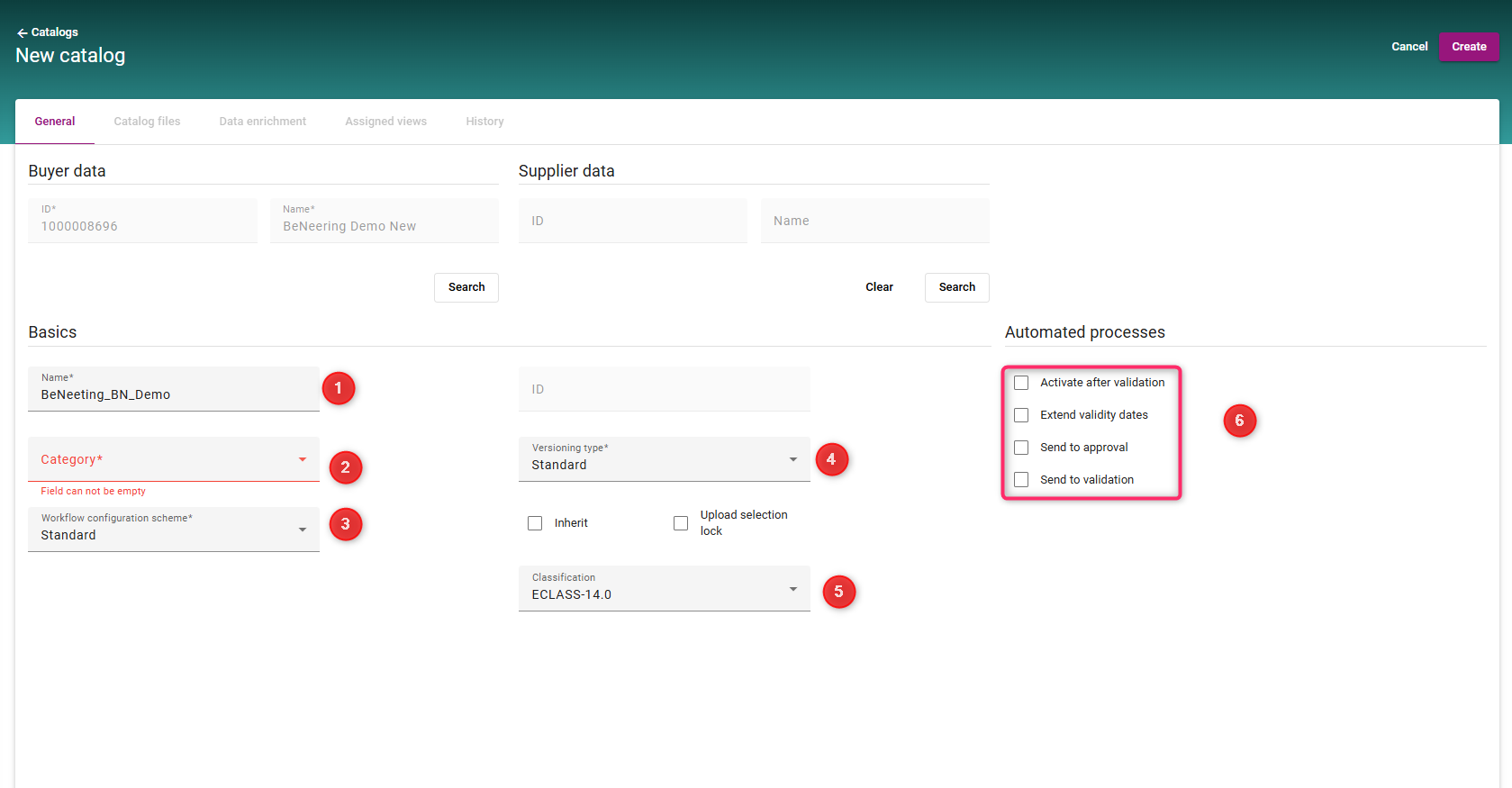
In our BeNeering Cloud (BN), the catalog container setup is displayed in a structured tabular format, allowing users to review and maintain all configuration areas in a clear, consolidated view, as shown in the screenshot.
Use the following process to create and configure a new catalog container.
Catalog Container Creation - New Layout
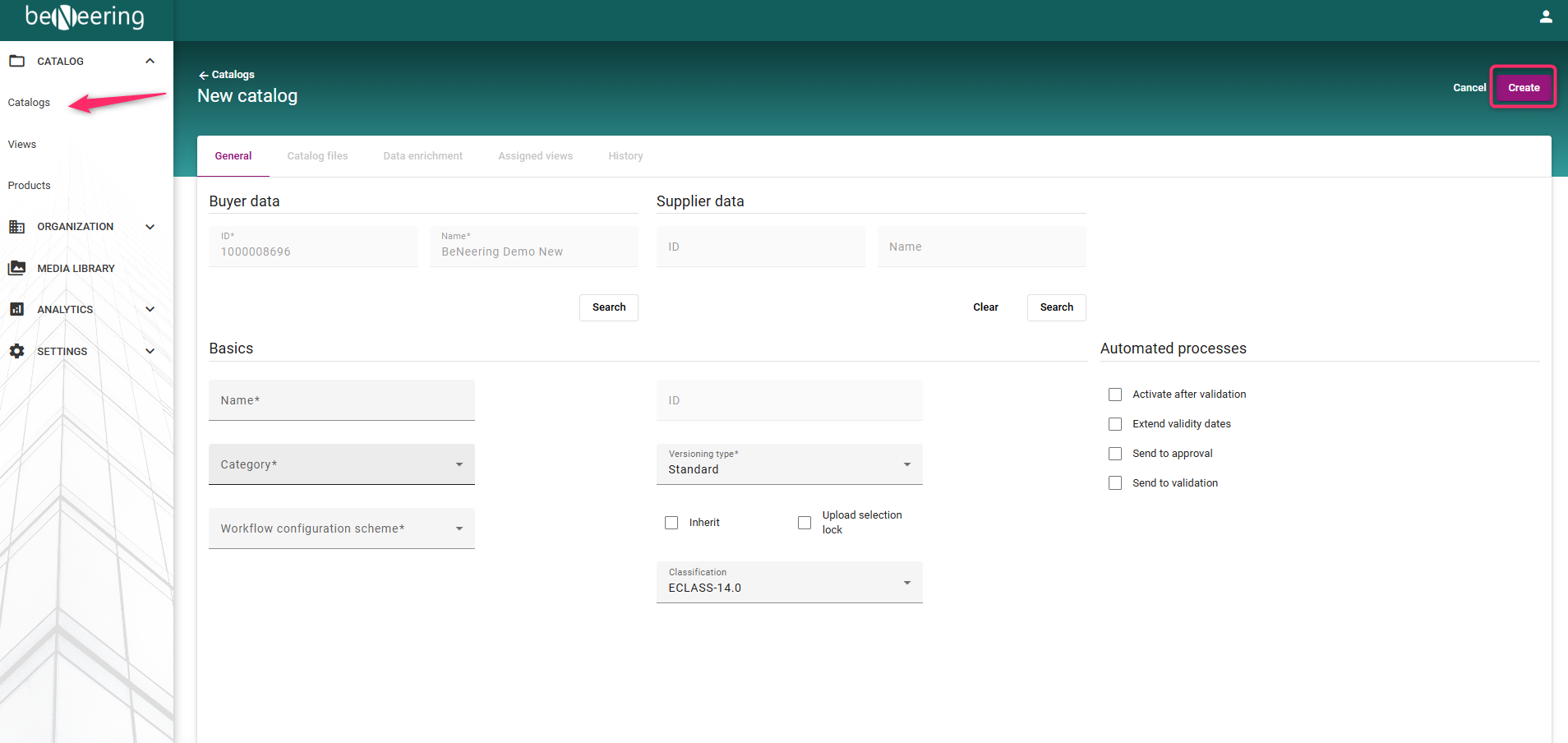
Steps 1 : To Create a new catalog container, Navigate to Catalogs → Create Catalog → Click on Create to open the container creation screen.
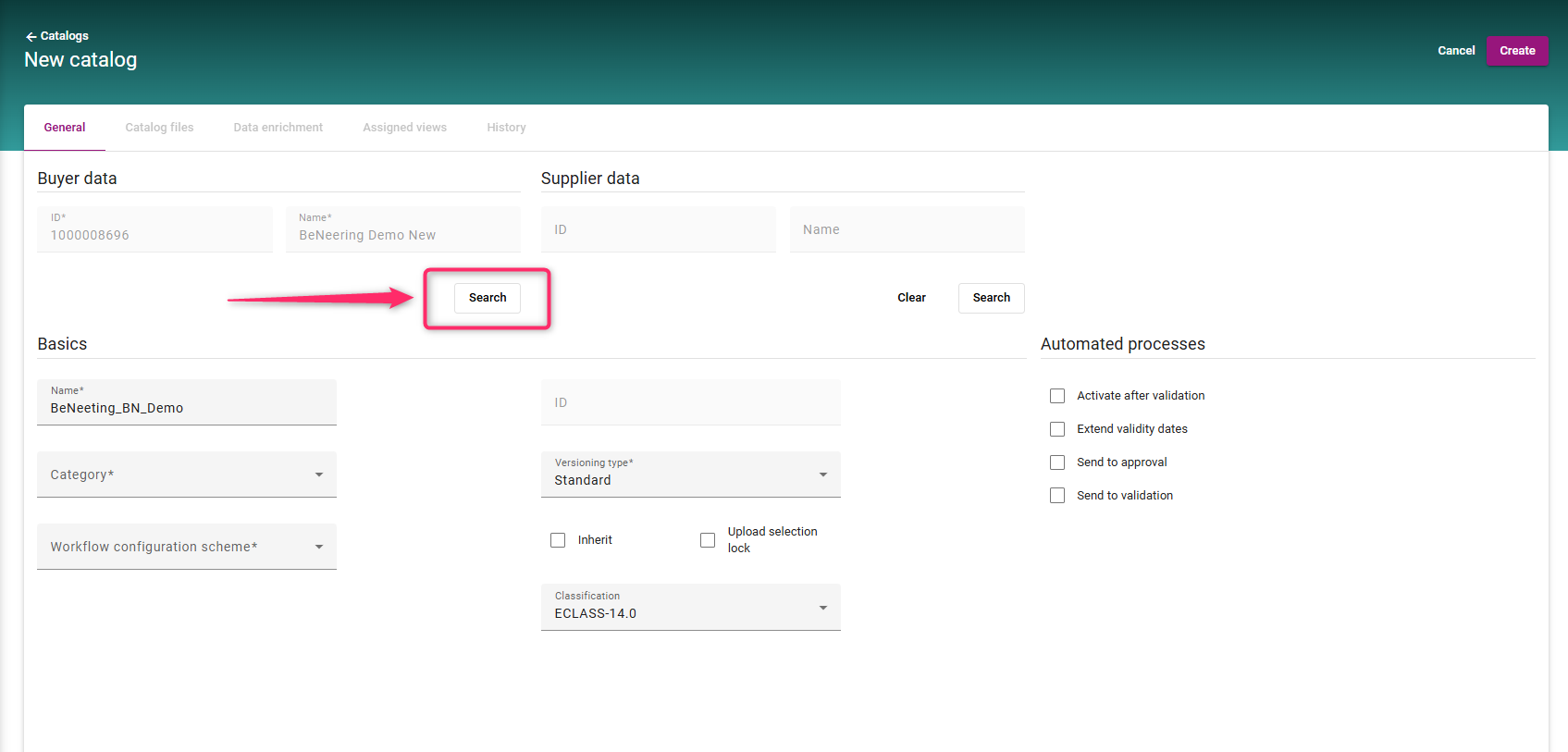
Step 2 : Click on the Search option to select the Organisation
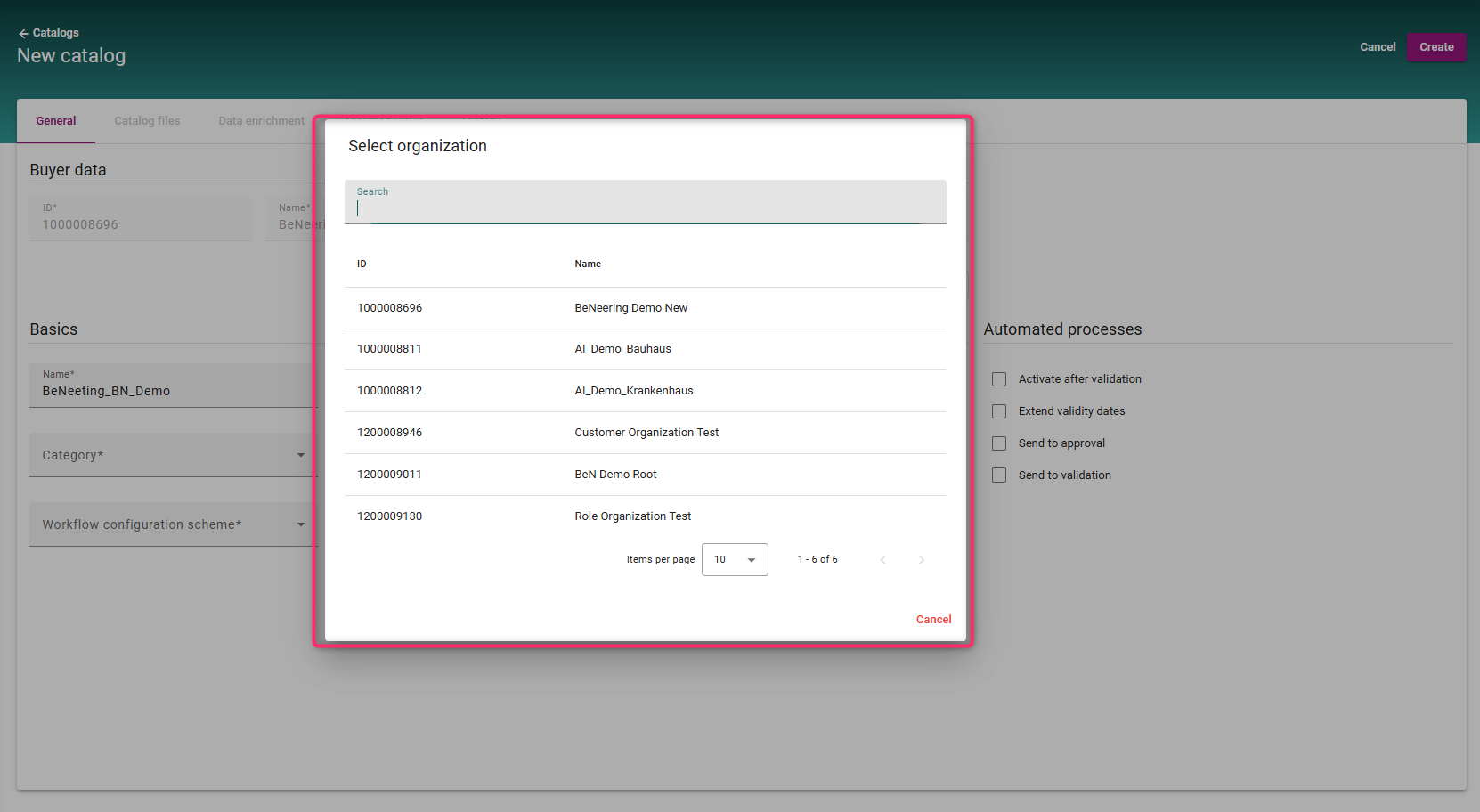
Step 3 : Search / select from the dropdown the desired organisation
Step 4:
a) Enter a container Name
b) Select the category from the dropdown
|
Type |
Description |
|
STANDARD |
Supplier managed container |
|
PUNCH_OUT |
Container hosts a punchout |
|
AGENT_FTP |
Catalogs can be uploaded via FTP |
|
AGENT_WSBYOCI5 |
Catalogs will be pulled as OCI5 JSONDOWNLOAD |
|
INTERNAL |
Internally managed container |
|
EXTERNAL_SEARCH |
Marketplace container |
c) Select the Workflow configuration from the dropdown
d) Select the version type as Standard
e) Select the classification type from the dropdown
f) Select the desired option for Automated process
Step 5 : Click on create to continue
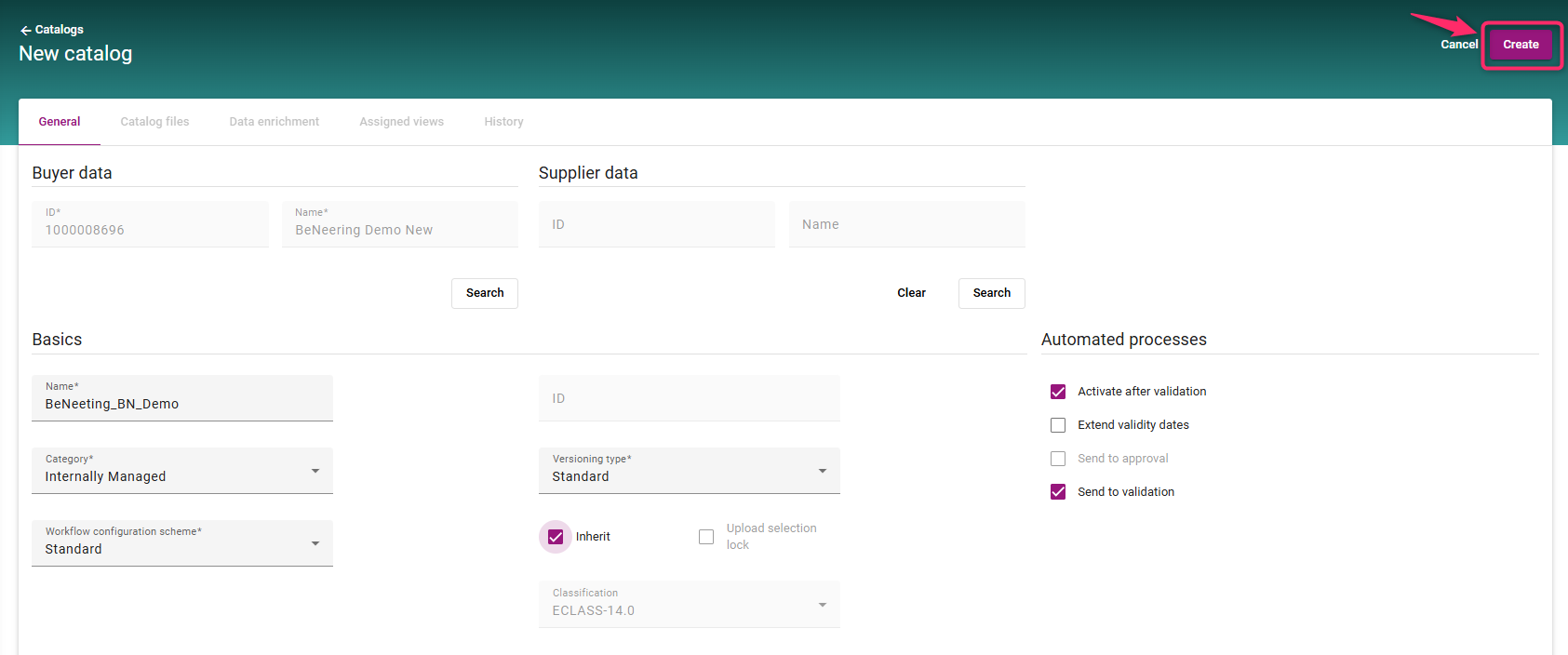
The below mentioned field will be activated only after the container creation.
-
Catalog files - to upload the catalog files
-
Data Enrichment - With this feature you can override each column in the catalog file
-
Assigned Views - Assign one or more views to this container
-
History