
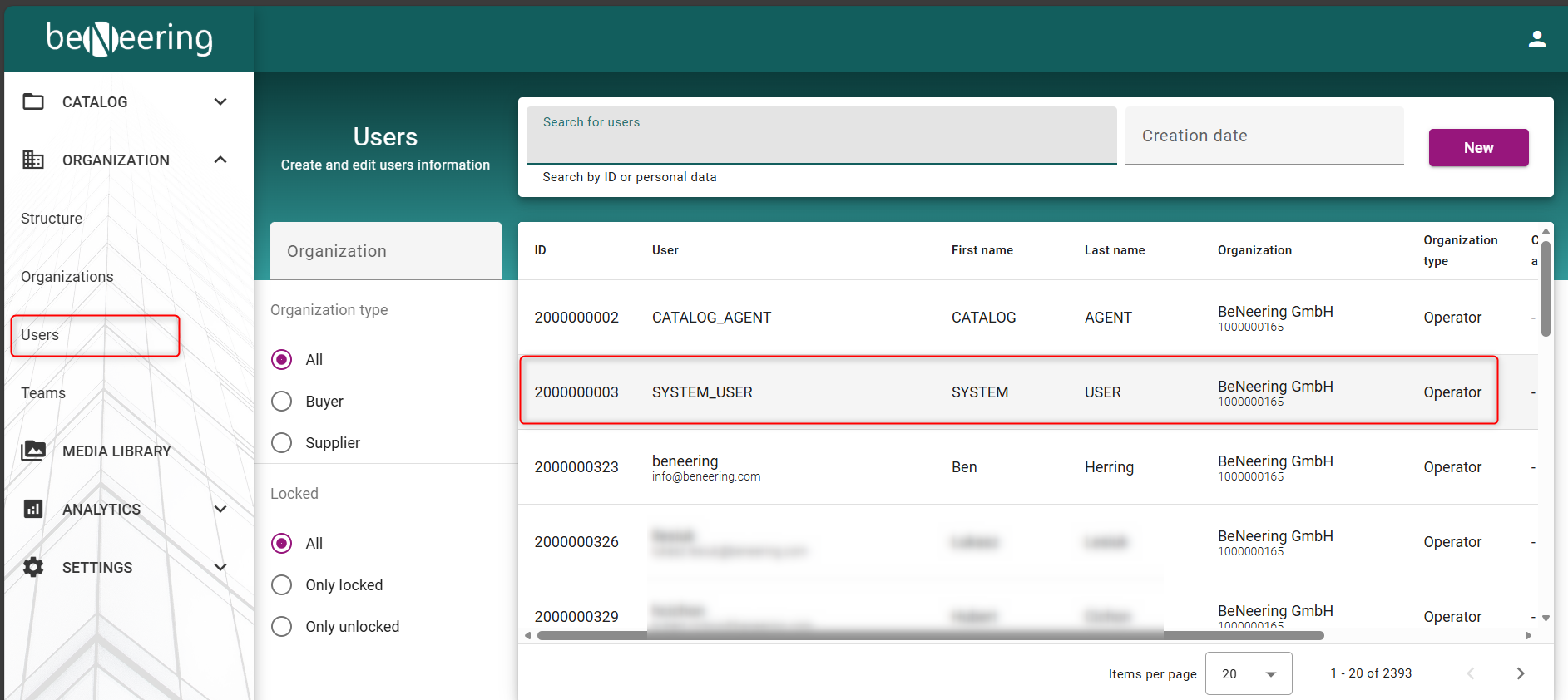
The administrator of an organization has the option, to assign user roles to existing or new users. For that please go to Users Tab and select the user you want to edit:
Inside the user you need to select the “roles” Tab to edit the roles for the user:
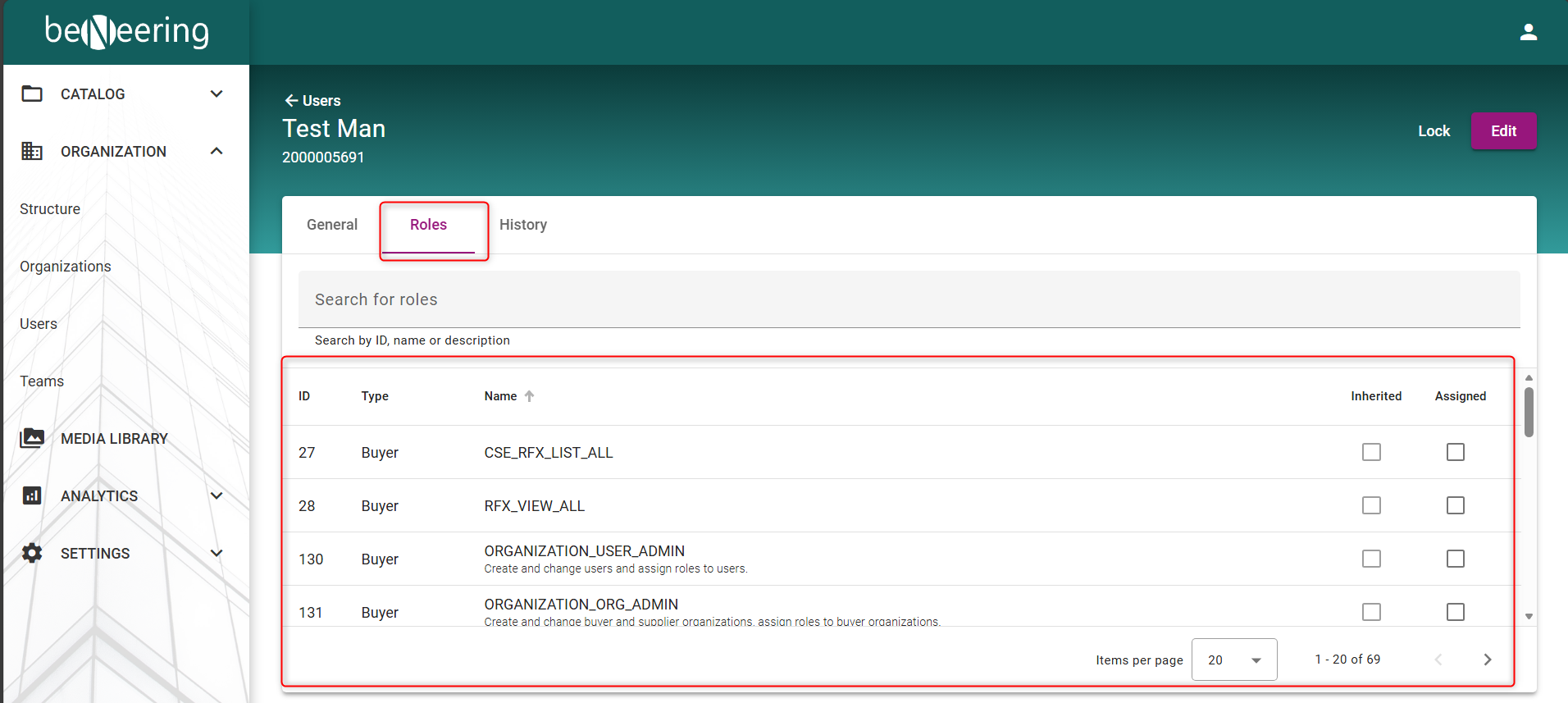
The following table shows all possible Roles for the CONSUMER Type. Please note that depending on the customer not all Roles may be available.
|
Role |
Description |
Type |
|
ORGANIZATION_USER_ADMIN |
Create and change users and assign roles to users. |
CONSUMER |
|
ORGANIZATION_ORG_ADMIN |
Create and change buyer and supplier organizations, assign roles to buyer organizations. |
CONSUMER |
|
ORGANIZATION_TEAM_ADMIN |
Create and change teams, assign employees for buying application, assign users for administration. |
CONSUMER |
|
ORGANIZATION_INVITE_CATALOG_SUPPLIER |
Invite new supplier to register for catalog management on BeNeering. |
CONSUMER |
|
ORGANIZATION_INVITE_SOURCING_SUPPLIER |
Invite new supplier to register for sourcing on BeNeering. |
CONSUMER |
|
ORGANIZATION_INVITE_ORDER_SUPPLIER |
Invite new supplier to register for order collaboration on BeNeering, e.g. suppliers uploading service entry sheets. |
CONSUMER |
|
CATALOG_ADMIN |
Create and manage catalog container, catalog views and catalog approval. |
CONSUMER |
|
CATALOG_APPROVER |
User can approve catalogs. |
CONSUMER |
|
CATALOG_CONTENT_CREATOR |
Upload catalogs, upload images, extend catalog validity, manage catalog enrichment. |
CONSUMER |
|
MEDIA_ADMIN |
Upload, move, rename and delete mime objects. |
CONSUMER |
|
PURCHASING_DEMAND_OWNER |
Access Demand List and edit details. |
CONSUMER |
|
PURCHASING_DEMAND_MANAGER |
Access Demand List, edit details, access demand center from where employee can add items to basket. |
CONSUMER |
|
PURCHASING_RESERVATION |
Access the Reservation List and details. |
CONSUMER |
|
PURCHASING_BASKET_ADMINISTRATION |
Support team can take over a basket from a user and process and transfer it manually, bypassing customer validation logic. ATTENTION: don't use this function if you are not familiar with this. |
CONSUMER |
|
PURCHASING_BASKET_EDIT_MANDATORY |
Deactivate quick submit button in basket and force user to edit the basket first, before submitting. |
CONSUMER |
|
PURCHASING_ADVANCED_SEARCH |
When assigned to a buying organization or team,you gain access to all documents within your organization, plus your personal and substitute documents.Filters for company code, plant, and purchasing organization will be applied based on your user profile. |
CONSUMER |
|
PURCHASING_PR_LIST |
Access list of purchase requisitions. |
CONSUMER |
|
PURCHASING_PR_LIST_ITEMS |
Access to purchase requisitions items. |
CONSUMER |
|
PURCHASING_PR_POST_EDIT |
Allow employee to edit purchase requisition after approval and purchase order creation. |
CONSUMER |
|
PURCHASING_PR_HISTORY |
Access purchase requisition history. |
CONSUMER |
|
PURCHASING_PO_DISPLAY |
Access purchase order in display mode. |
CONSUMER |
|
PURCHASING_PO_EDIT |
Edit purchase order. |
CONSUMER |
|
PURCHASING_PO_LIST |
Access the list of purchase order. |
CONSUMER |
|
PURCHASING_PO_LIST_ITEMS |
Access the list of purchase order items. |
CONSUMER |
|
PURCHASING_GR_LIST |
Access the list of goods receipts. |
CONSUMER |
|
PURCHASING_GR_DISPLAY |
Access goods receipt details. |
CONSUMER |
|
PURCHASING_GR_CANCEL |
Reverse button in goods receipt detail and goods receipt list. |
CONSUMER |
|
PURCHASING_SES_DISPLAY |
Access to Service Entry Sheets list and detail. |
CONSUMER |
|
PURCHASING_SES_ACCEPTANCE |
Accept Service Entry Sheet in SAP, revoke SES in SAP when in status accepted, delete SES in SAP when not in status accepted. |
CONSUMER |
|
PURCHASING_SES_DOWNLOAD |
Enable download for Service Entry Sheets. |
CONSUMER |
|
PURCHASING_SUBSTITUTION_ADMIN |
Administrate the substitution of users. |
CONSUMER |
|
PURCHASING_GLOBAL_FAVOURITES_ADMIN |
Access global favourites as an administrator. |
CONSUMER |
|
EMPL_SETTINGS_CREATE_EMPLOYEE |
In personal user settings, enable possibility to create new employee in the substitute tab. |
CONSUMER |
|
EMPL_SETTINGS_ORGANIZATION_EDIT |
In personal user settings, employee can edit organization data like company code, plant and purchasing org. |
CONSUMER |
|
EMPL_SETTINGS_DELIVERY_EDIT |
In personal user settings, employee can edit delivery addresses. |
CONSUMER |
|
EMPL_SETTINGS_ACCOUNTING_EDIT |
In personal user settings, employee can edit accounting data, like cost center. |
CONSUMER |
|
SETTINGS_BUSINESS_PARTNER |
Mapping business partner between customer's SAP and BeNeering Cloud, e.g. must have for Service Procurement. |
CONSUMER |
|
SETTINGS_EMAIL_TEMPLATES |
Edit email templates. |
CONSUMER |
|
SETTINGS_CLOUD_FORMS_LIST |
Give access to cloud forms list and detail view, but limited to 'product' forms only. |
CONSUMER |
|
SETTINGS_CLOUD_FORMS_ADVANCED |
Give access to cloud forms list and detail view, including product forms and all other forms used to manage the system. |
CONSUMER |
|
SETTINGS_CLOUD_FORMS_EDIT |
Allow user to edit cloud forms. |
CONSUMER |
|
SETTINGS_VALIDATION_RULES |
Allow the assignment of rule packs and templates within the catalog management module. |
CONSUMER |
|
AI_CHATBOT_ITEM_RETRIEVER |
Access to use the catalog AI. |
CONSUMER |
|
AI_CHATBOT_WIKI_CUSTOMER |
Access to documentation created by customer. |
CONSUMER |
|
AI_CHATBOT_WIKI_BUYER |
Access to the help documentation created by BeNeering for the generic use of the platform. |
CONSUMER |
|
AI_INTAKE_ITEM_RETRIEVER |
Use the catalog AI function inside intake assistant. |
CONSUMER |
|
AI_INTAKE_DOC_SCANNER |
Use the document scanning function inside the intake assistant. |
CONSUMER |
|
AI_INTAKE_FREETEXT |
Use the guided freetext function inside the freetext assistant. |
CONSUMER |
|
AI_TOOLS_SUMMARY_BASKET |
The basket name will constructed by AI, considering the summary of all items in the basket. |
CONSUMER |
|
ANALYTICS_DEFAULT |
Access to various reports in the download center and access to generate new reports. |
CONSUMER |
|
ANALYTICS_BILLING_REPORT |
Access to billing report that is build per buying organization. |
CONSUMER |
|
ANALYTICS_USER_LOG |
Access to user specific reports. |
CONSUMER |
|
DELETE_PR_AFTER_PO_CREATION |
DELETE_PR_AFTER_PO_CREATION |
CONSUMER |
Type: PROVIDER
|
Role |
Description |
Type |
|
ORGANIZATION_ORG_ADMIN |
Change supplier organization including name, address and contact data. |
PROVIDER |
|
ORGANIZATION_USER_ADMIN |
Create and change supplier users. |
PROVIDER |
|
CATALOG_CLASSIFICATION |
Maintain supplier specific source classification. |
PROVIDER |
|
CATALOG_CONTENT_CREATOR |
Upload catalogs, images and other mime objects. |
PROVIDER |
|
MEDIA_ADMIN |
Upload, move, rename and delete mime objects. |
PROVIDER |
|
SOURCING |
Supplier role in sourcing who can check for requests and submit proposals to the customer. |
PROVIDER |
|
ORDERING |
Supplier get access to purchase orders received from customer, can confirm PO and he can post service entry sheets. |
PROVIDER |
|
ORDERING_RECEIVE_EMAIL |
Supplier will receive email notification when new purchase order from customer is received on BeNeering. |
PROVIDER |