
Accounting details are either prefilled via Single Sign-On for Guided Buying or manually defined in the user's personal settings (accessible via the user icon).
The available fields in the accounting form may vary depending on your organization’s configuration.
Configuring Accounting Information in a Purchase Requisition in PR Items Level
If a Purchase Requisition (PR) contains multiple items that require different accounting information (e.g., different Cost Centers or Account Assignment Categories), accounting must be maintained at the item level.
-
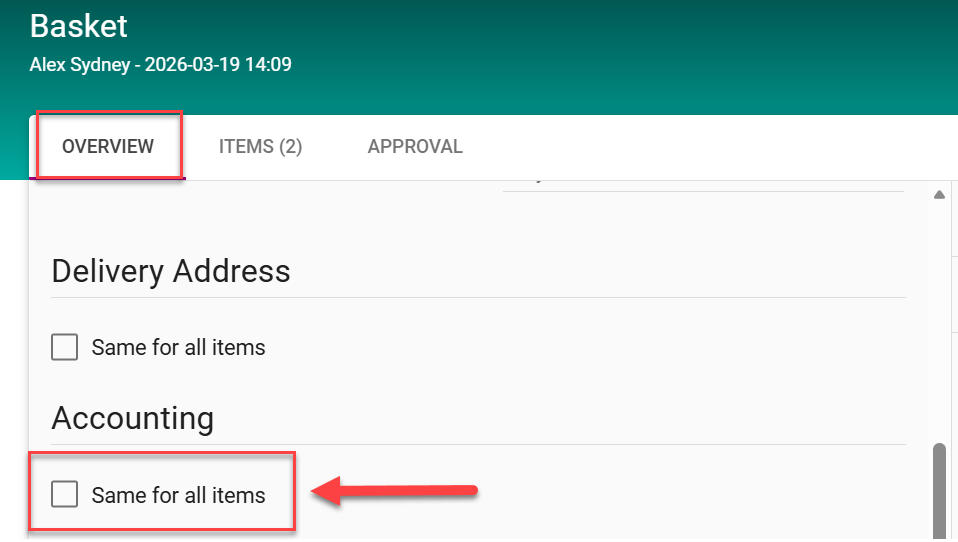
In the Basket Overview, ensure that the option “Same for all items” is not selected.
-
Navigate to the Item Overview.
-
click onthe relevant item and open the Accounting section.
-
Choose the appropriate Account Assignment Category (e.g., Cost Center).
-
Enter the required accounting details.
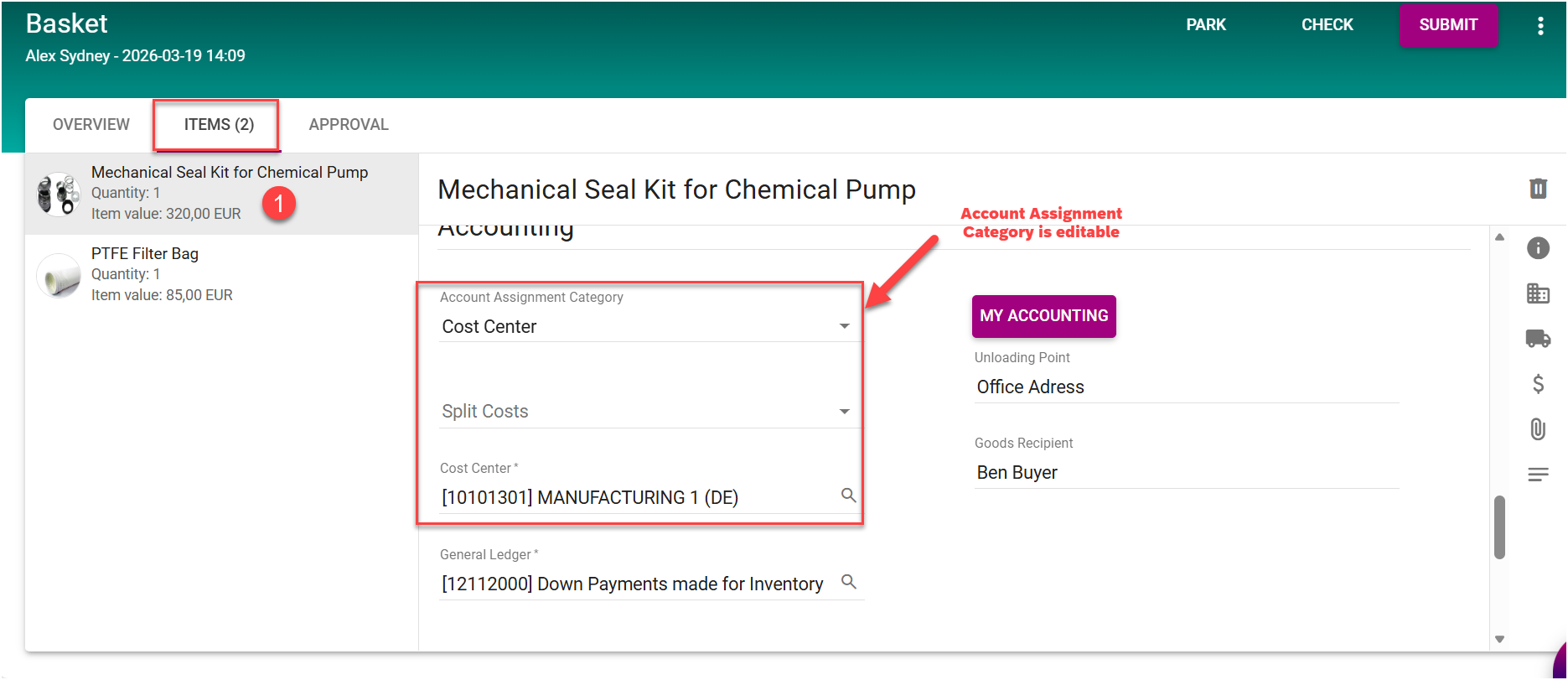
The G/L Account is automatically determined by the system based on predefined logic (e.g., Cost Center, Material Group, or other company-specific configuration).
-
Repeat the above steps for each item as required.
Each item is assigned its own accounting information. This ensures that costs are posted accurately according to the specific requirements of each item when the Purchase Requisition is created.