
Cross Company Buying (firmenübergreifender Einkauf) ist eine Funktion in MyCart, mit der ein Benutzer zwischen verschiedenen Buchungskreisen wechseln kann, für die er in SAP berechtigt ist, um auf buchungskreisspezifische Kataloge, Ansichten und Einstellungen zuzugreifen.
-
Wenn der Benutzer über das Steuerelement „Firmenübergreifender Einkauf“ (Cross Company Buying control) einen anderen Buchungskreis auswählt, löst das System die Anmeldelogik erneut aus.
-
Dadurch wird der Benutzerkontext neu geladen, sodass nur Daten angezeigt werden, die für den ausgewählten Buchungskreis relevant sind (z. B. Kataloge, Ansichten, Konfiguration).
Hintergrund
Standardmäßig wird den Benutzern eine Standardorganisation zugewiesen, die bei der Anmeldung den anfänglichen Buchungskreis und den Einkaufskontext festlegt.
Für Benutzer mit Zugriff auf mehrere Buchungskreise (z. B. verschiedene Länder oder juristische Personen) ist es nicht vorgesehen, alle Kataloge und Konfigurationen gleichzeitig anzuzeigen. „Cross Company Buying“ stellt sicher, dass zu jedem Zeitpunkt nur die für die ausgewählte Organisation relevanten Daten aktiv sind.
Voraussetzung
Benutzer müssen in ihrem Benutzerprofil mehrere Organisationen hinterlegt haben, oder Sie legen in Ihrem Profil eine neue Organisation an.
Jede Organisation entspricht einer eigenständigen Unternehmensstruktur und muss im Vorfeld vollständig konfiguriert werden.
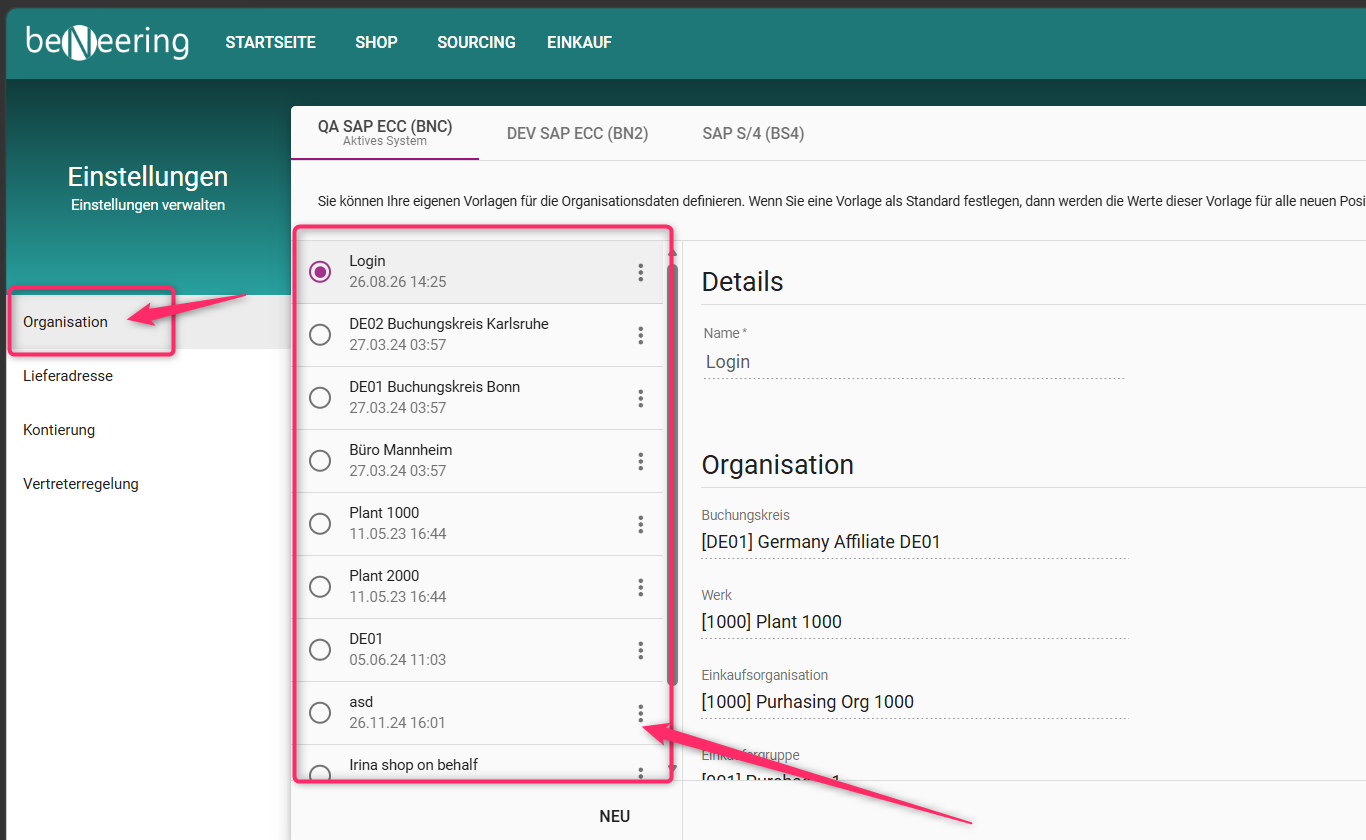
Wechseln Sie das Unternehmen
-
Klicken Sie oben rechts auf Ihr Benutzerprofilbild
-
Wählen Sie „Firmenübergreifender Einkauf“
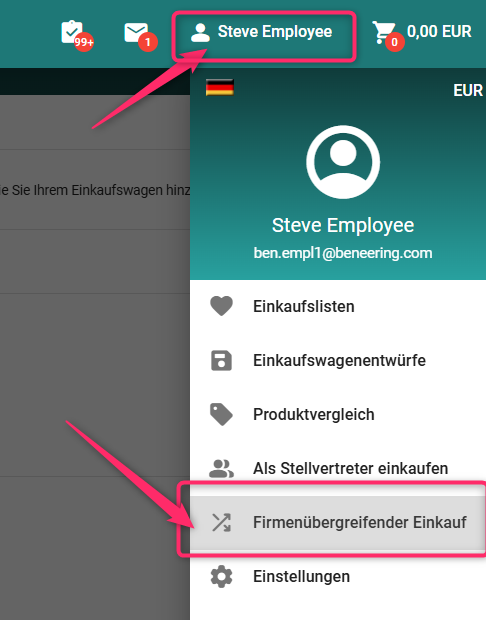
Wählen Sie die Organisation (das Unternehmen) aus, für die Sie einkaufen möchten
Bestätigen Sie Ihre Auswahl
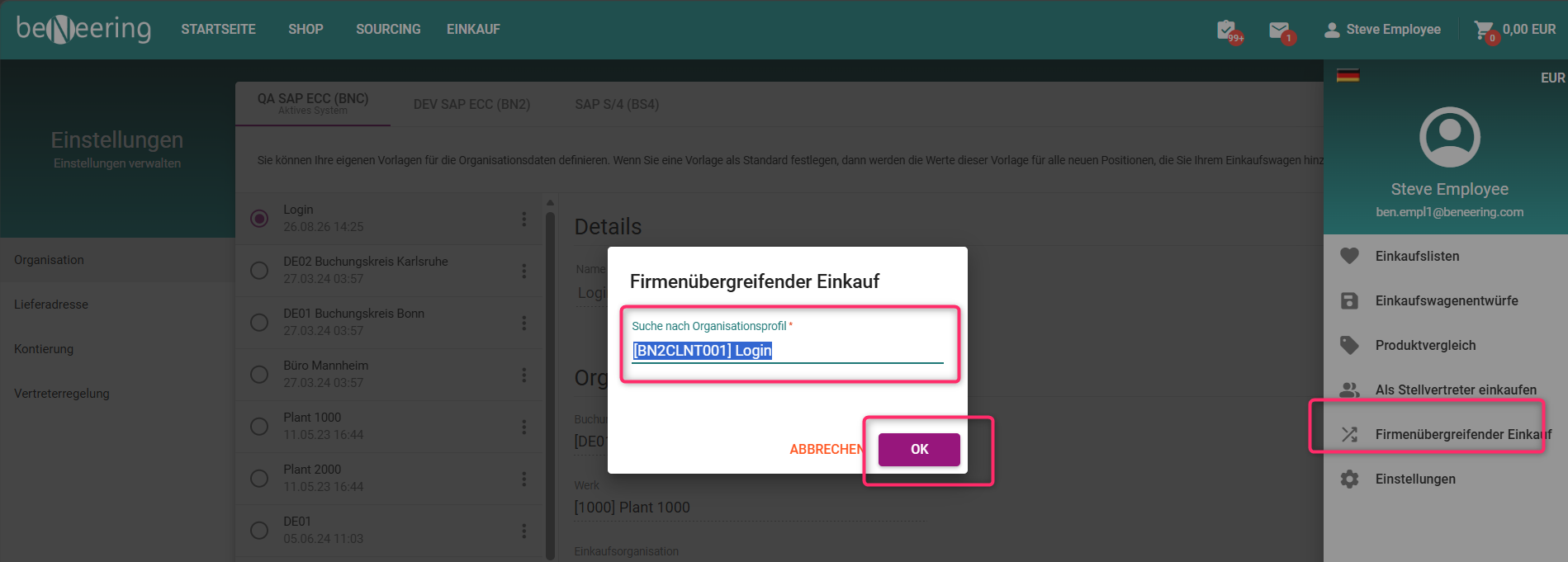
Sobald Sie zu einer anderen Organisation wechseln, wird Ihr Buchungskreis automatisch aktualisiert und das entsprechende Werk, die Einkaufsorganisation sowie die Einkaufsgruppe werden übernommen. Dadurch werden Ihnen nur Kataloge und Daten angezeigt, die für die ausgewählte Organisation relevant sind, sodass sichergestellt ist, dass alle angezeigten Informationen mit dem Unternehmen übereinstimmen, für das Sie derzeit tätig sind.