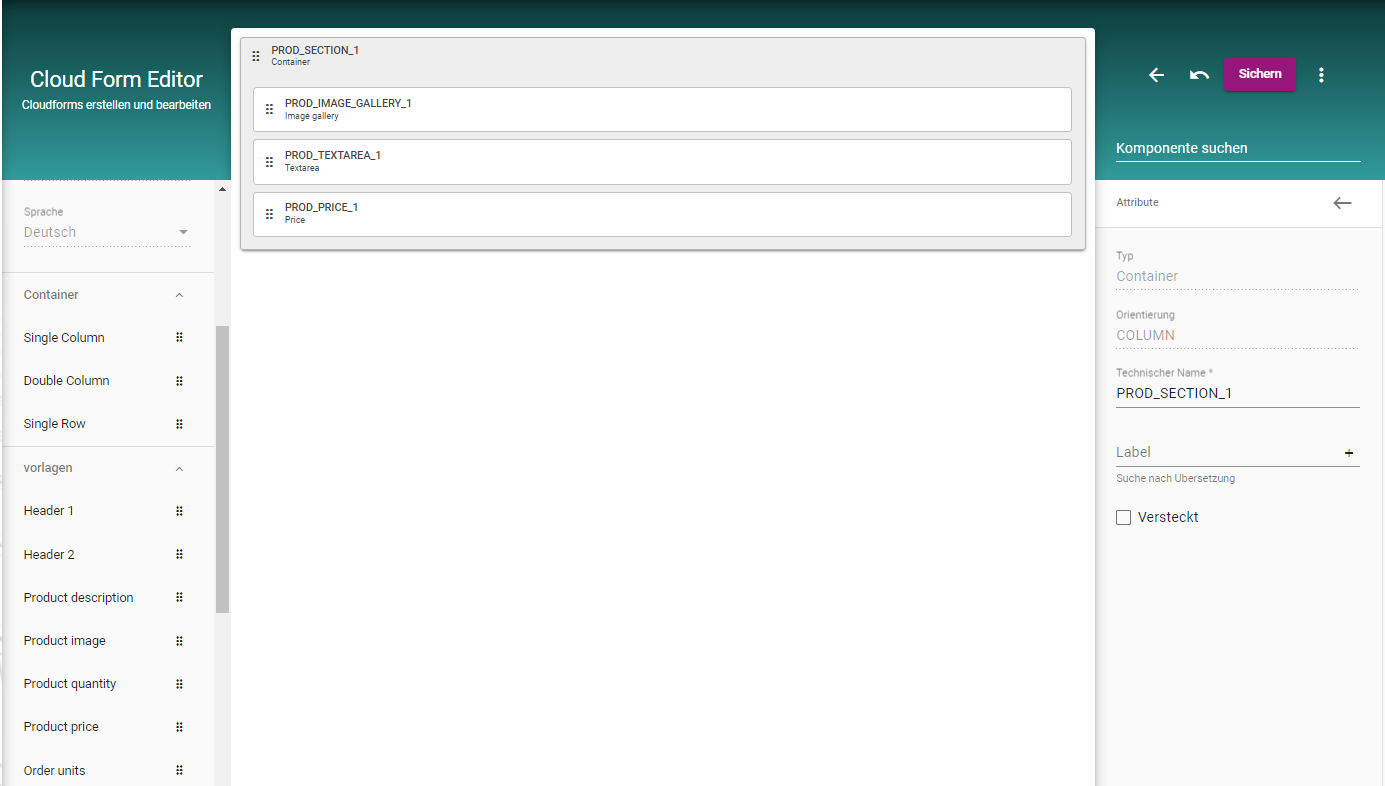
Building your Form out of Components.
-
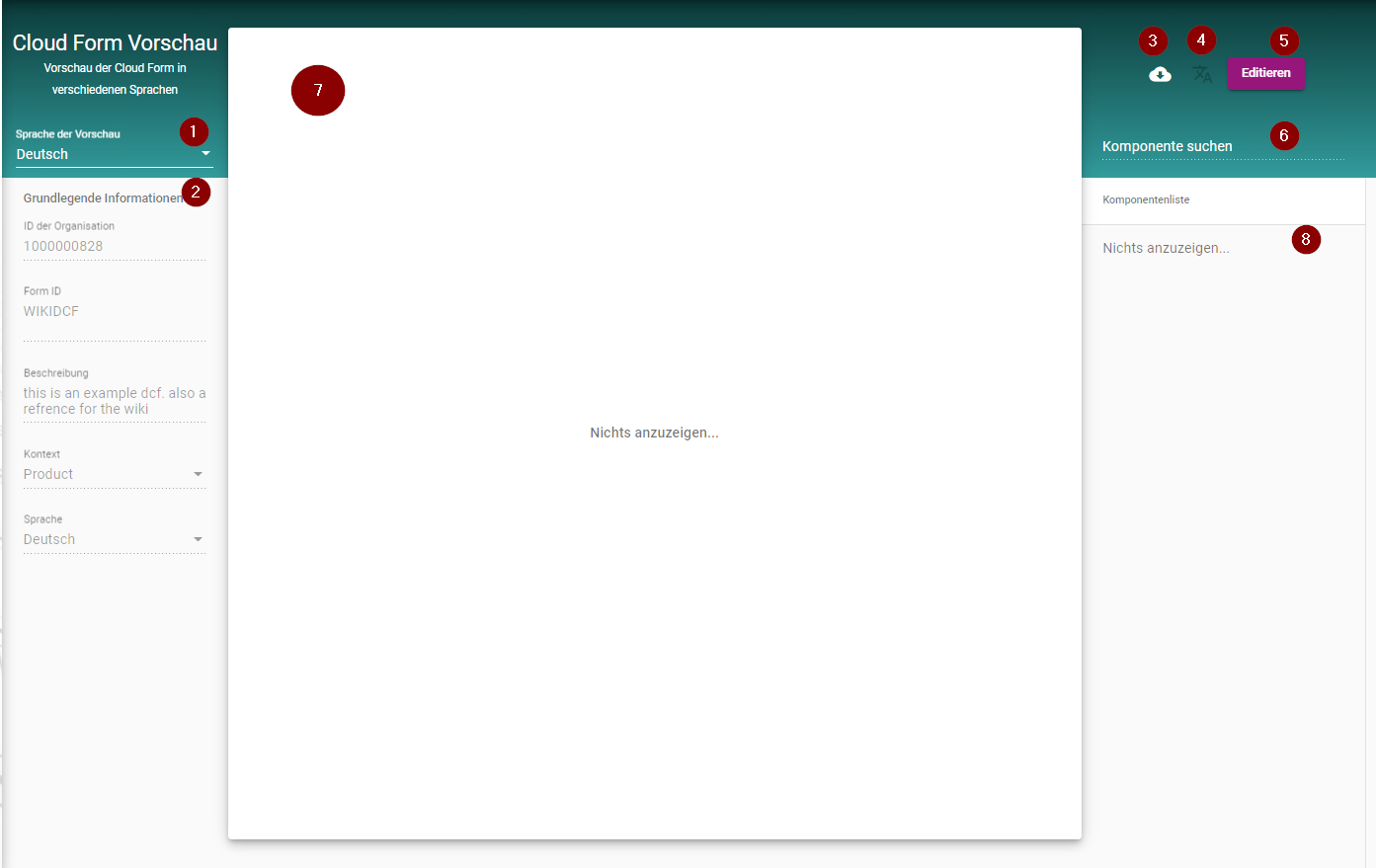
Language Selection
-
Basic Information about the Form
-
Download the DCF as a JSON
-
Change Language-Set of Labels
-
Edit the selected DCF
-
Search for a Component of the DCF
-
DCF-Body containing the Components
-
List of all Components
Editmode:
-
Save ur current Component config
-
Types of Containers
-
Already configured Components as a Template
-
List of Components to Use
-
Baisc Information about the DCF
-
DCF-Body where Components can be dropped
-
List of current Compontens
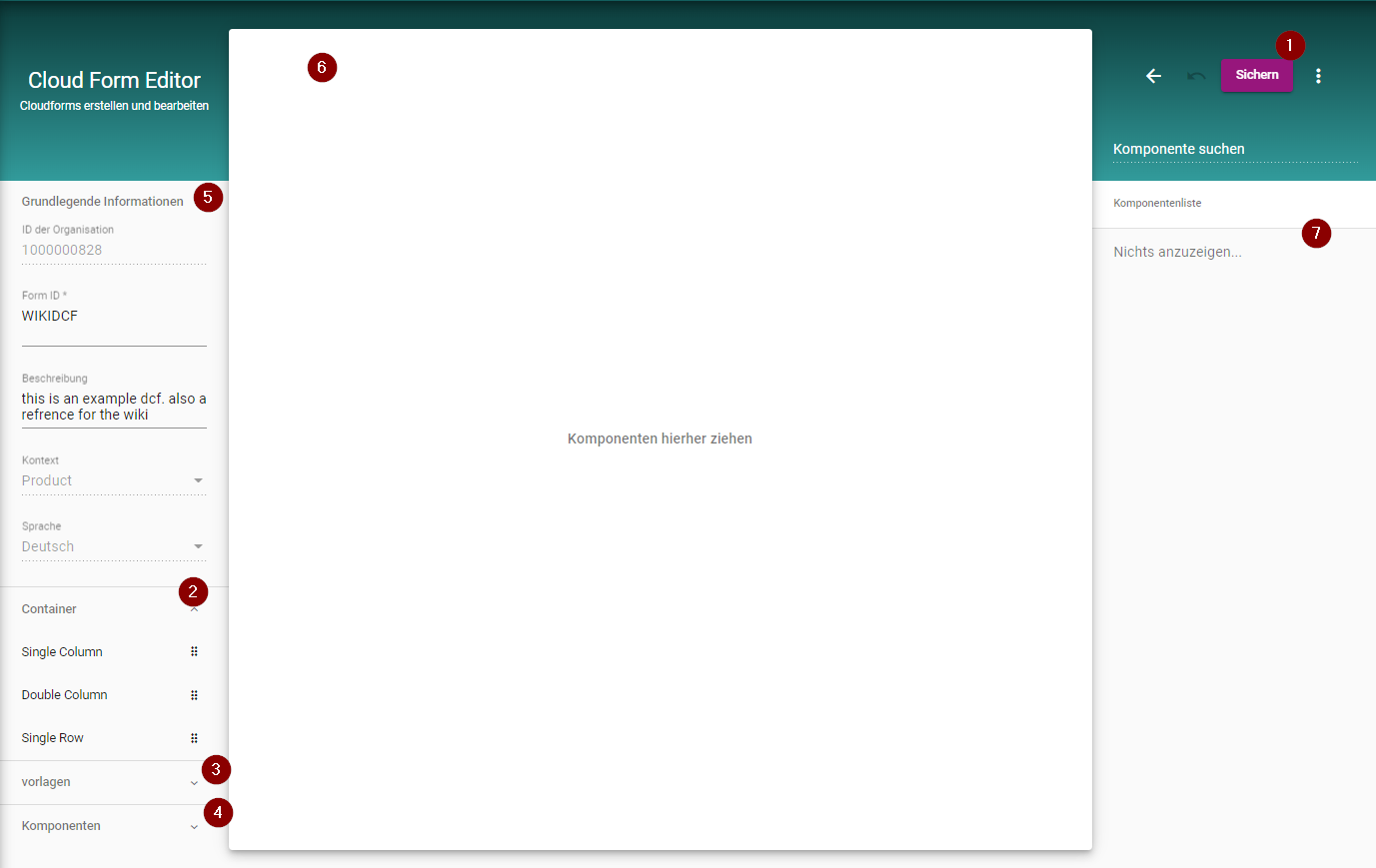
You are able to place Components from the Menu on the left side via drag and drop on to the Formbody. When selecting a specific Component you can customize it in the Attribute section.