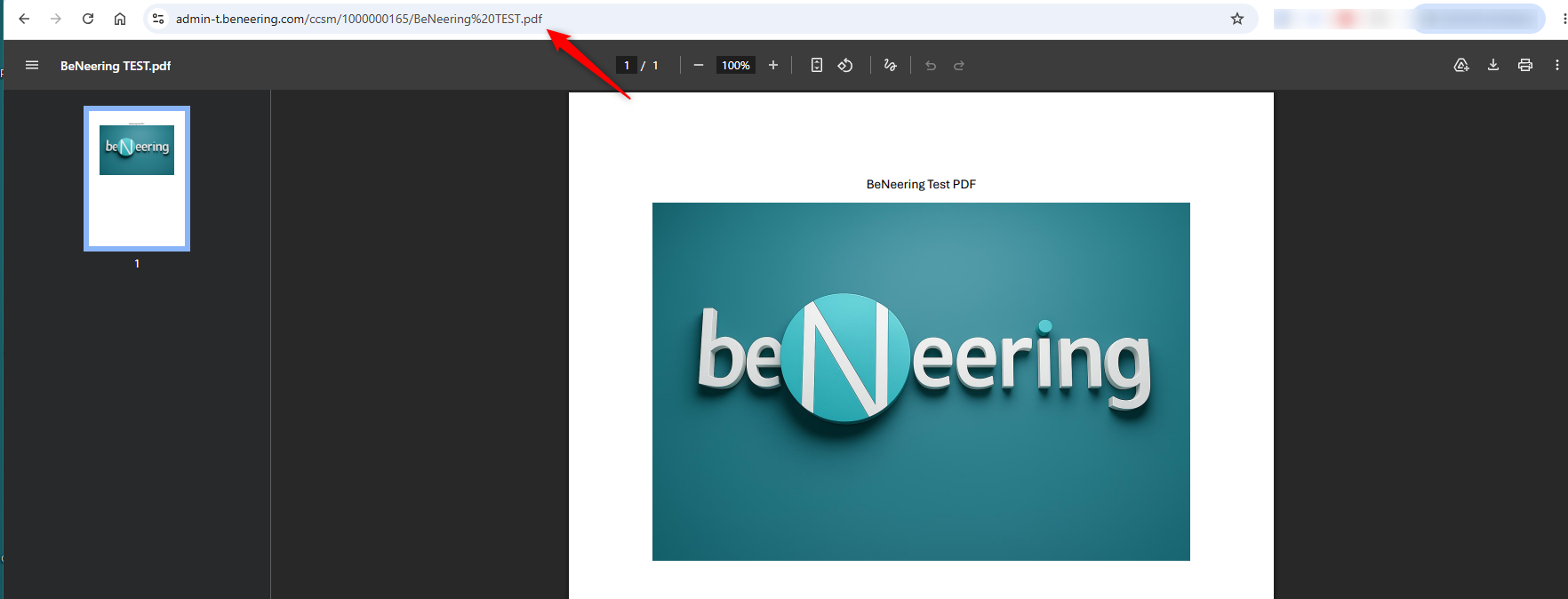
This guide explains, step by step, how to copy the link to a PDF file from the Media Library.
Step 1: Find the PDF File
-
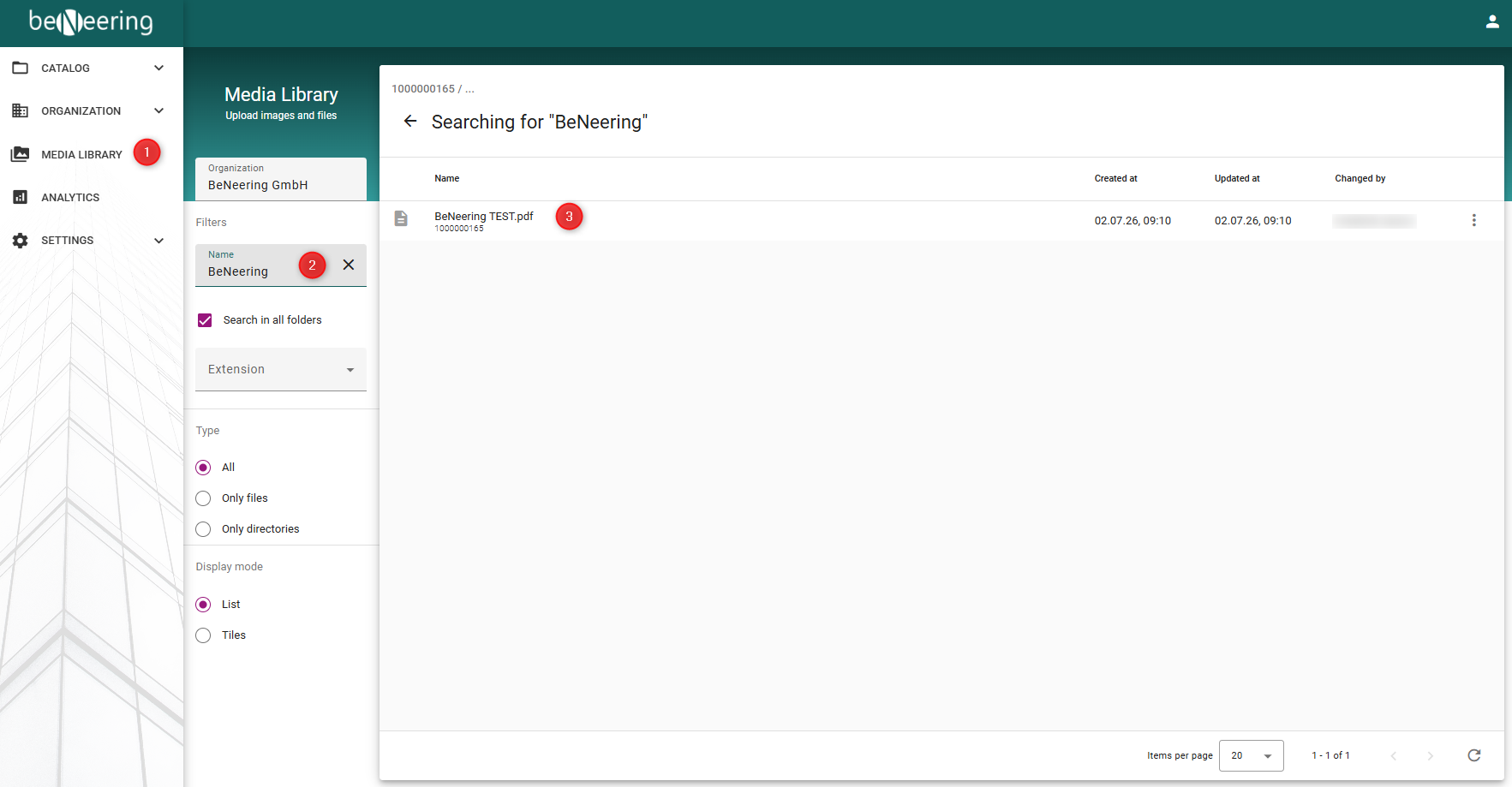
Open the Media Library from the navigation menu on the left.
-
In the Filter or Search field, enter the name of the PDF file you want to locate.
-
Select the correct PDF file from the search results.
Step 2: Copy the PDF Link
-
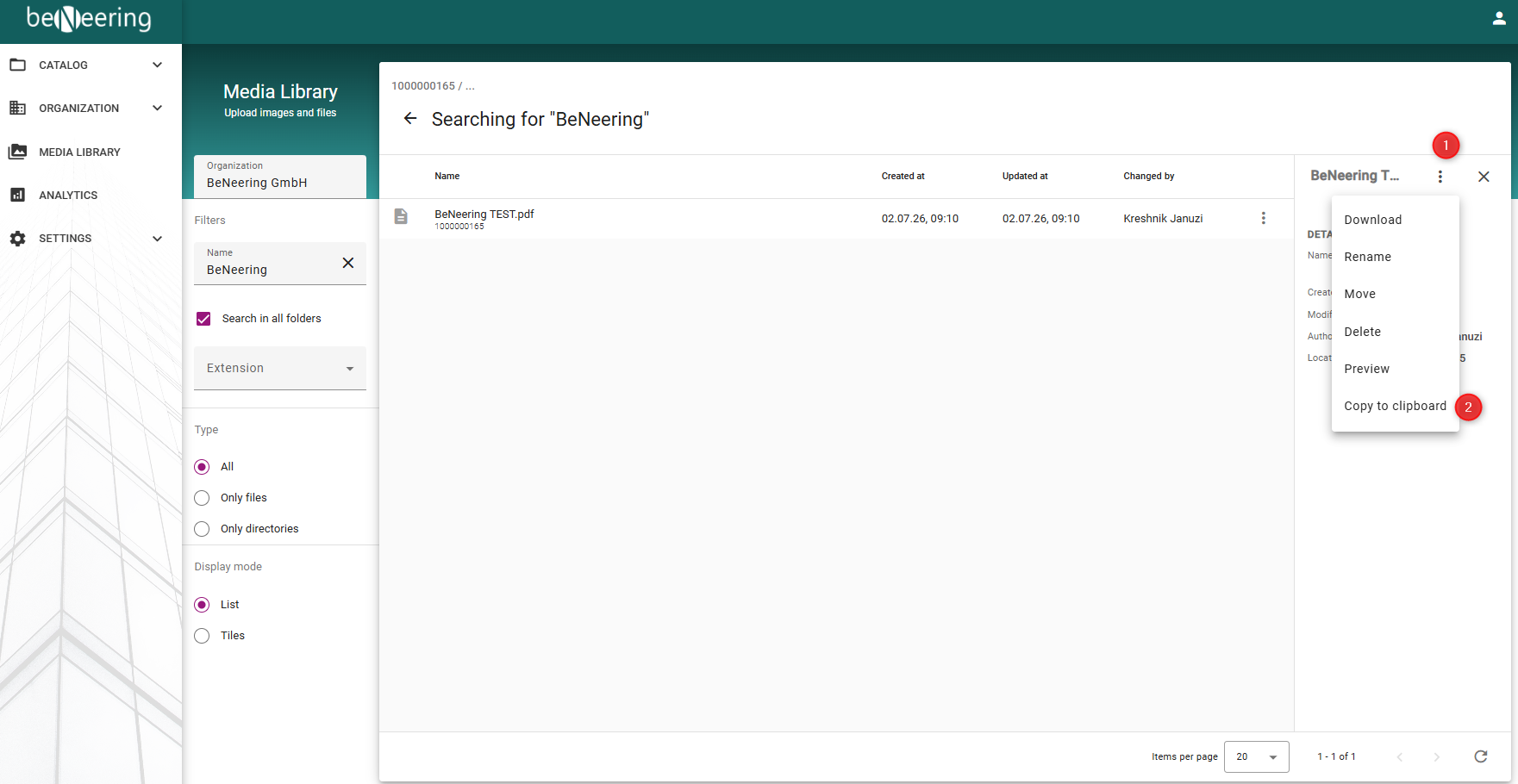
Click the PDF file to open its details.
-
A panel will appear on the right-hand side.
-
Click the three-dot (⋮) menu.
-
Select Copy to Clipboard.
Step 3: Verify the Link
-
Open your web browser.
-
Paste the copied link into the address bar.
-
Press Enter to verify that the link opens the correct PDF file.