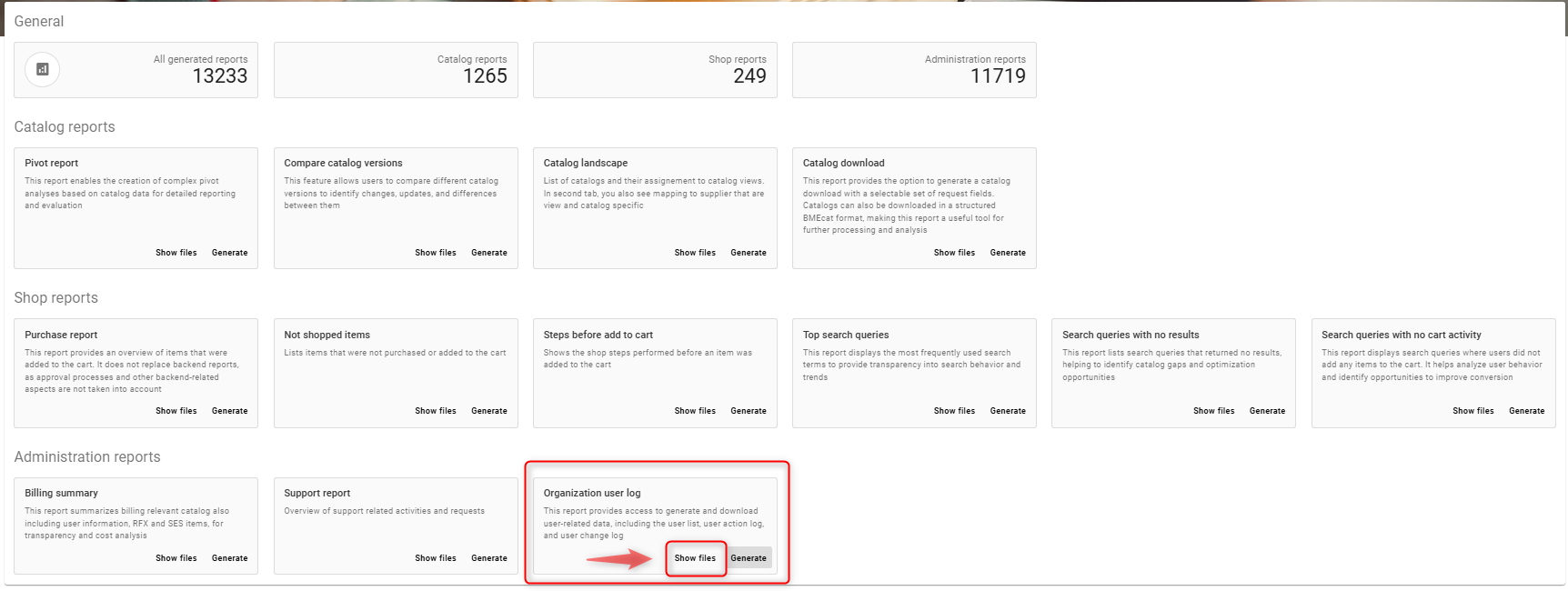
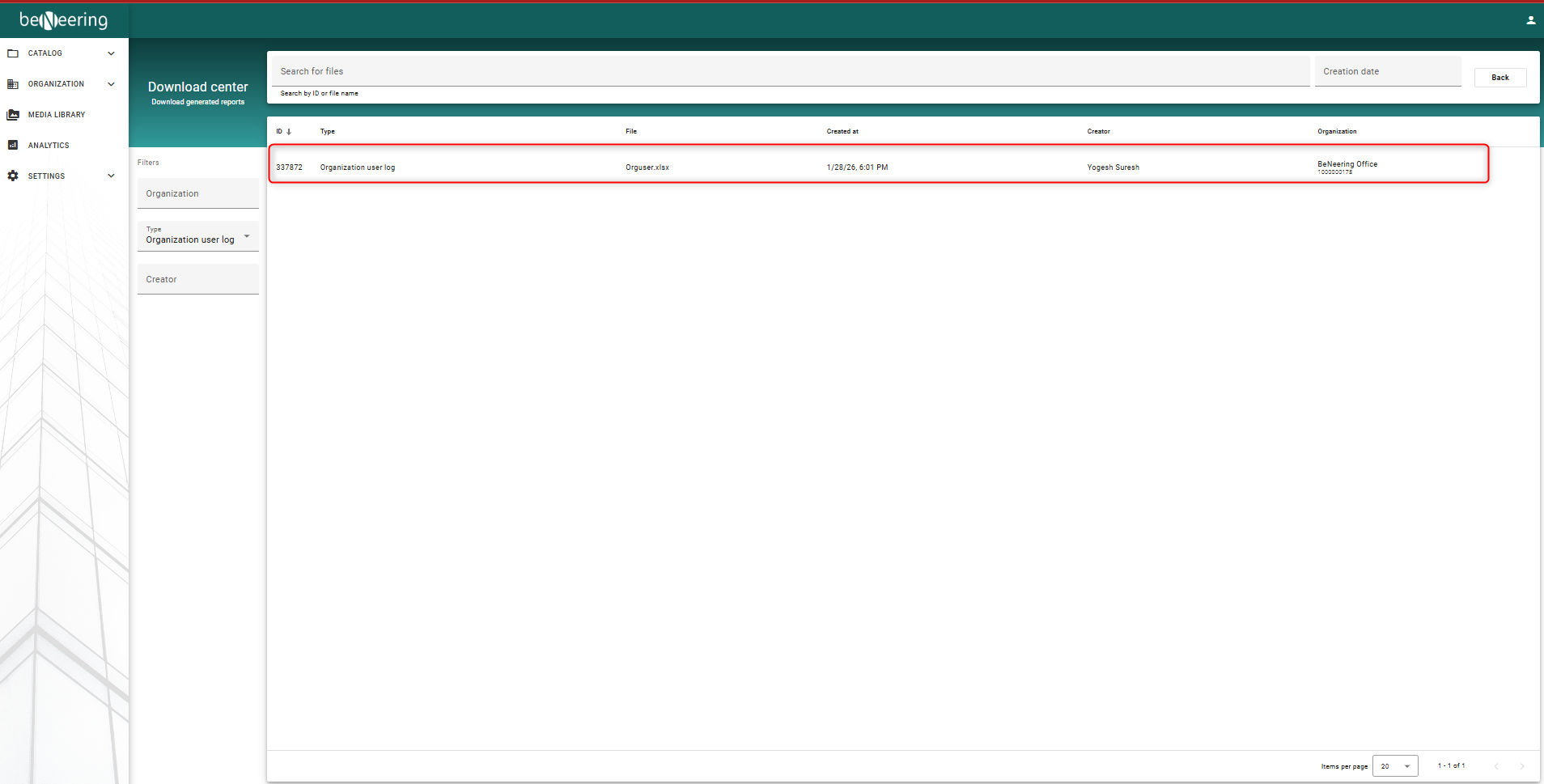
This report provides access to generate and download user-related data, including the user list, user action log, and user change log
Create/generate Organization user log report
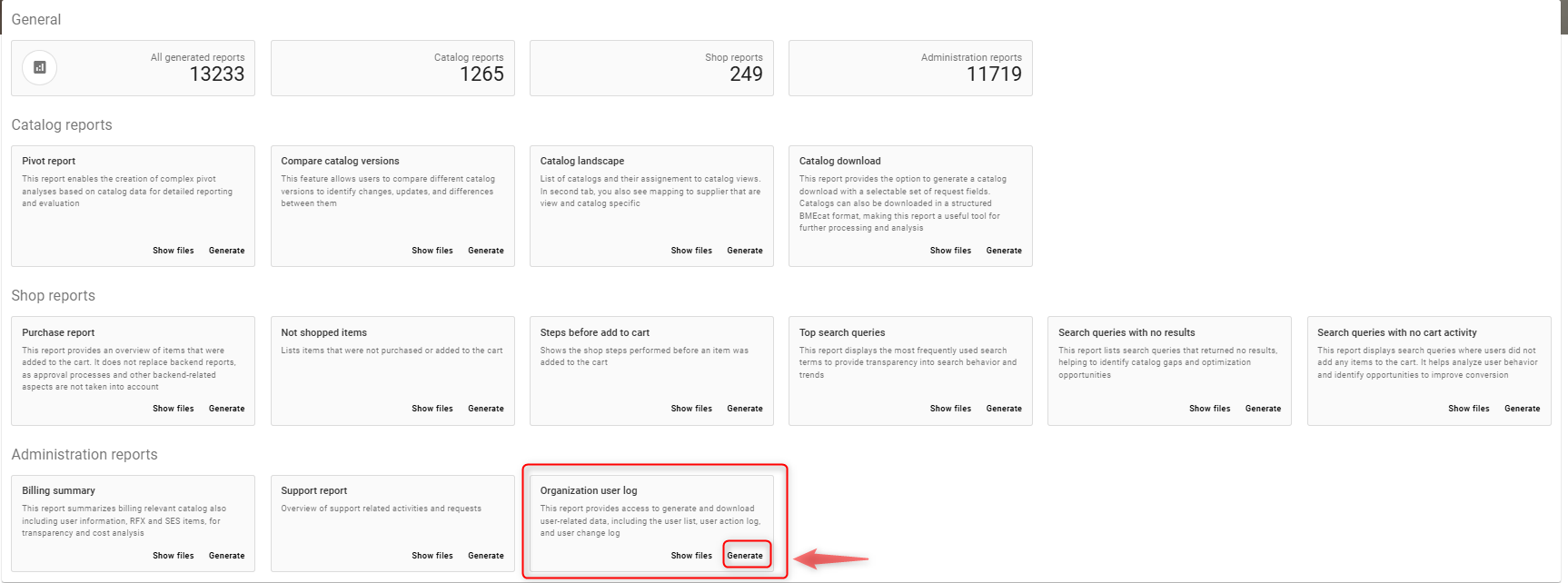
Click on generate tab as shown in the screenshot below
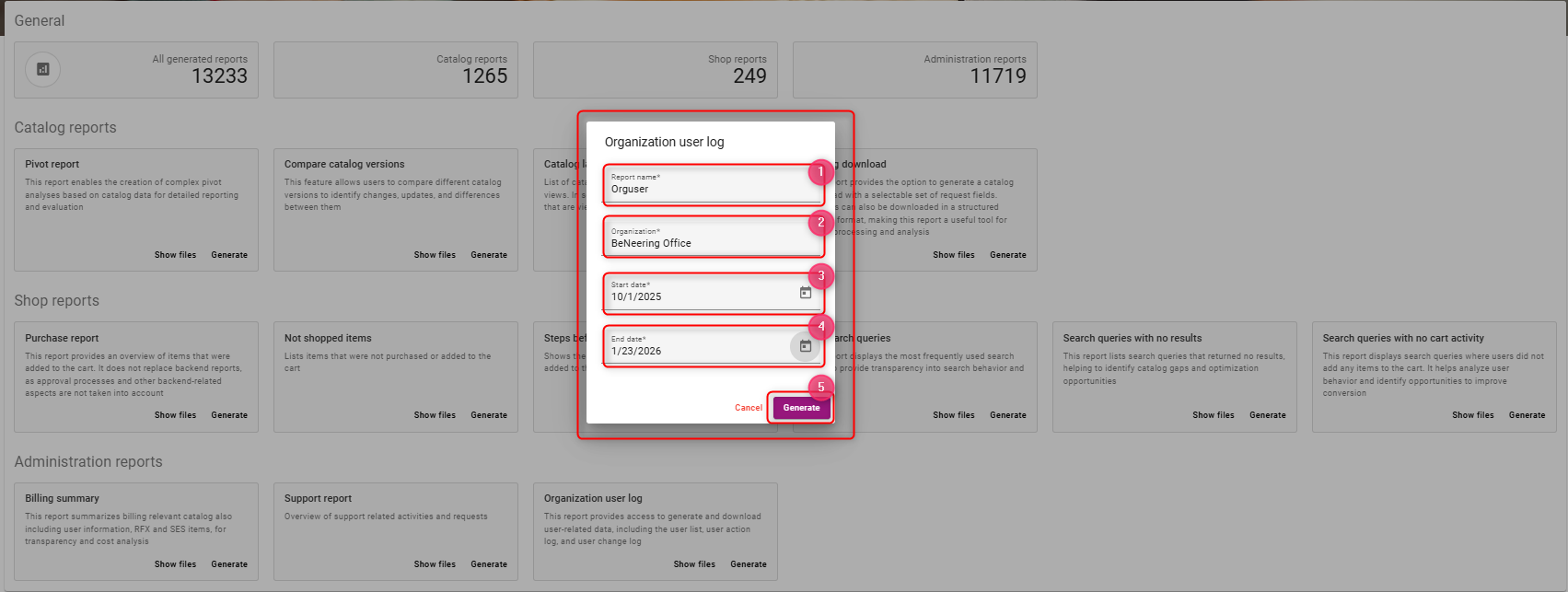
Steps to generate the report
-
Enter a report name, e.g. Orguser
-
Select organisation from the list of drop-down values
-
Select start date
-
Select end date
-
Once the field values are selected, click on generate
To view / download the generated report, click on Show files