
This process explains how to map a source classification to a target classification. Classification mapping is typically used when catalogs are delivered using standard classifications such as ECLASS or UNSPSC and must be aligned with an internal classification system.
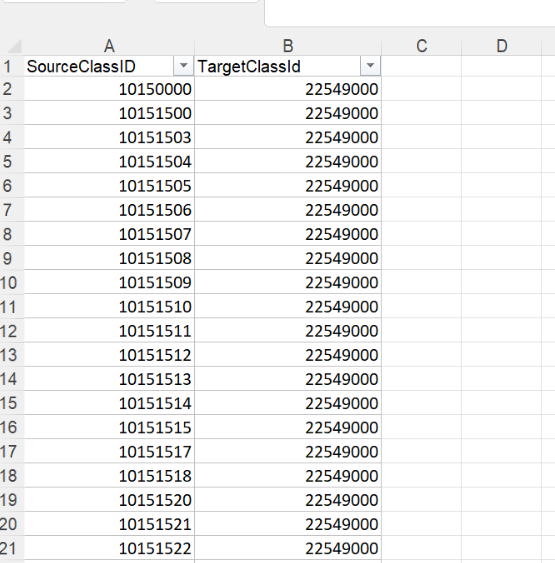
Classification Mapping Template
To create a mapping, you must first use the Classification Mapping template.
-
Download the template using the link below:
Mapping Source to Target template.xlsx -
Maintain the mapping by assigning Mapping IDs that link source classifications to target classifications.
Uploading Classification Mapping
Follow the steps below to upload a source-to-target classification mapping.
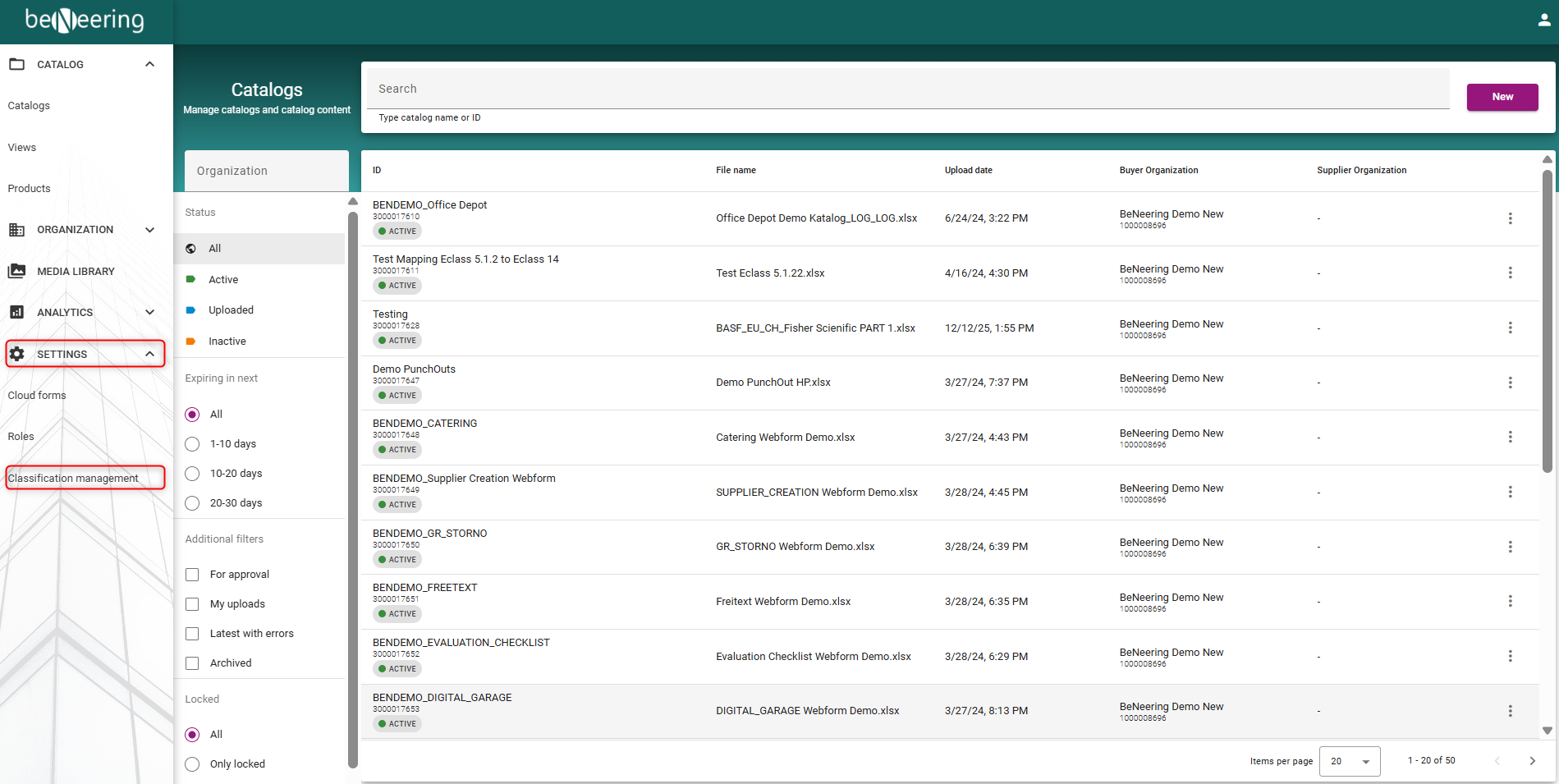
Step 1: Navigate to Classification Management
-
Open the Settings section from the left-hand navigation menu
-
Select Classification Management from the dropdown
Step 2: Upload Classification System (Target)
-
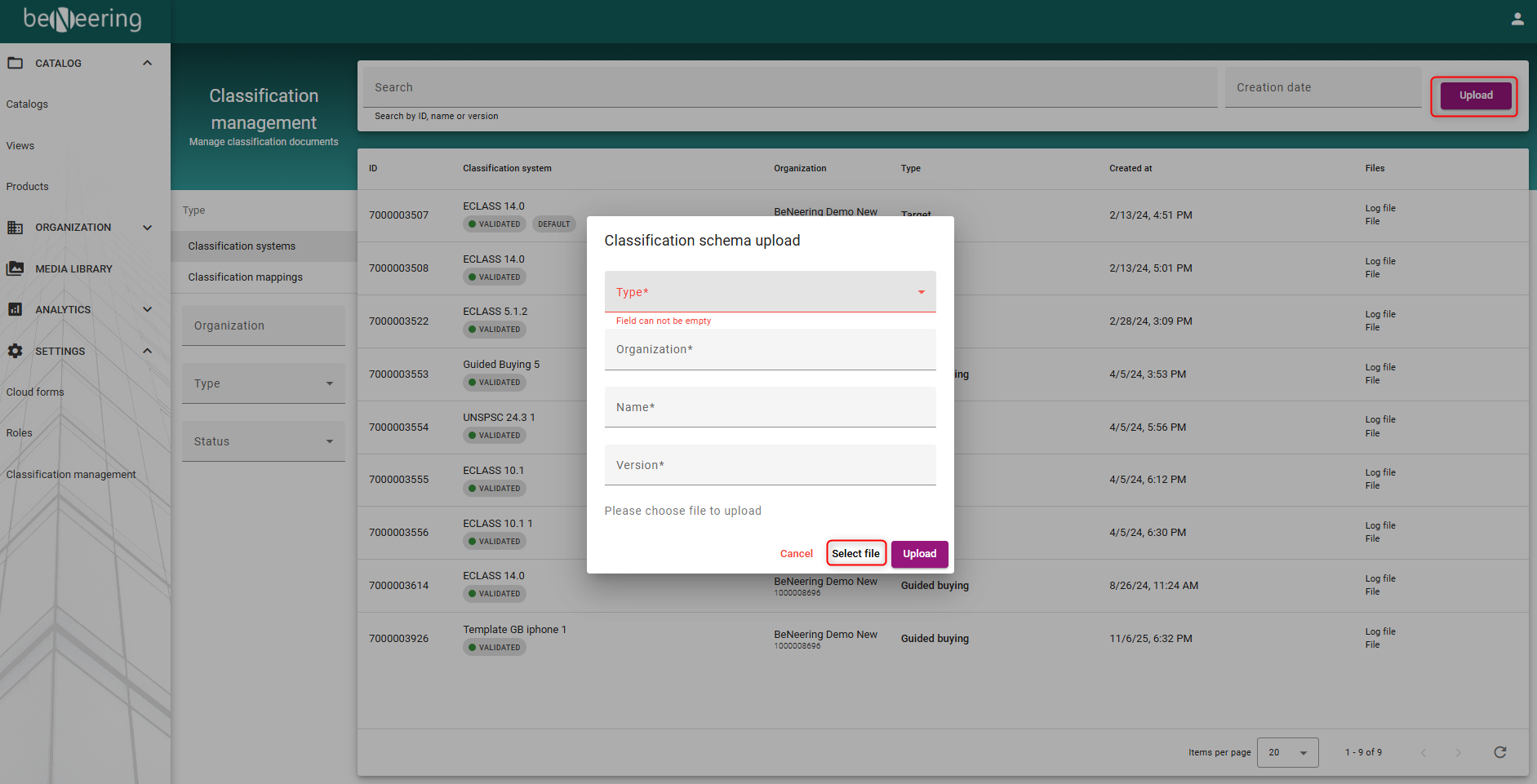
Open the Classification Systems tab
-
Select Upload in the top-right corner
-
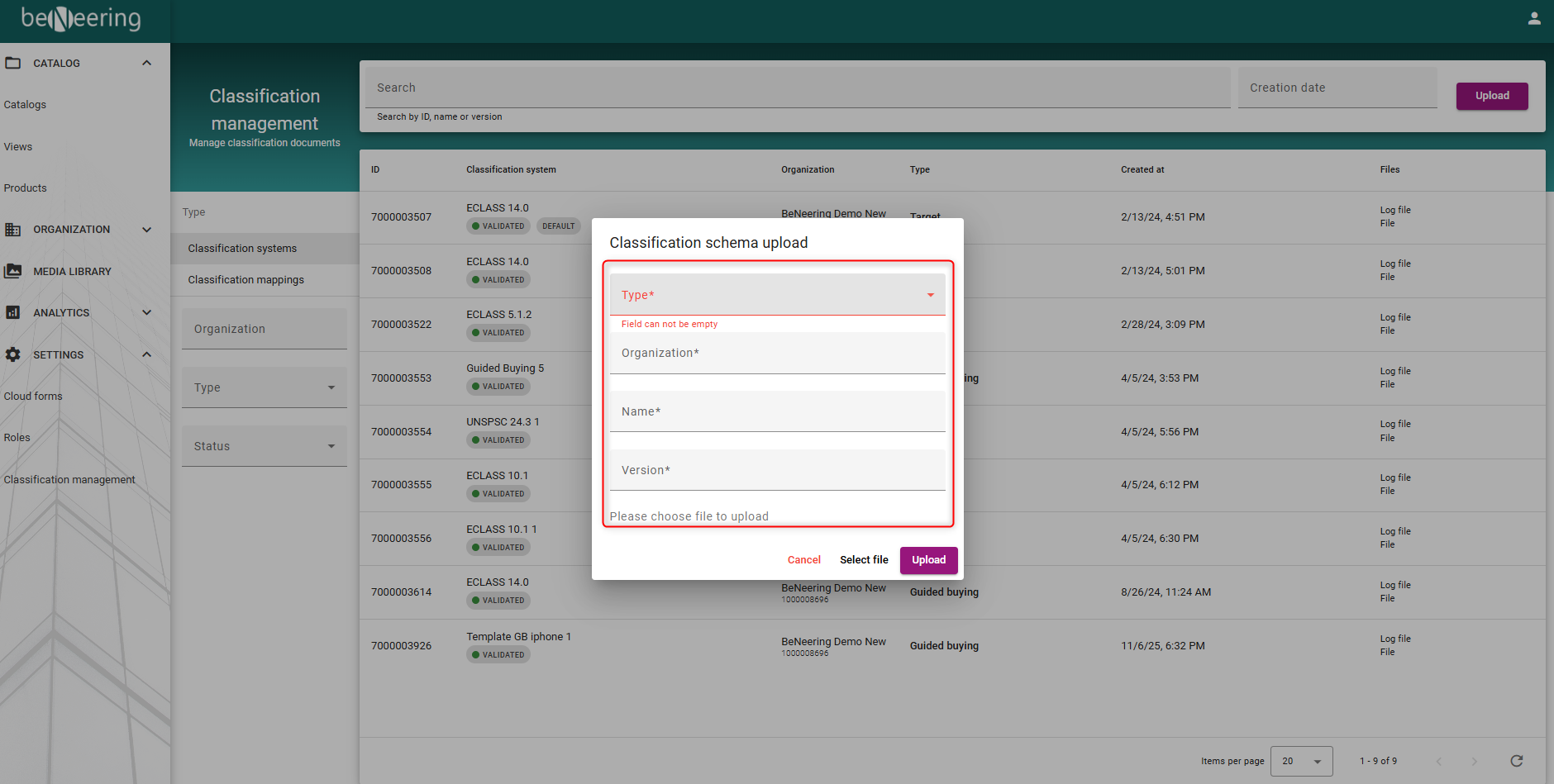
Enter the required information:
-
Target Organization
-
Upload Name
-
Classification Type
-
Classification Version
-
-
Select the classification file
-
Select Upload to complete the process
Step 3: Upload Classification Mapping
-
Open the Classification Mappings tab
-
Select the Target Organization
-
Enter an Upload Name
-
Choose the appropriate Mapping Type
-
Select the Source Classification and Target Classification
-
Select the prepared mapping file
-
Click Upload and wait for the file validation to complete
Validation and Completion
Once the upload is completed and validated successfully, the classification mapping becomes available for catalog processing and classification alignment.