
The Tree component has some additional functionality besides the typical select. This component expects the user to select only a single entry, which has to be on the lowest level of a branch.
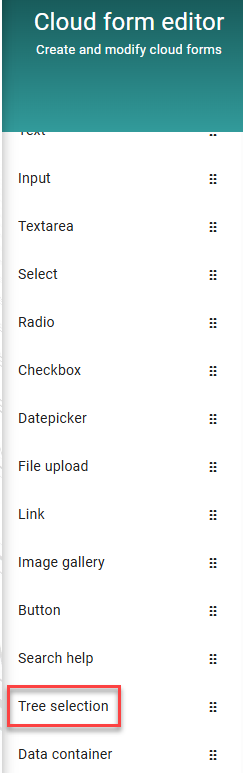
To add a tree selection component simply drag it into the form.
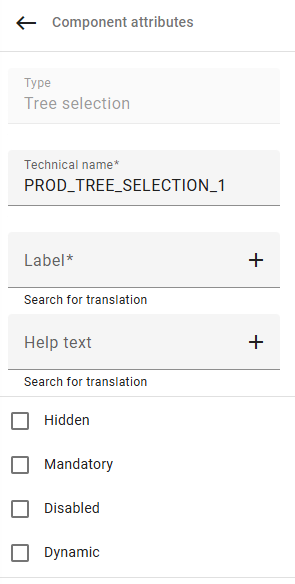
Then on the right side you can specify a technical field name, label and help text, as well as assigning attributes to it.
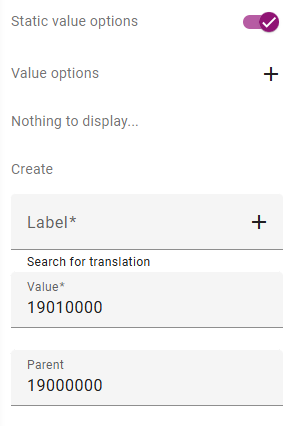
On the bottom of these attributes is the value options panel, which has an additional field called “Parent”. If your value should be on a lower level assign the previous level as Parent. For example if your value 19010000 should be second level after 19000000 this value (19000000) has to be assigned as parent.
Full list of attributes:
|
Option |
Description |
|---|---|
|
Hidden |
Hidden field (useful for fields that should just transport information) |
|
Mandatory |
Mandatory field |
|
Disabled |
Disbaled field |
|
Dynamic |
Field will trigger backend call |
|
Source |
Source, where value will be loaded from (from model) |
|
Target |
Target, where value will be stored (in model) |
|
Static value options/dynamic value options |
Pre-define values or load them from a context |