Benutzer können einer Anfrage für eine Beschaffungsveranstaltung jederzeit Anhänge hinzufügen. Gehen Sie dazu wie folgt vor:
Anhänge können nur hinzugefügt werden, wenn das Beschaffungsvorhaben den Status „Offen“ hat. Bei abgeschlossenen Vorhaben ist das Hinzufügen von Anhängen nicht möglich.
-
Öffnen Sie das Sourcing-Event.
-
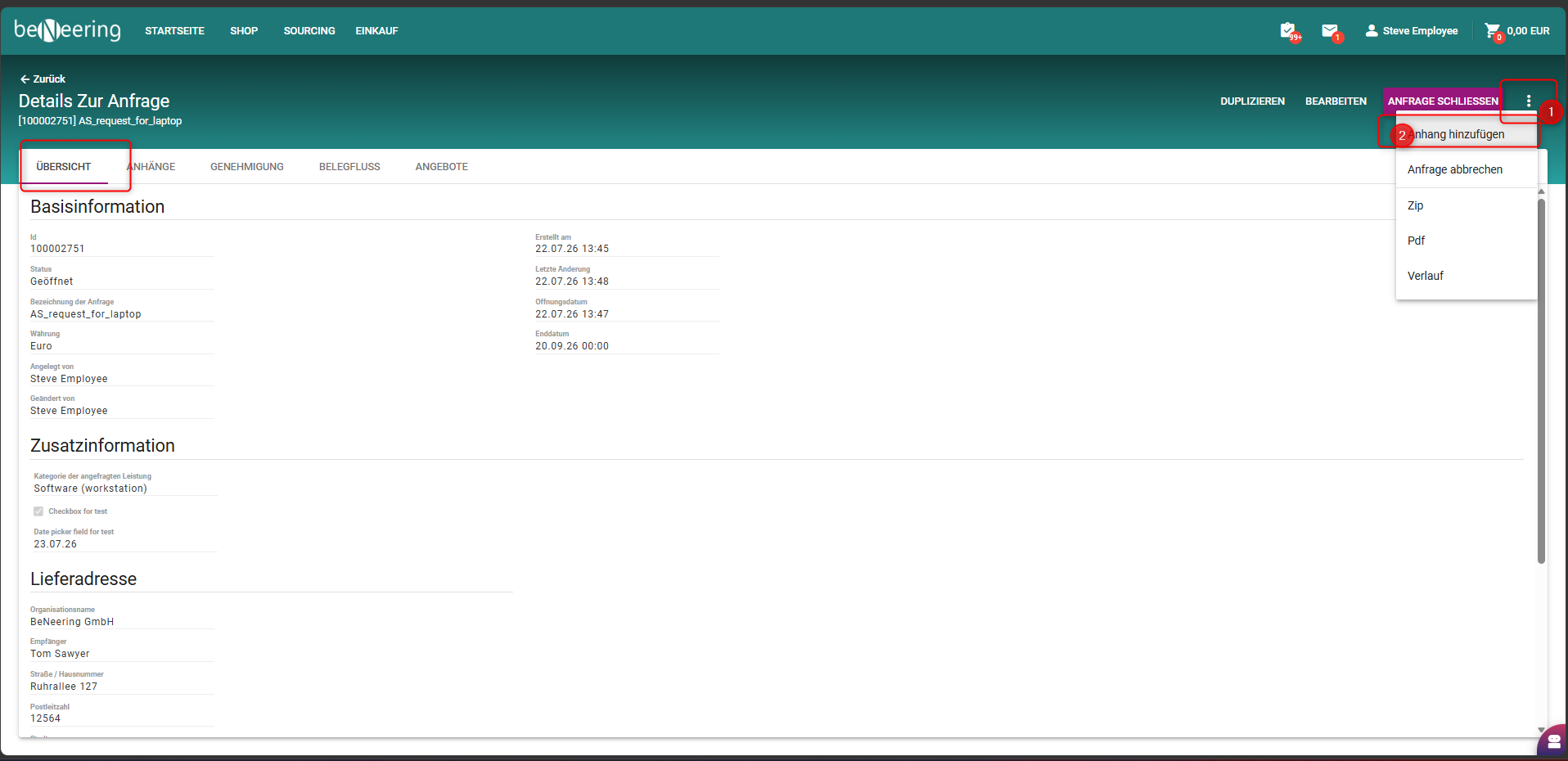
Klicken Sie auf das Drei-Punkte-Menü (⋯) und wählen Sie „Dateien anhängen“ aus.
-
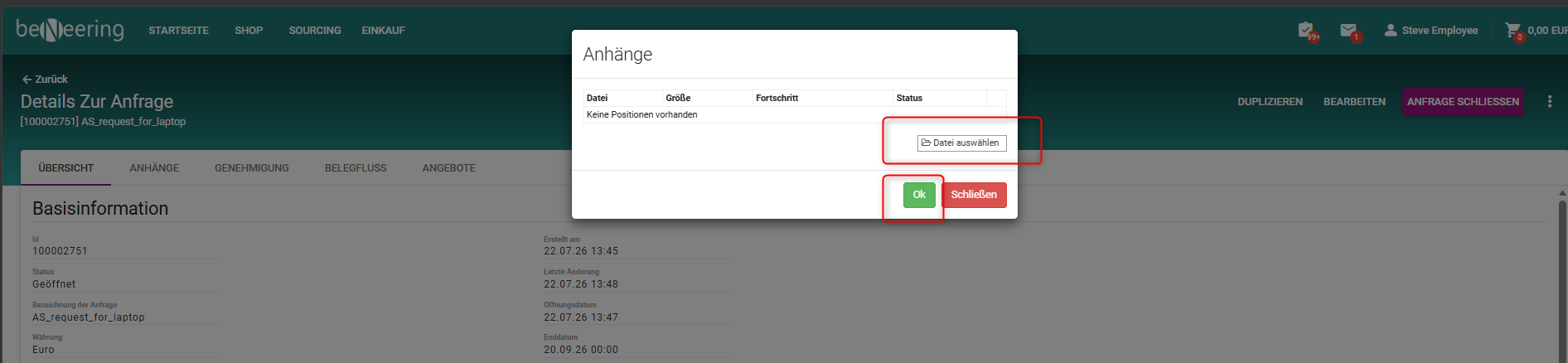
Es erscheint ein Popup-Fenster. Laden Sie Ihre Anhänge hoch und klicken Sie auf „OK“.
-
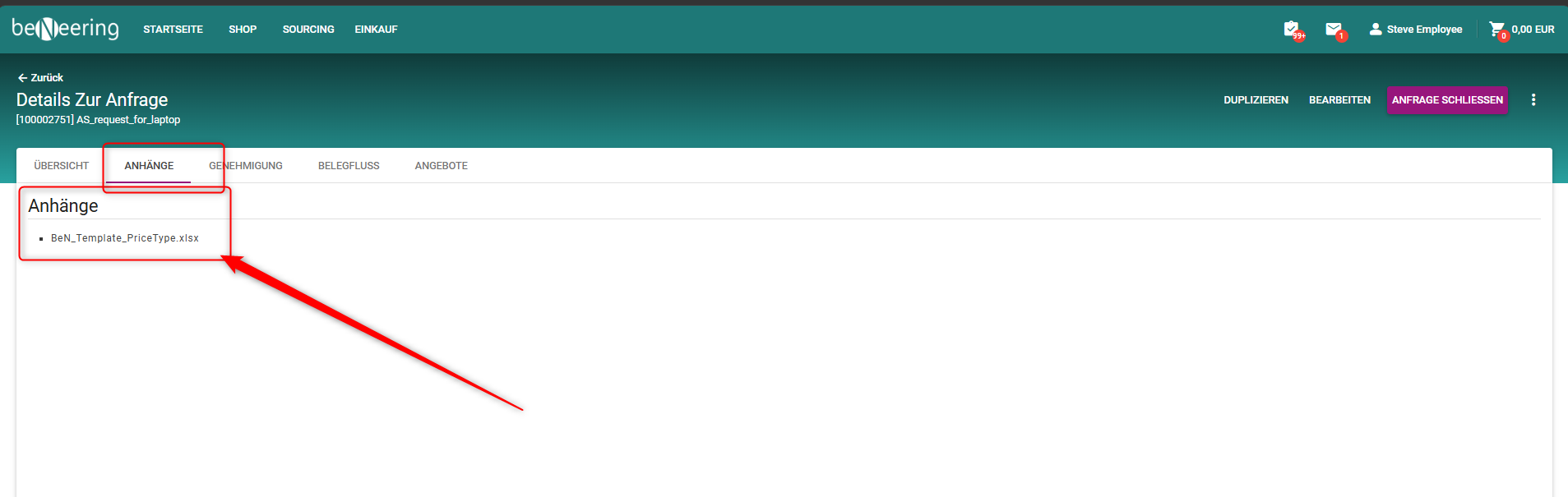
Sobald der Upload erfolgreich abgeschlossen ist, werden die Anhänge auf der Registerkarte „Anhänge“ der Anfrage zum Sourcing-Event angezeigt.