
In unserem „Guided Buying“ folgt das Standardverhalten beim Wiederöffnen eines geschlossenen Beschaffungsvorgangs (Sourcing Event) genau denselben Regeln wie im SAP-MM-Standard. Ob ein Beschaffungsvorgang wieder geöffnet werden kann, hängt von seinem Status ab und davon, ob er bereits zur Erstellung einer Bestellung (PO) verwendet wurde.
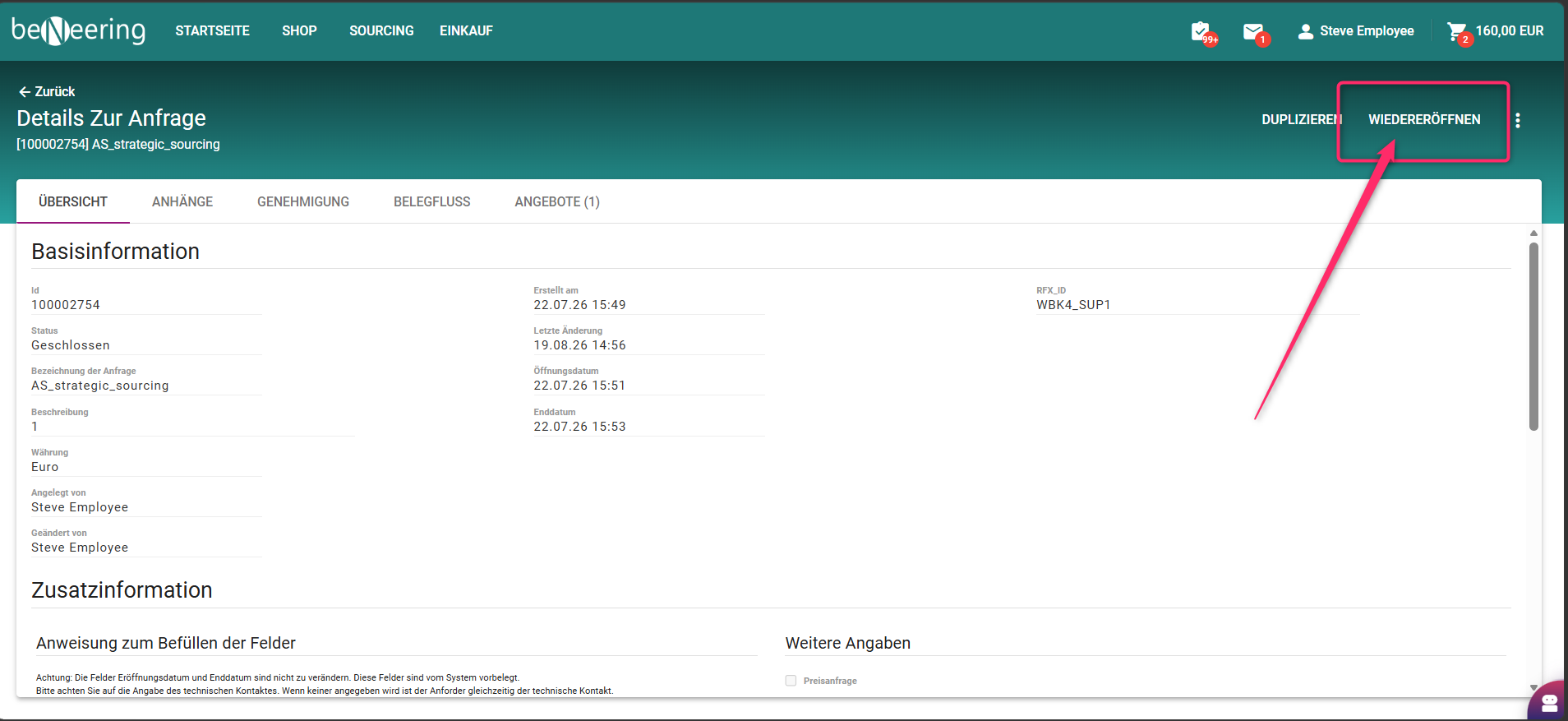
Logik zur Wiedereröffnung
-
Abgeschlossenes Ereignis, das bereits in eine Bestellung umgewandelt wurde (Status: BESTELLT)
-
Wenn eine Angebotsanfrage (RFQ) in eine Bestellung umgewandelt wurde, ändert sich ihr Status automatisch in „BESTELLT“.
-
Selbst wenn die Angebotsanfrage später als „Abgeschlossen“ markiert wird, kann sie nicht wieder geöffnet oder bearbeitet werden.
Wenn Sie versuchen, sie wieder zu öffnen, zeigt das System eine Fehlermeldung an
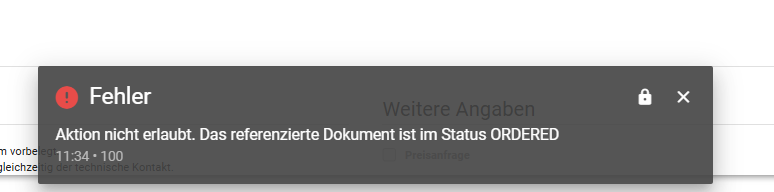
-
Begründung: Würden Änderungen nach der Erstellung einer Bestellung zugelassen, würde dies die Konsistenz zwischen der Bestellung und den Buchhaltungsbelegen beeinträchtige
Abgeschlossenes Event ohne Bestellauftrag
Wenn eine Angebotsanfrage nie in einen Auftrag umgewandelt wurde, kann sie wieder geöffnet werden, auch wenn sie als „abgeschlossen“ gekennzeichnet ist.
-
Dies ist unbedenklich, da keine nachgelagerten Dokumente von der Angebotsanfrage abhängen.
-
Auch dies entspricht dem Standardverhalten von SAP, wonach nur Angebotsanfragen, die mit einer bestehenden Bestellung verknüpft sind, für die Bearbeitung gesperrt sind.
Wann kann der Fälligkeitstermin eines Sourcing-Events geändert werden?
-
Das Fälligkeitsdatum kann noch geändert werden, solange das Sourcing-Event offen ist oder sich nicht im Genehmigungsverfahren befindet.
-
Wenn die Bestellung bereits angelegt, freigegeben oder in einem Genehmigungsworkflow ist, kann das Fälligkeitsdatum nicht geändert werden, da Änderungen die Konsistenz mit der Bestellung, den Genehmigungen und den Buchhaltungsbelegen beeinträchtigen würden.
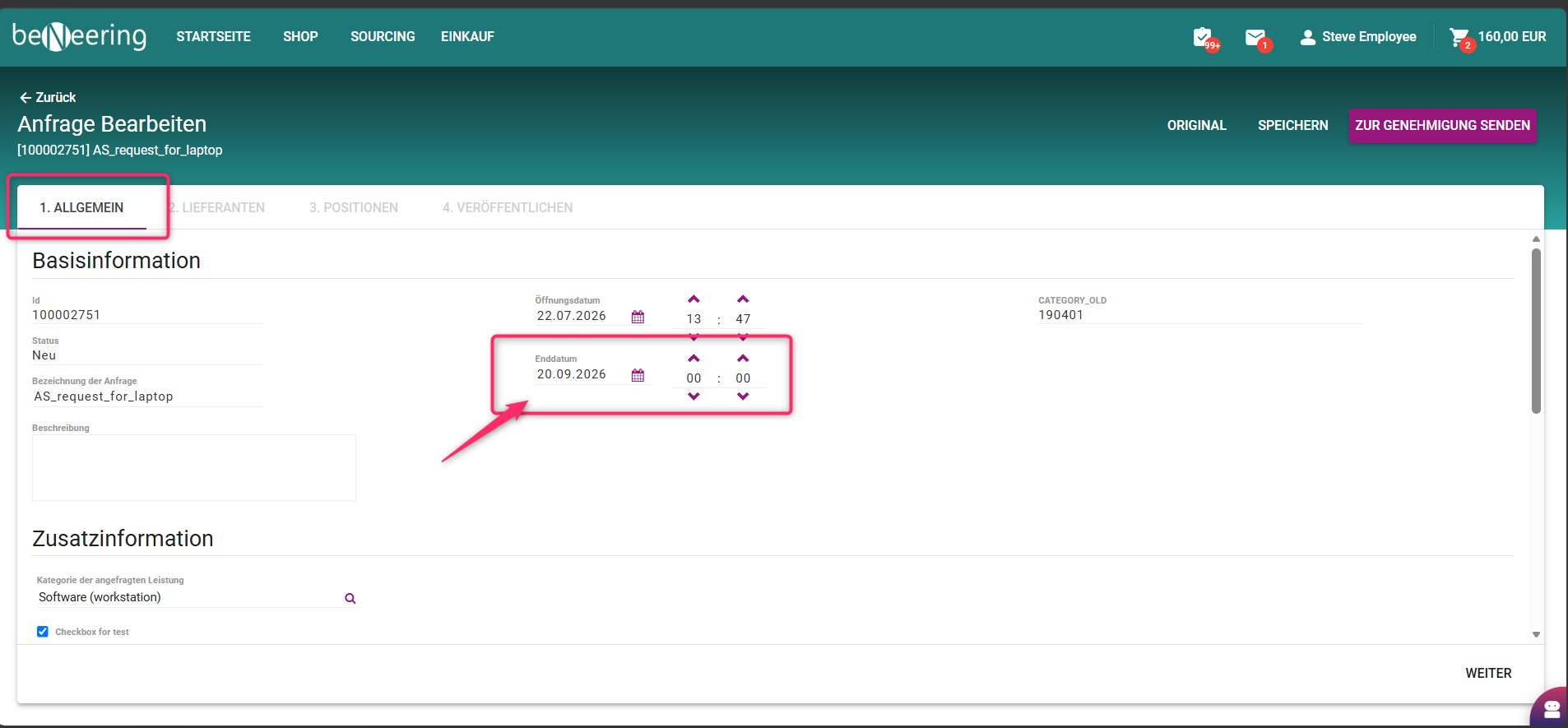
Der Stichtag in einem Sourcing-Event ist die Frist, bis zu der Lieferanten ihre Angebote oder Vorschläge einreichen müssen. Er stellt sicher, dass der Beschaffungsprozess termingerecht abläuft, und unterstützt Einkäufer bei der Verwaltung von Genehmigungen, der Erstellung von Bestellungen und der Einhaltung der allgemeinen Zeitpläne im Arbeitsablauf.
Eine neue Runde in einem geschlossenen Sourcing-Event starten
Definition im SAP-Kontext:
-
Eine neue Runde zu starten bedeutet, eine Folge-Sourcing-Runde für ein bereits abgeschlossenes Sourcing-Event zu erstellen.
-
Damit können Einkäufer Lieferanten (alle oder eine Teilmenge davon) erneut einladen, Fristen, Positionen oder Anhänge aktualisieren und die nächste Phase der Angebotsabgabe oder Angebotserhebung einleiten.
-
Wichtig ist, dass der Start einer neuen Runde unabhängig vom Status der Bestellung ist: Er ist möglich, unabhängig davon, ob das Sourcing-Event in eine Bestellung umgewandelt wurde oder nicht.
Schritte zum Starten einer neuen Runde:
-
Öffne ein bereits geschlossenes Sourcing-Event.
-
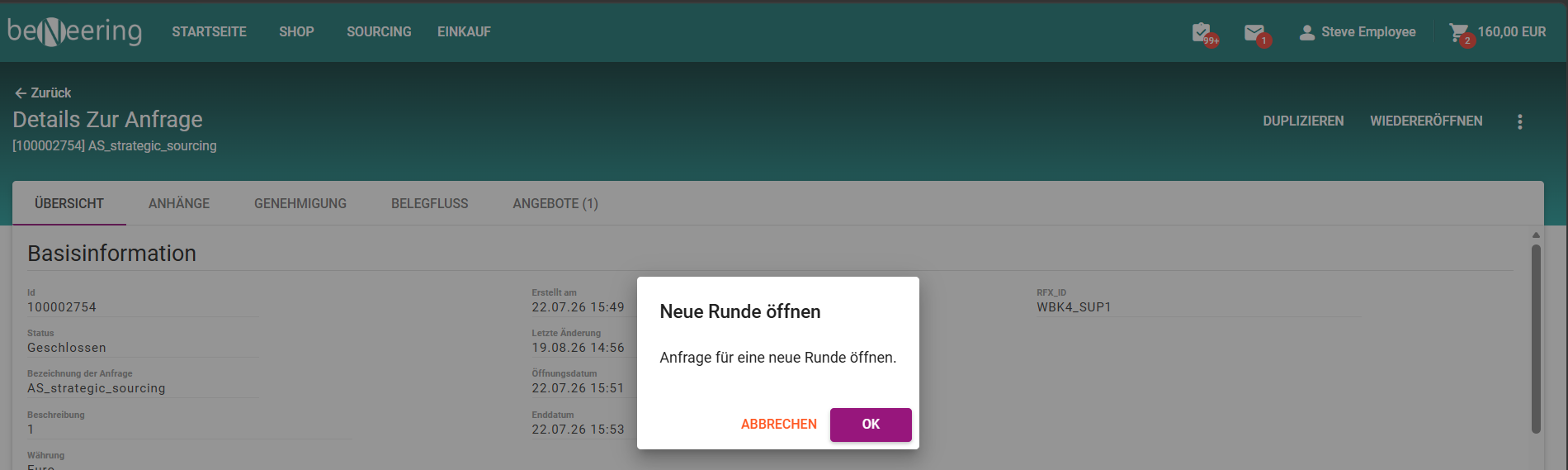
Klicken Sie auf das Drei-Punkte-Menü (⋯) und dann auf „Neue Runde öffnen“.
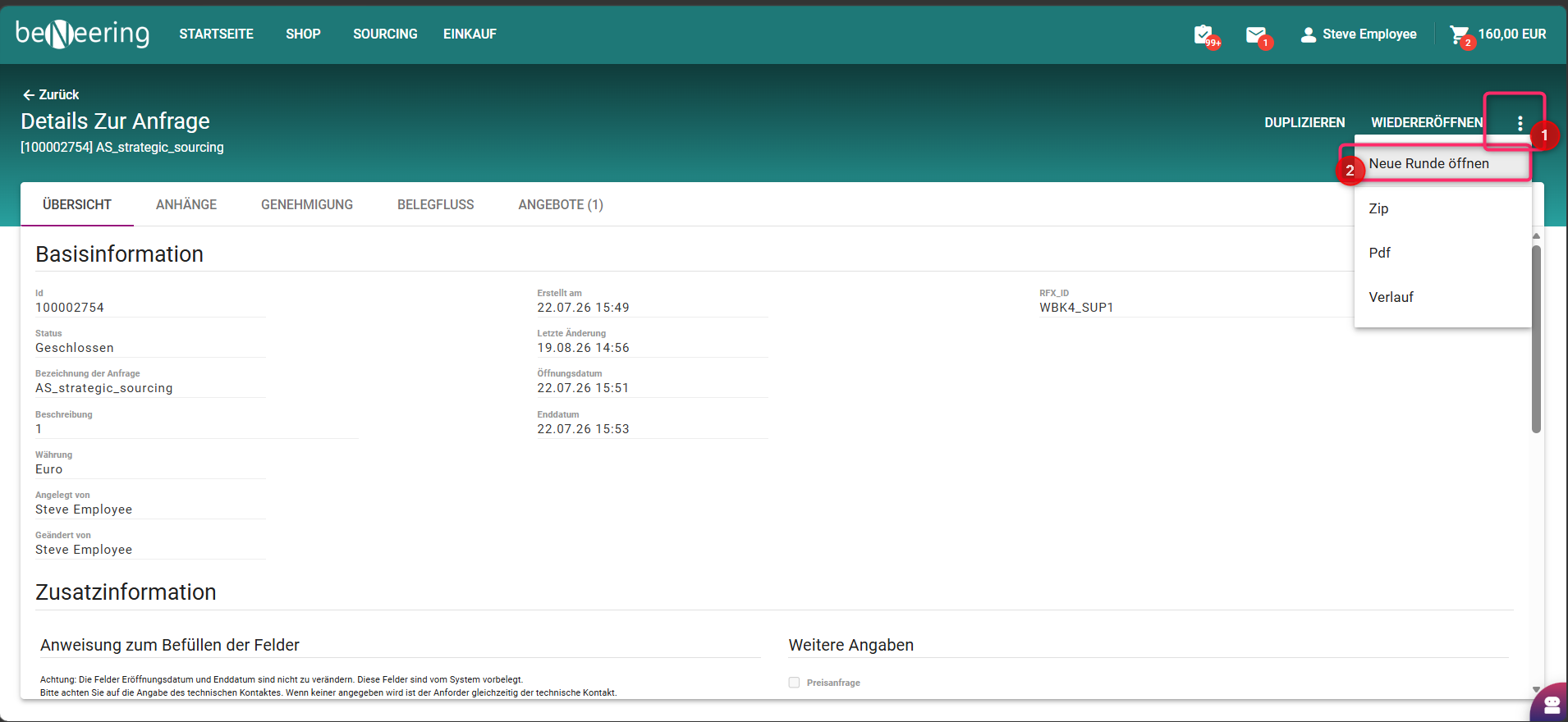
Folgender Hinweis wird angezeigt, bitte dort auf “okay” klicken:
-
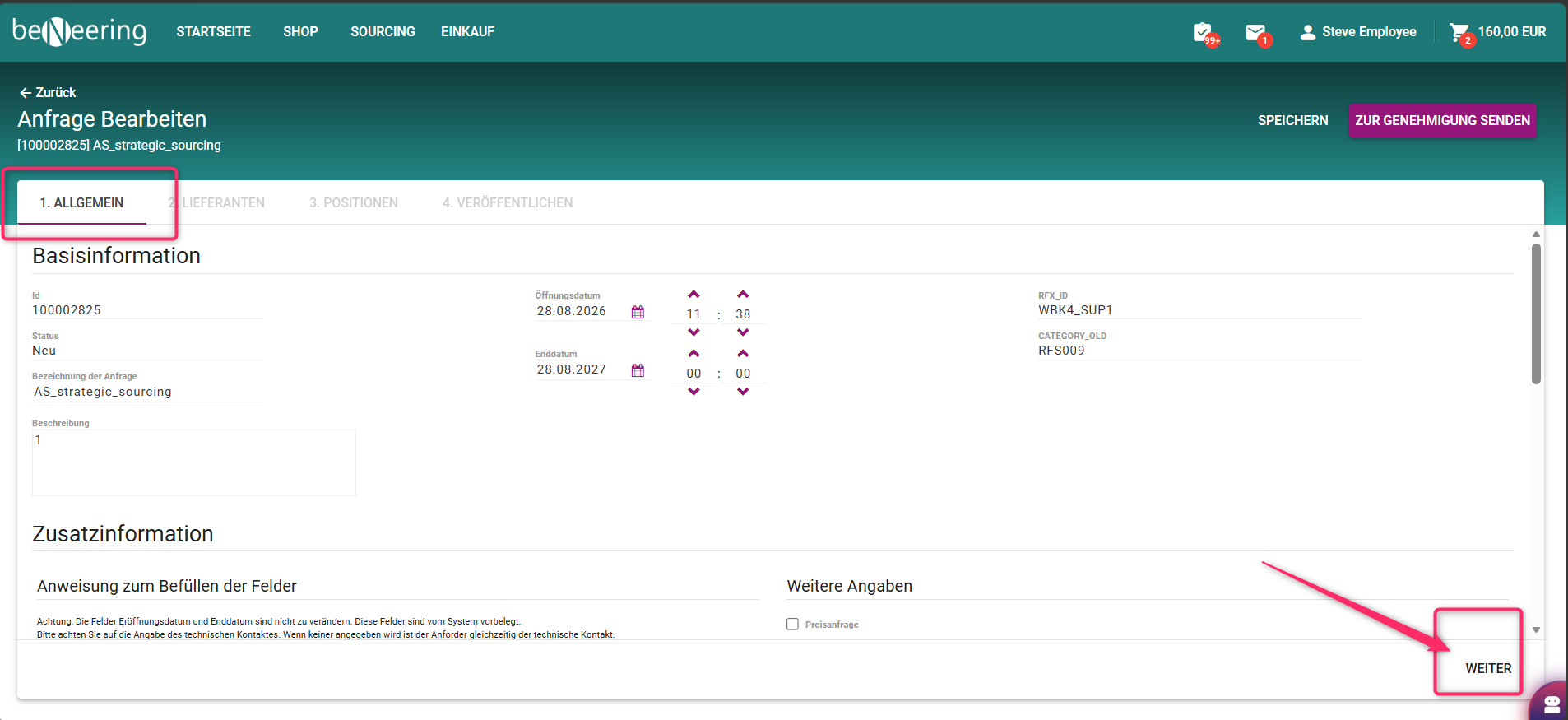
Sie gelangen im Bearbeitungsmodus in den Antrag:
-
Überprüfen und bearbeiten Sie das Fälligkeitsdatum.
-
Sehen Sie sich den Abschnitt „Allgemein“ an und passen Sie die Felder nach Bedarf an.
-
Fügen Sie bei Bedarf Anhänge hinzu.
-
Wählen Sie den „Weiter“-Button.
-
-
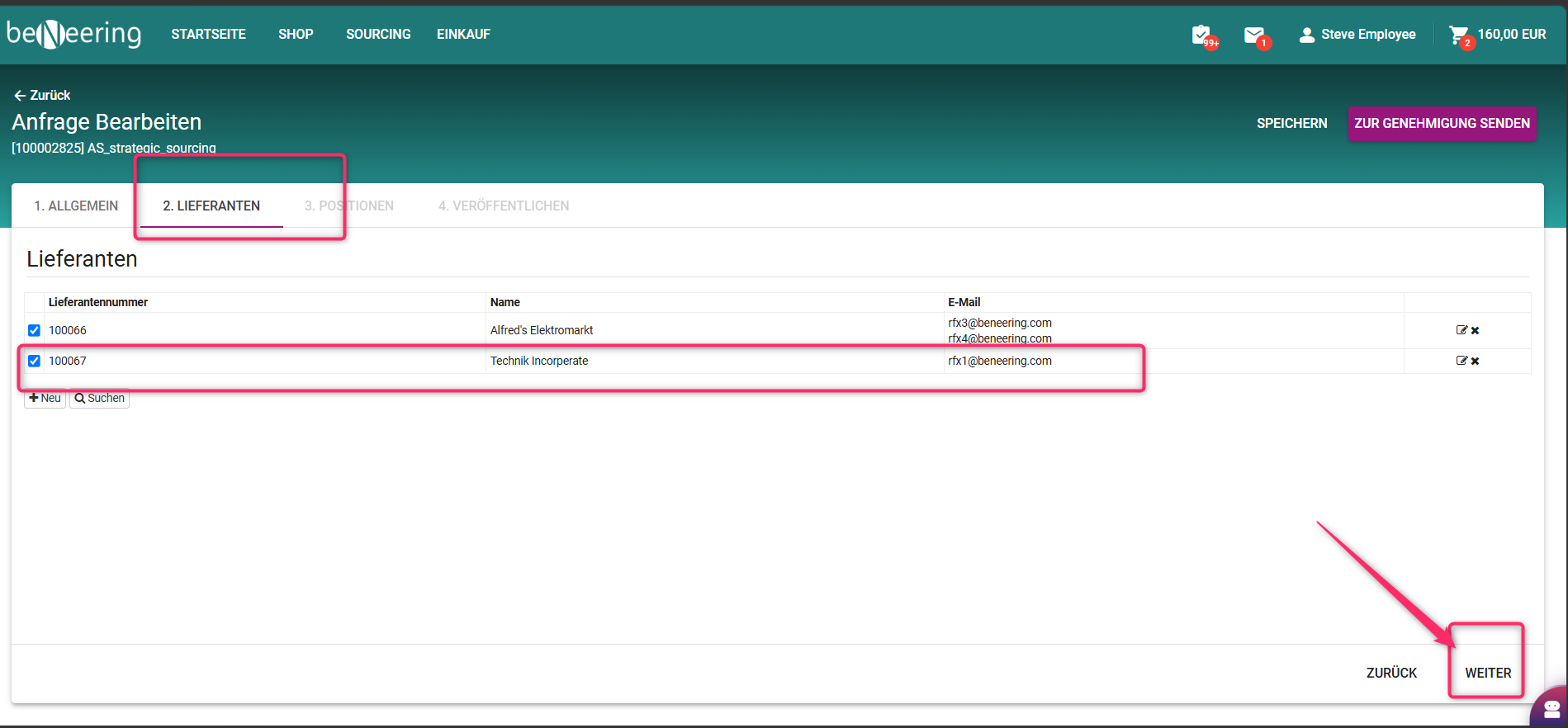
Auf der Registerkarte „Lieferanten“:
-
Wählen Sie bei Bedarf nur eine Teilmenge der vorhandenen Lieferanten aus.
-
Fügen Sie optional neue Lieferanten hinzu.
-
Wählen Sie den „Weiter“-Button.
-
-
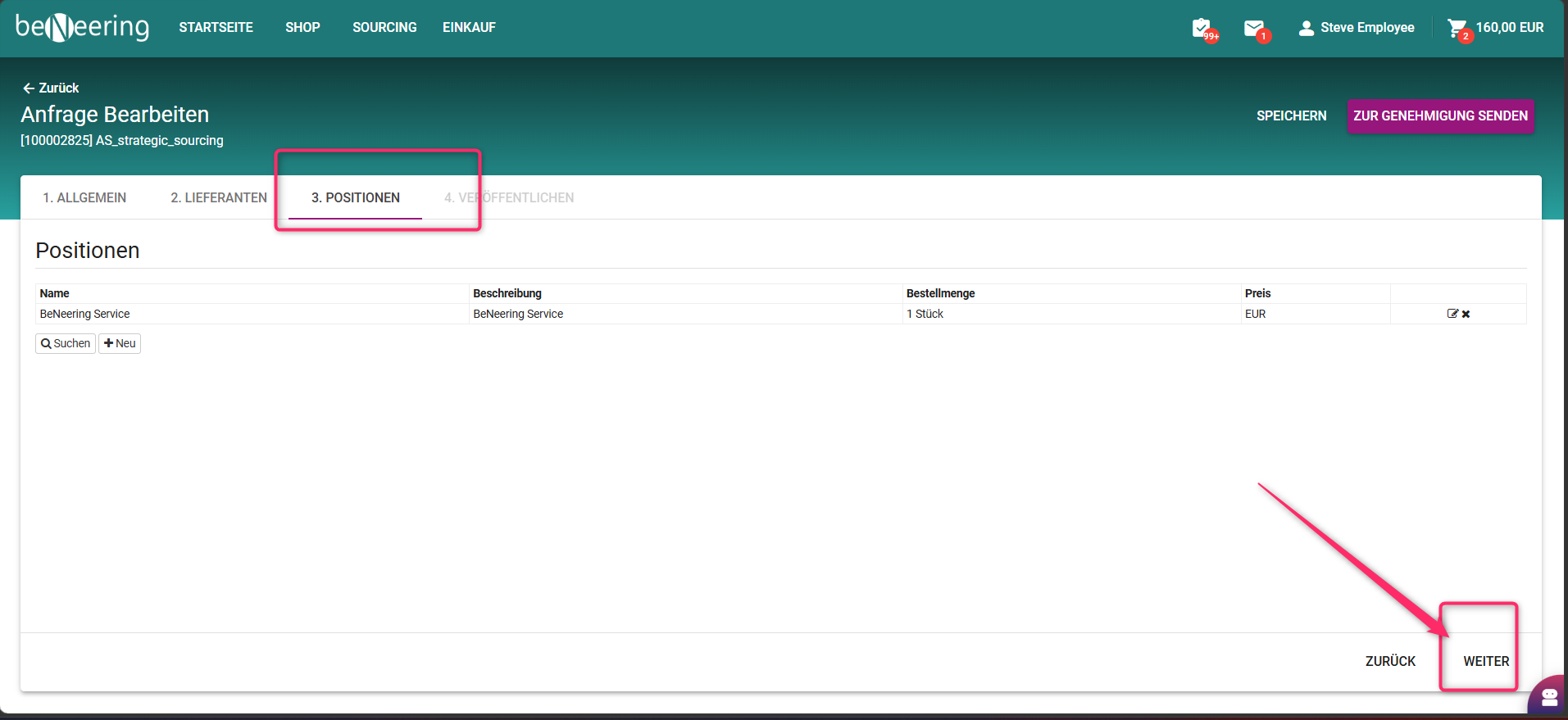
Auf der Registerkarte „Artikel“:
-
Artikelmengen oder -details bearbeiten.
-
Fügen Sie bei Bedarf neue Einträge hinzu.
-
Fügen Sie bei Bedarf Dateien zu einzelnen Elementen hinzu.
-
Wählen Sie den „Weiter“-Button.
-
-
Überprüfen Sie alle Angaben im Abschnitt „Zusammenfassung / Überprüfung“.
-
Klicken Sie auf „Zur Genehmigung einreichen“, um die neue Runde zu starten.
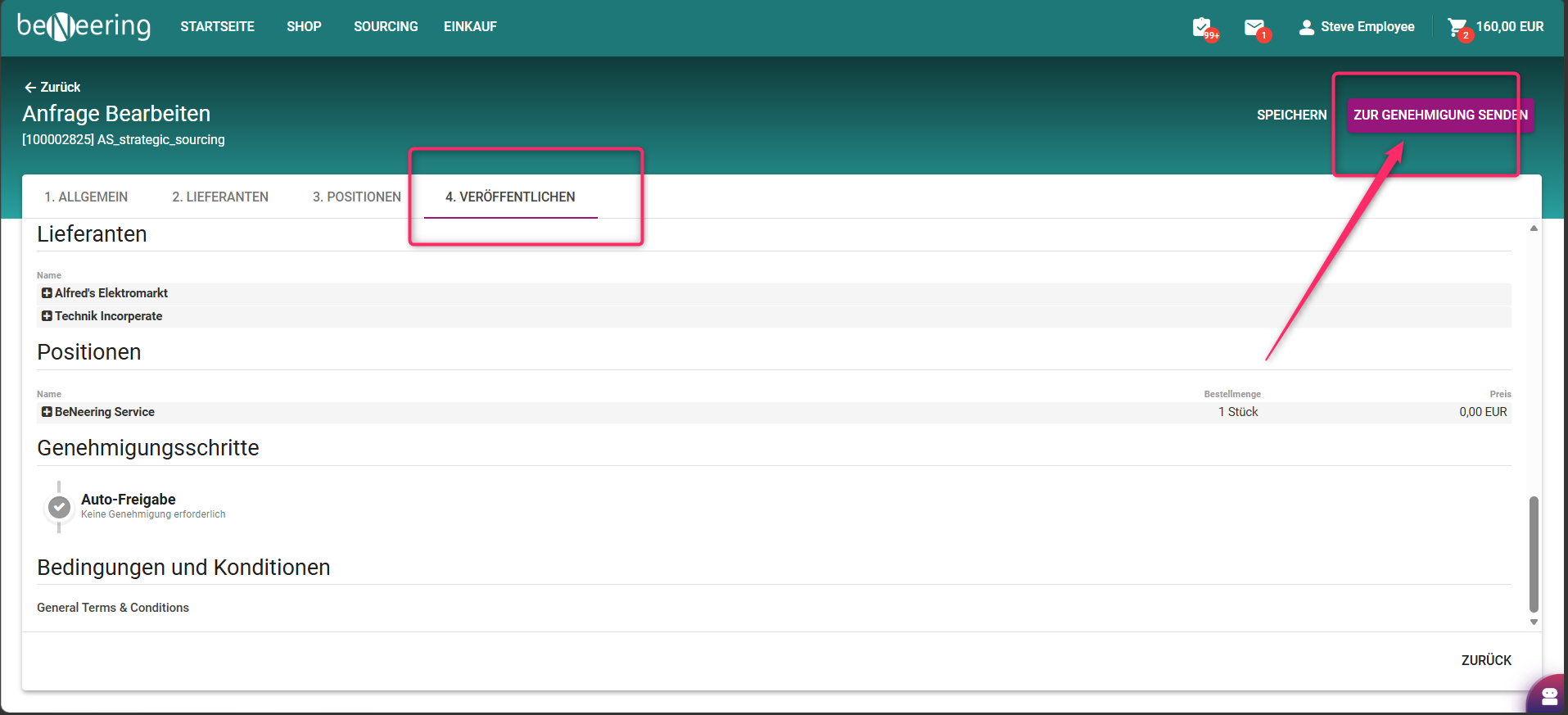
Nach erfolgreichem Abschluss wird eine neue Beschaffungsrunde für die Veranstaltung angelegt. Es werden ausschließlich die ausgewählten Lieferanten eingeladen, und Artikel, Mengen und Anhänge werden bei Bedarf in Echtzeit in SAP aktualisiert.