
Notizen im Warenkorb hinzufügen
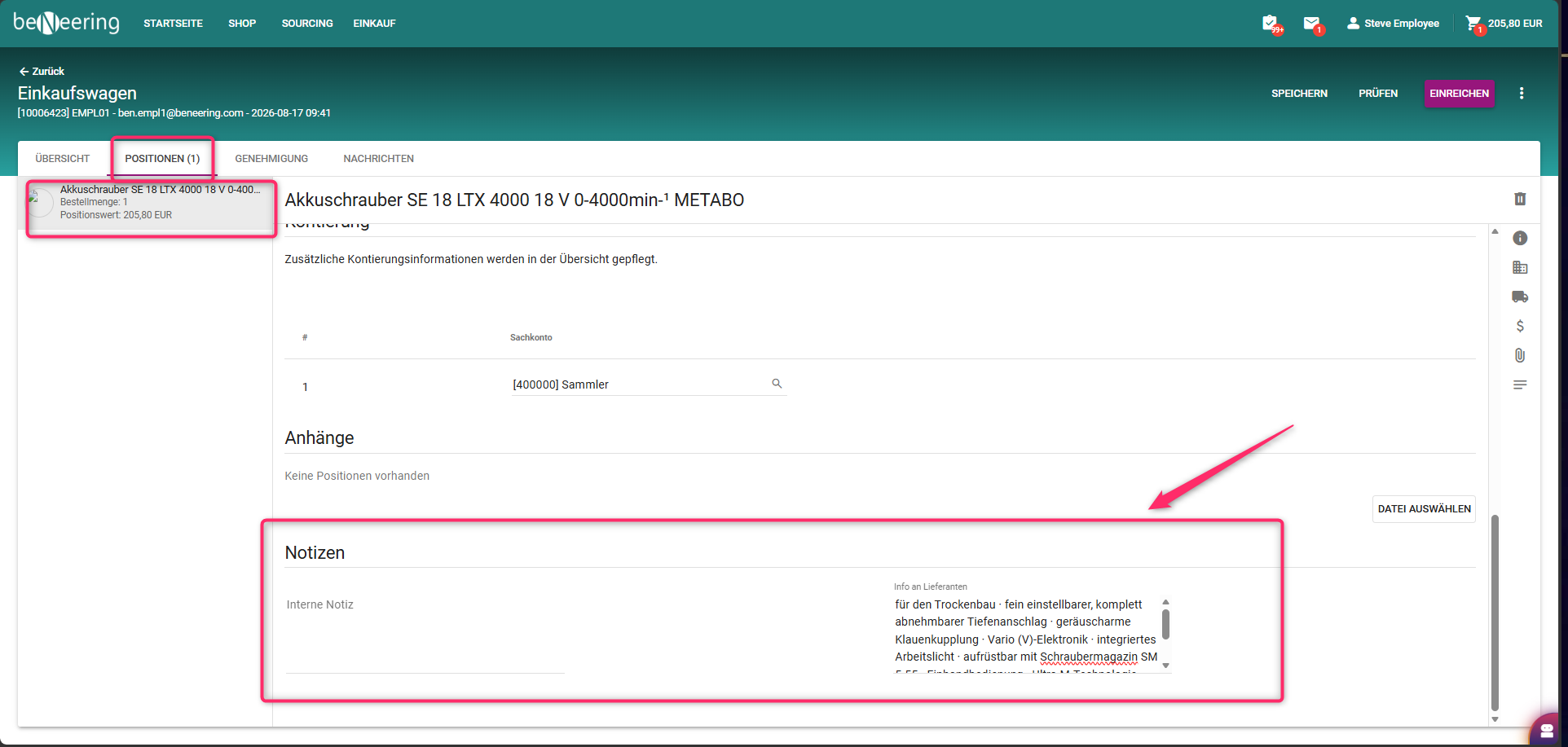
Im Warenkorb können Sie zu jedem einzelnen Artikel Notizen hinzufügen.
Schritt für Schritt Anleitung:
-
Öffnen Sie den Warenkorb.
-
Wechseln Sie zur Artikelebene.
-
Wählen Sie den gewünschten Artikel aus.
-
Geben Sie Ihren Text in die Felder ein:
-
Auf „Senden“ klicken
Standardfelder für Notizen (Standardzuordnung)
Interne Notizen
-
Sie können jeden beliebigen Text eingeben
-
Im SAP wird dieser Text zur Text-ID B01 zugeordnet und wird in der Benutzeroberfläche der Bestellanforderung (PR) als Positionstext angezeigt.
Hinweise für den Lieferanten
-
Sie können einen beliebigen Text eingeben, der für den Lieferanten bestimmt ist
-
in SAP wird dieser Text der Text-ID B03 zugeordnet und erscheint in der PR-Benutzeroberfläche als “Liefertext”
Kundenspezifische Felder
-
Der Warenkorb ermöglicht auch das Hinzufügen benutzerdefinierter Felder.
-
Diese Felder können basierend auf kundenspezifischer Logik den entsprechenden SAP-PR-Feldern zugeordnet werden.
-
Die Zuordnung und das Verhalten dieser Felder hängen vollständig von der individuellen Konfiguration des Kundensystems ab.
Anmerkungen
-
Alle auf Positionsebene im Warenkorb hinzugefügten Anmerkungen werden automatisch in die entsprechenden SAP-PR-Positionsfelder übertragen, sobald die Bestellung angelegt bzw. übermittelt wird.
-
Standardmäßige SAP-Textfelder (B01, B03) werden als Standardwerte verwendet, bei Bedarf können jedoch benutzerdefinierte Textzuordnungen implementiert werden