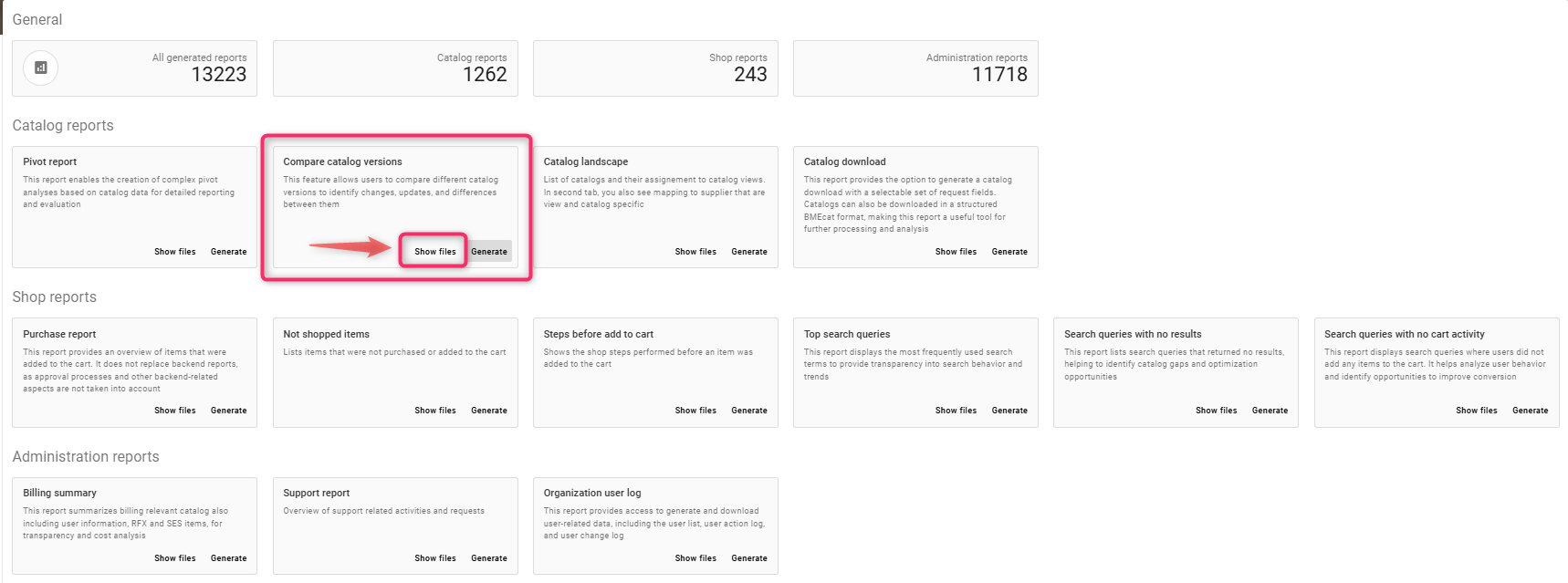
This feature allows users to compare different catalog versions to identify changes, updates, and differences between them
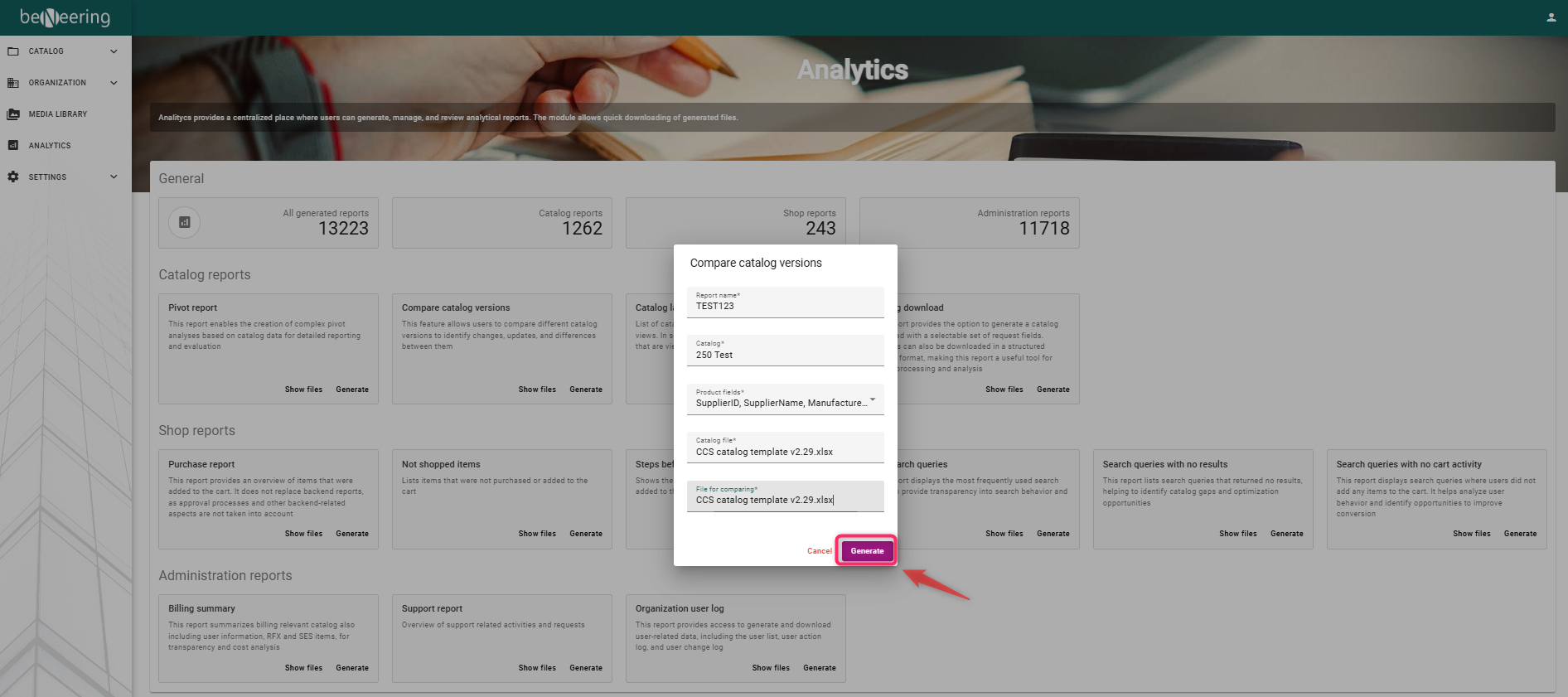
Steps to Create the report :
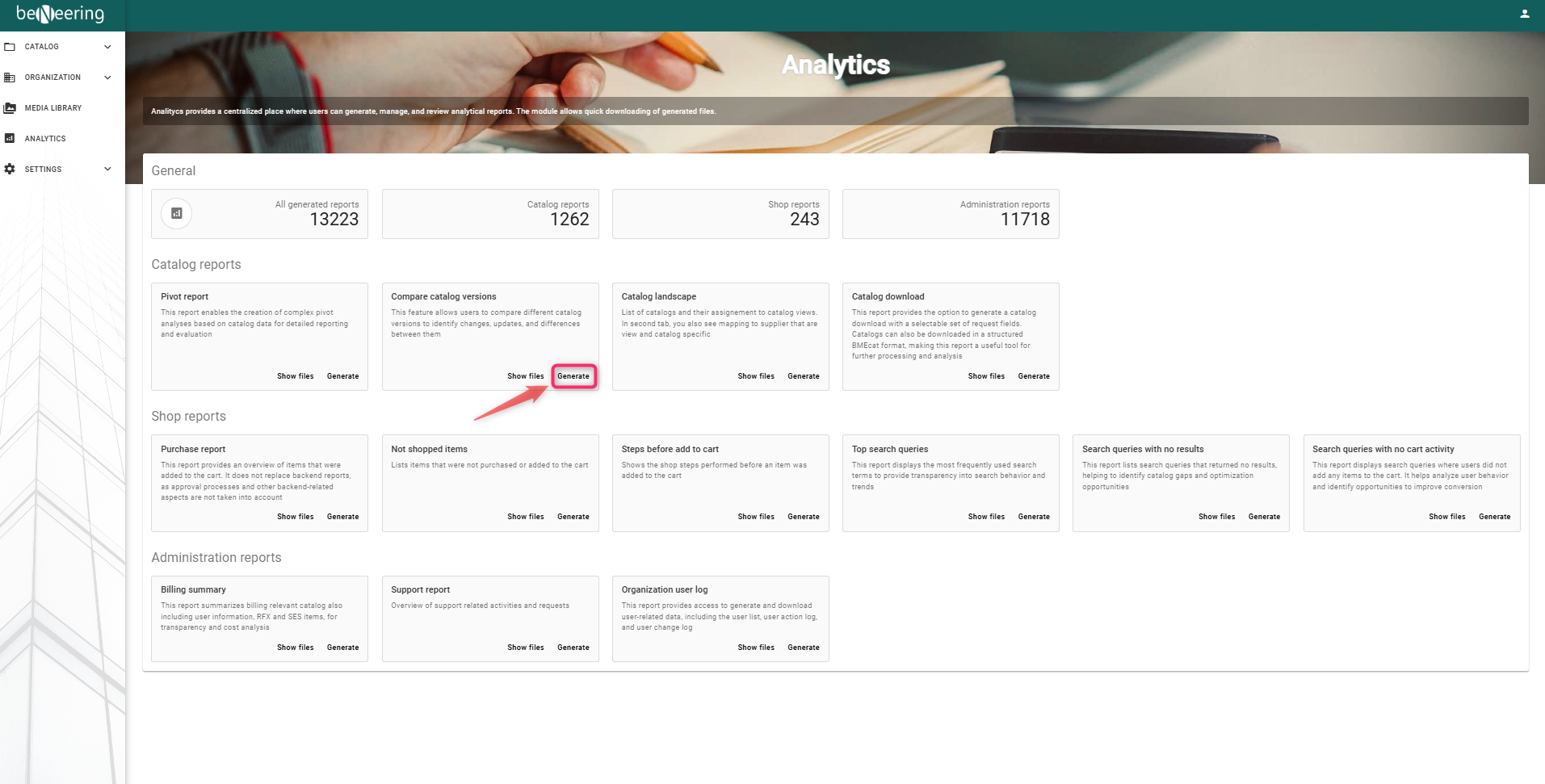
Click on Generate
A) Enter a name for the report - e.g.TEST123
B) Select the catalog from the list of values
C) Select the product fieles
D) Select catalog file
E) Select catalog file to compare
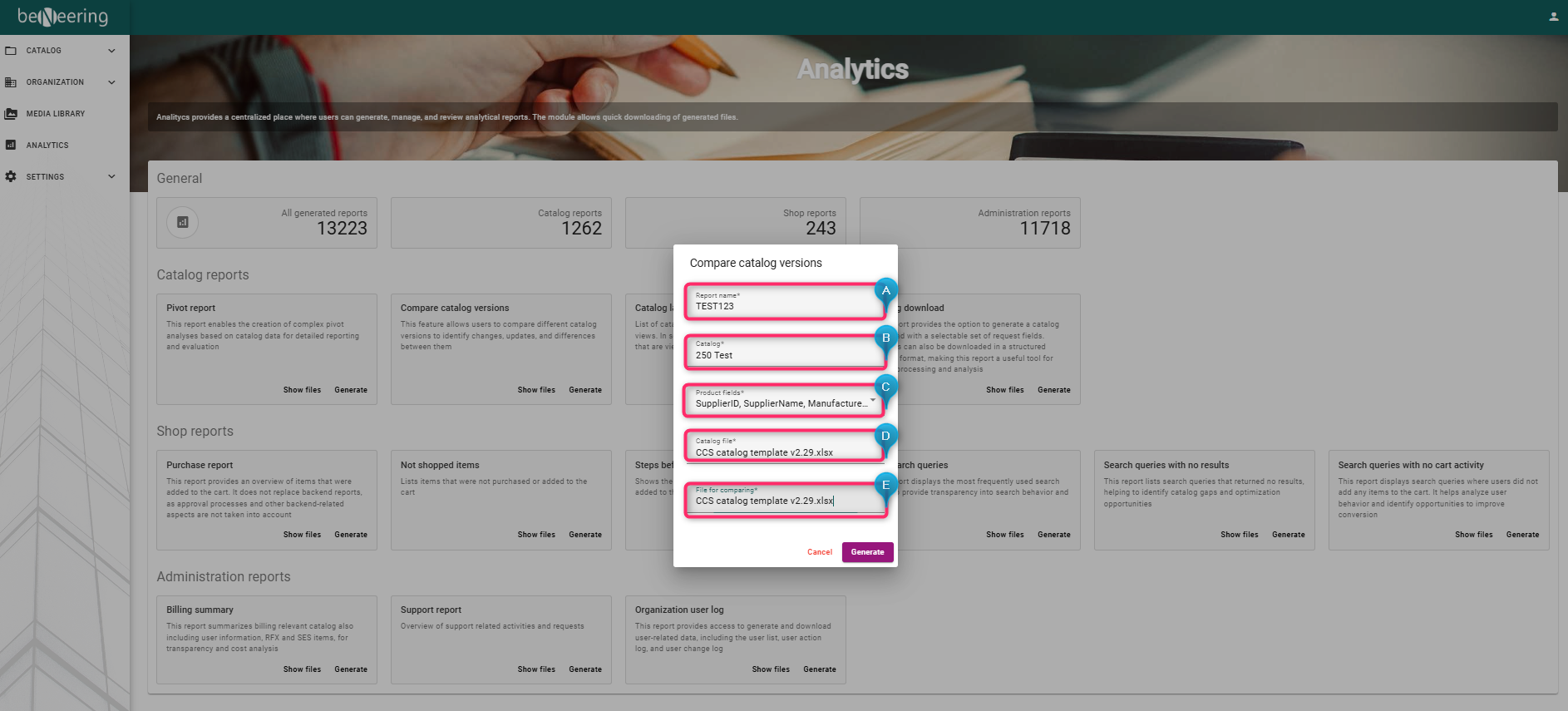
Click on Generate
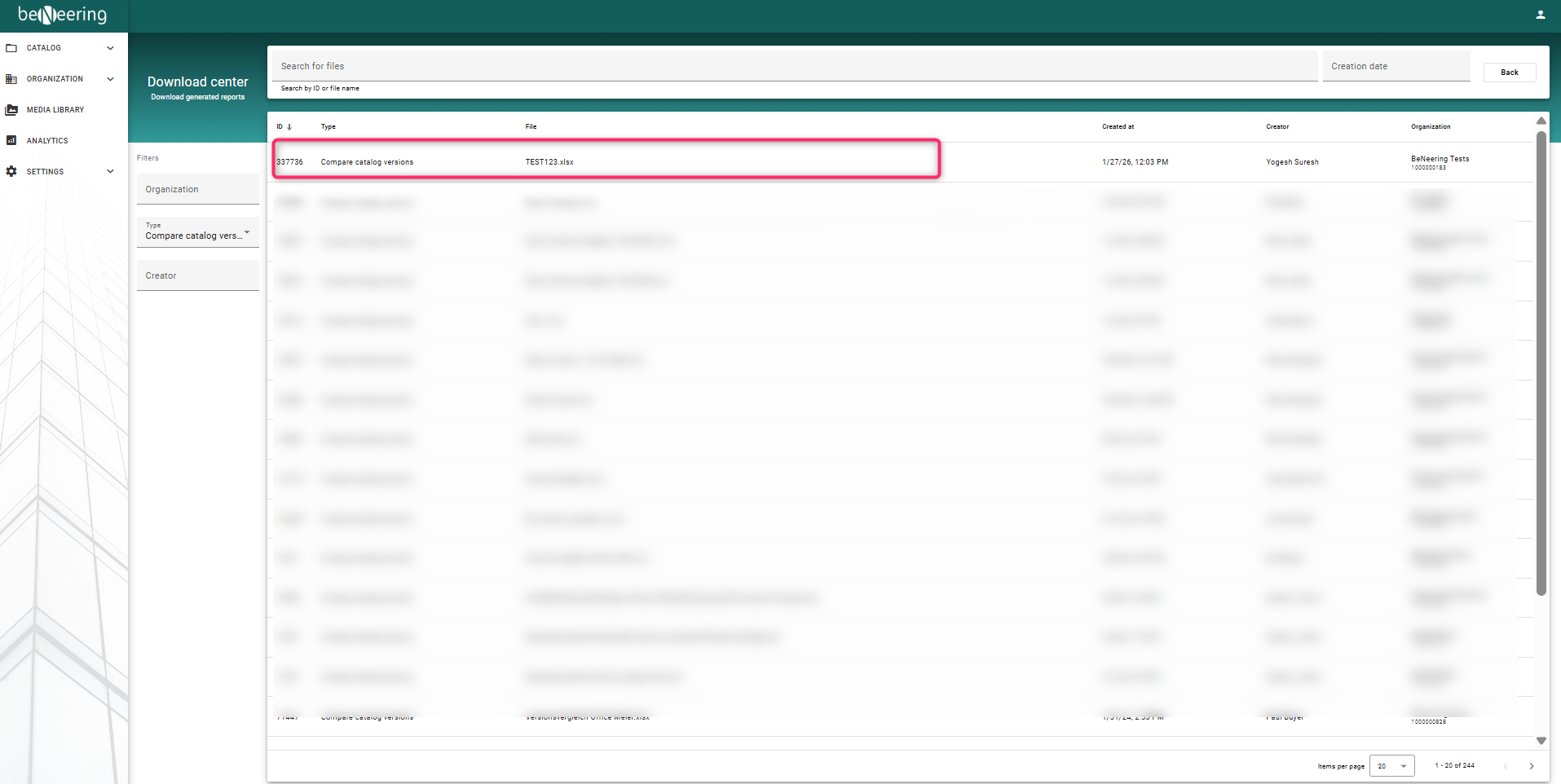
Click on Show files to view and download the report you generated