Skip table of contents

03. Catalog Landscape

List of catalogs and their assignment to catalog views. In second tab, you also see mapping to supplier that are view and catalog specific information

Steps to Create the report :

Click on Generate
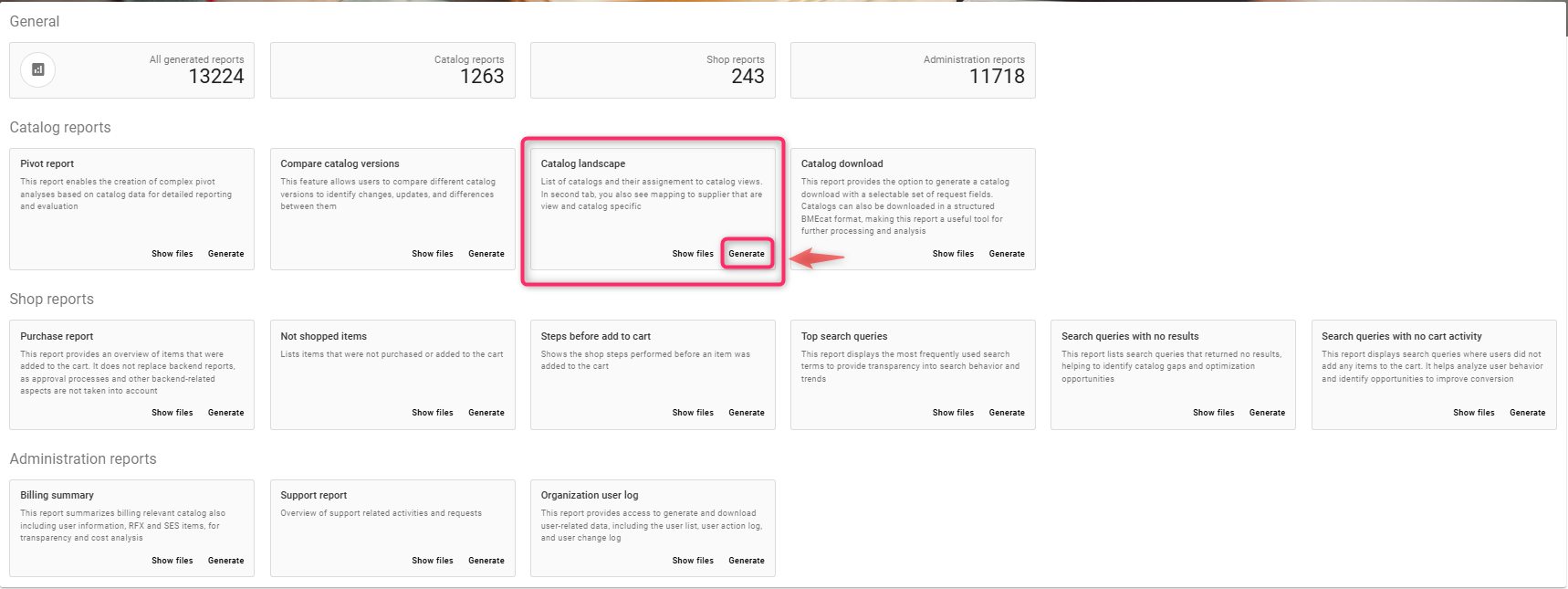
image-20260127-065747.png

Creating Catalog Landscape Report

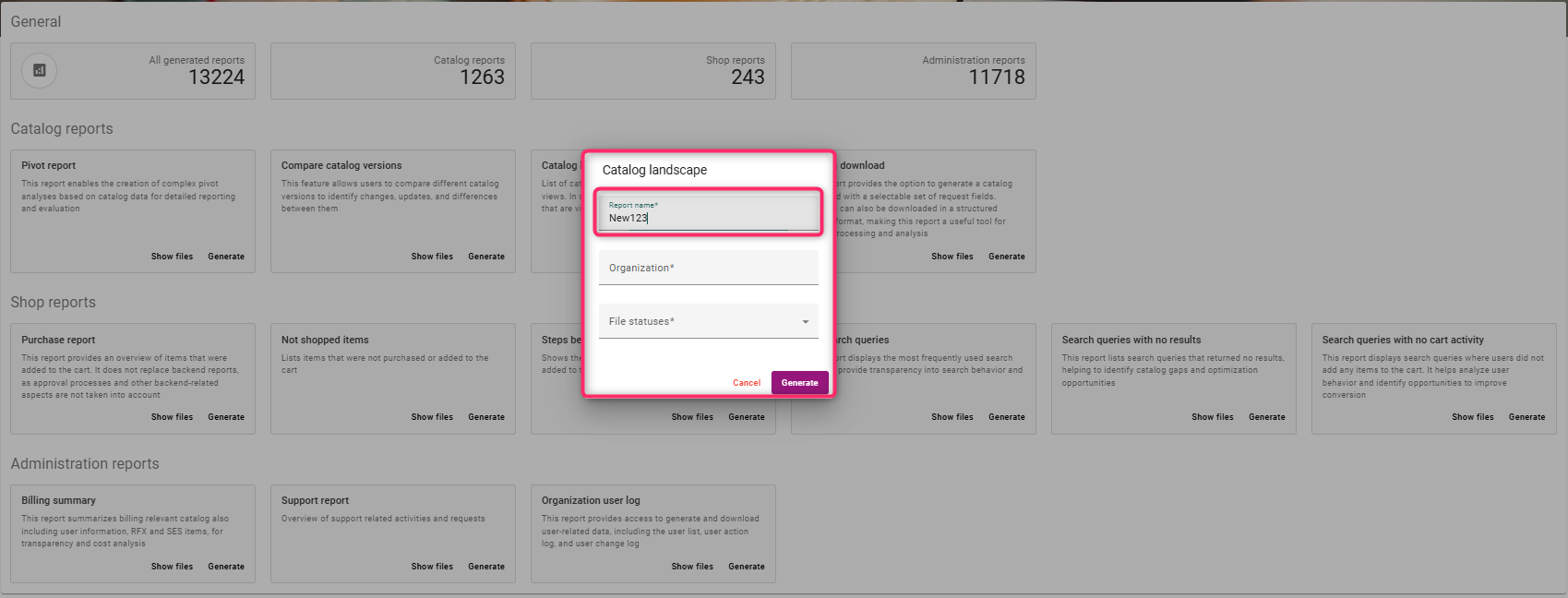
  1. Enter a report name, e.g New123

image-20260127-070224.png
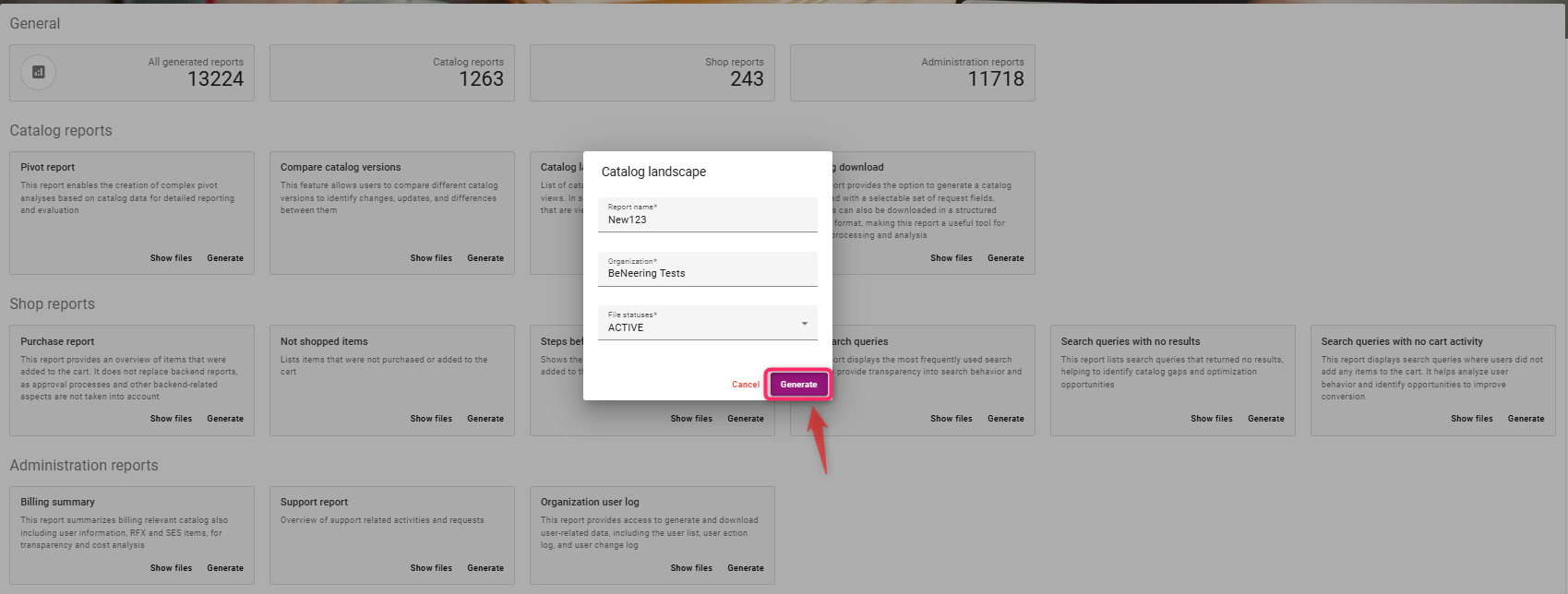
  1. Select Organisation Name from the list of values available in the dropdown
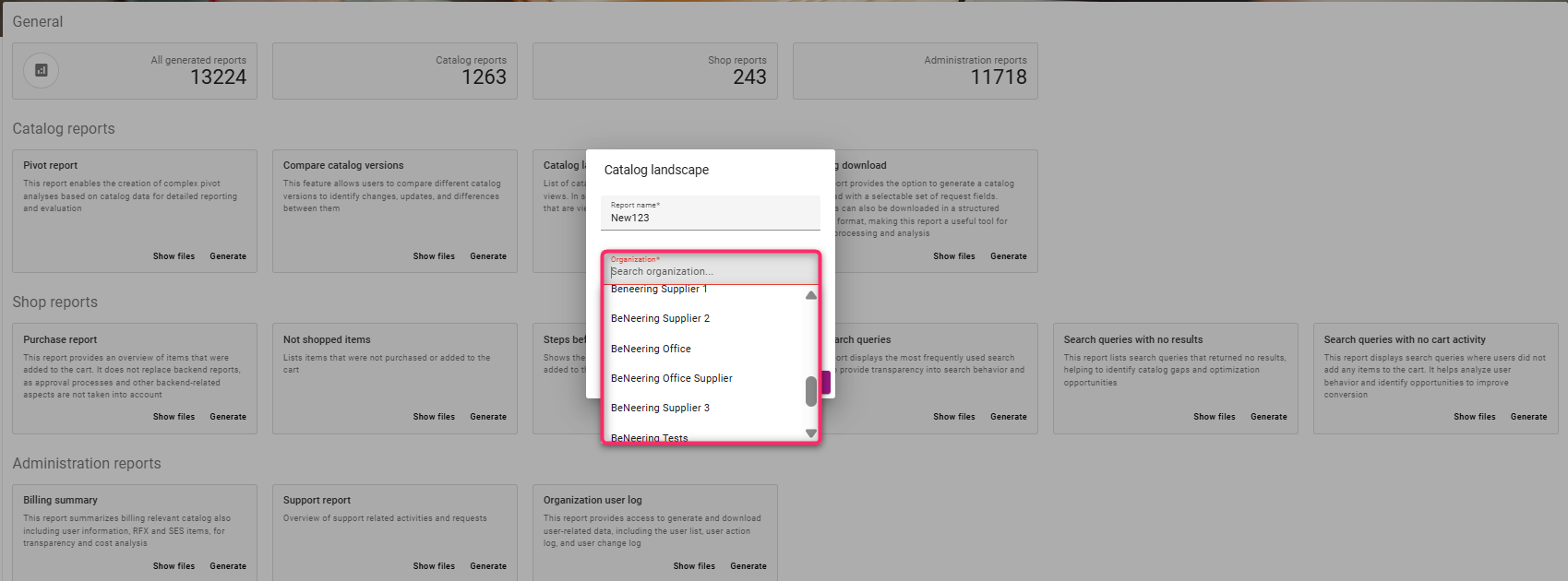
image-20260127-070429.png
  1. Select the file status from the dropdown
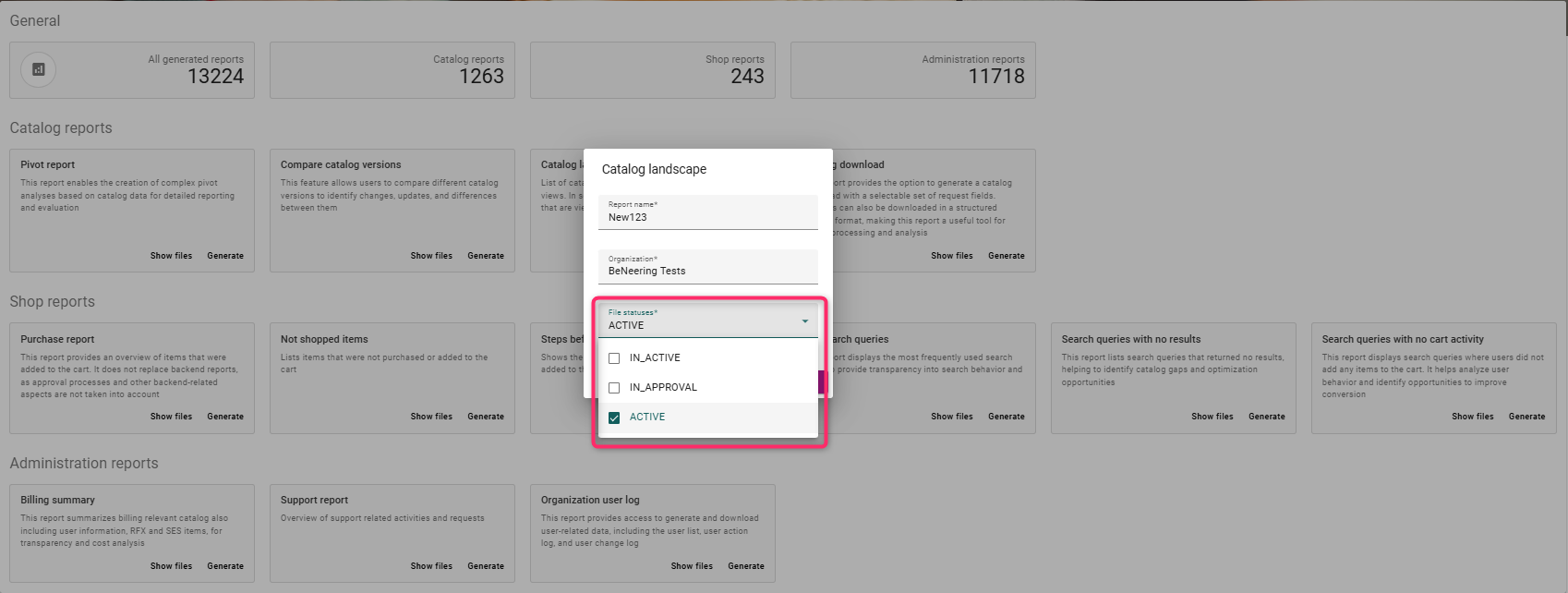
image-20260127-070622.png
  1. Click on Generate

image-20260127-070735.png
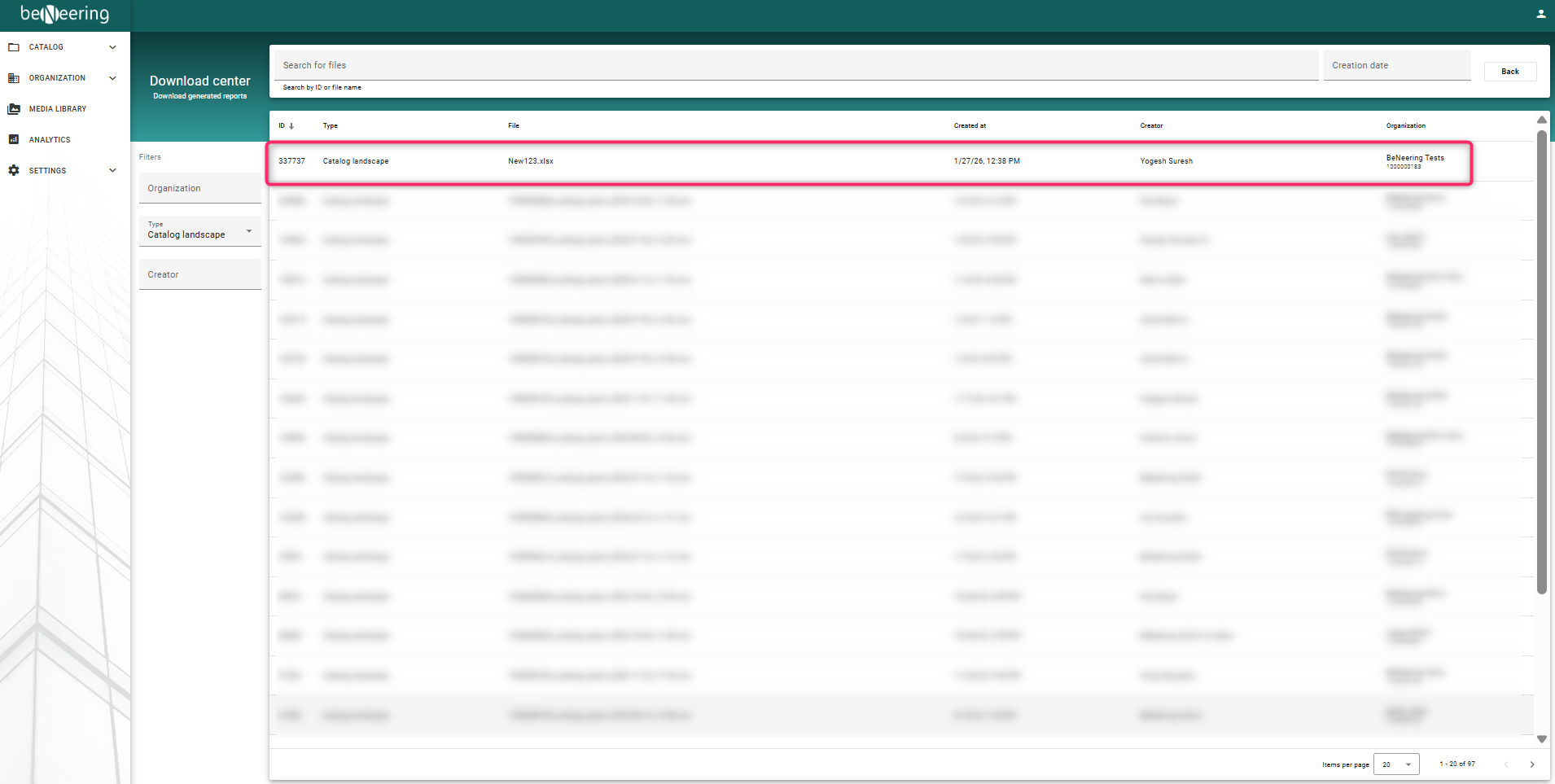
  1. To view the report, Click on Show files
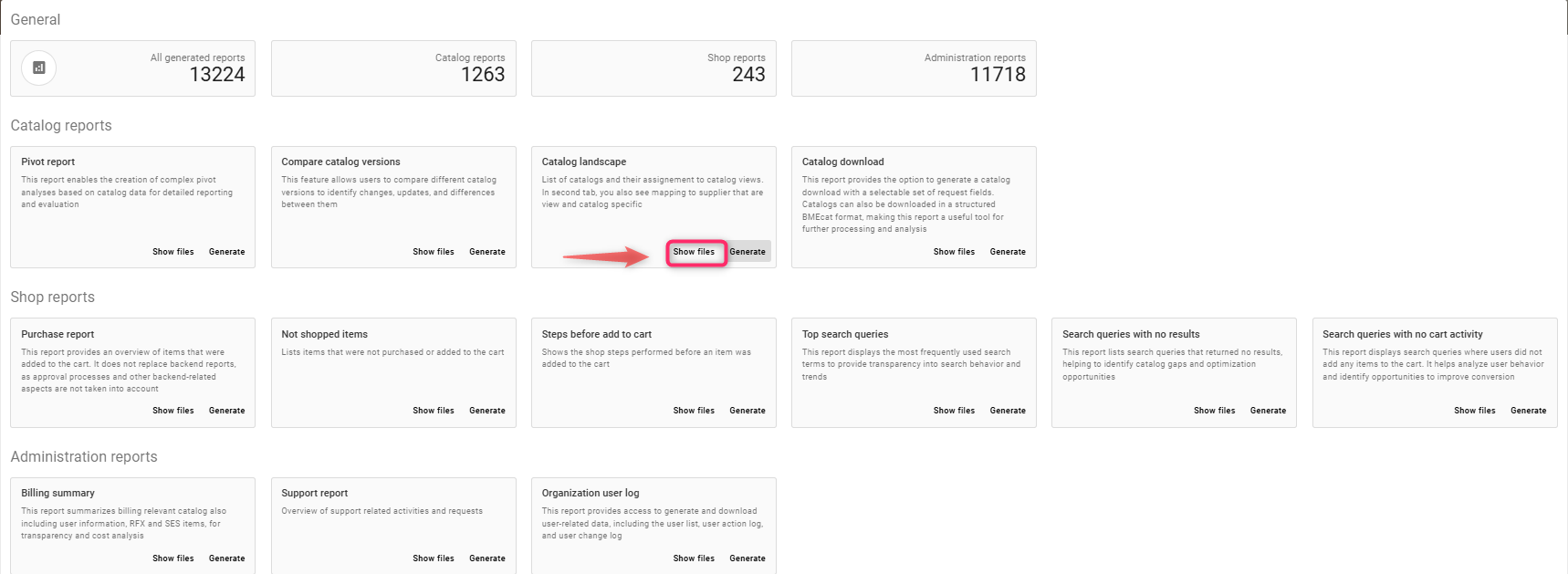
image-20260127-071006.png
image-20260127-071140.png

JavaScript errors detected

Please note, these errors can depend on your browser setup.

If this problem persists, please contact our support.