End User Document for DC4
Process to extend the validation (validity) period of catalogs in the system.
Users can extend the validity for multiple catalogs at once or for a single catalog within a catalog container, depending on their requirement.
Extend Validation Period for a Single Catalog
This option is useful when you want to extend the validity of a specific catalog version.
Steps
-
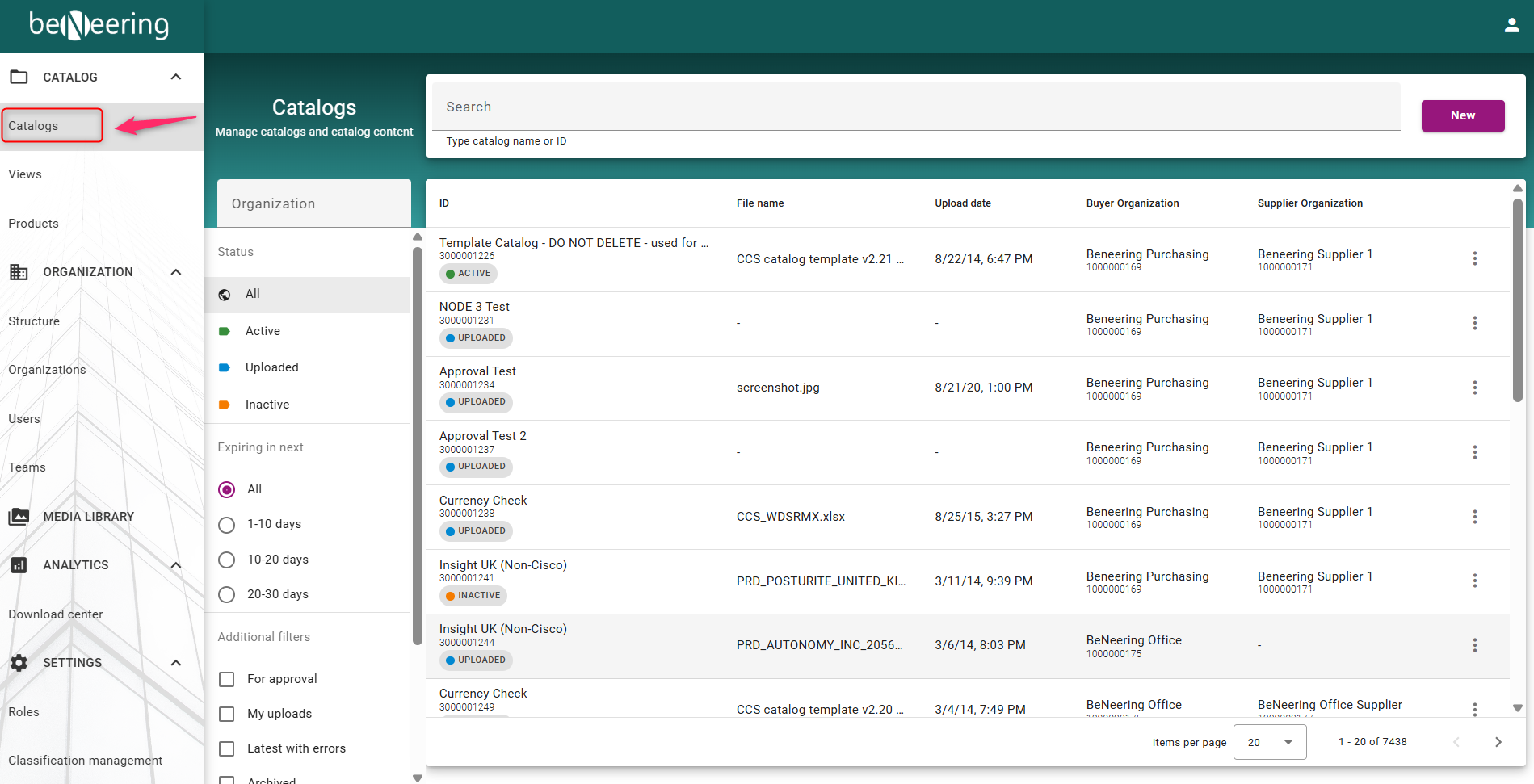
On the Home Screen, click on Catalogs to view the list of Catalogs
-
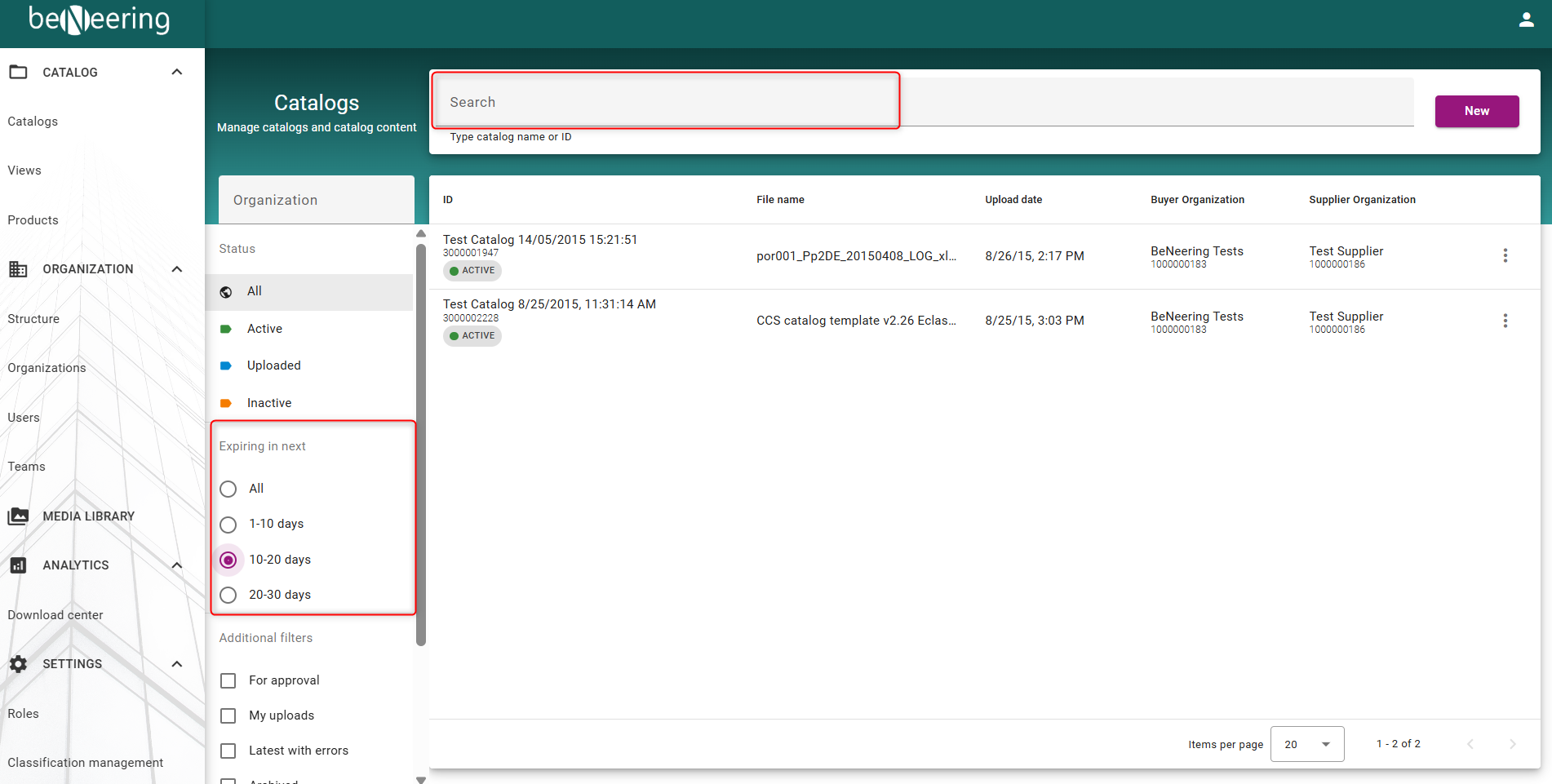
Use the search field on top or use the left-hand side to search for the required catalog name.
-
From the search results:
-
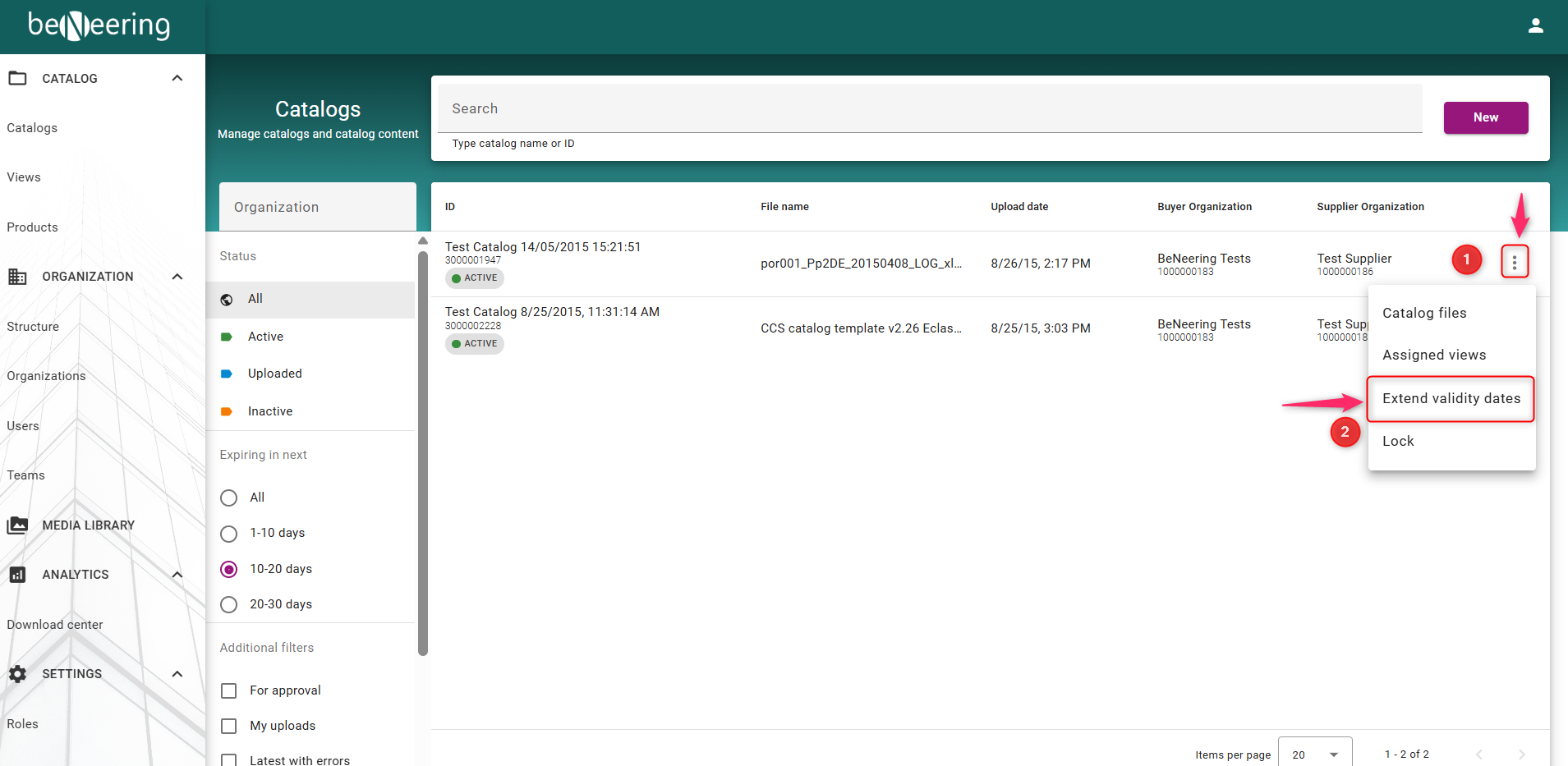
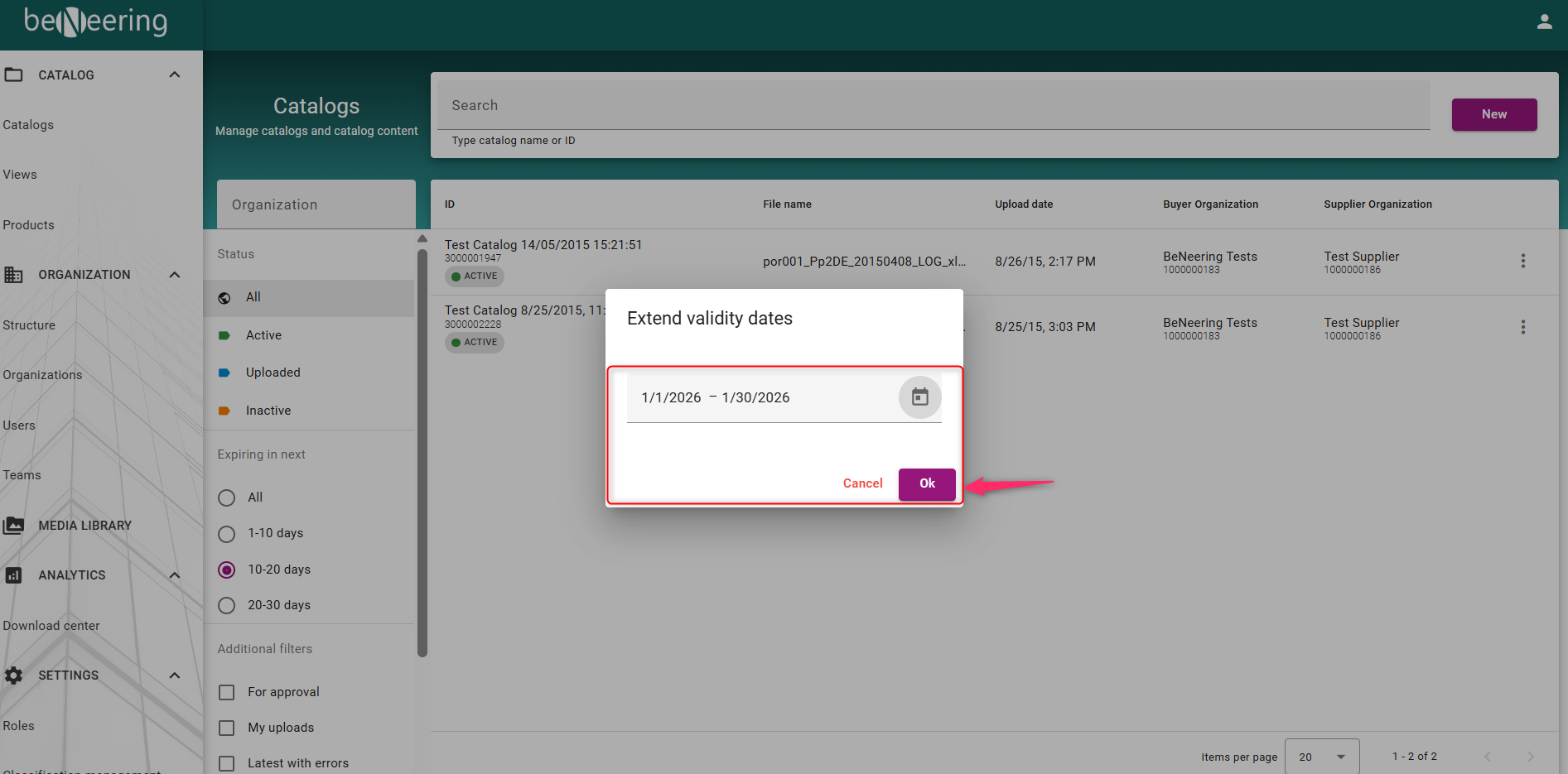
Click on the 3 dots the for the catalog you want to update
-
Click on Extend Validity date
-
-
In the next screen:
-
Enter the new validity dates.
-
Click OK
-
End User Document for CCS
Description
This guide will describe how to extend the calidation of a catalog.
Extend for many catalogs
Go to Catalogs→ Extend Validation Period.
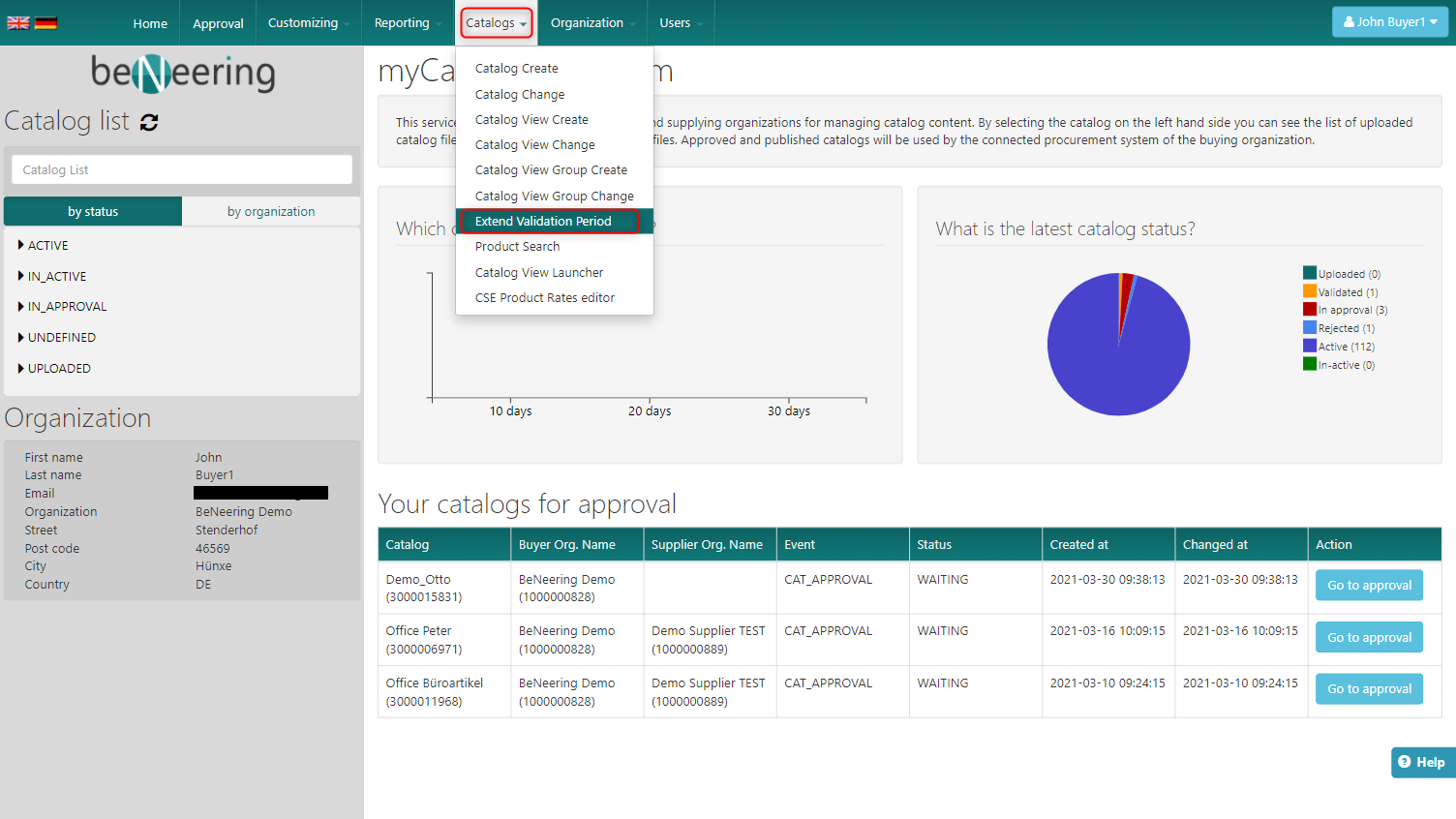
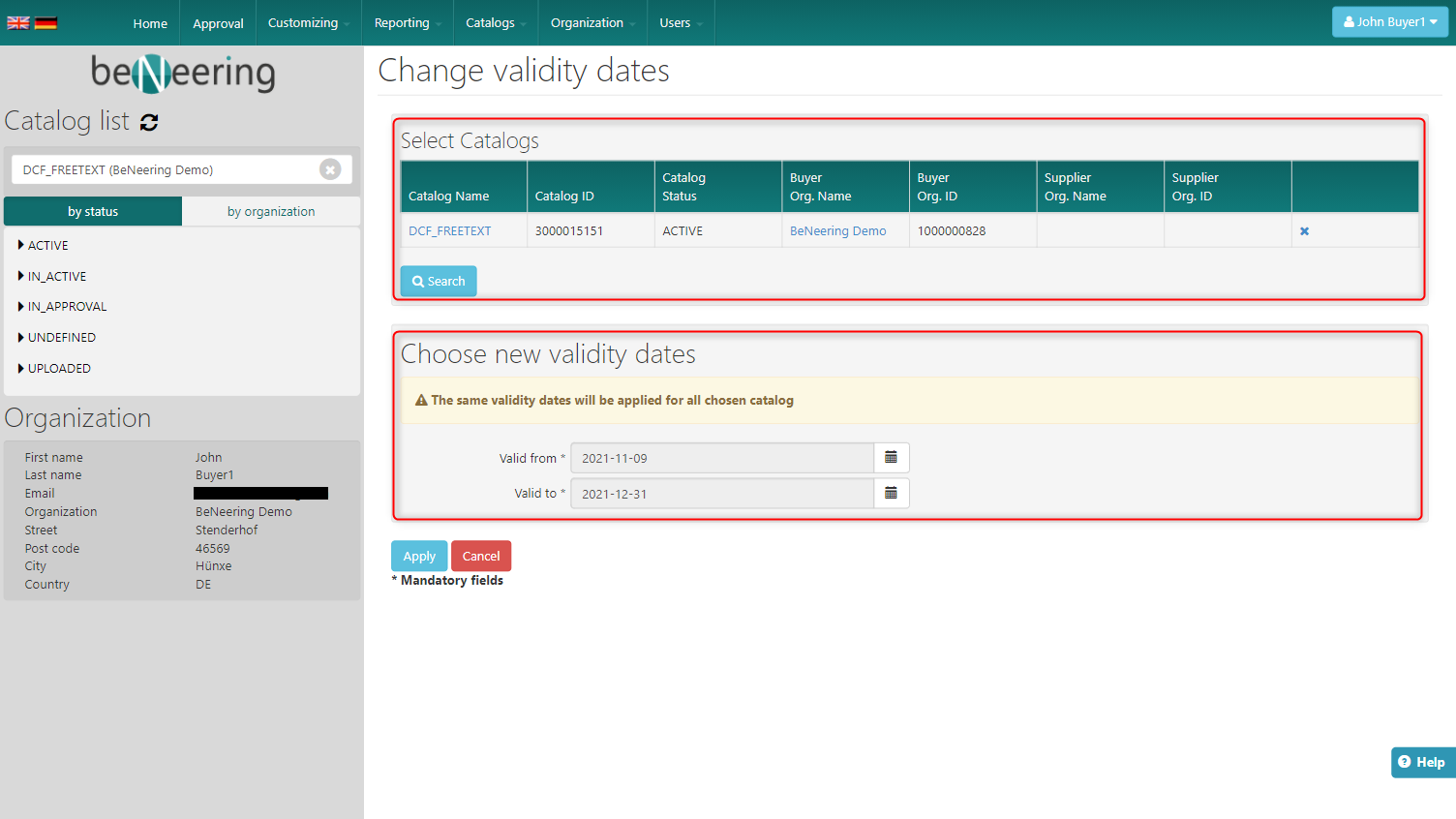
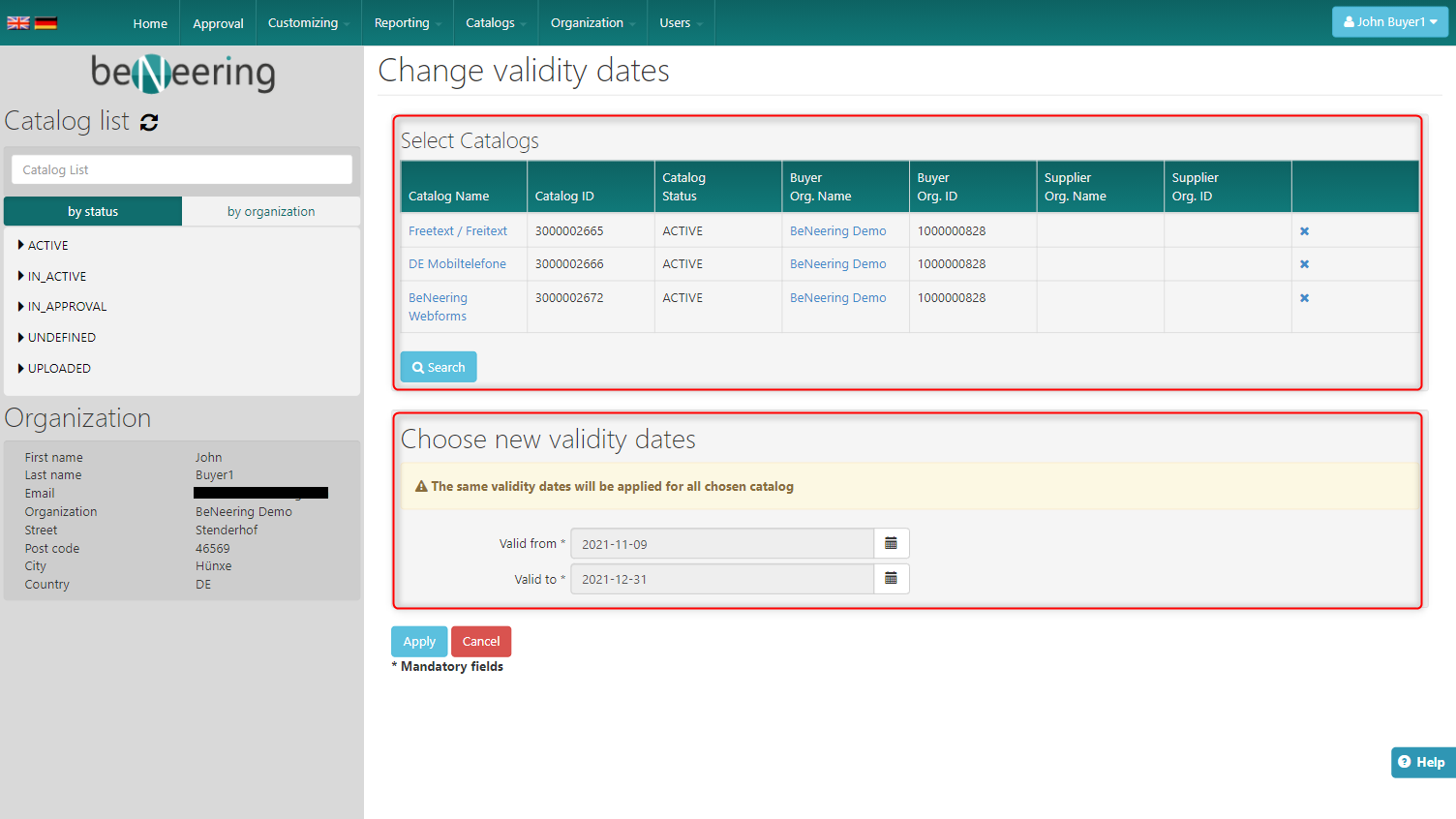
On the following screen you can search for several catalogs and choose the desired ones. Also choose the new validity dates for the choosen catalogs and click on the "Apply" button.
Extend for one catalog in Catalog Container
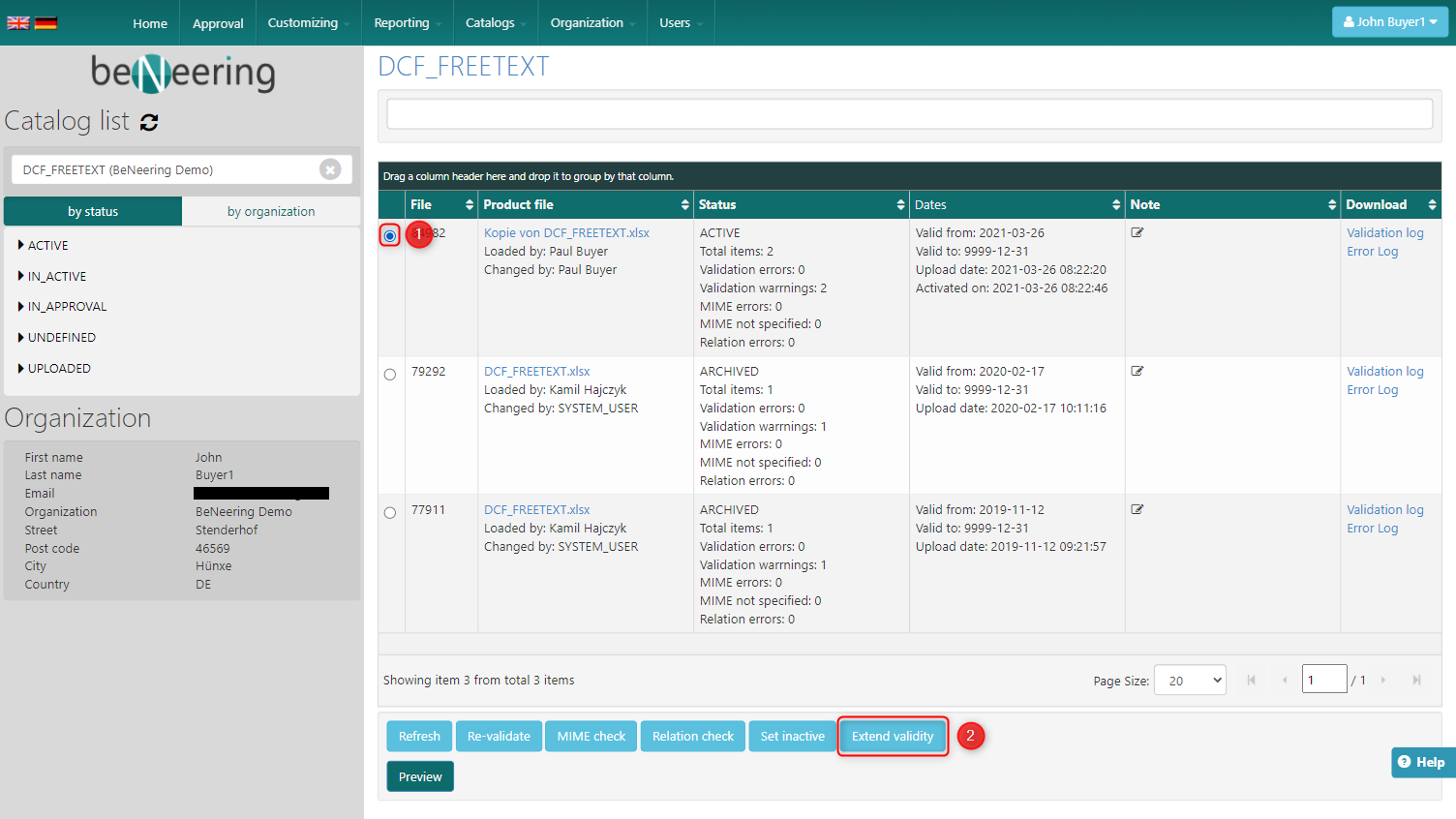
Search for the catalogname in the searchfield on the left side on the startpage.
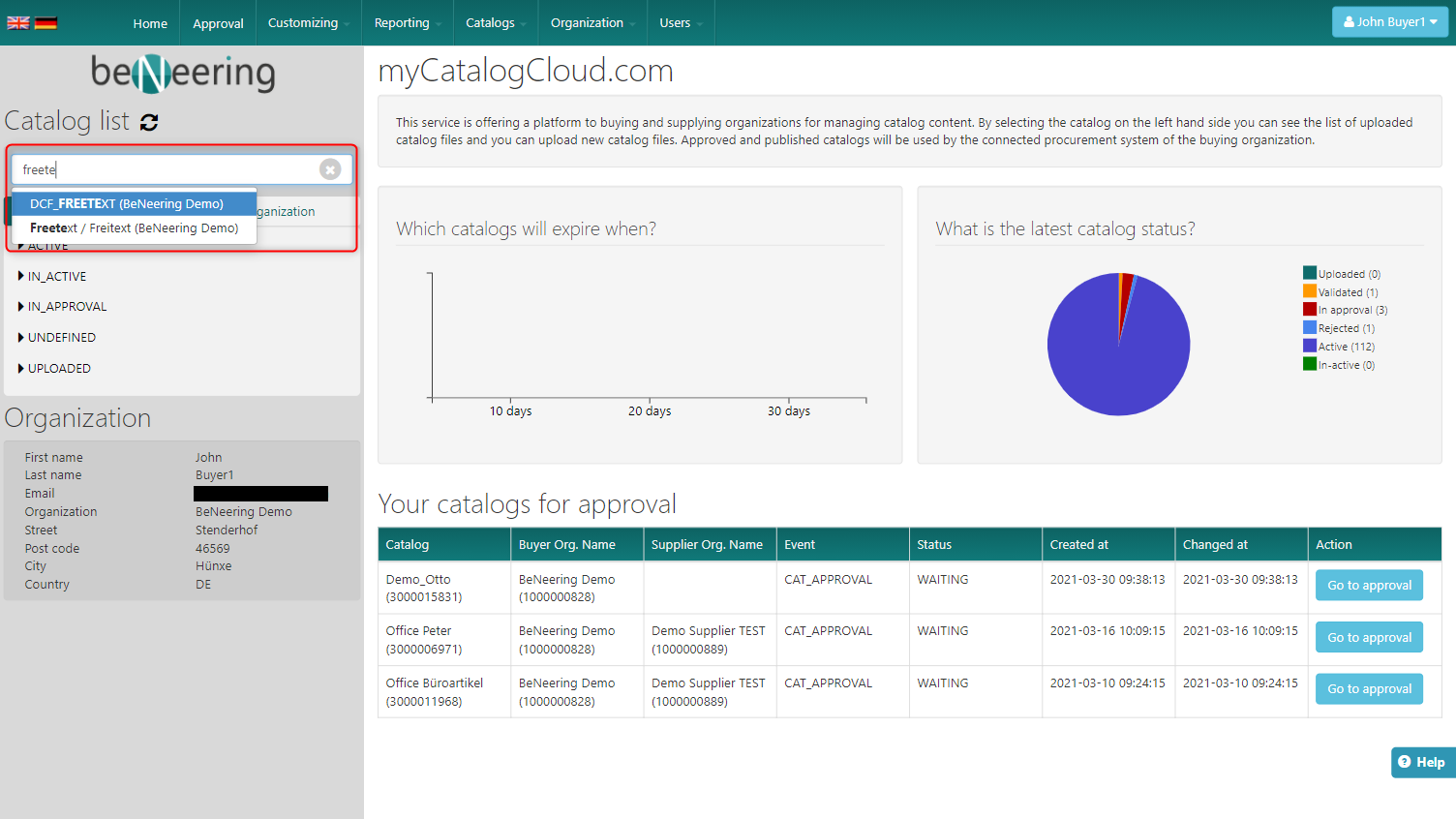
Click on the radiobutton of the version you want to extend the validity and click on the "Extend validity" button.
Choose the new validity dates in the new screen and click on the "Apply" button.