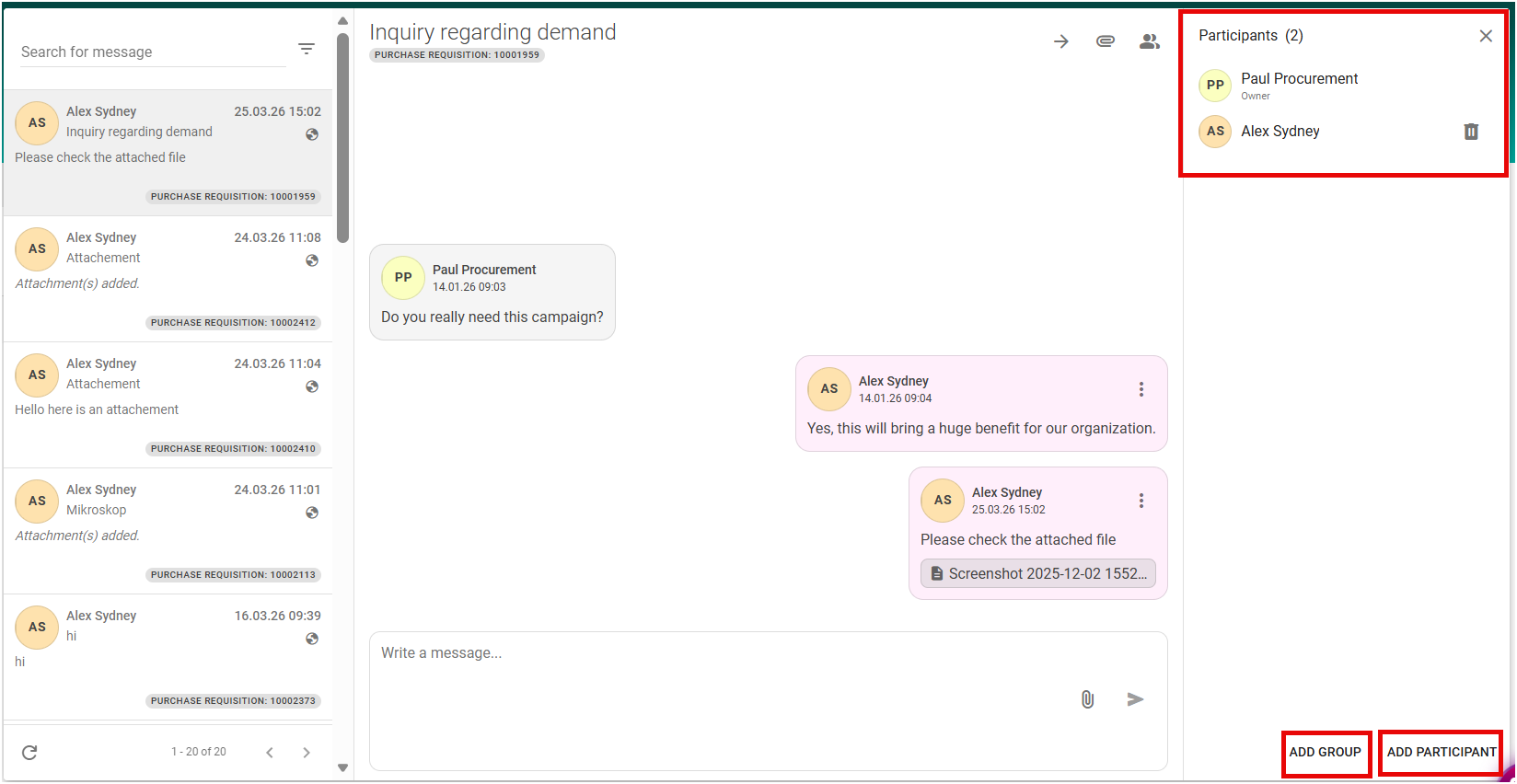
A redesigned Message Center brings a clearer, modern, and more intuitive experience aligned with the PR Detail Screen design. Below is a visual and user-friendly summary of the improvements.
Modern, Unified Interface
-
The Message Center now reflects the same style as the PR detail screen.
-
Provides a cleaner and more consistent look across the application.
Document Reference Information
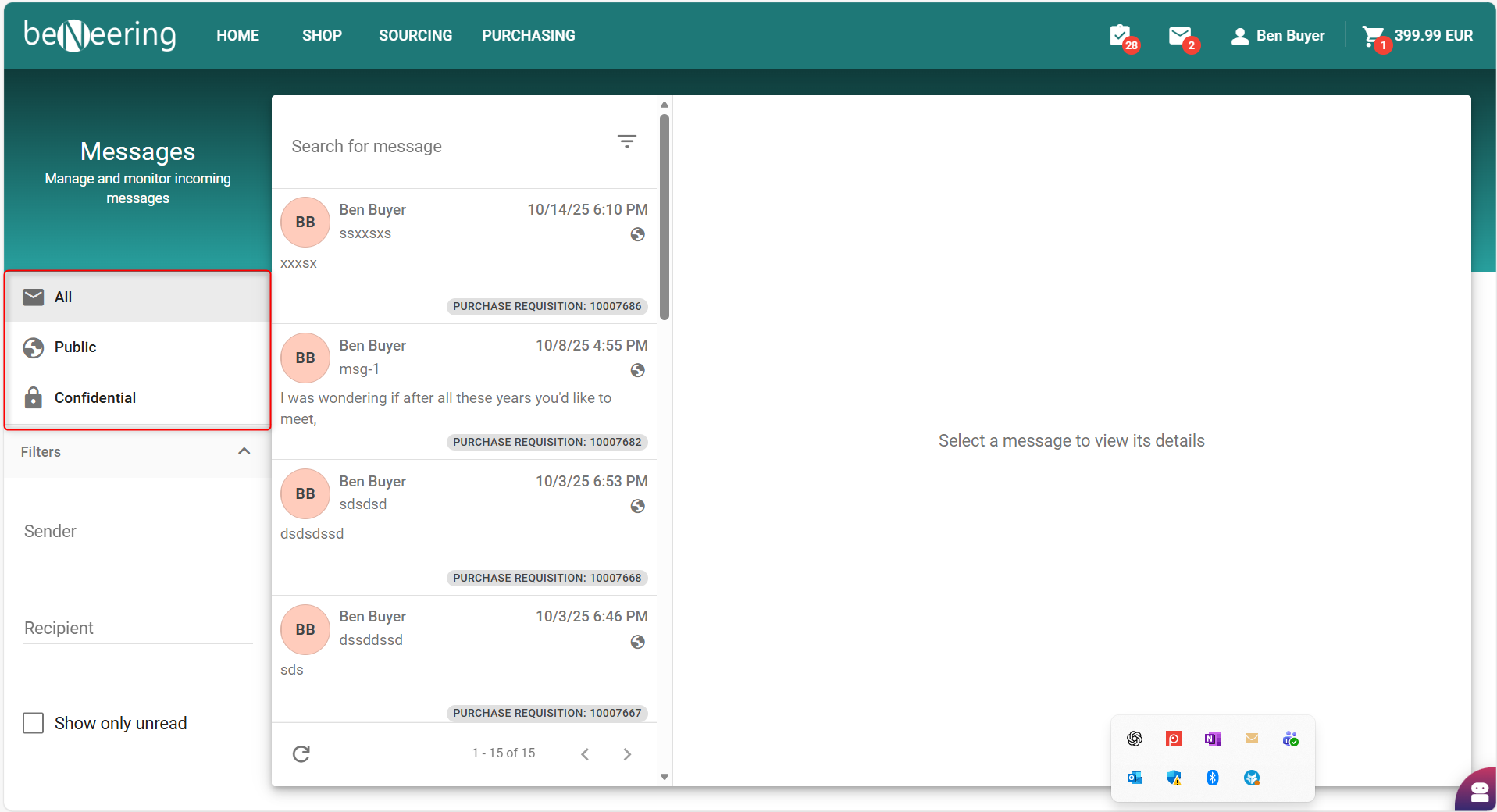
Each message in the message List now displays:
-
Document Type – Purchase Requisition
-
Document ID – Purchase Requisition Number
This allows you to immediately identify and classify the message (e.g., which Purchase Requisition/Purchase Order it relates to) and better understand the context.
Add Attachments to Messages
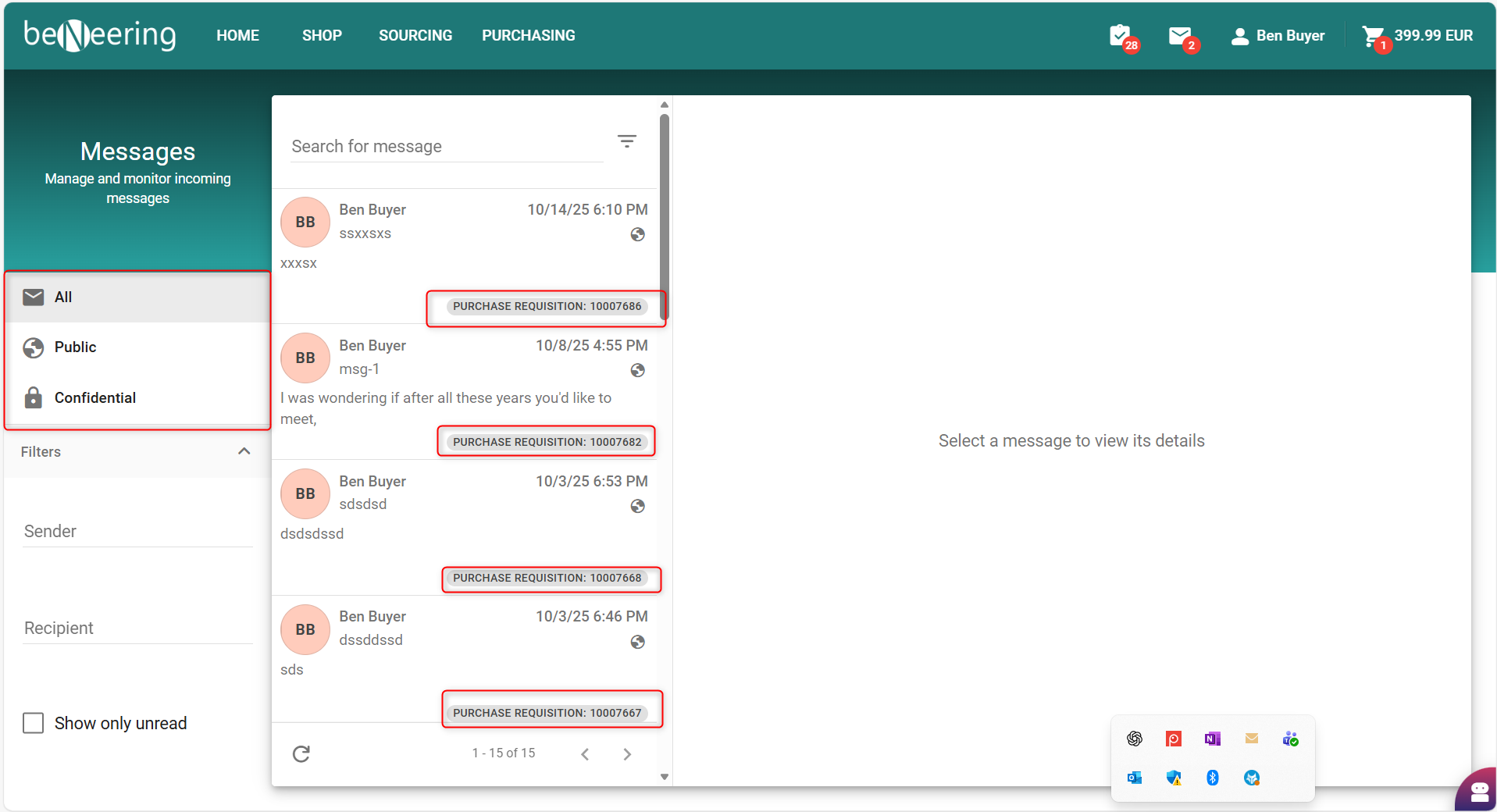
Users can now add attachments (PDFs, images, etc.) directly to messages at any point during the conversation.
Action Icons
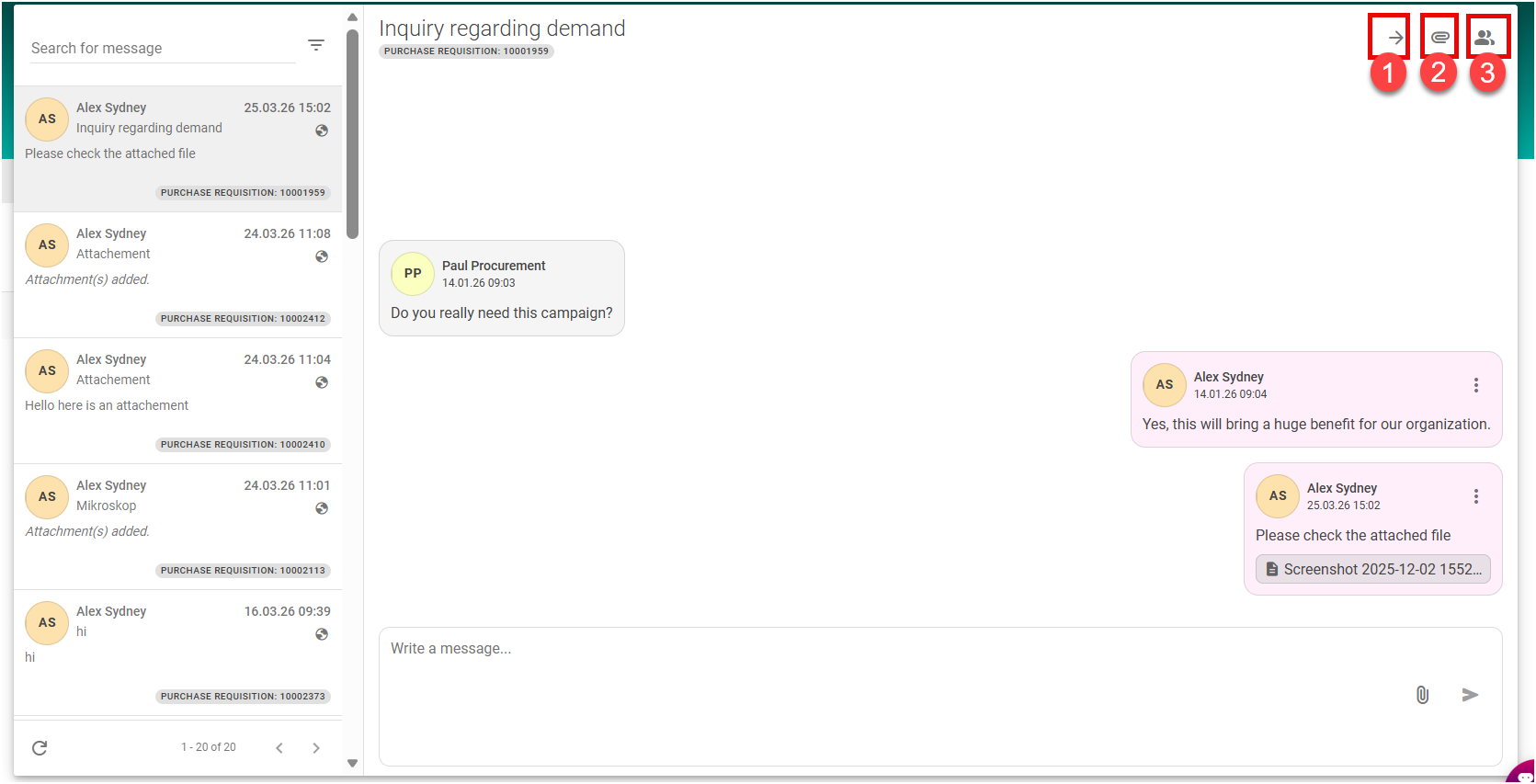
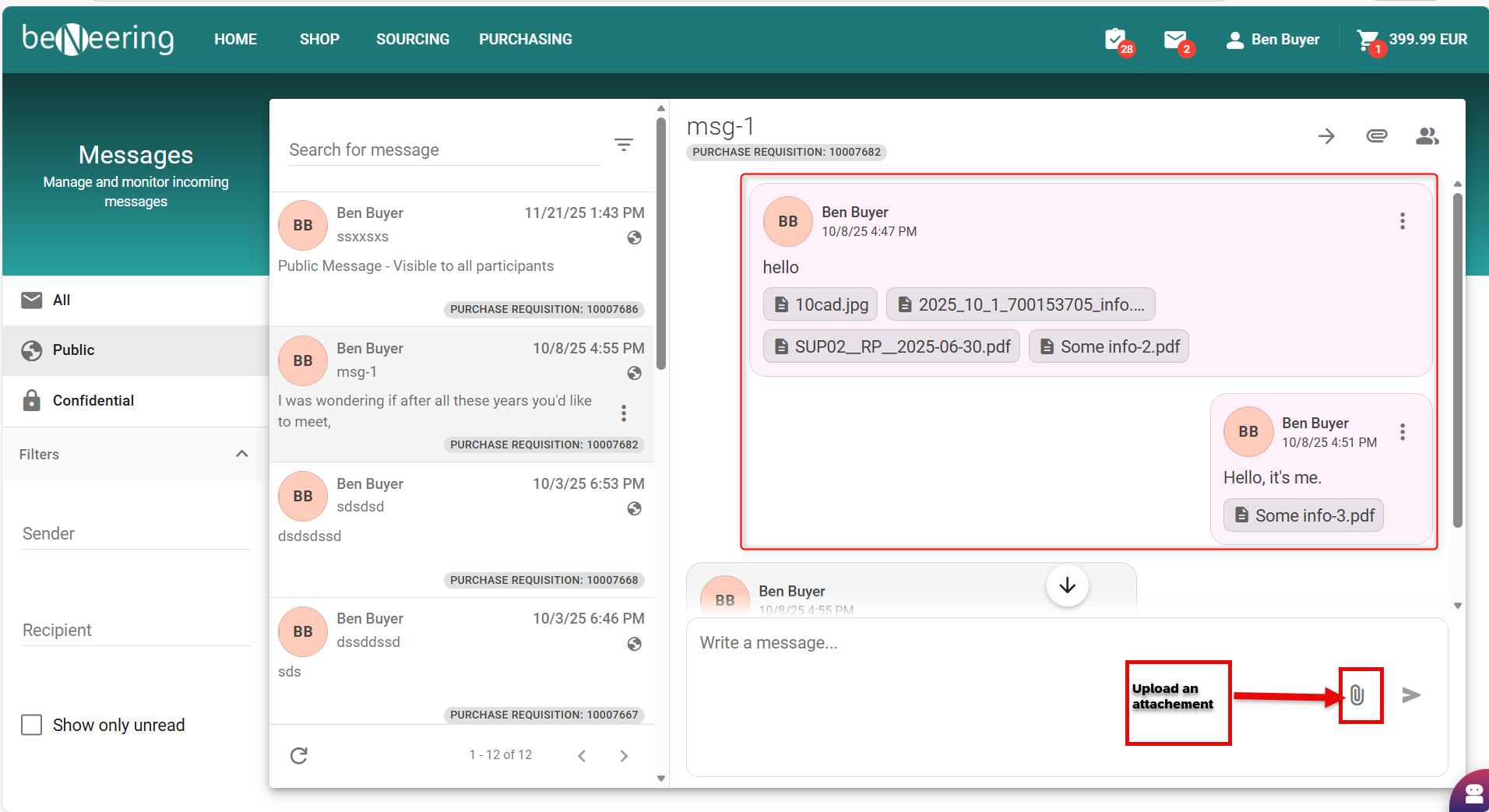
The following icons provide quick access to key functions within the document and conversation:
-
Go to Document
-
Click this icon to navigate directly to the related document, such as the Purchase Requisition (PR) or Purchase Order (PO).
-
-
Attachments
-
Click this icon to view all attachments associated with the current conversation.
-
-
Participants
-
Click this icon to view all participants involved in the conversation.
-
It is also possible to manually add new participants or a group.
-