The message center contains all messages that were send by you or you are the recipient.
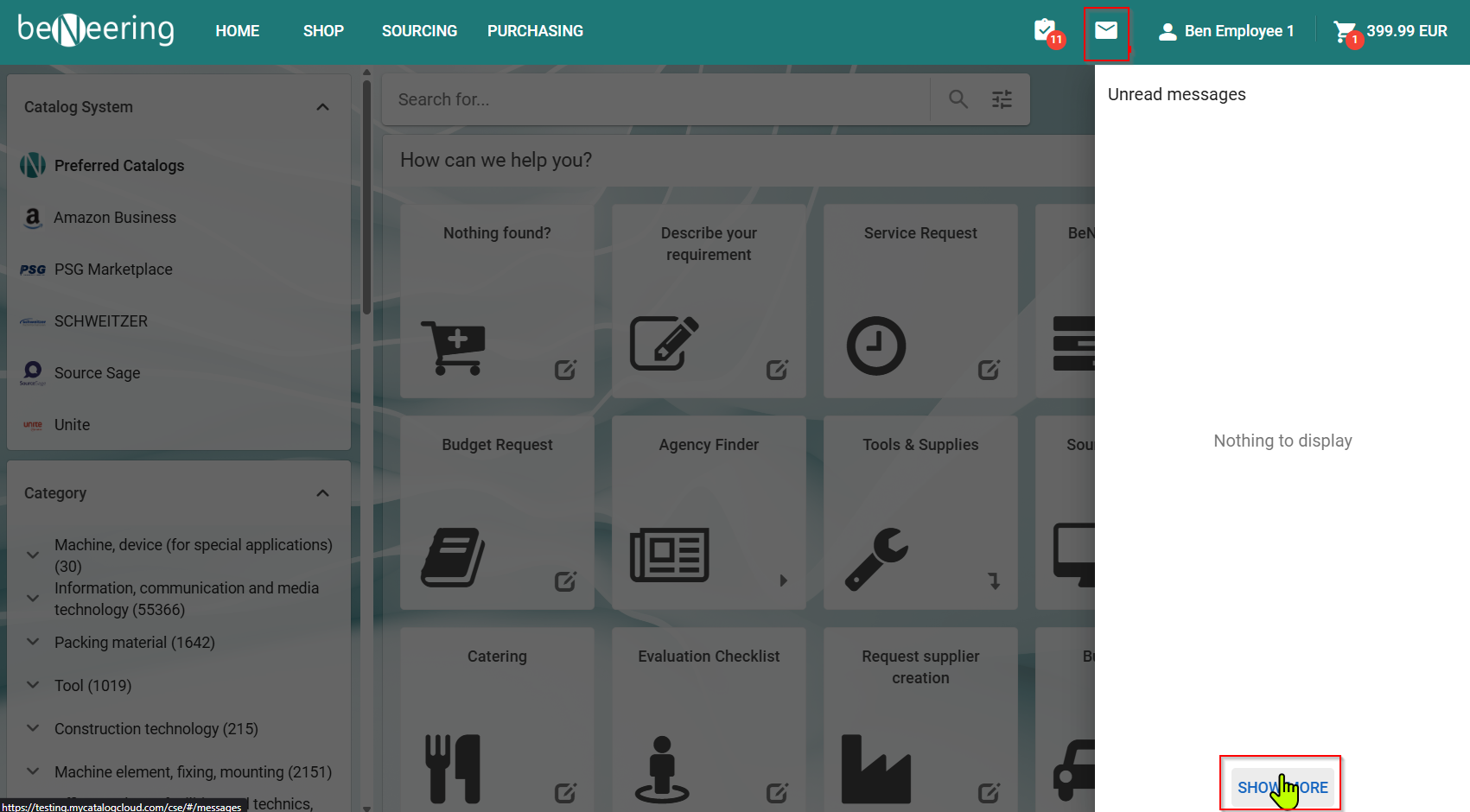
Behind the envelope icon in the top right corner you will find the message center.
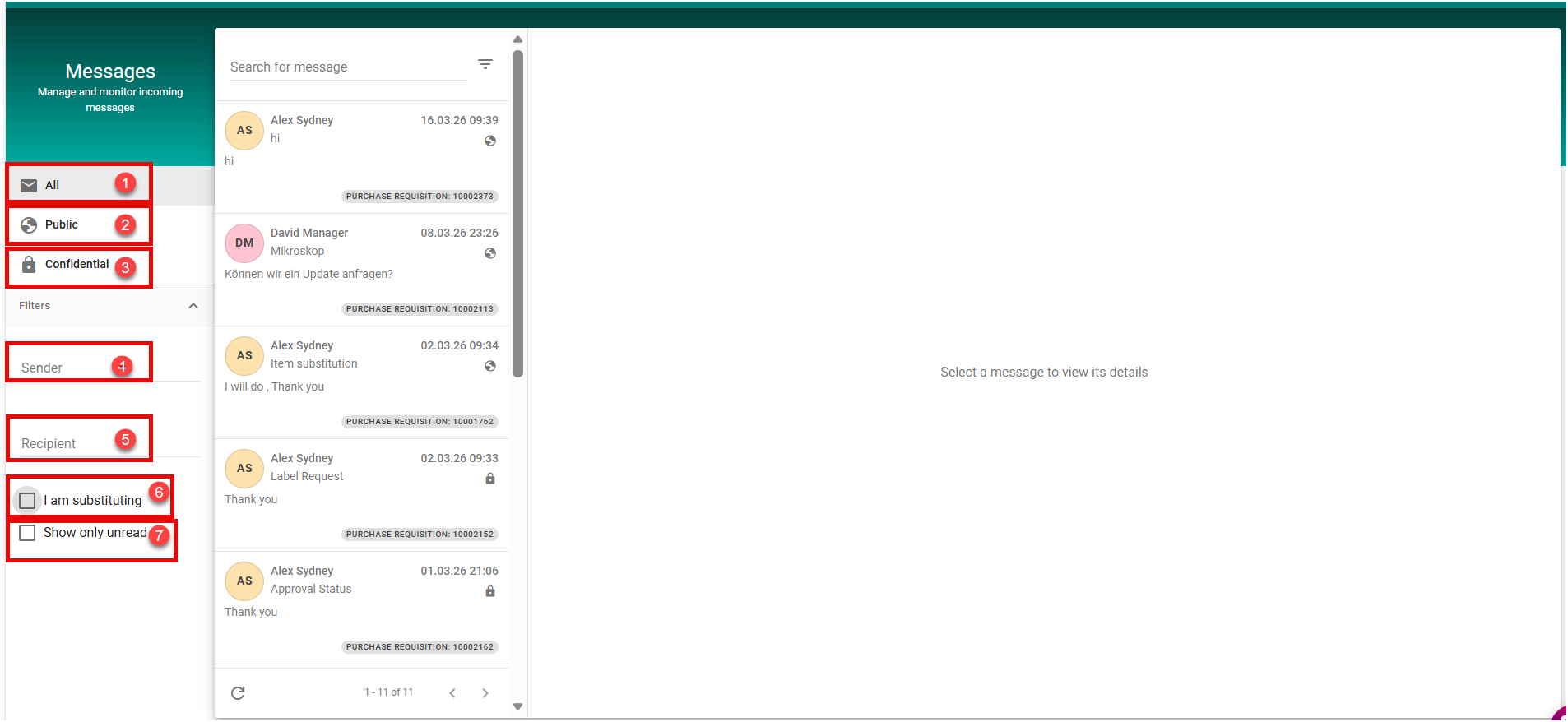
The filters in the message center let you select all unread messages and all messages in your inbox.
It is also possible to filter for specific senders and recipients.
Message Center : Message Types
In the Message Center, there are different types of messages with distinct access rules:
1. Public Messages
Public messages are visible to all users in the system.
Any user can access, read, and reply to these messages.
Substitutes and other recipients also have access, meaning they can view and participate in the conversation without restrictions.
2. Confidential Messages
Confidential messages are strictly private and can only be accessed by the designated participants in the conversation.
This includes the sender and the explicitly specified recipients.
Substitutes or other users do not have access to confidential messages by default.
If a substitute needs to be involved, they must be explicitly added as a participant to the conversation.
Message Center: Message Filters
The Message Center provides several filtering options to help users efficiently manage and locate messages:
-
All
Displays all messages available to the user, including both public and confidential messages. -
Public
Displays only public messages, which are accessible to all users and allow open participation. -
Confidential
Displays only confidential messages. These messages are restricted to explicitly defined participants, such as the sender and selected recipients. -
Sender
Enables filtering of messages based on the sender, allowing users to quickly locate messages from a specific individual. -
Recipient
Enables filtering of messages based on the recipient, helping users find messages addressed to particular individuals. -
I am substituting
When enabled, shows messages in which the user is acting as a substitute for another user. This ensures visibility of relevant messages handled on behalf of others. -
Show only unread
Limits the message list to unread messages, allowing users to focus on new or pending communication.