
This functionality allows you to create Purchase Requisitions (PRs) on behalf of another user in your organization. The list of users you can shop for is defined in your system.
Prerequisites
To use this functionality:
-
You must be assigned as a substitute for the person you want to shop on behalf of.
-
You must have the role
SUBSTITUTE_SHOP_ON_BEHALF. -
When assigning substitutes, ensure that the person you want to shop for has granted you the appropriate access.
Without the substitute assignment and role, the system will not allow shopping on behalf.
Steps to Shop on Behalf
-
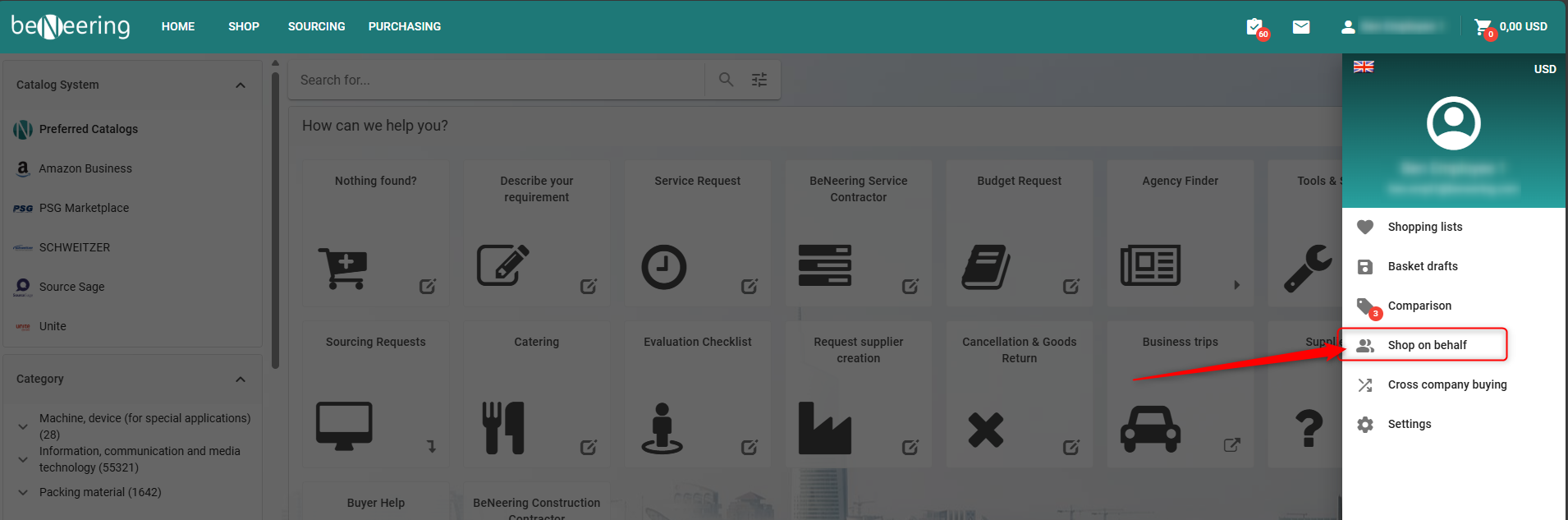
Select “Shop on Behalf” in the Basket.
-
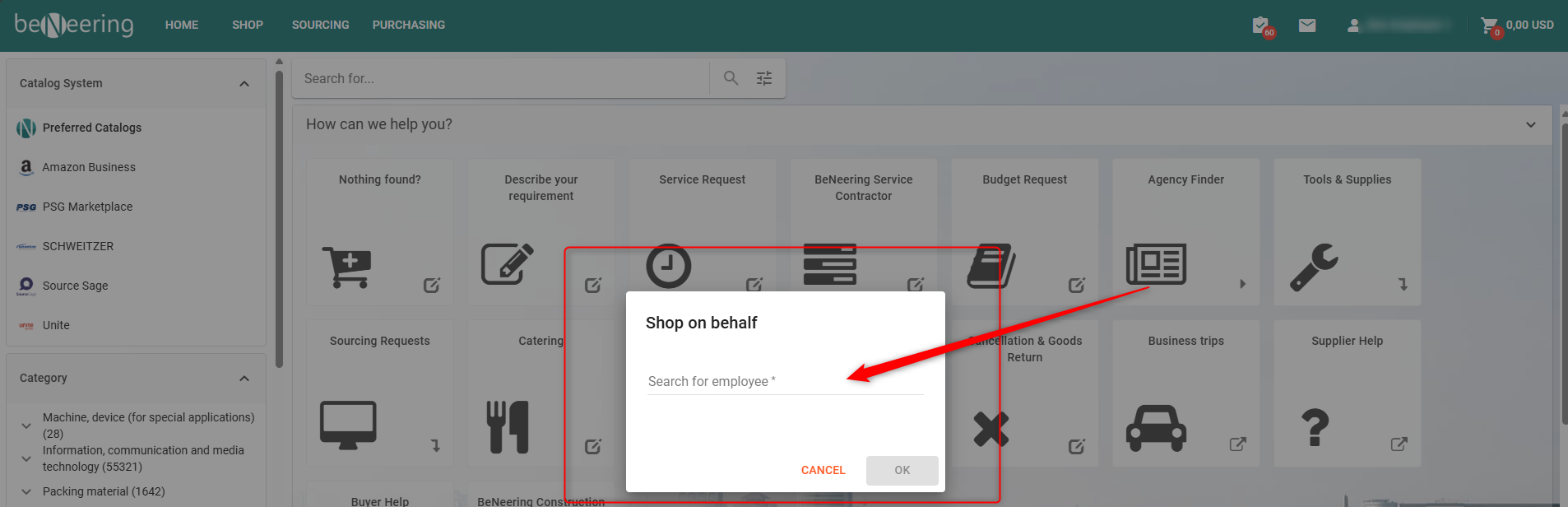
Search for the employee you want to shop for.
-
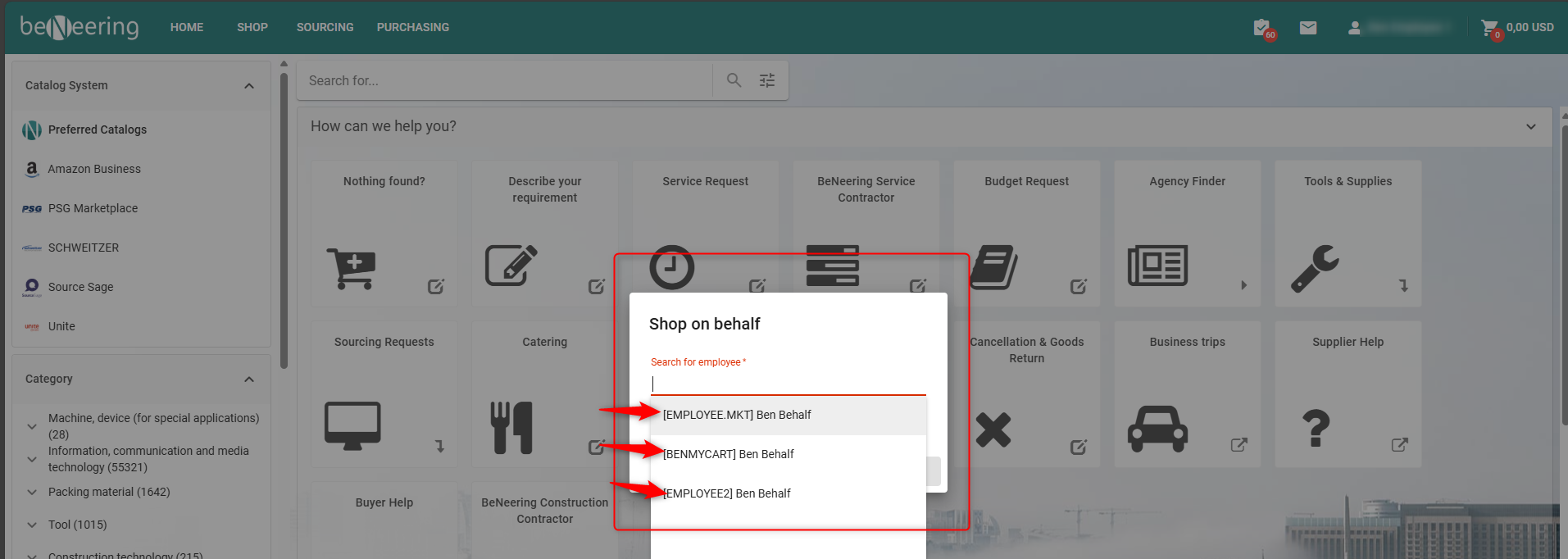
Select the employee from the search results.
-
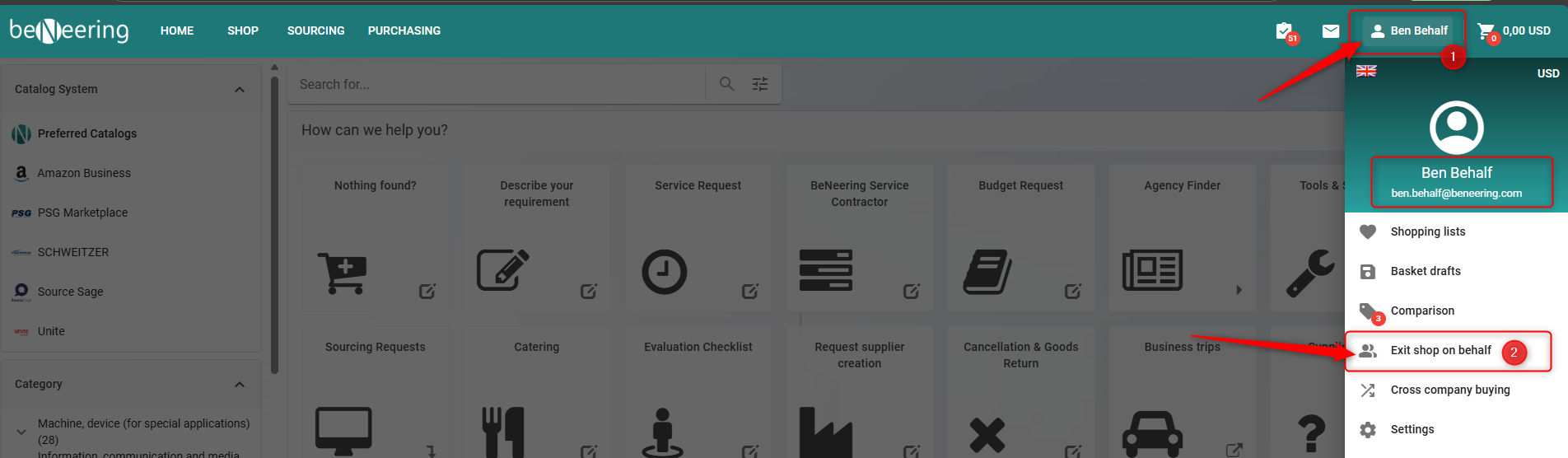
After selection, the employee’s name will appear next to your user icon in the top menu.
-
To stop shopping on behalf, click “Exit Shop on Behalf.”
-
-
Create your Basket as usual, add items, and submit it
Once the Purchase Requisition is submitted, it will appear in the List of Purchasing Documents under the name of the employee you were creating it for.