Widget purpose
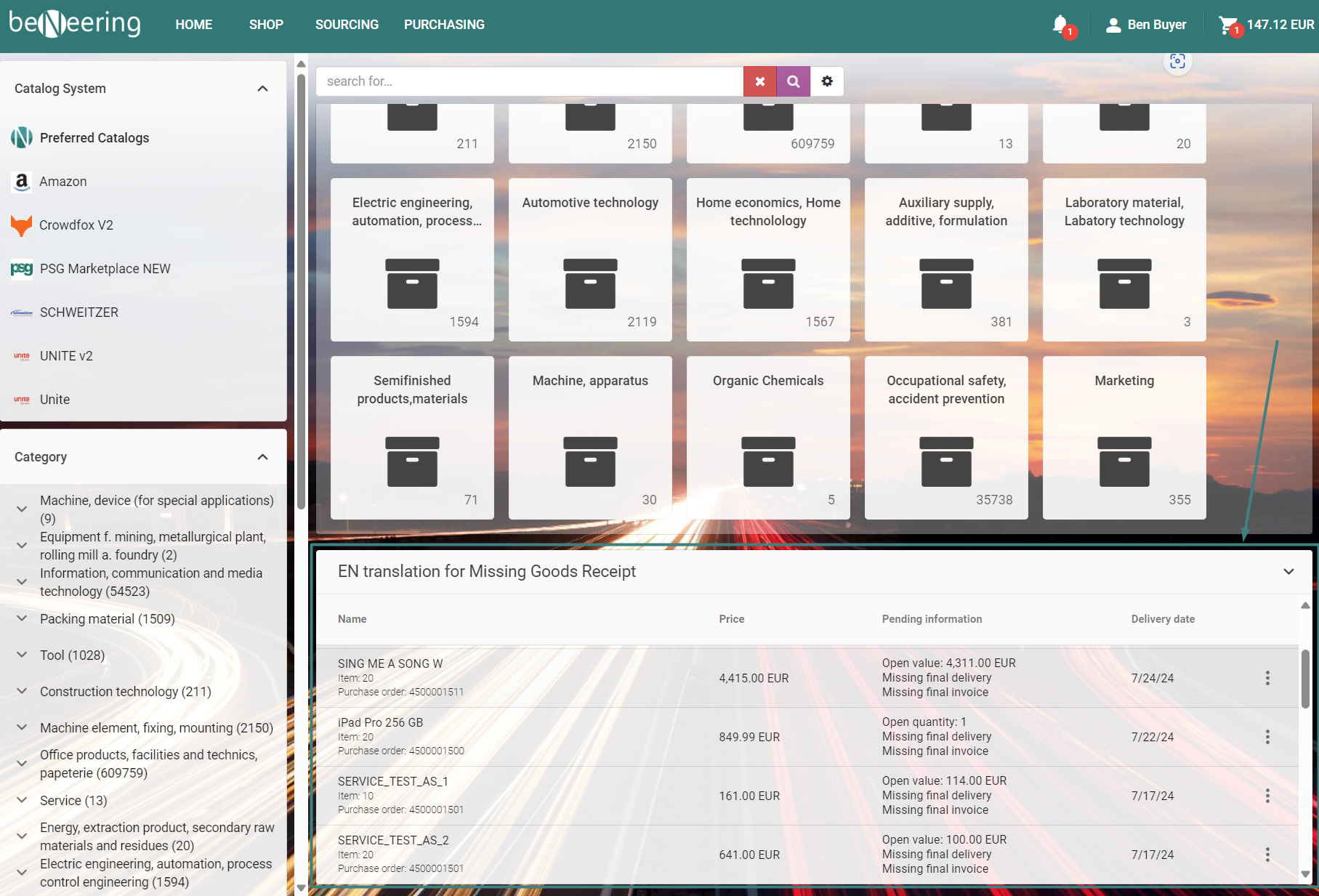
Widget is displaying a list of ordered PO items, where delivery date is due but confirmation (GR/SES) is missing. The user should see this dashboard and click on the items to preview the document details or user can click on “more options” button to create a GR/SES.
Widget presents:
-
my ordered PO items
-
missing GR where delivery date is due, optionally missing final delivery flag, missing final invoice flag.
-
missing SES where delivery date is due, optionally missing final delivery flag, missing final invoice flag.
-
show open quantity (GR)
-
show open value (SES)
The arrangements:
-
widget is one list which is combining data described as consider show in widget,
-
widget has items limit to 20 items max with scroll (4 items visible),
-
widget element is allowing to navigate to create confirmation and/or po/pr item screen.
Remember: If a user lacks access to the PO document display, clicking on an option behind three dots button will redirect the user to the PR document. In cases where the user also lacks access to confirmation creation, clicking on items will be disabled.
[it was changed, that before after clicking on the item, PO/PR details were displayed]
If the PO document delivery time is in two days, then it is not displayed on the widget. It will after two days if GR/SES is still missing.
Widget configuration in CCS
-
Open CSE Start page editor.
-
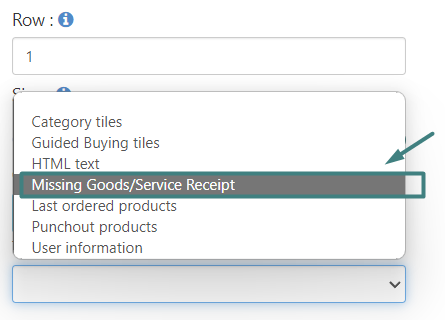
Select option presented on screen below.
-
Configure widget name in needed languages, then click button add.
-
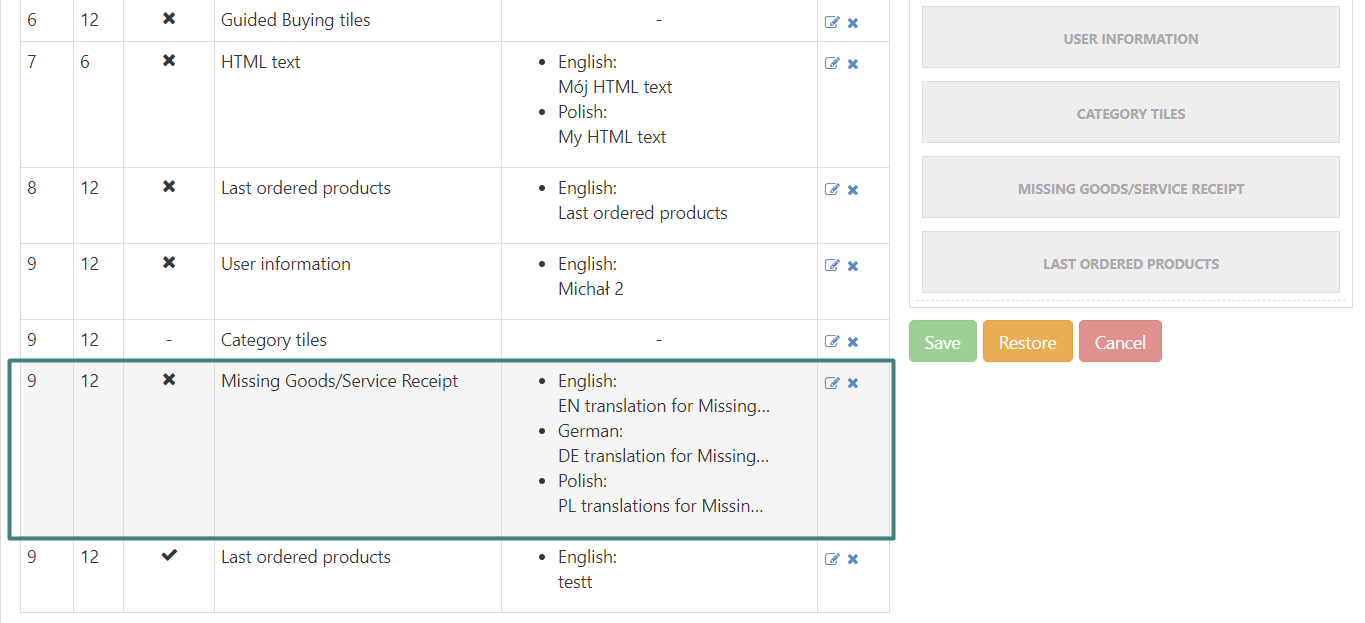
The widget should be added to the main table above, as presented on screen below.
-
Open the CSE app, and ensure that the widget is displayed according to the order specified in the table above.