
Service Entry Sheets can be deleted via Guided Buying.
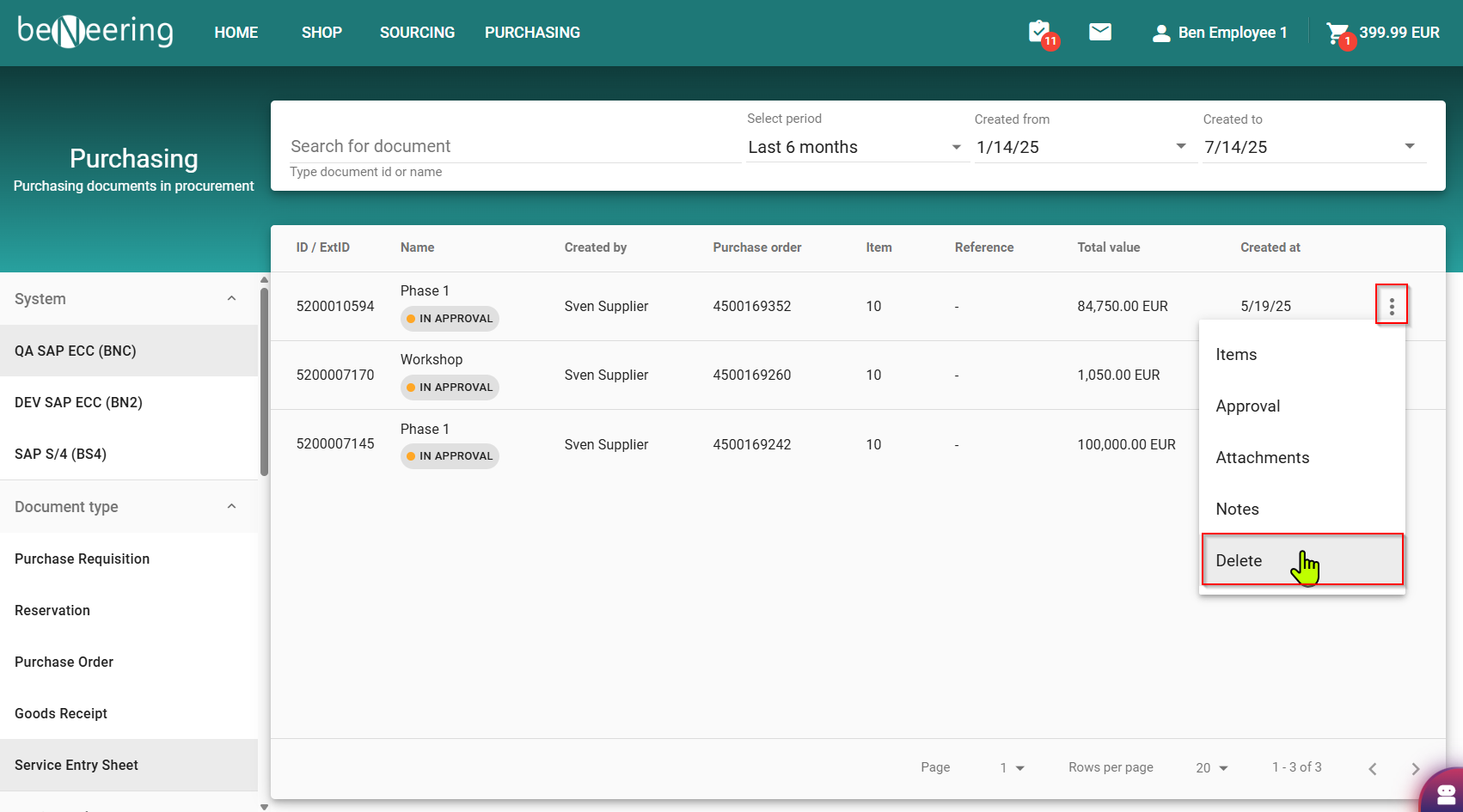
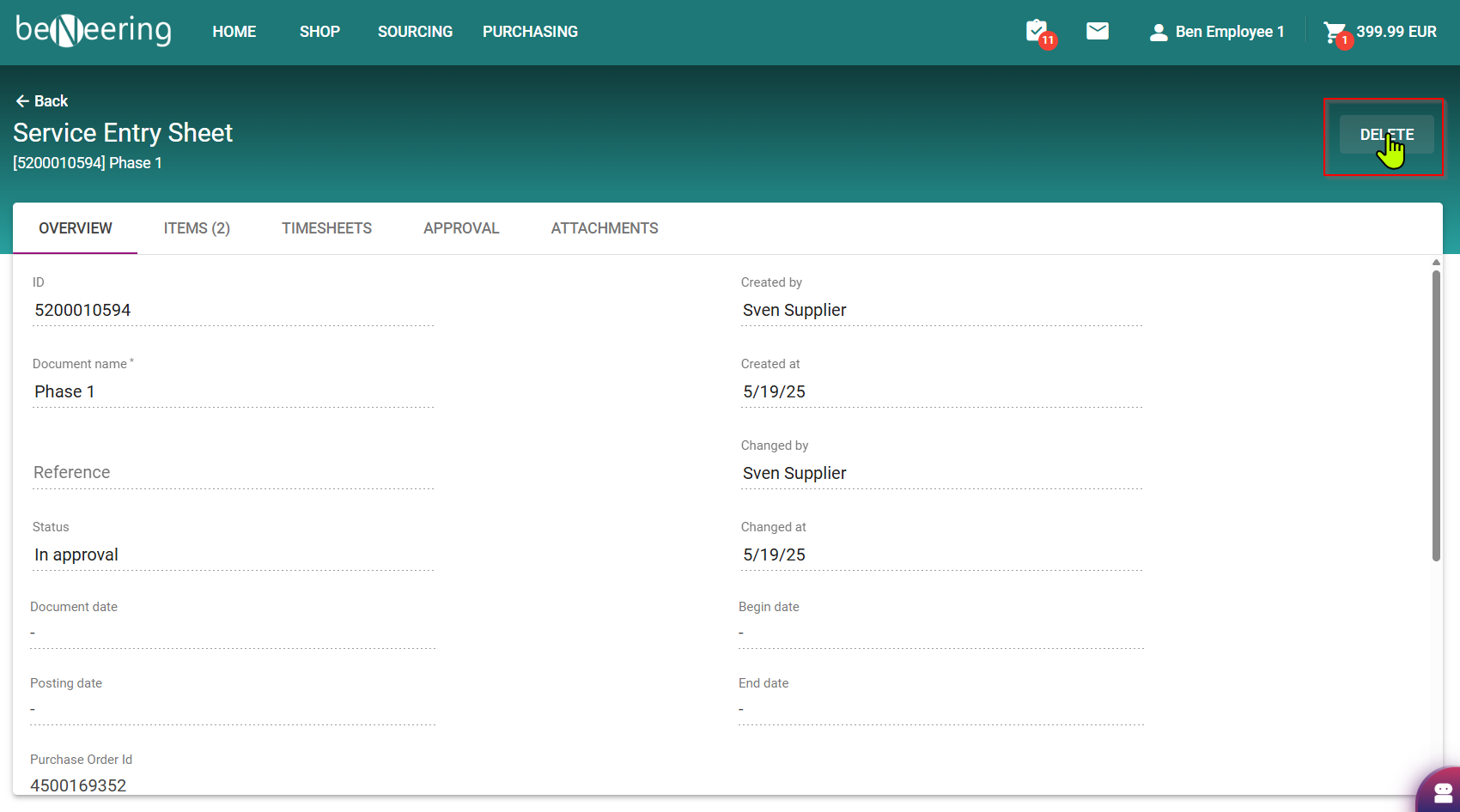
Search for the dedicated SES and click either on the three dots right to the document or in the document details.
If you delete an already send SES document then also the supplier will be informed about the deletion.