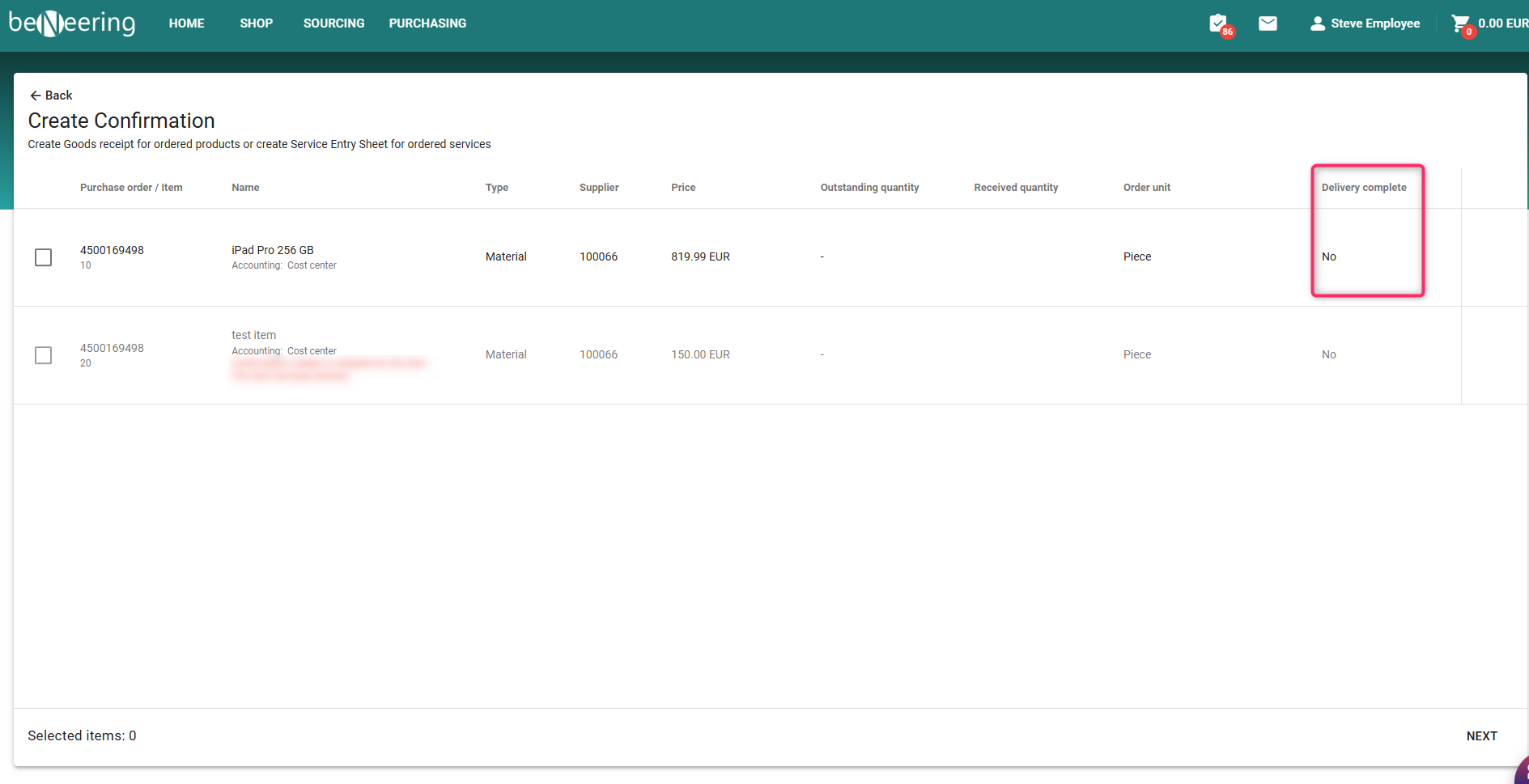
New Feature: Manage Delivery Completed Flag from Confirmation Screen
Overview
With this enhancement, users can now set or unset the “Delivery Completed” flag for PO items directly from the Confirmation screen — no need to open the Purchase Order in SAP.
This feature provides faster post-delivery control, especially when managing partial deliveries or additional receipts.
Key Highlights
-
Available directly on the Confirmation screen
-
Works even for disabled PO item rows (with warning if reversal isn’t possible)
-
Integrated real-time synchronization with SAP
-
Displays error messages for SES or parallel-edit conflicts
Step-by-Step User Process
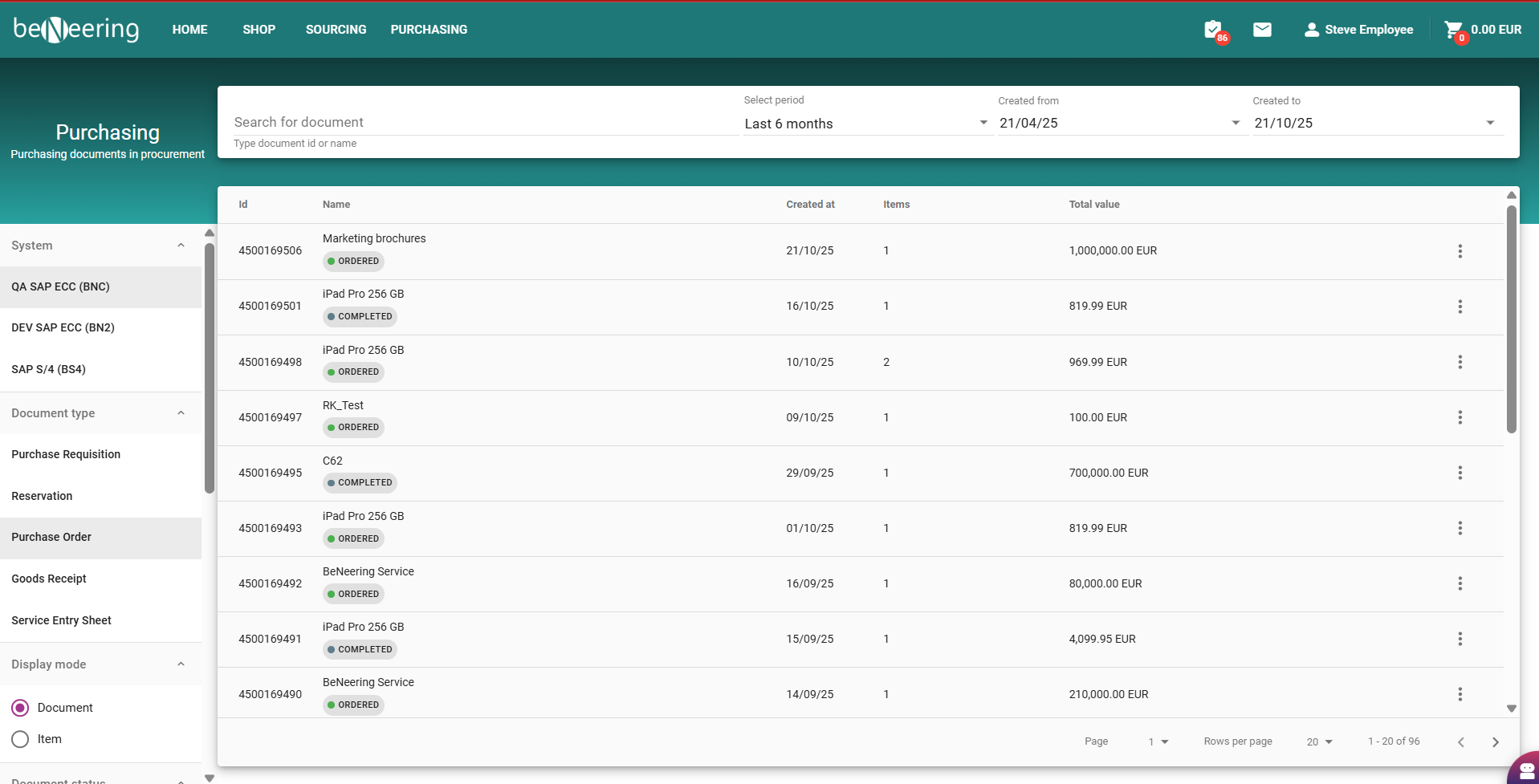
Open Confirmation Screen
Navigation: Purchasing→ Purchase Orders→ Confirmation Screen
Use filters to locate the relevant Purchase Order (PO).
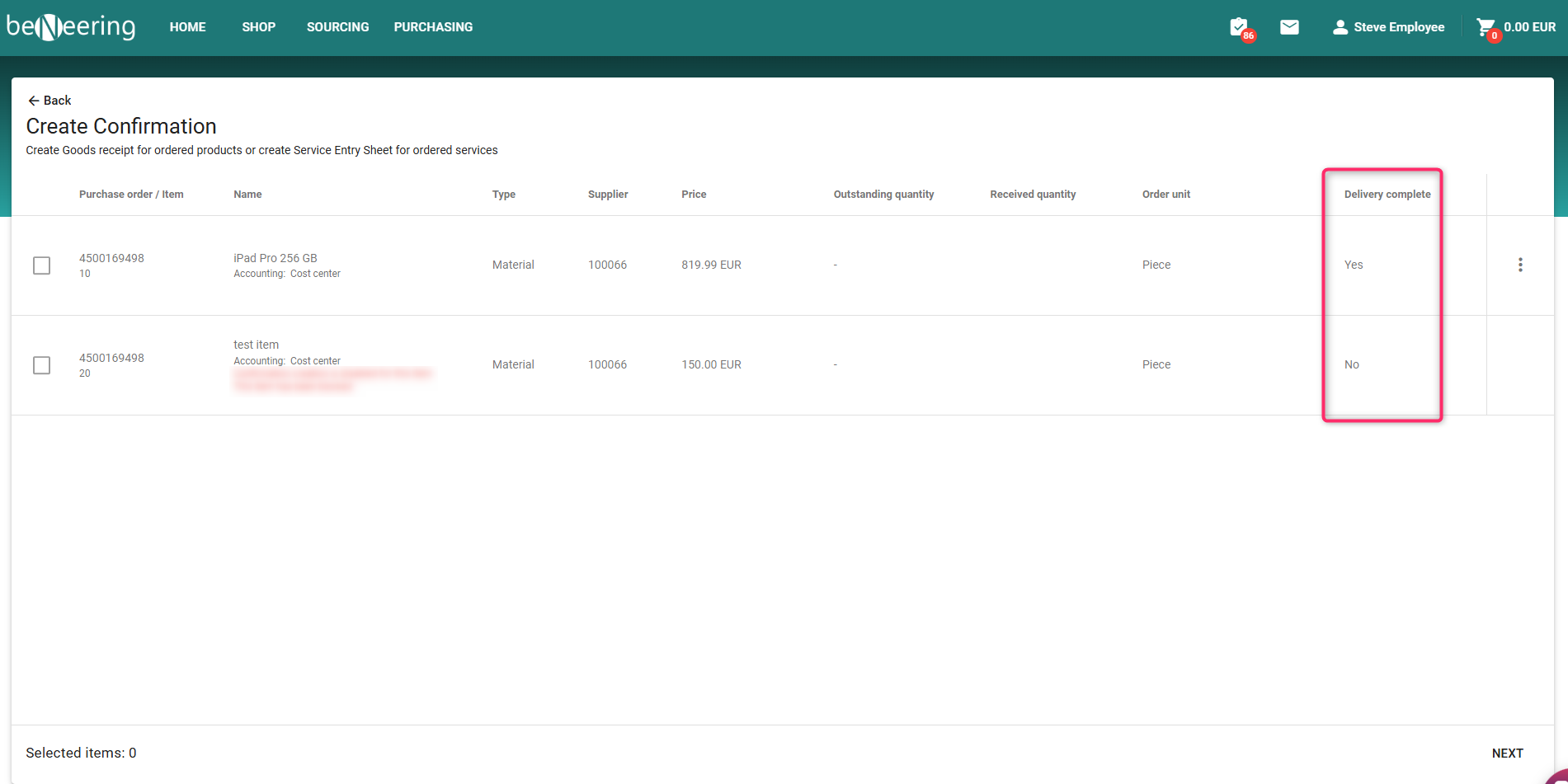
Locate the PO Item
Each PO item is listed with its delivery details and current status.
The Delivery Completed flag appears as a Status beside the line item.
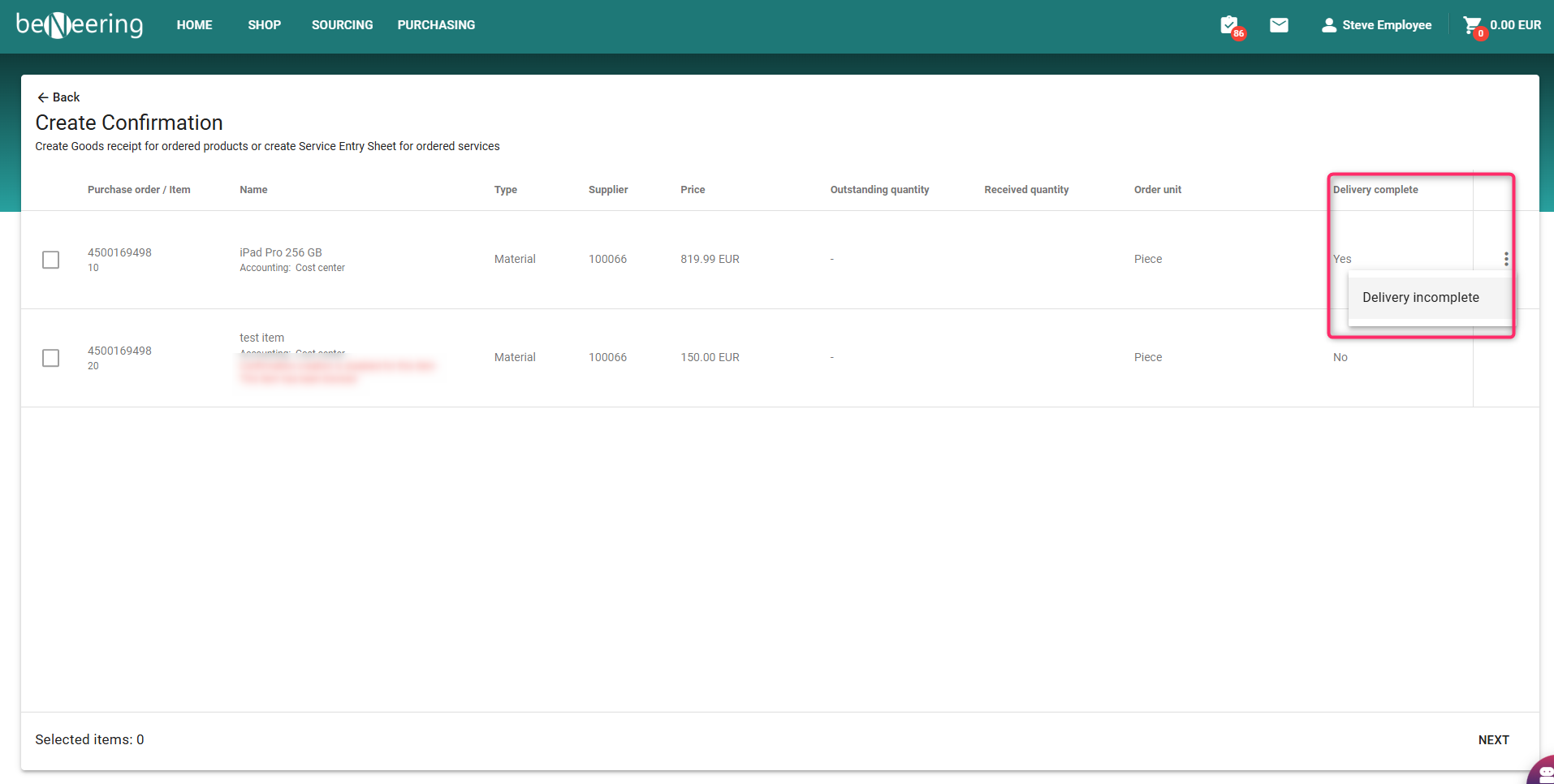
🔄 To undo the Delivery Completed flag
-
Click the three dots (refer screenshot)
and choose Delivery Incomplete
Save and Verify
After a successful change:
-
The Delivery Completed status will update visually.
-
The flag change is immediately synced with SAP