
This guide explains, step by step, how to delete a user in BeNeering Cloud.
Step 1: Open the Users Page
-
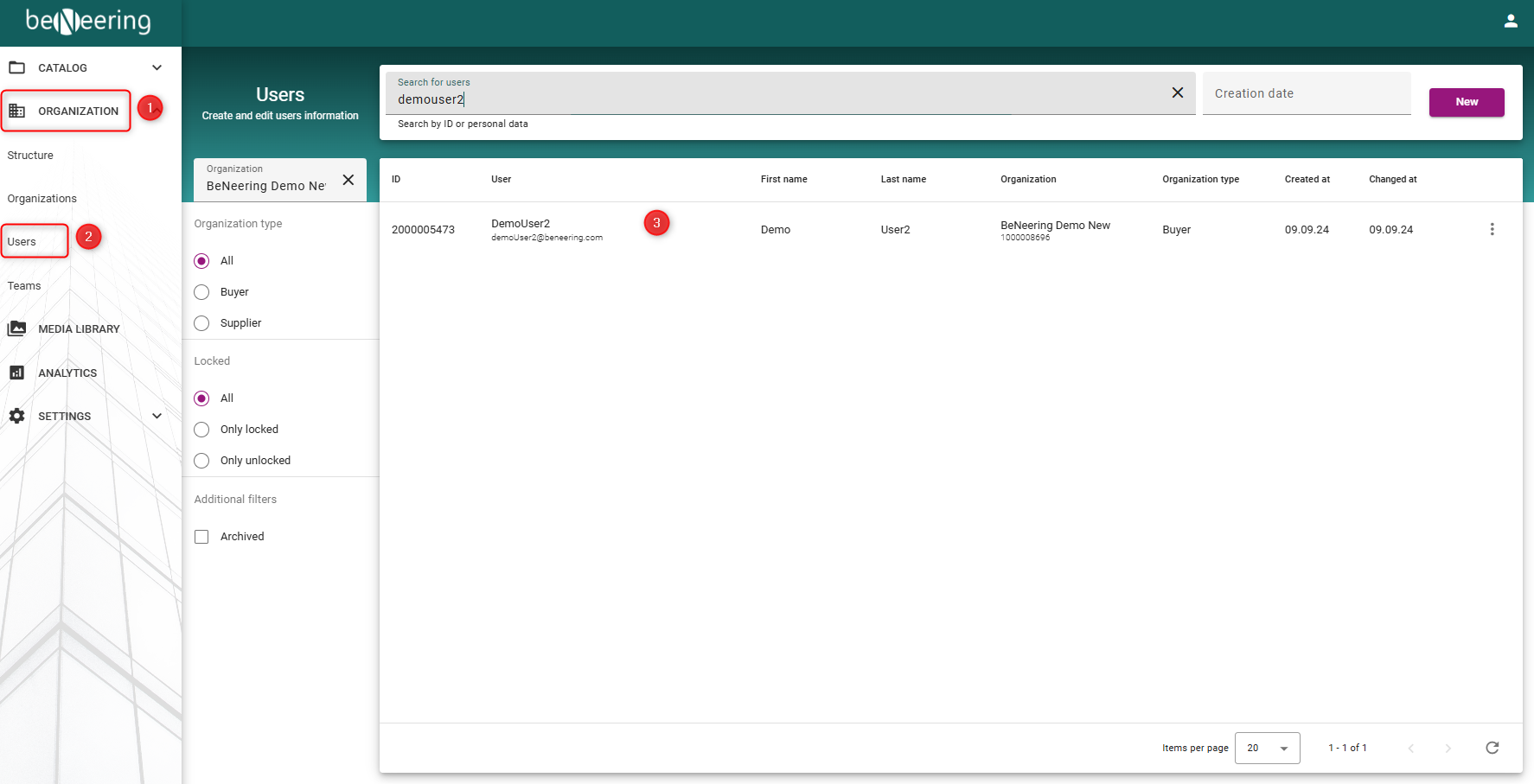
In the navigation menu on the left, select Organization.
-
Click Users.
-
On the Users page, search for the user you want to delete.
-
Select the user from the search results.
Step 2: Archive the User
-
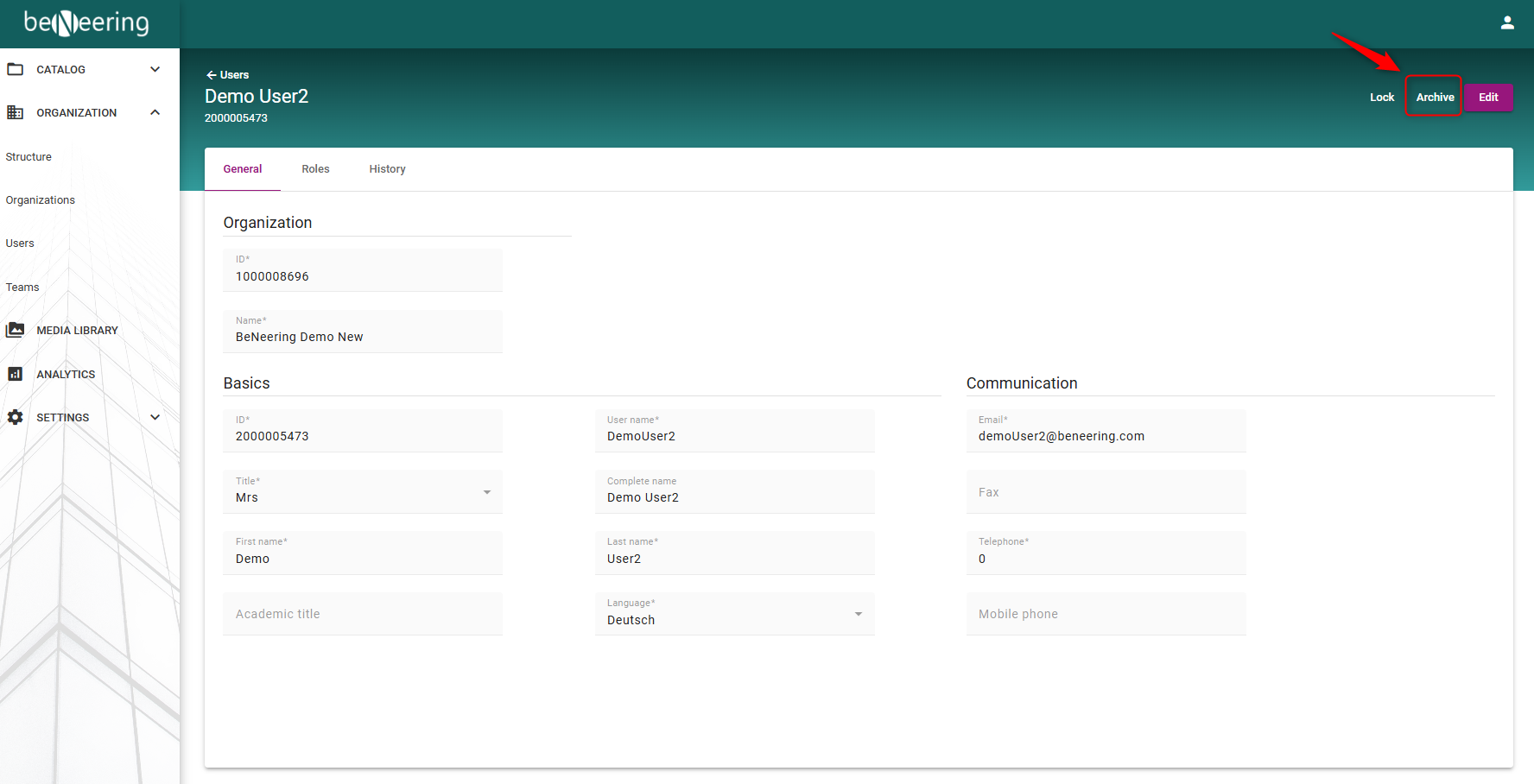
After selecting the user, navigate to the top-right corner of the page.
-
Click Archive.
-
Confirm the action if prompted.
Step 3: Confirm deletion
Once you have clicked on ‘Archive’, a confirmation dialogue box will appear. Click on ‘OK’ to permanently archive the user and remove them from the organisation.