Managing Teams in BeNeering Cloud
This page provides step-by-step instructions on how to create a new team and maintain existing teams within the BeNeering Cloud.
In BeNeering Cloud, Teams is a new feature that allows you to group users and employees together. By organizing users into teams, you can streamline collaboration, automate workflows, and manage permissions more efficiently.
What can you do with Teams?
-
Automate Approvals: Automatically route approval tasks to the right group.
-
Share Workloads: Forward inbox items to an entire team at once, instead of just one person.
-
Collaborate: Share shopping lists instantly with everyone in the group.
On BeNeering Cloud, we distinguish between an employee profile and a user profile. Be careful to understand the purpose of both profiles when assigning an employee or a user to a team.
-
EMPLOYEE tab - represents typically an employee on customer/buyer side, i.e. the organization who is buying. An employee can logon to BeNeering Cloud only via Single-Sign-On. Employee management is done on customer side.
-
USER tab - represents external users, typically users on supplier side who are using BeNeering Cloud for Catalog Management, Sourcing and Order collaboration.
Step-by-step guide
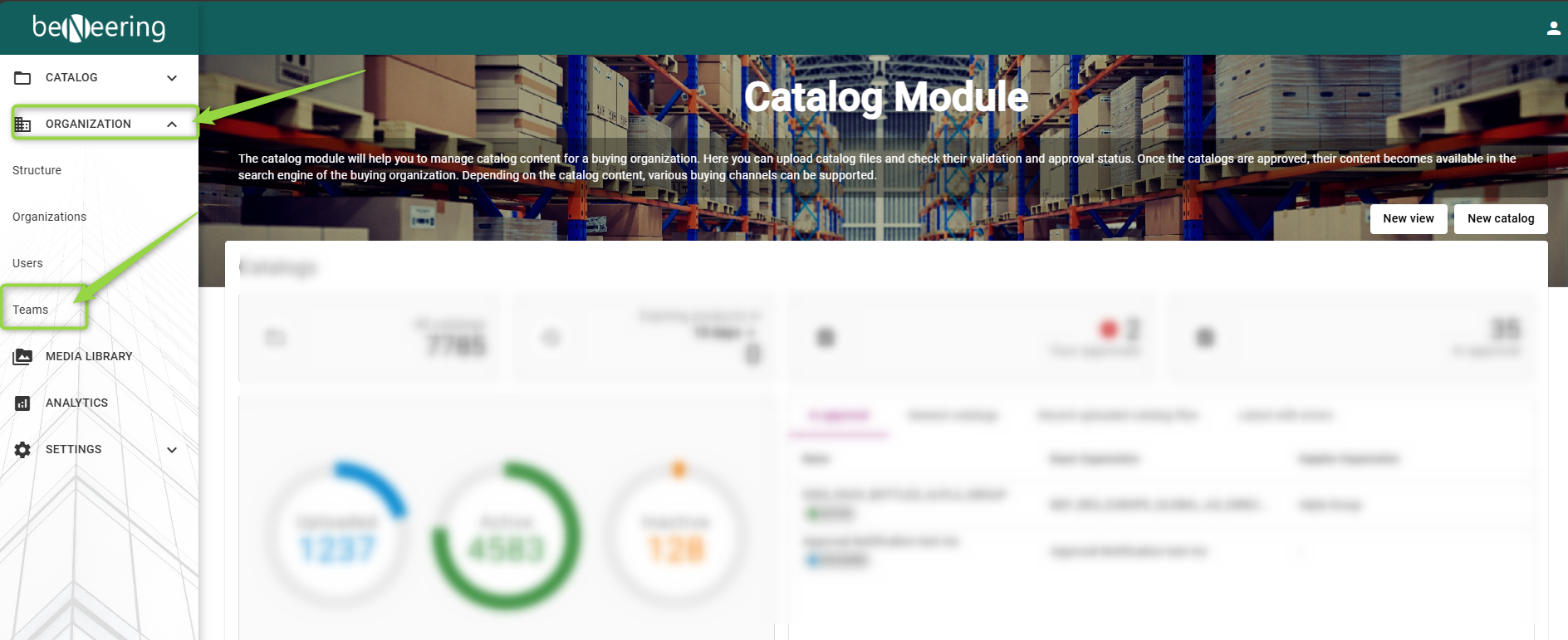
Click on Organisation and then select Teams
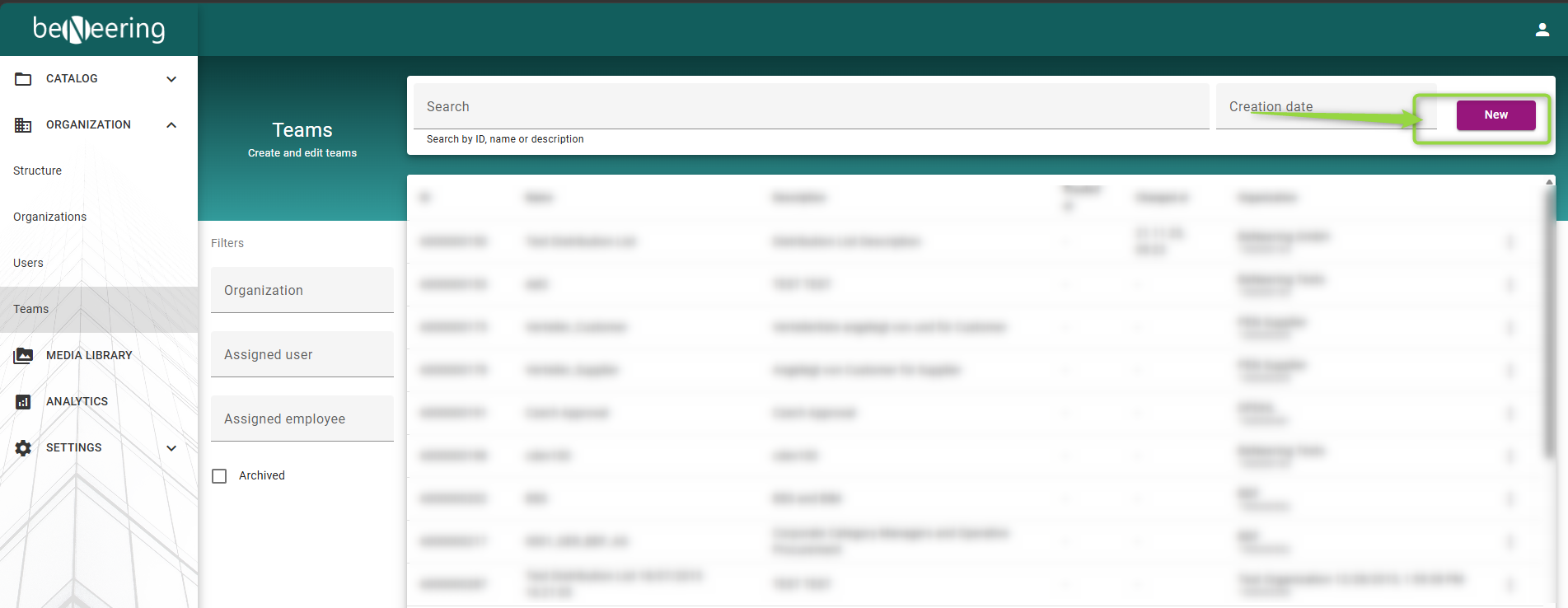
Click on the button “New”
-
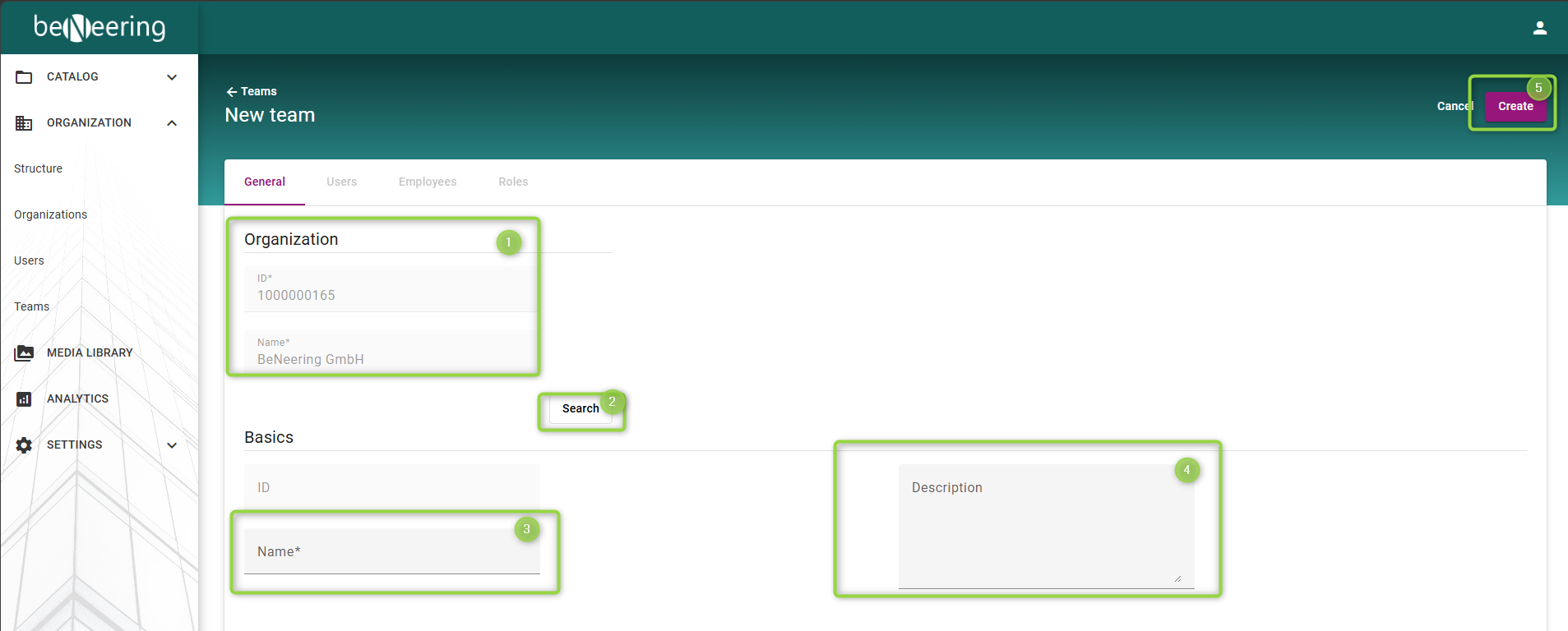
Check for your organisation
-
To change organisation, click on Search and select the appropriate organisation
-
Enter a Teams Name
-
Enter a Teams description - a short explaination of this teams responsibilities [e.g. Category Approvers, Hardware/ S/w or Consulting approvers, etc.]
-
Click on Create
-
Click on Users
-
Search for a user and select or Click on Add and select the users from the list
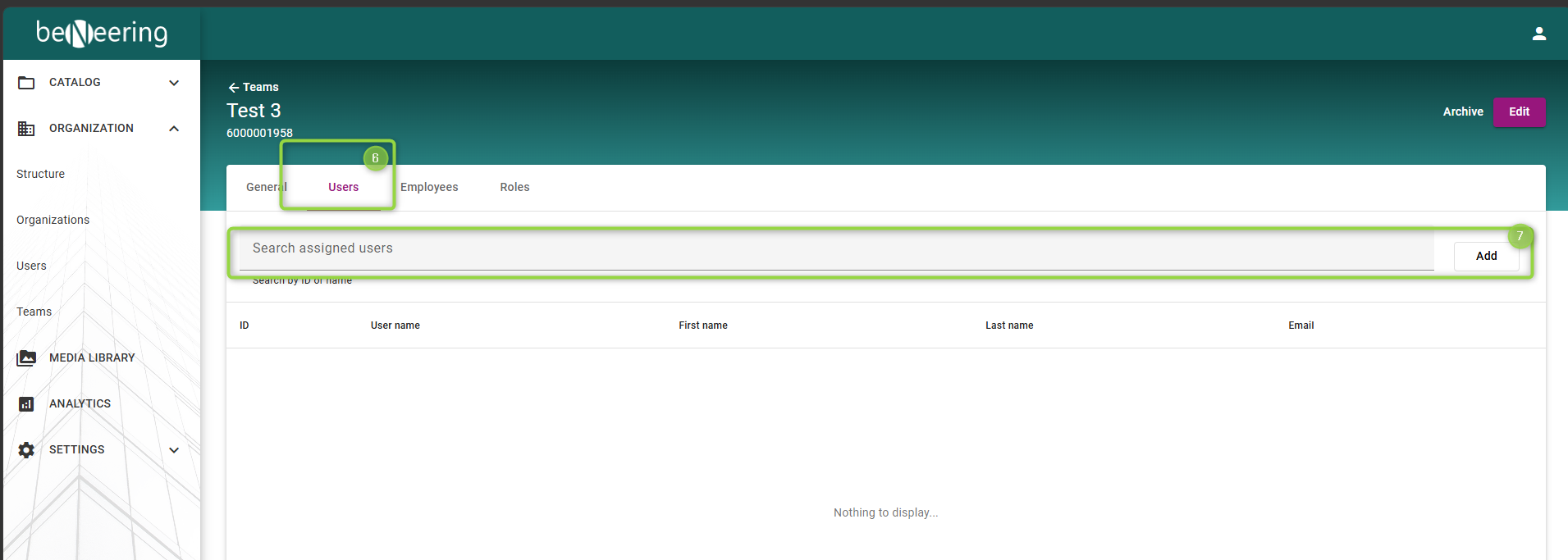
How to Add Members to Teams
To add people to a team, simply search for them using any of the following:
-
Username
-
Employee Name
-
Employee ID
Adding New Employees
If an employee cannot be found in the system, you can create a new profile directly using the setup wizard.
⚠️ Note: This feature requires administrator privileges.
To add employees over their ID you need to select “Employees” and then search for their ID:
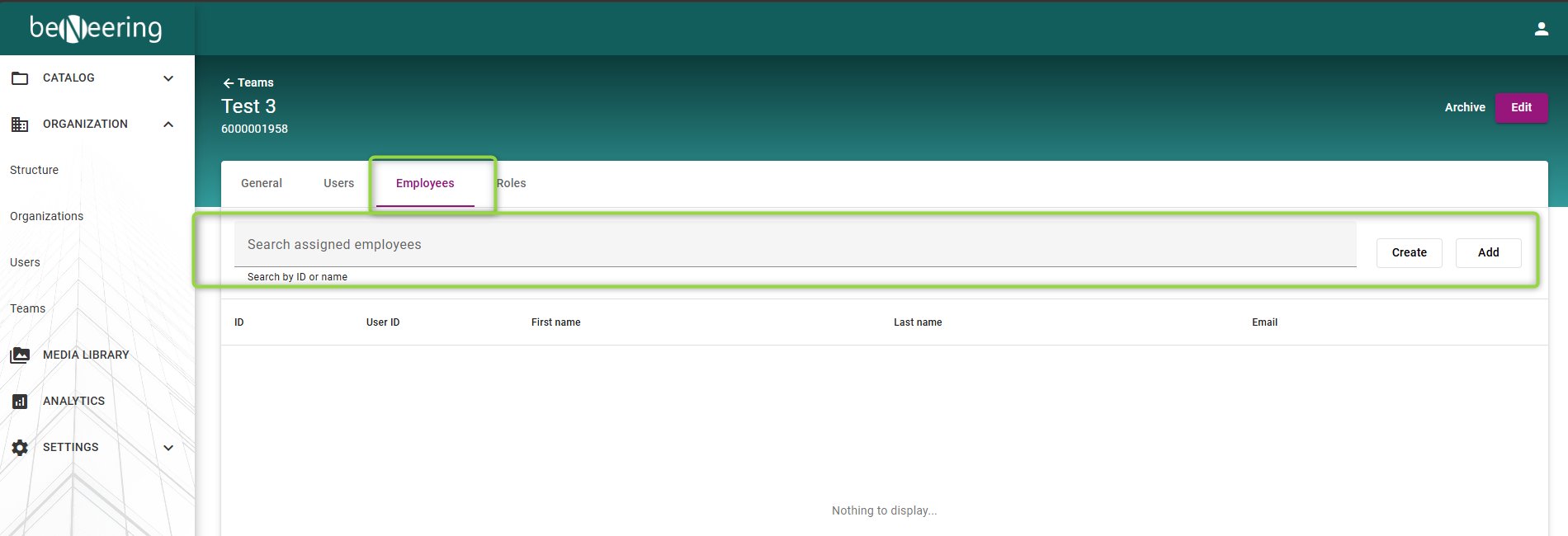
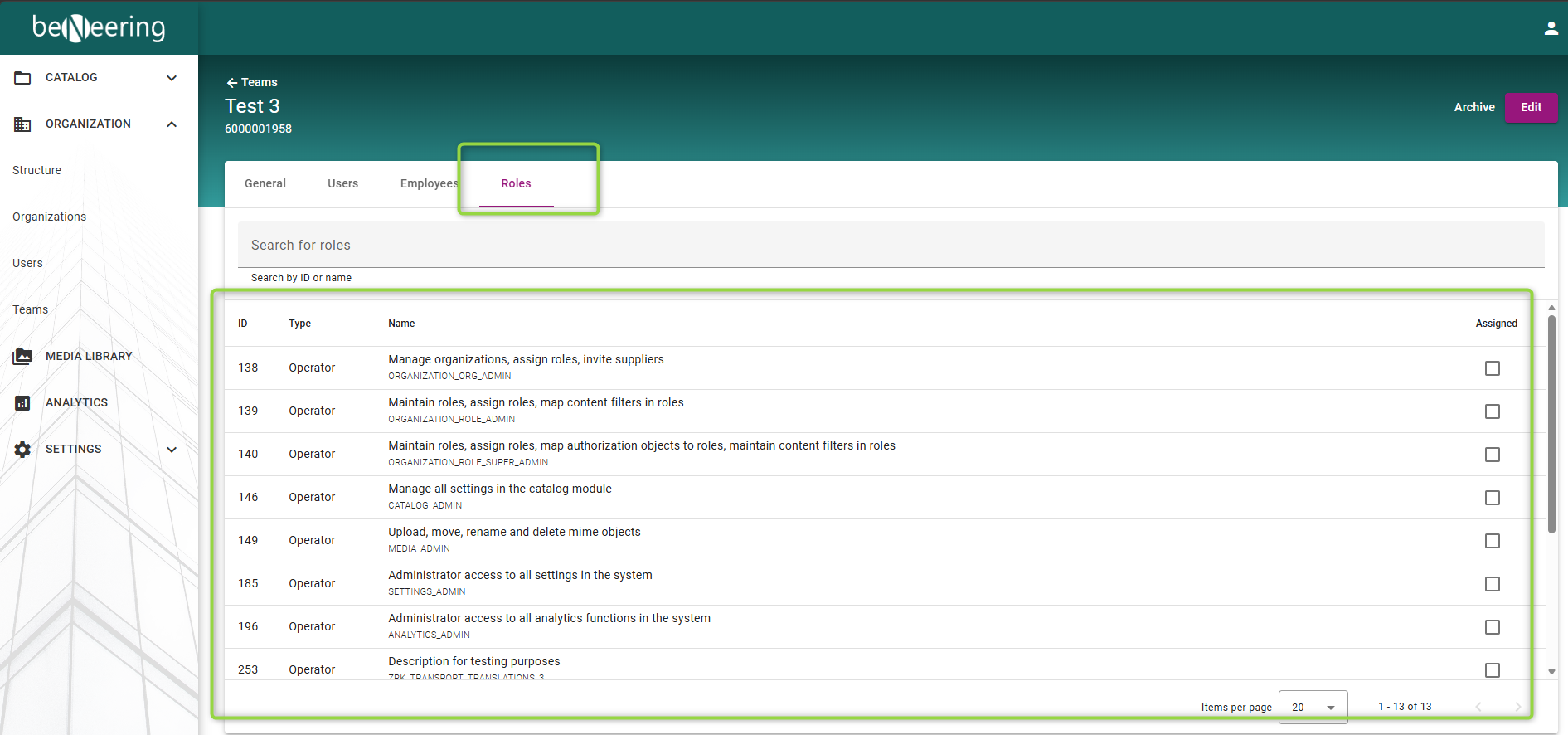
After you have ,created the new Team you can assign roles to this Team by selecting the roles Tab: