Users can always add attachments to a sourcing event request. To do this:
Attachments can be added only when the sourcing event has Open status. Closed events do not allow adding attachments.
-
Open the relevant Sourcing Event.
-
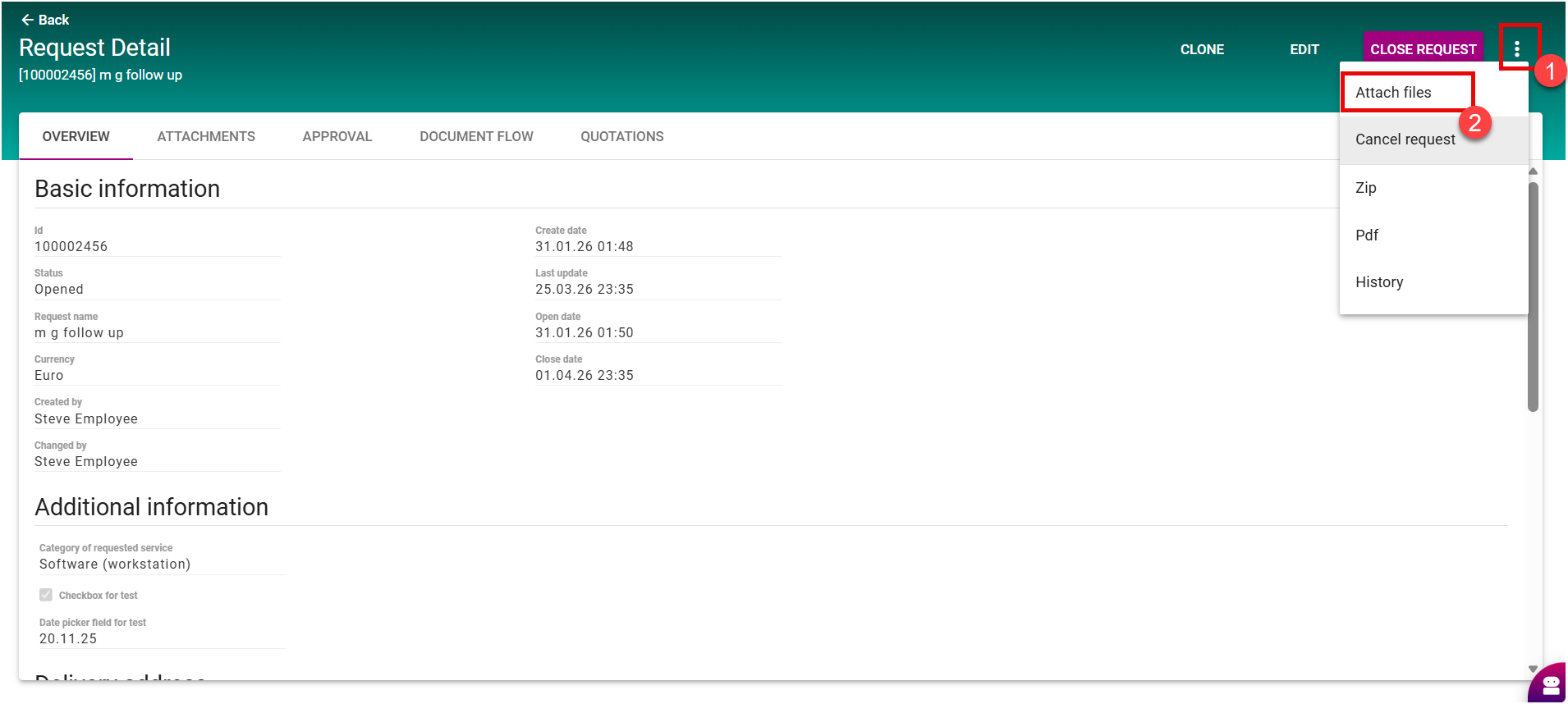
Click the three-dot menu (⋯) and select Attach Files.
-
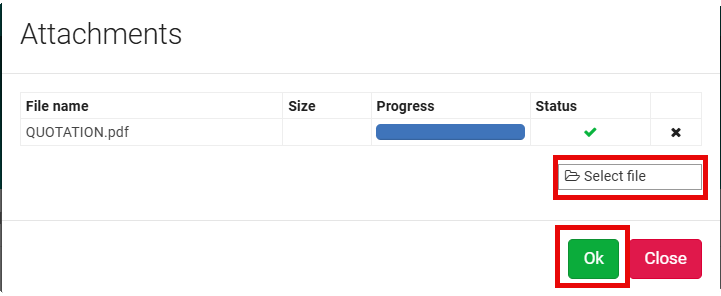
A pop-up window will appear. Upload your attachment(s) and click OK.
-
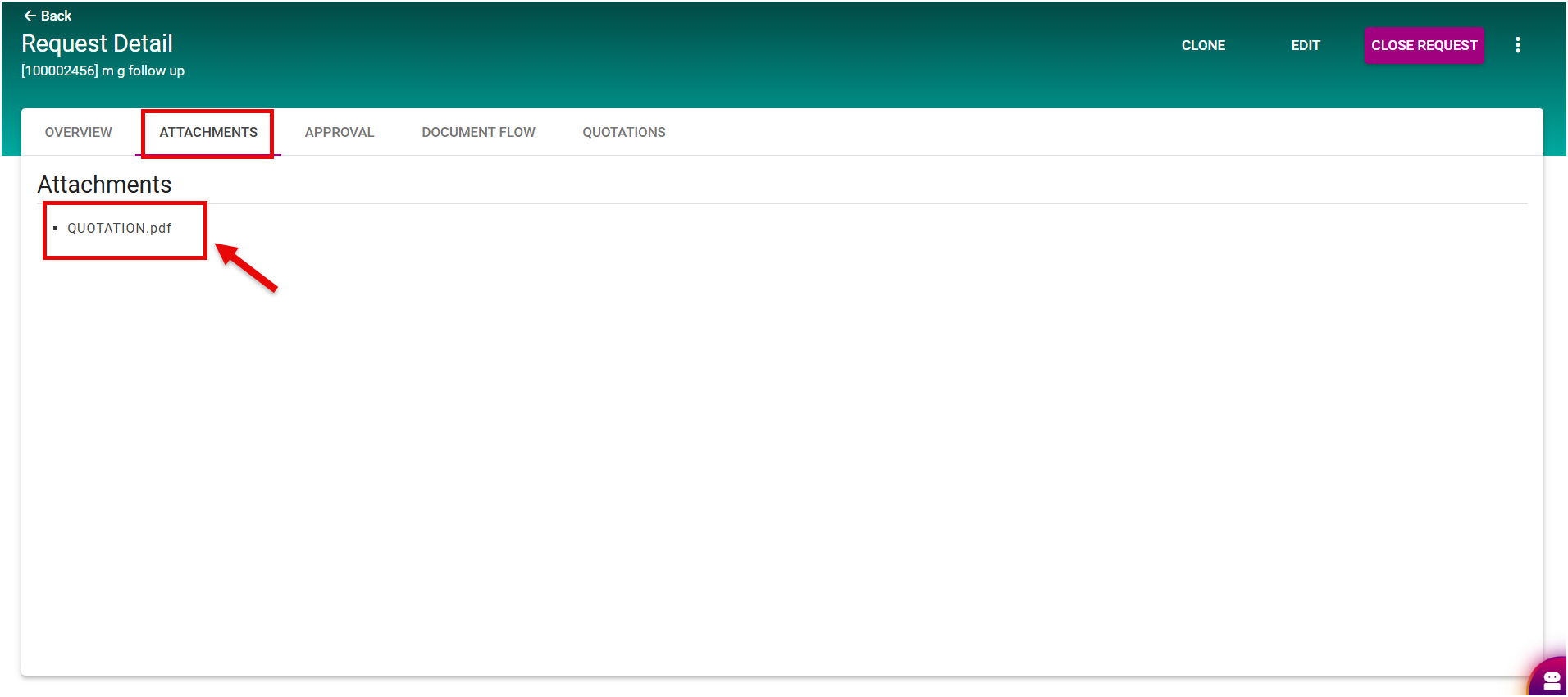
Once the upload is successful, the attachments will be visible in the Attachments tab of the sourcing event request.