
In our Guided Buying, the standard behavior for reopening closed Sourcing Event follows exactly the same rules as in SAP MM Standard. Whether a souricing Event can be reopened depends on its status and whether it has already been used to create a Purchase Order (PO).
To reopen a closed Sourcing Event:
-
Open the event.
-
Click Reopen.
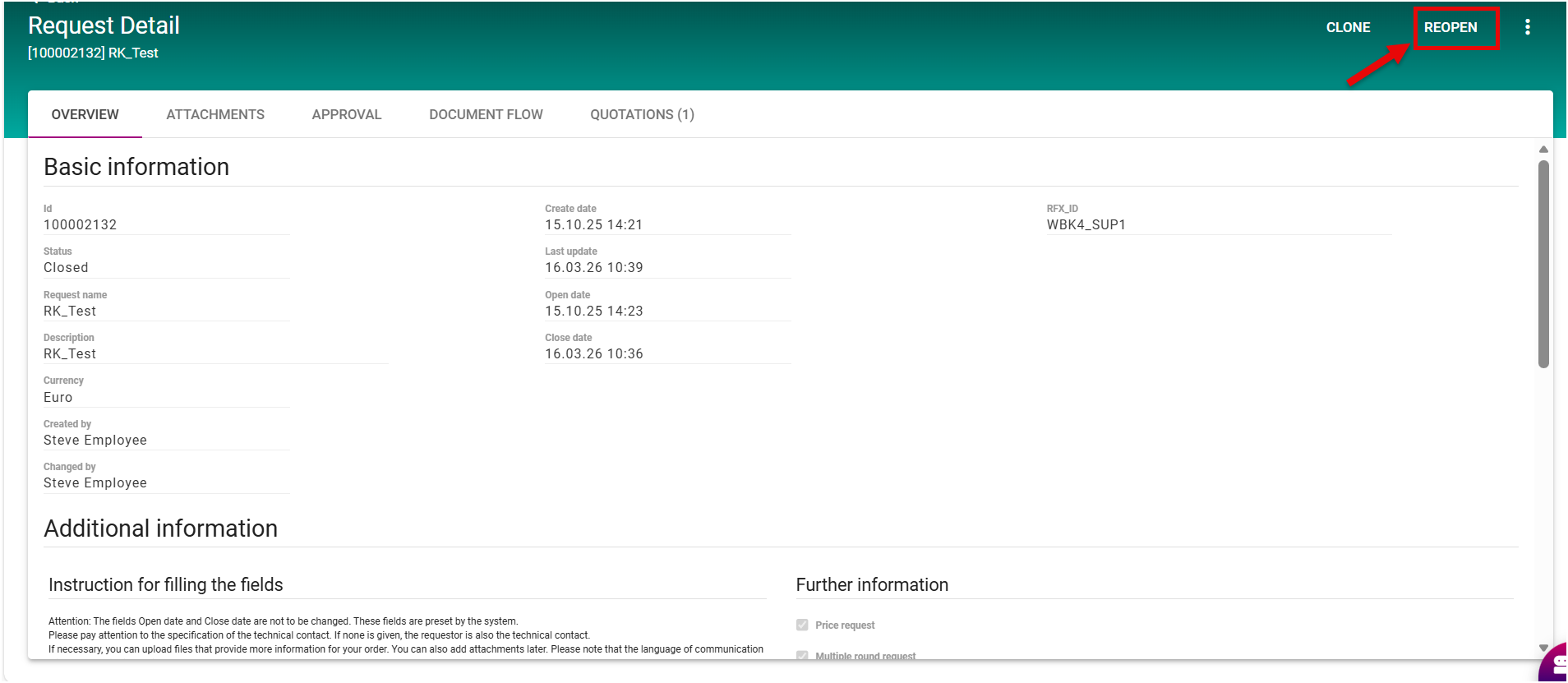
Reopening Logic
Closed Event Already Converted to a PO (Status: ORDERED)
When an RFQ (Request for Quotation) has been converted into a Purchase Order, its status automatically becomes ORDERED.
-
Even if the RFQ is later marked as Closed, it cannot be reopened or edited.
-
If you try to reopen it, the system will display an error message.

-
Reason: Allowing changes after a PO has been created would break consistency with the Purchase Order and accounting records.
Closed Event Without a PO
If an RFQ was never converted into a PO, it can be reopened, even if it is marked as Closed.
-
This is safe because no downstream documents depend on the RFQ.
-
Again, this aligns with SAP Standard behavior, where only RFQs linked to an existing PO are locked from editing.
When the Due Date of souring Event Can Be Changed
-
The Due Date can still be changed as long as the sourcing event is open or not in approval process
-
If the PO is already created, released, or in an approval workflow, the Due Date cannot be modified, because changes would break consistency with the Purchase Order, approvals, and accounting records.
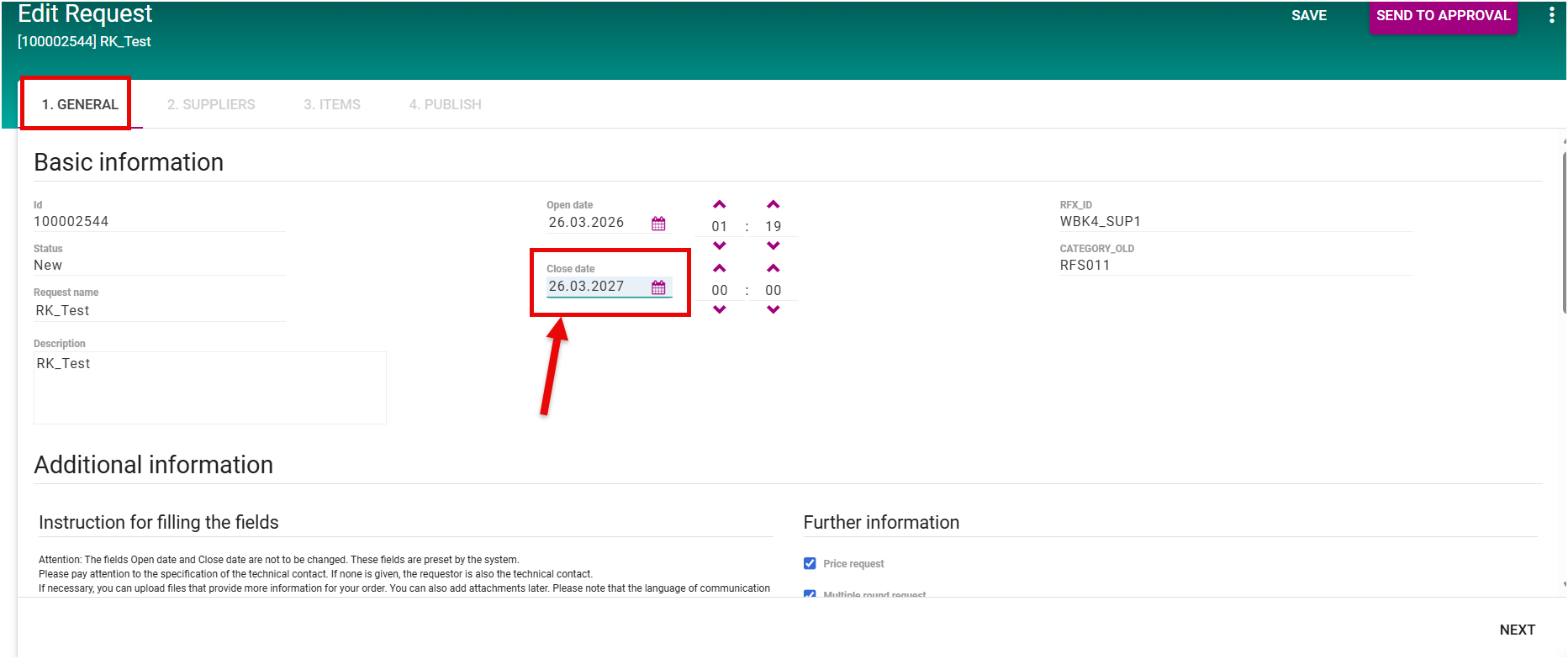
Due Date in a sourcing event is the deadline by which suppliers must submit their quotations or proposals. It ensures that the sourcing process runs on schedule and helps buyers manage approvals, PO creation, and overall workflow timelines.
Starting a New Round in a Closed Sourcing Event
Definition in SAP Context:
-
Starting a New Round means creating a follow-up sourcing round for an existing closed sourcing event.
-
It allows buyers to re-invite suppliers (all or a subset), update due dates, items, or attachments, and run the next phase of bidding or proposal collection.
-
Importantly, starting a new round is independent of the PO status: it can be done whether the sourcing event was converted to a PO or not.
Steps to Start a New Round:
-
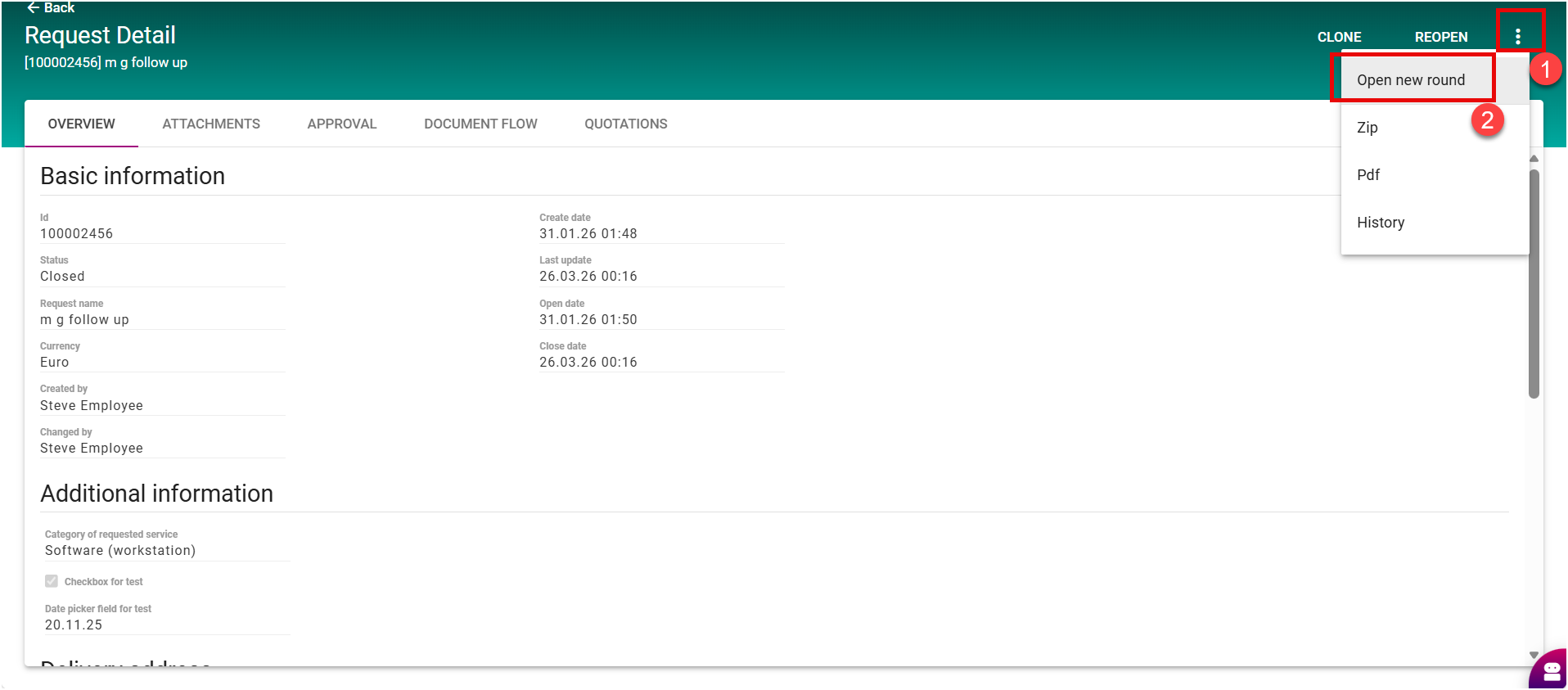
Open the closed sourcing event.
-
Click the three-dot menu (⋯) and click Open new Round.
-
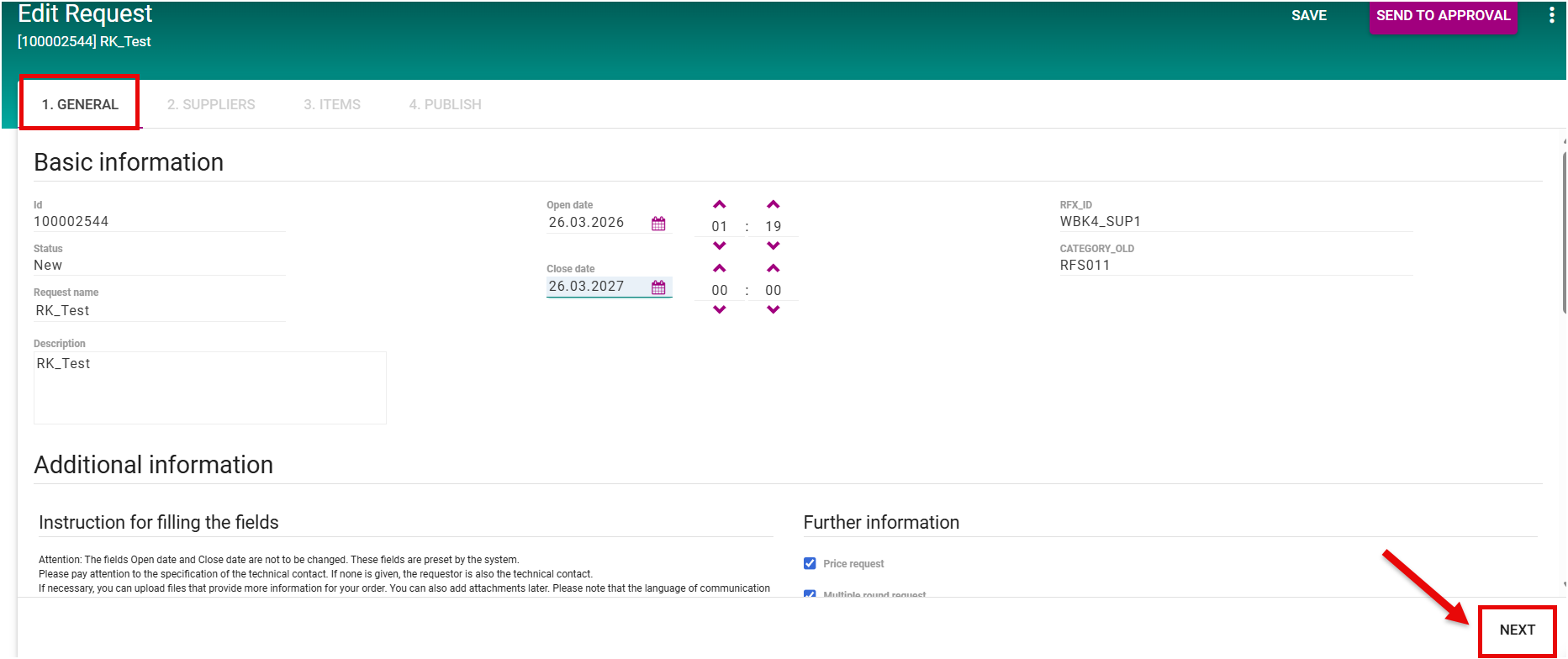
You will land in the Request in Edit mode:
-
Review and edit the Due Date.
-
Check the General Section and adjust fields as needed.
-
Add attachments if required.
-
Click Next.
-
-
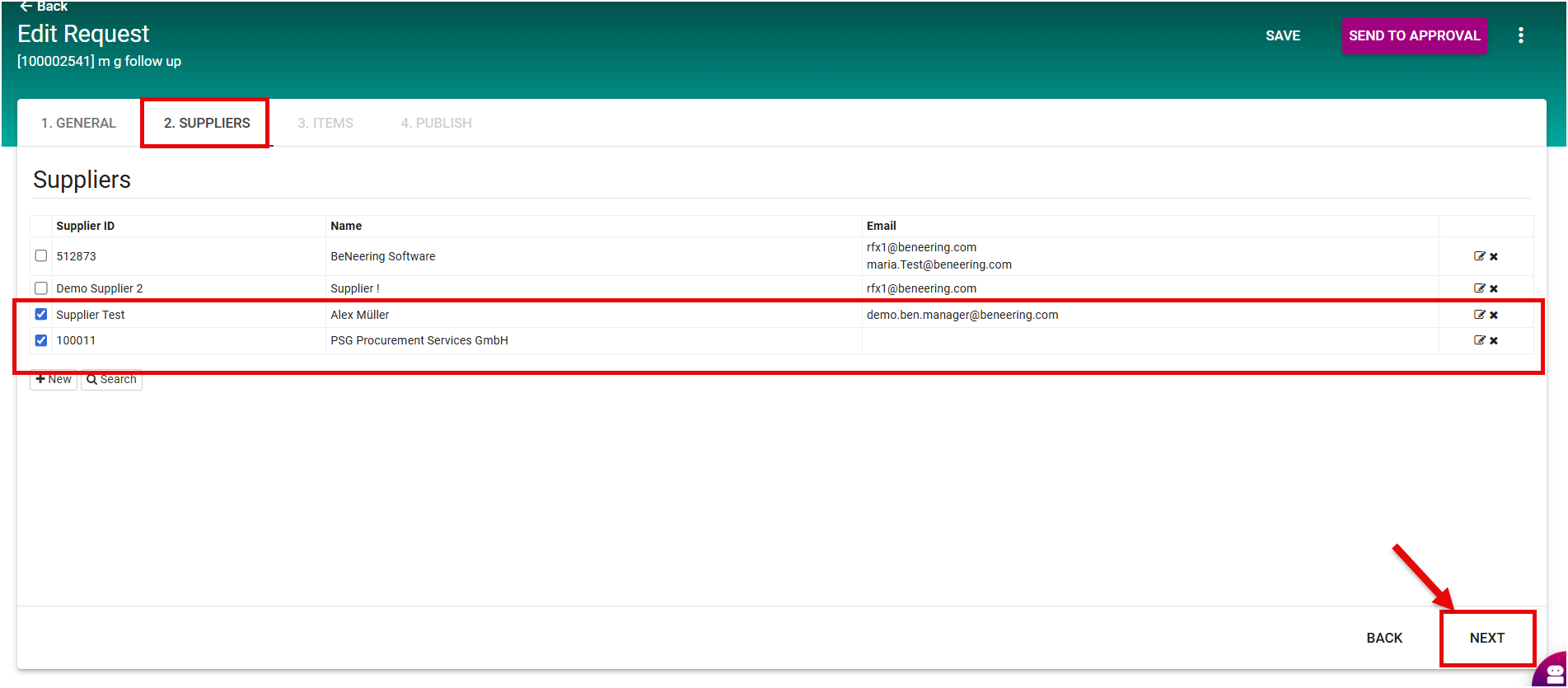
In the Suppliers Tab:
-
Select only a subset of existing suppliers if desired.
-
Optionally, add new suppliers.
-
Click Next.
-
-
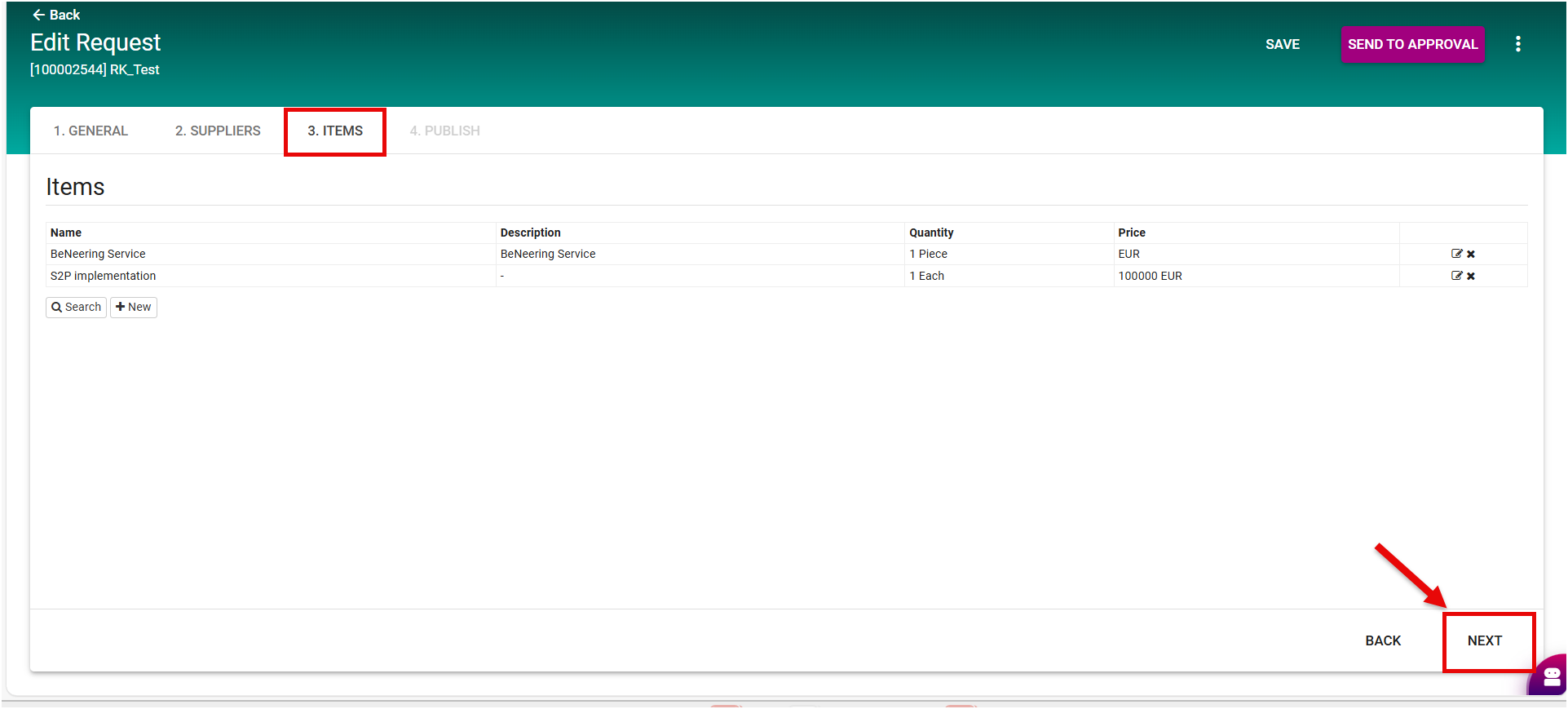
In the Items Tab:
-
Edit item quantities or details.
-
Add new items if needed.
-
Attach files to individual items if required.
-
Click Next.
-
-
Review all information in the Summary / Check Section.
-
Click Submit for Approval to launch the new round.
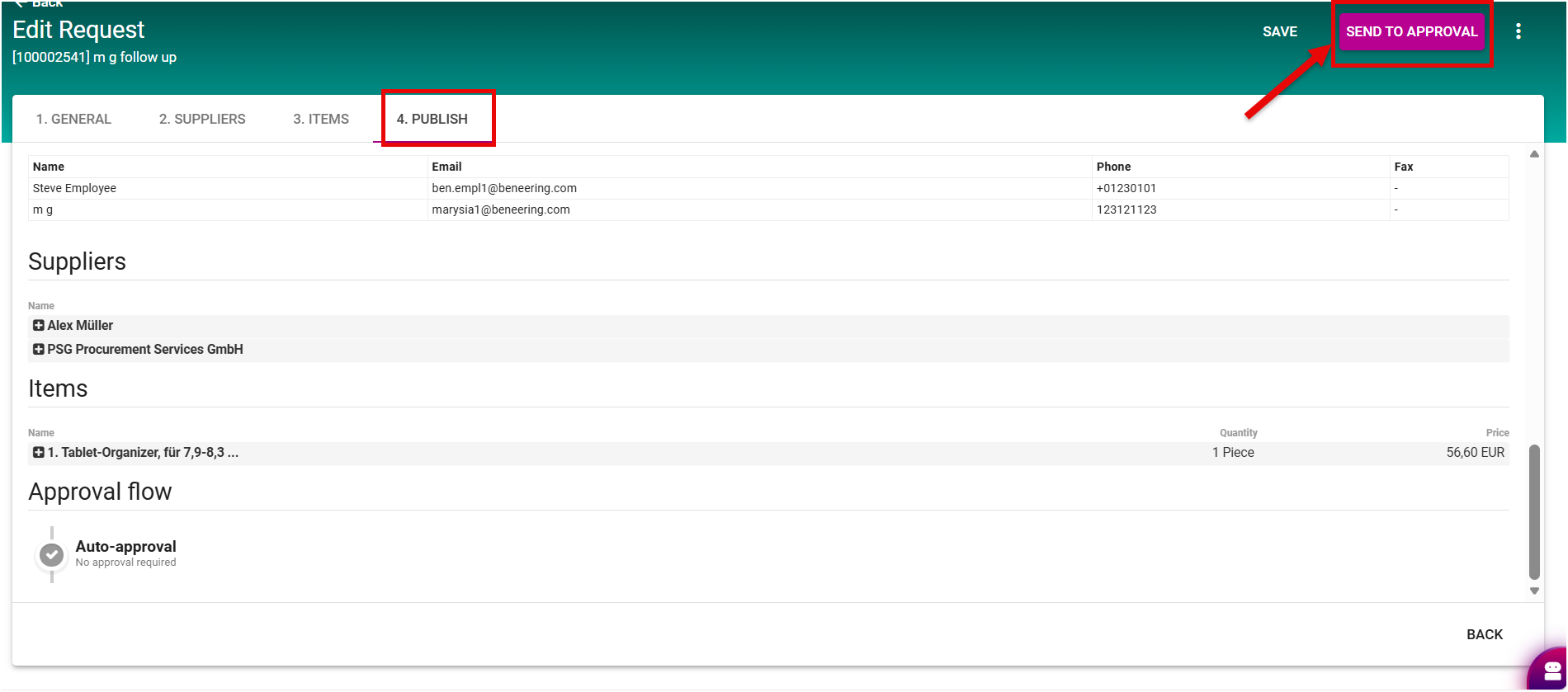
After successful completion, a new sourcing round is created for the event. Only the selected suppliers are invited, and items, quantities, and attachments are updated as needed in SAP in realtime