Step-by-step guide
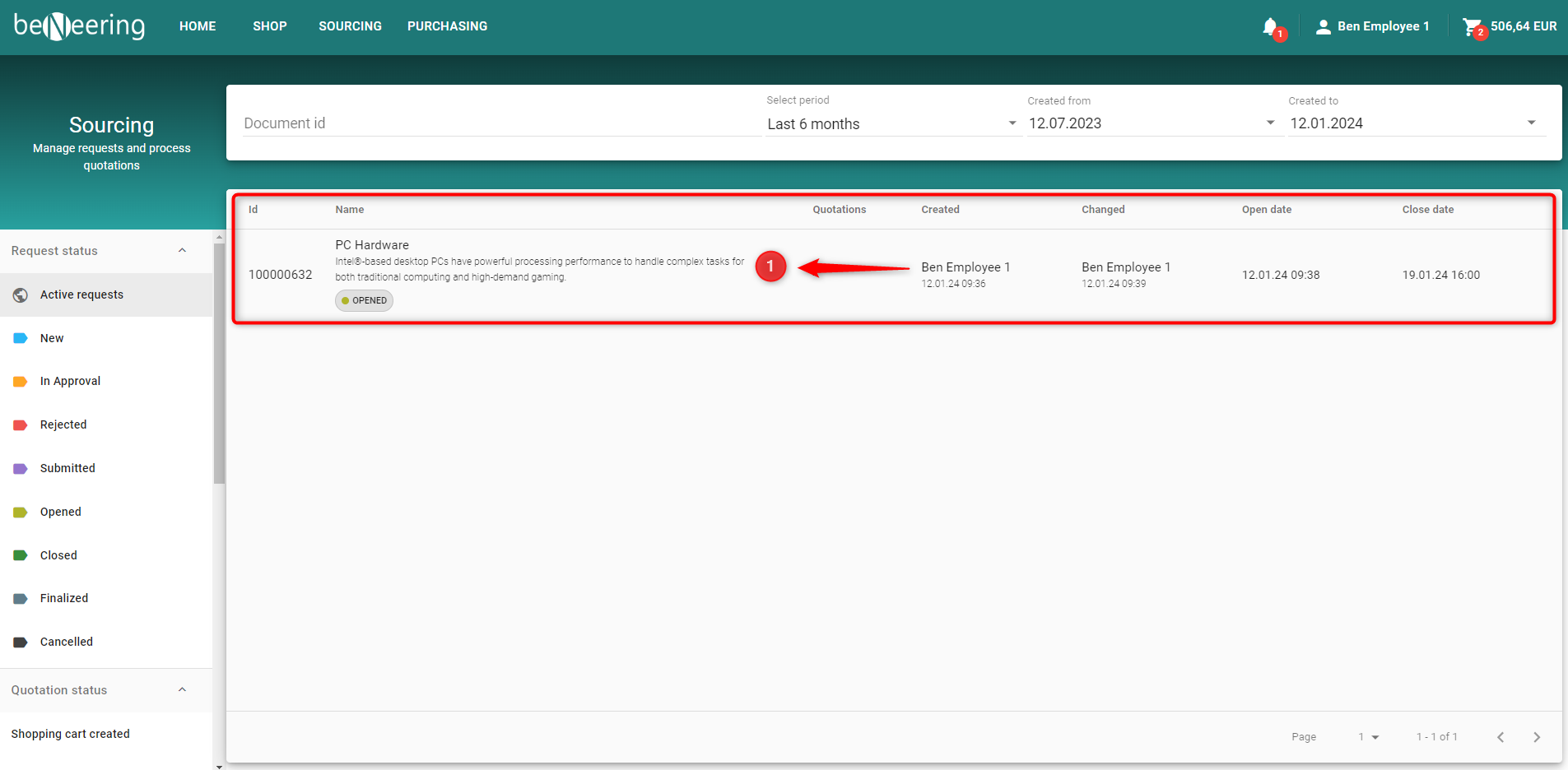
To overview the sourcing request you should select the “Sourcing” Tab than click on the field (Figure 1).
Overview Tab
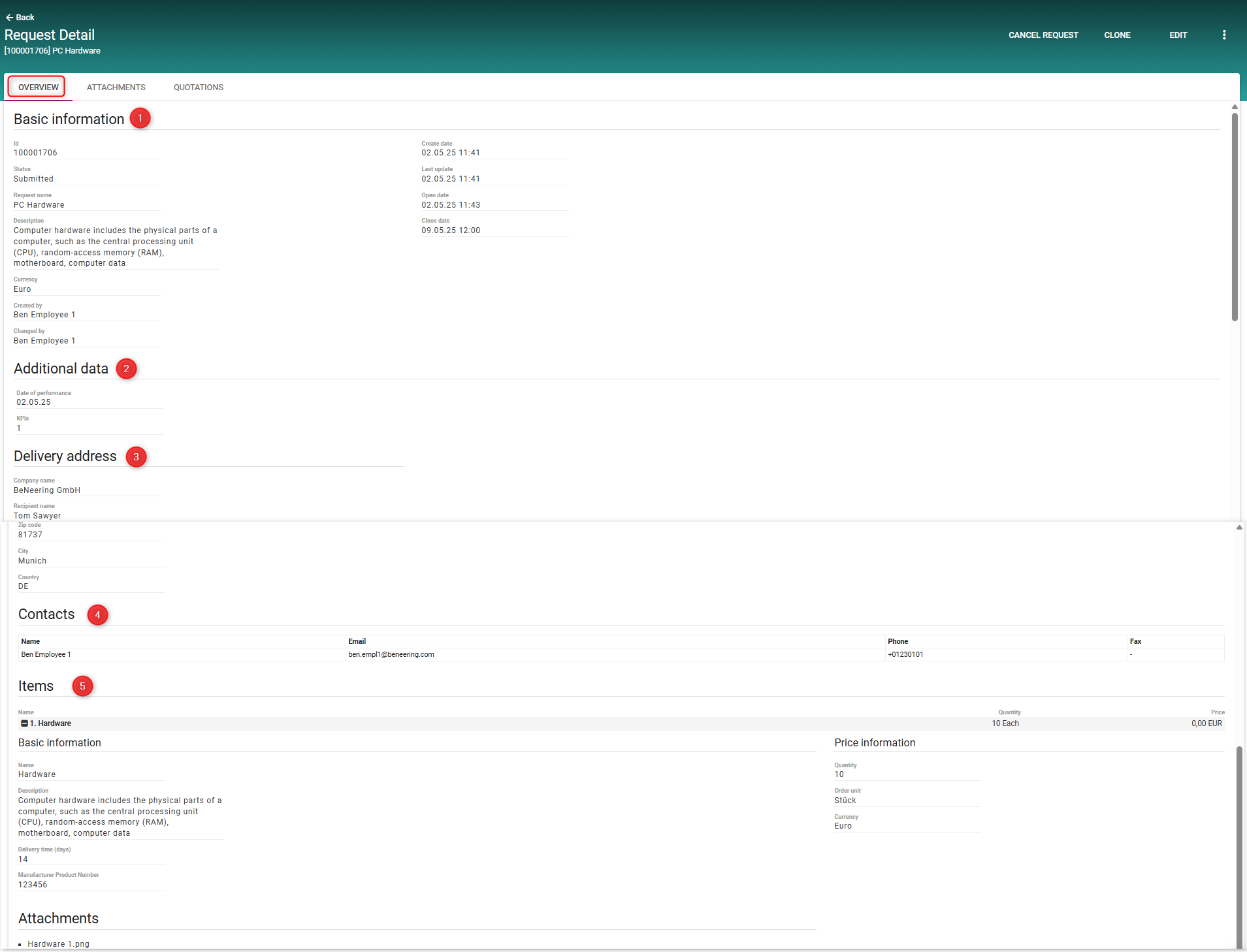
The Overview Tab provides a summary of the request and is divided into five sections:
-
Basic Information: Shows request ID, status, name, description, currency, creator, last changes, creation date, last update, open and close dates.
-
Delivery Address: Includes company name, recipient, street/house number, ZIP code, city, and country for the delivery location.
-
Contacts: Displays the name, email, phone number, and fax of the requester.
-
Items: Lists all requested items with name, description, delivery time (in days), manufacturer product number, order quantity, unit, and currency.
-
Attachments: Any documents related to the request can be viewed or uploaded here.
At the top-right corner of the screen, you can use the Edit button to modify the request or the Close Request button to finalize it.
Attachments Tab
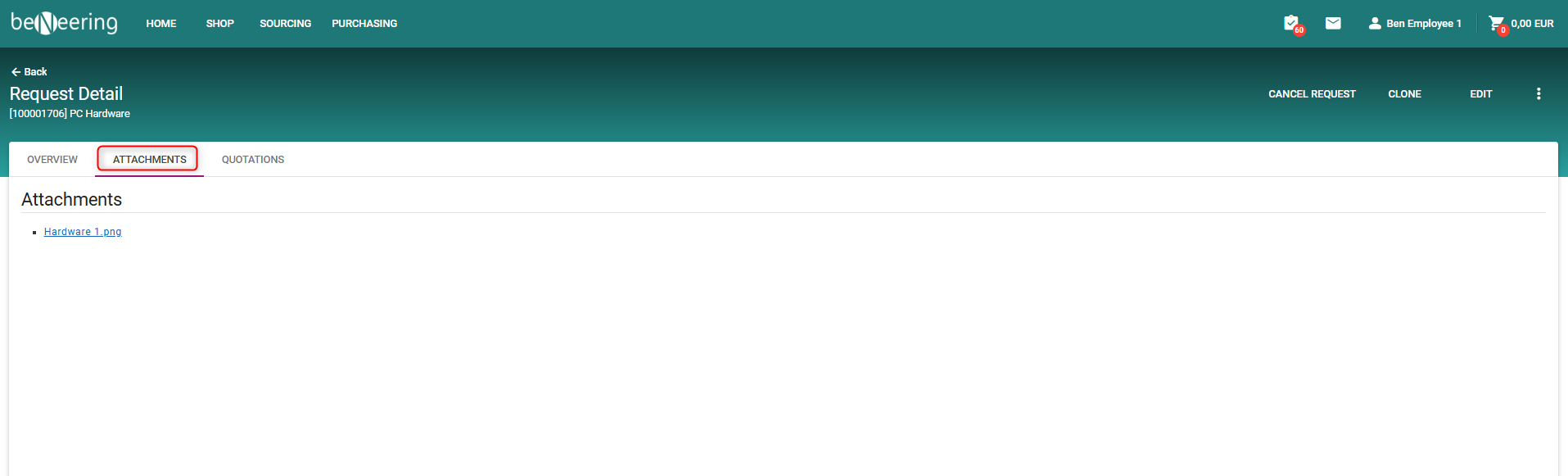
In this tab, you can view the attached files. Click on a file name to download it.
Quotations Tab
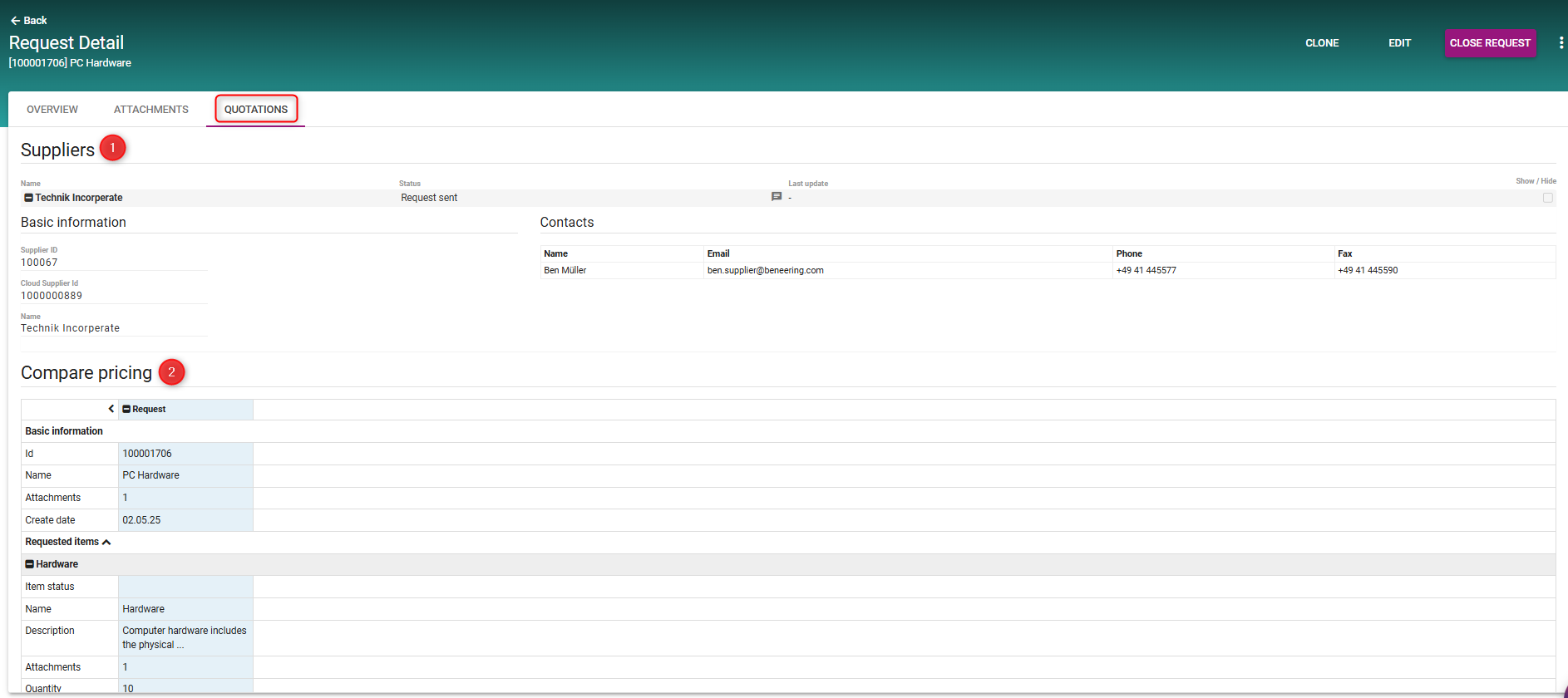
In this tab you can see the suppliers information and compare the prices.
-
In the Supplier Information field, you can view: Basic Information: Supplier ID number, Cloud Supplier Id, and Name. Contacts: Name, Email, Phone and Fax.
-
In the Compare Pricing field, you can view: Basic Information: ID number, name, attachments, and creation date. Requested Items: Item status, name, description, attachments, order quantity, price, price unit, order unit, delivery time, item value, and total value.