
The new functionality enables suppliers to withdraw from a Request for Quotation (RFQ) even after it has been opened by the buyer. This gives suppliers greater flexibility to decline participation in the RFQ process when necessary
RFQ Withdrawal Process
-
Open the RFQ
-
The supplier logs in to the portal and opens the relevant RFQ.
-
-
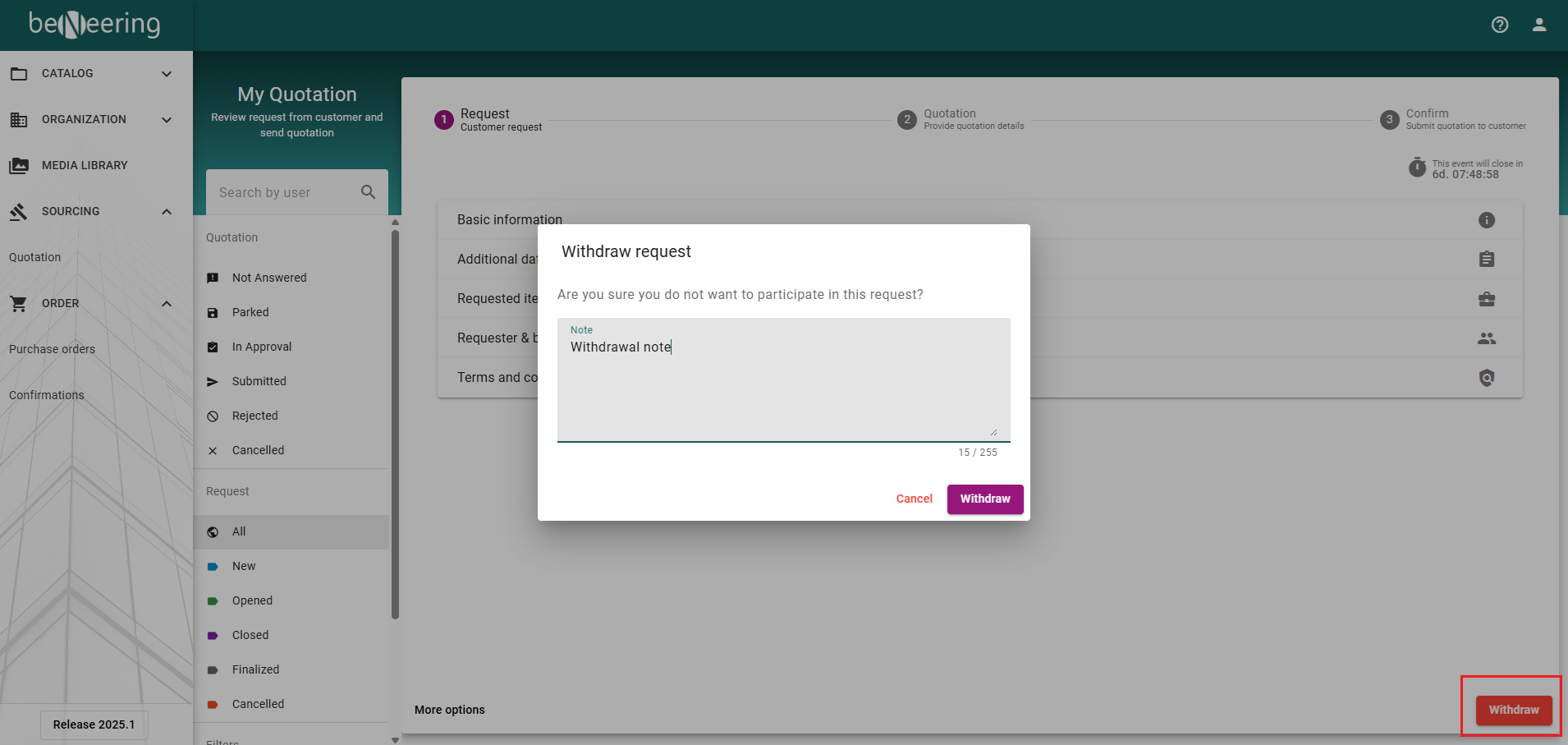
Click Withdraw
-
Select the Withdraw button available on the RFQ page.
-
-
Provide a Reason (Optional)
-
While withdrawing, the supplier has the option to leave a message explaining the reason for the withdrawal.
-
-
Confirm Withdrawal
-
Submit the action to complete the withdrawal process.
-
-