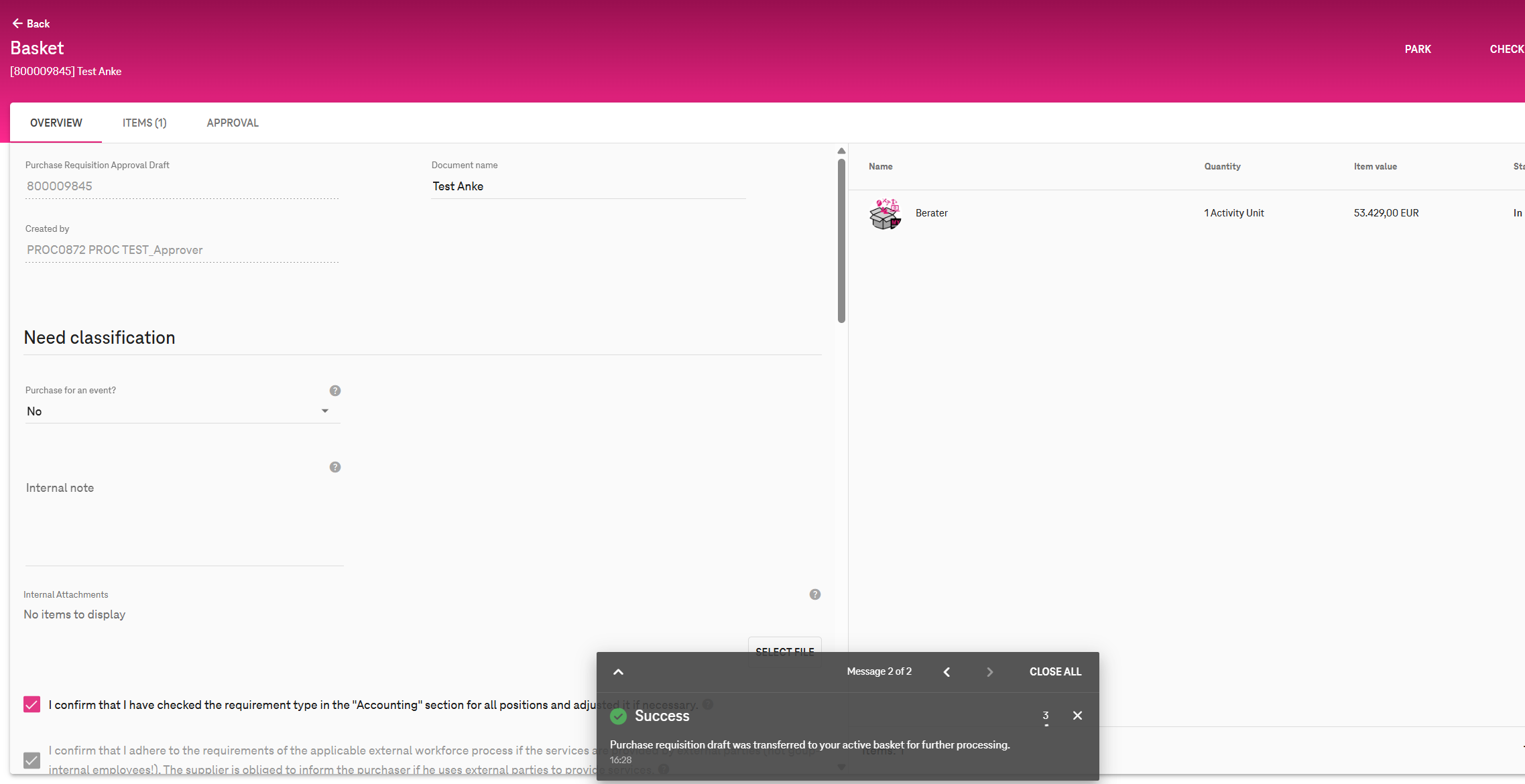
A new system message has been introduced to clearly inform users when a Purchase Requisition (PR) is opened in Edit mode.
This change helps users understand that they are working on a draft version in their active basket, ensuring greater confidence when making changes.
Why This Change Was Needed
Earlier, when users selected Edit on a Purchase Requisition:
-
It was not immediately clear that the PR had been converted into a draft.
-
Users were hesitant to perform actions such as deleting item positions, making any changes.
-
Confirmation that the PR was a draft became visible only after an item was deleted.
What’s Changed :
When a user accesses Edit mode from:
-
the PR Detail screen, or
-
the PR Approval screen,
the system now displays a success message confirming that the PR draft has been transferred to the active basket for further processing.
Success Message Displayed
English (EN):
Purchase requisition draft was transferred to your active basket for further processing.