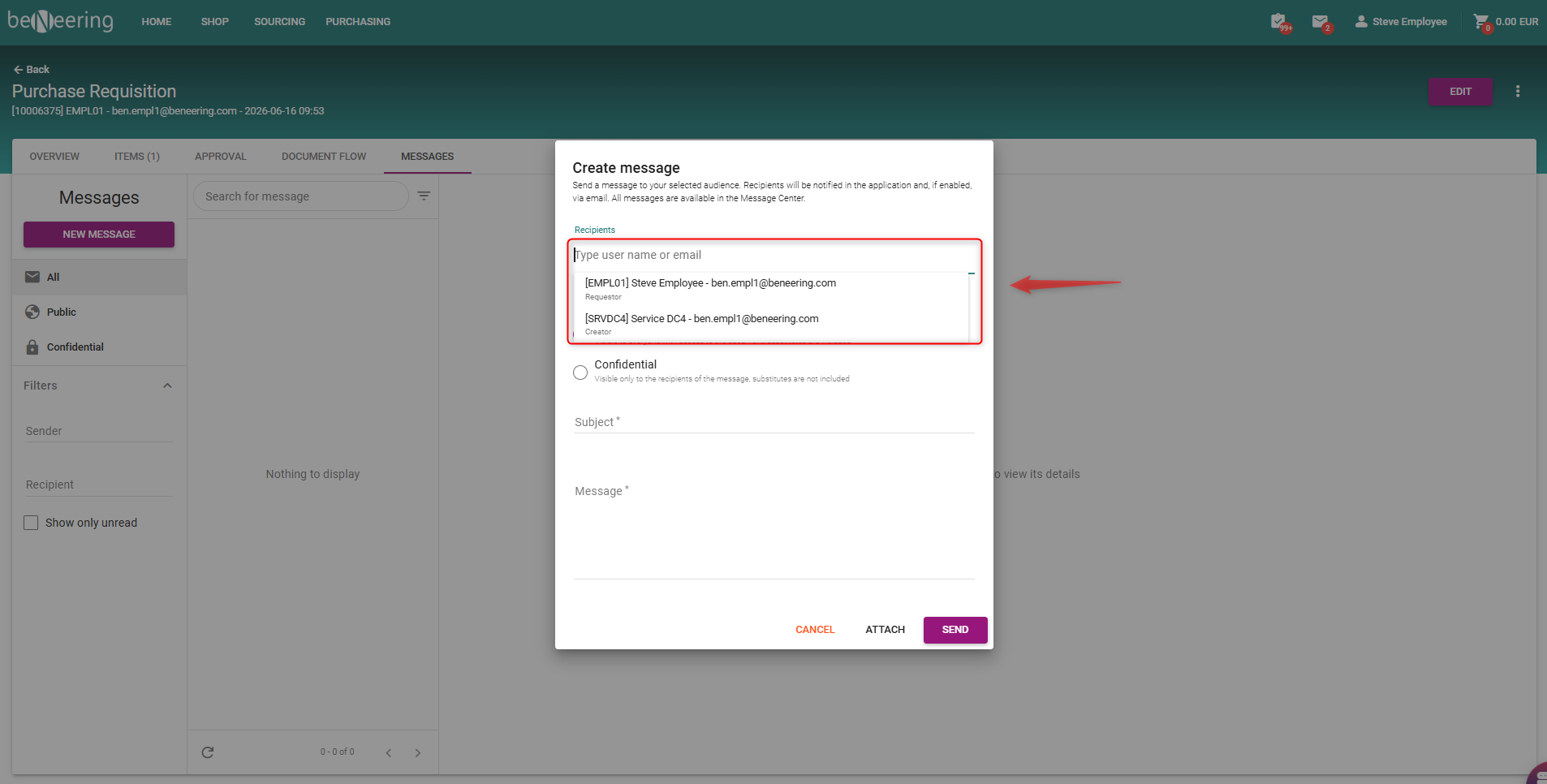
We have introduceda new functionality where buyers and approvers can quickly add the Requestor or Creator directly within the Purchase Requisition (PR) messaging panel.
You no longer need to close the message window to look back at the PR header info to find out who created or requested the item. The system now automatically identifies them and surfaces them right where you need them.
How to Use It
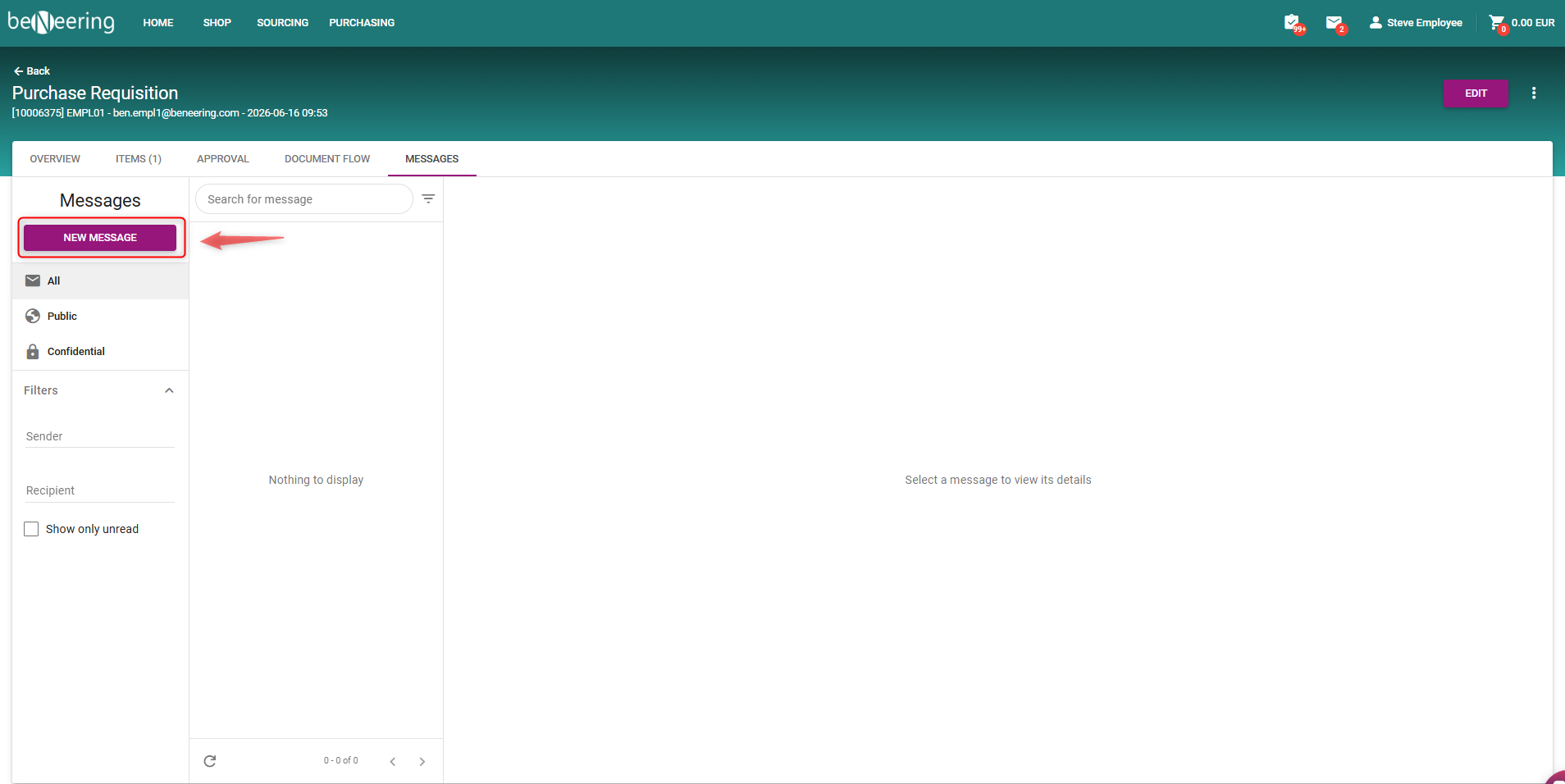
1.Open the Message Panel : From inside your active Purchase Requisition (PR) view, click the "New Message"
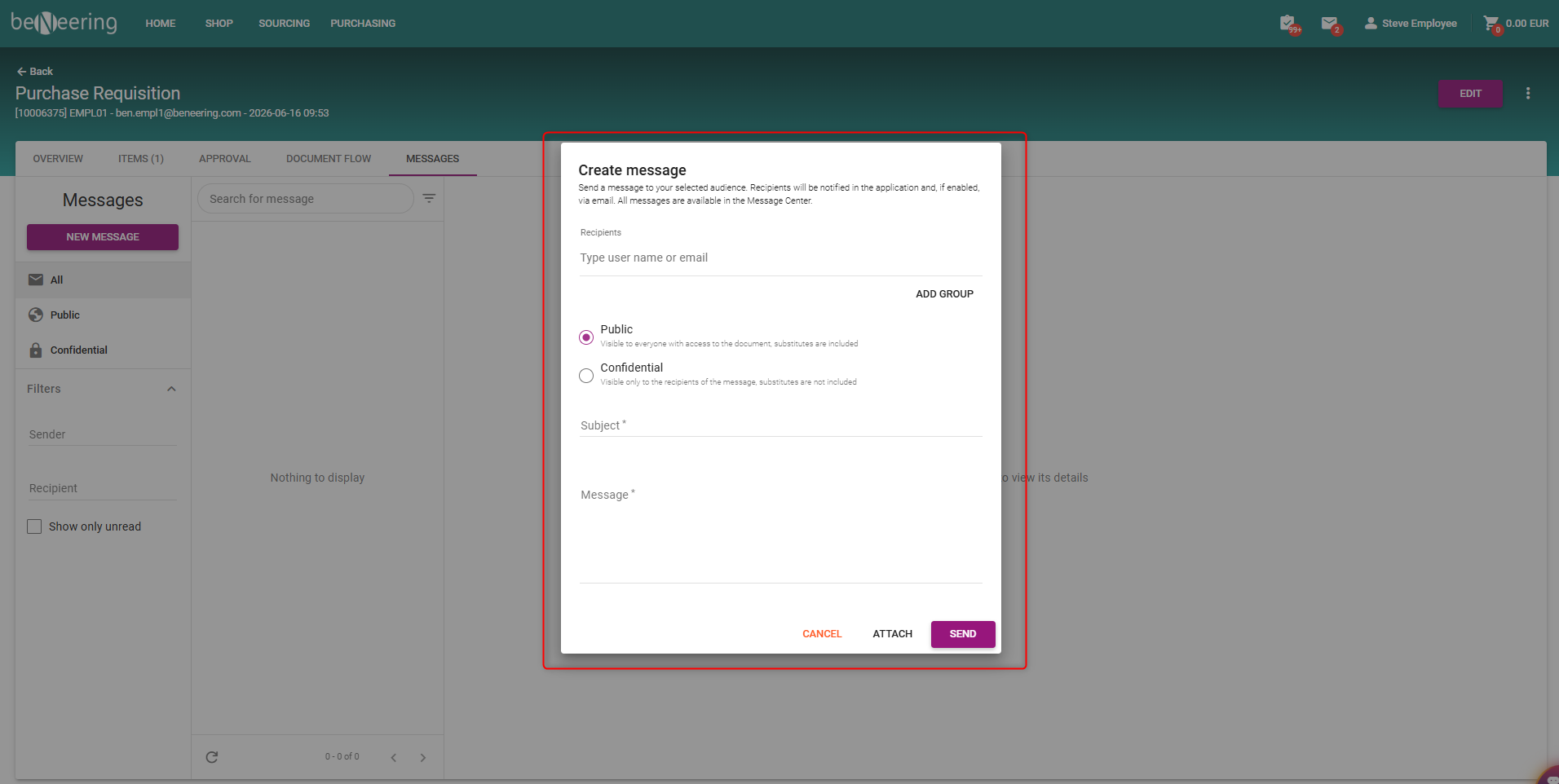
2.Click the Recipient Field and Select Requestor or Creator
A quick-select dropdown list will automatically appear. The PR's Requestor and Creator will be displayed right at the top, clearly labeled with their operational roles. Simply click their name to add them instantly.