
Setting the Delivery Address in a Purchase Requisition Header/Overview
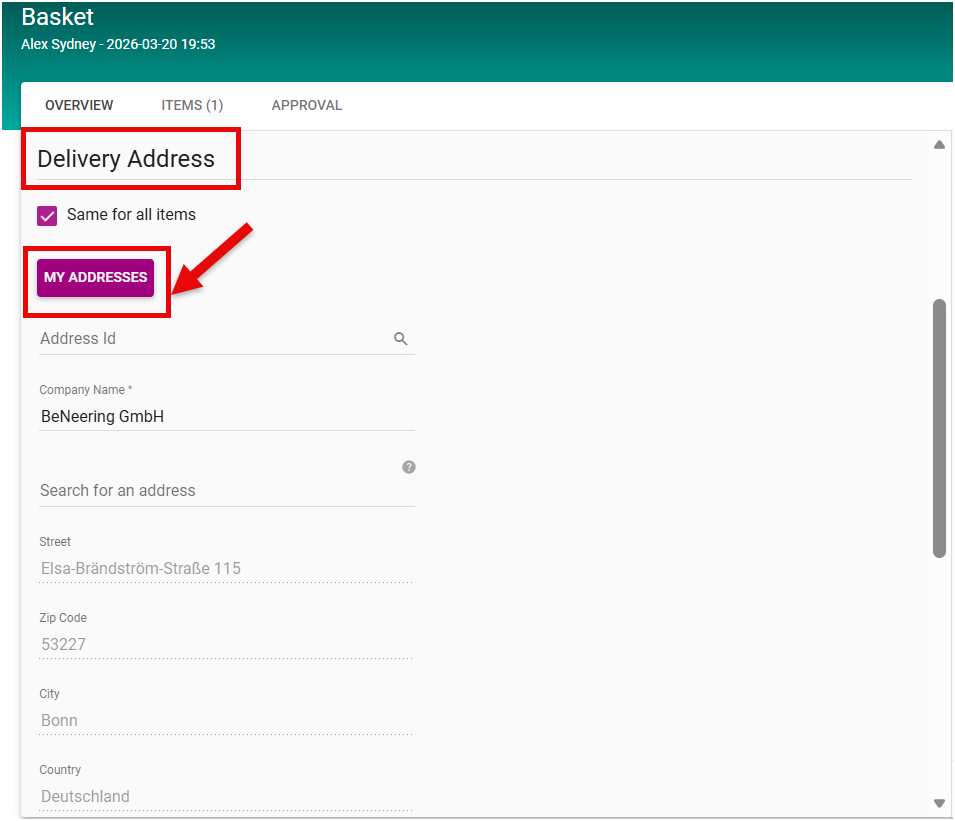
In a Purchase Requisition, users have the ability to maintain the delivery address directly in the PR Overview, under the Delivery Address section.
Users have two options:
in Accounting Section
-
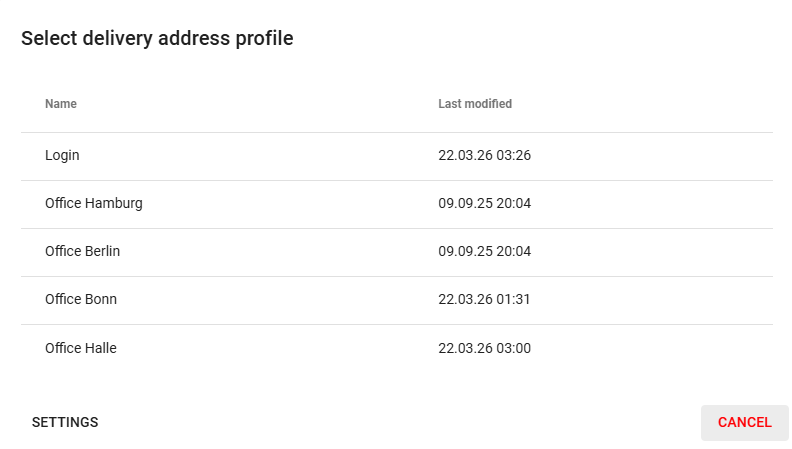
Select from “My Addresses”, choose one of the delivery addresses already maintained in your user profile in User Settings.
-
Enter a completely new delivery address.
To create a new delivery address:
-
In the Address Search field, enter the desired address.
-
The system will check if the address already exists.
-
Once validated, the remaining fields (Street, ZIP Code, City, and Country) will be automatically populated by the system.
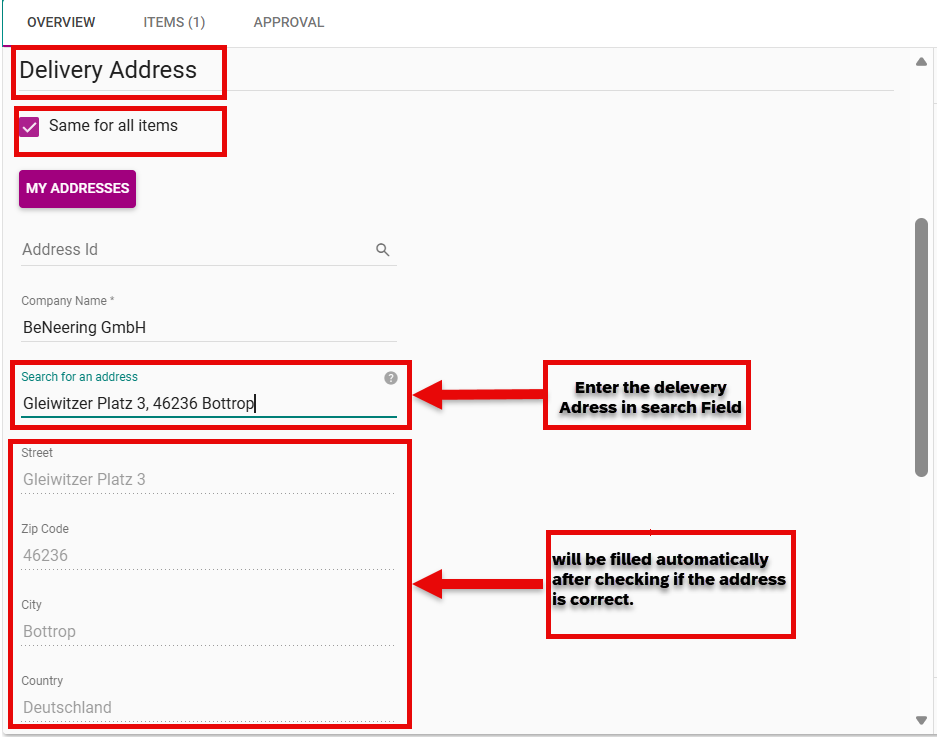
This ensures that only verified, standardized addresses are used in the PR, reducing errors and streamlining the delivery process.
If the user enables “Same for all items,” the delivery address maintained in the basket header (Overview) is automatically applied to all items in the shopping cart. At the item level, the address is automatically adopted from the header and any existing item-level entries are overwritten.