
The Organization Data is located at the bottom of the Item Details section within a Purchase Requisition. It includes the following fields:
-
Company Code
The smallest organizational unit for external accounting, where a complete, self-contained set of accounts is created. This includes all transactions to be posted and the creation of items for legal financial statements, such as the balance sheet and profit and loss statement. -
Purchasing Organization
An organizational unit that subdivides the enterprise according to purchasing requirements. It is responsible for procuring materials and services, negotiating purchase conditions with vendors, and managing these transactions. -
Purchasing Group
A key for a buyer or group of buyers in SAP ERP, responsible for the procurement of materials or material classes. It serves as the primary channel for a company’s interactions with its suppliers. -
Plant
An organizational unit responsible for planning, procurement, and the distribution of goods and services within a company, typically under a single company code.
These fields are found at the bottom of the Item Details tab, providing the essential organization-related information for the item.
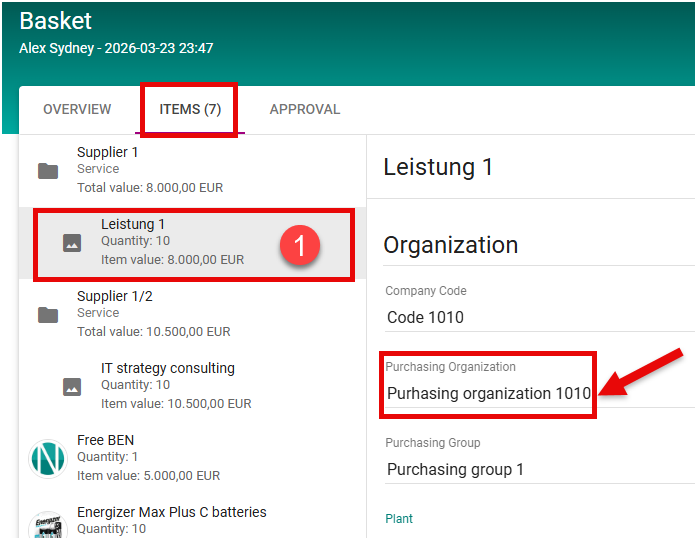
The Purchasing Organization field in item details can behave in two ways, depending on your company’s settings:
-
Field Enabled (not greyed out):
-
You can manually select or change the Purchasing Organization for each item.
-
-
Field Disabled (greyed out):
-
The system automatically pre-fills the Purchasing Organization based on the logic configured in SAP.
-
This ensures the correct Purchasing Organization is applied according to your company’s procurement rules, reducing manual input and errors.
-
The Plant field in item details is usually populated from the defalt organization defined in the user Settings.
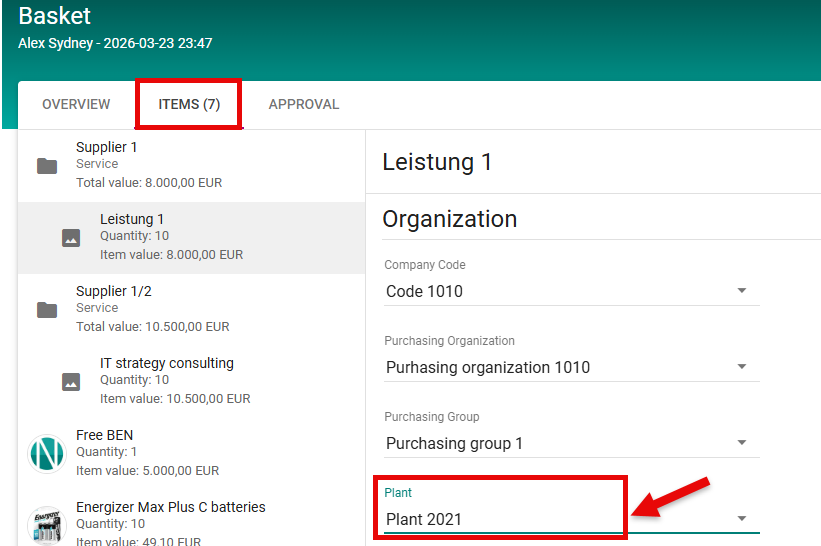
However, it can also be edited at the item level when needed, for example:
-
If a specific item requires a different plant than the default organization
-
If multiple items need to be assigned to different plants
This ensures that the correct delivery location can be specified for each item, while still using the default organization as the starting point.