
The delivery address is either prefilled via Single Sign-On for Guided Buying or manually set in the user’s personal settings (below the user icon).
Fields visible in the delivery address form may vary depending on your organization's configuration.
Delivery Address Fields
|
Attribute |
Explanation |
|---|---|
|
Address ID |
May be connected to the address search help in your SAP system. Use this field to search for alternative address data. |
|
Company Name |
The name of the company where the goods will be delivered. |
|
Street |
The street of the delivery location. |
|
Zip Code |
The zip/postal code of the delivery location. |
|
City |
The city of the delivery location. |
|
Country |
The country where the delivery is to be made. |
How to maintain Delivery Addresses at Item Level
In scenarios where a shopping basket contains multiple items requiring delivery to different addresses, it is necessary to maintain the delivery address individually at item level.
Prerequisite
-
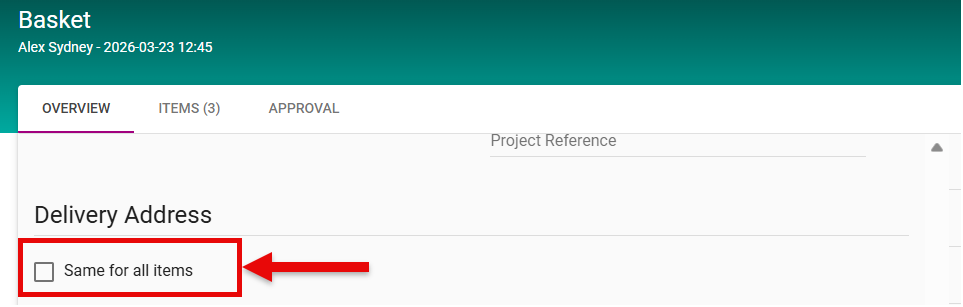
To enable individual delivery addresses per item, the option ‘Same for all items’ must be deactivated (unchecked) in the system.
-
Open the shopping basket.
-
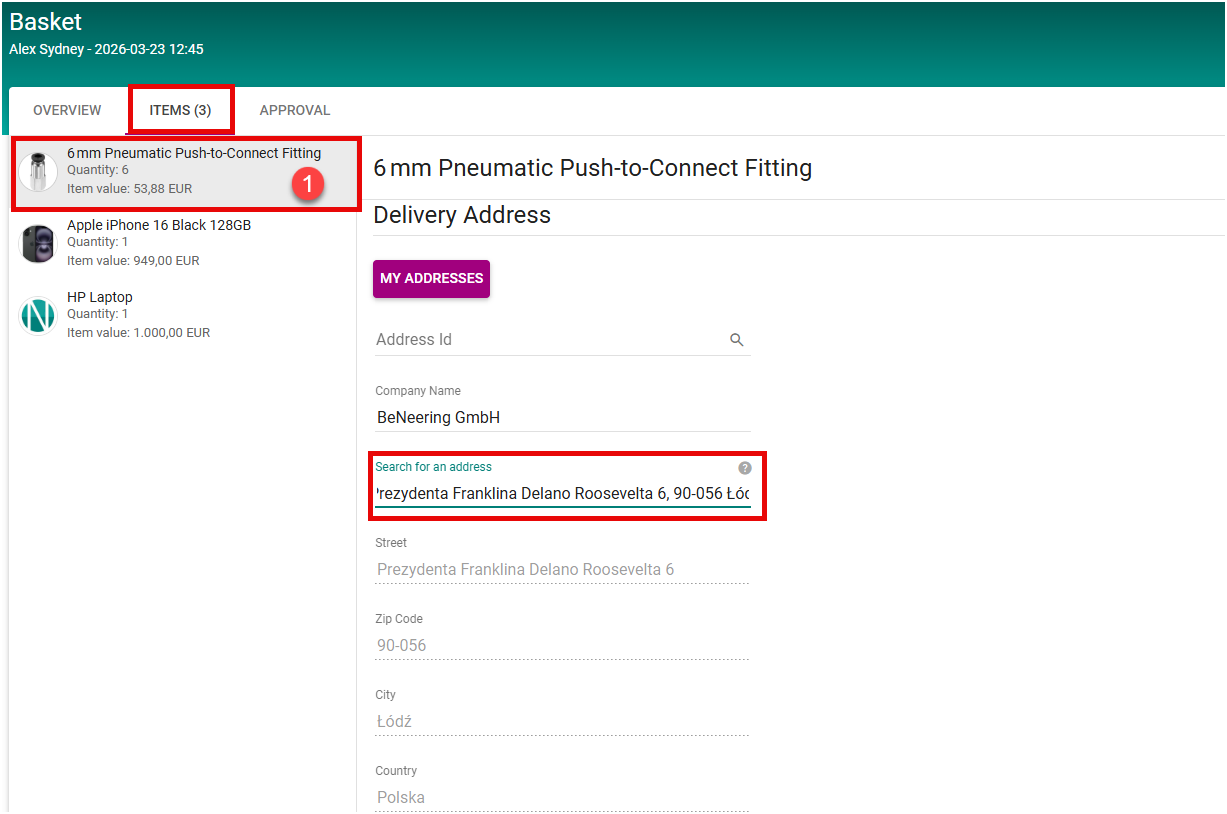
Navigate to the Item Overview section.
-
Select the relevant item.
-
Access the Delivery Address field for the selected item.
-
Enter the desired address using the search function.
-
The system performs an automatic validation of the entered address.
-
Upon successful validation, the address details (e.g., street, postal code, city, and country) are populated automatically.
-
Repeat this process for each item that requires a distinct delivery address.
Notes
-
Address validation ensures data consistency and reduces manual input errors.
-
Each item must be maintained individually if different delivery destinations are required.